 myagent.mxBLOG
deliverability · email return path
Return-Path Header: What It Is and How It Works
The Return-Path header explained: how it differs from From and Reply-To, who adds it, how SPF uses it, and how to read it in a raw email message.
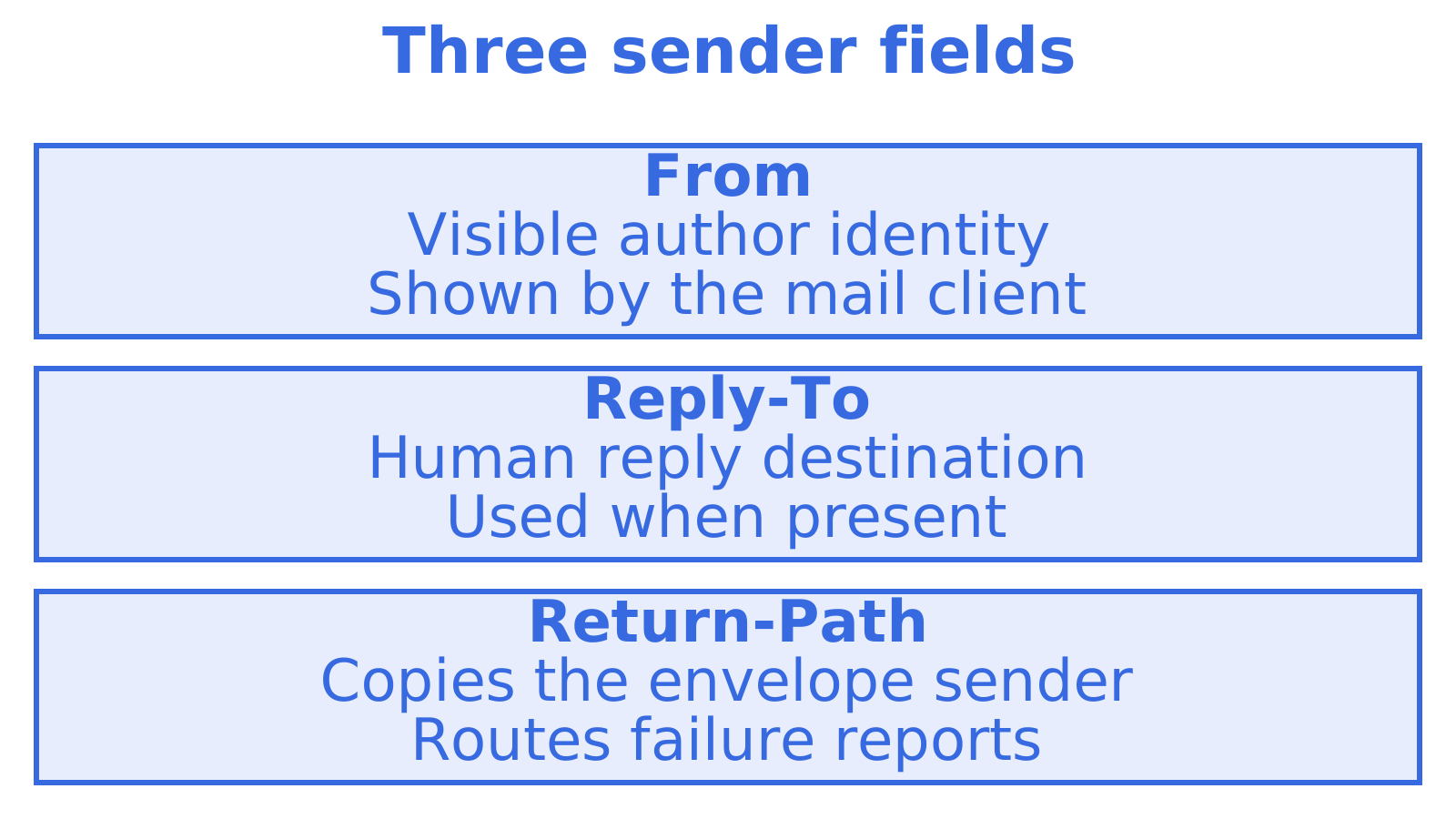
The Return-Path header records the address where bounce messages and other delivery failure reports are sent. It is not the address you see in your mail client, and it is not where a human reply goes. It is a copy of the SMTP envelope sender, written into the message by the receiving server when the mail is finally delivered.
That one sentence clears up most of the confusion around “email return path”, “envelope sender” and “MAIL FROM”. They are the same address seen from different angles. This guide covers where it comes from, how it differs from From and Reply-To, what it has to do with SPF, and how to read it in a raw message.
TL;DR
- Return-Path is the bounce address. It is a copy of the SMTP envelope sender (the MAIL FROM address), added by the final delivery server.
- From is the identity people see. Reply-To is where human replies go. Return-Path is where automated failure reports go.
- You do not set the Return-Path header yourself. You set the envelope sender during the SMTP transaction, and the receiving system writes the header.
- SPF checks the envelope sender domain, so a well-chosen return-path domain matters for DMARC alignment and bounce handling.
- Forwarders and mailing lists often replace the envelope sender, so the Return-Path you see may belong to the list or the forwarder, not the author.
Table of Contents
- What the Return-Path header is
- Envelope sender versus header From
- How and when Return-Path gets added
- Return-Path, Reply-To and From compared
- Can you set or change the Return-Path header?
- Return-Path, SPF and spoofing
- What forwarding and mailing lists do to it
- How to read Return-Path in a real message
- Our perspective on return-path for agent email
- Giving an agent a mailbox
- FAQ
- Sources
What the Return-Path header is
Return-Path is a registered mail header. RFC 4021, the IETF registry of message header fields, lists it as a standard header described as “Message return path”, tied to message-response diagnostics. In plain terms, it says where to send news that something went wrong.
The syntax is simple. RFC 5322 section 3.6.7 defines the field as Return-Path followed by an address in angle brackets. It also allows an empty path, written as <>, which you will see on bounce messages themselves. The same section says the interpretation of trace fields like this one is governed by the SMTP specification, and that under RFC 5322 they are strictly informational.
A typical header looks like this:
Return-Path: <bounces+12345@mail.example.com>
From: Priya Nair <priya@example.com>
Reply-To: support@example.com
Notice that the Return-Path domain differs from the From domain. That is normal, and often deliberate, because the party handling bounces for a sender is frequently a sending platform rather than the sender’s own mailbox.
You will also see the same thing called a bounce address, the envelope sender, the MAIL FROM address, the reverse-path, or the Return-Path address. RFC 5321 uses “reverse-path” for the originator address supplied in the MAIL command and intended for error reports. The header is simply where that value ends up after delivery.
Envelope sender versus header From
An email has two layers, much like a paper letter. The envelope is what the postal system uses to move the letter. The content is what the recipient reads. RFC 5321 defines an SMTP mail object in exactly these terms: an envelope that carries an originator address for error reports, plus content made of a header section and a body.
The two layers are independent. The older RFC 821 already noted that the forward and reverse paths used in SMTP commands need not appear in the To, From or Cc fields of the message. A server can accept a message whose envelope sender is one address and whose From header is entirely different.
| Envelope sender | Header From | |
|---|---|---|
| Where it lives | SMTP MAIL FROM command | Message header section |
| Who sees it | Mail servers, and you after delivery as Return-Path | The recipient, in their mail client |
| Purpose | Bounces and delivery failure reports | Visible author identity |
| Checked by | SPF | DMARC (alignment with SPF and DKIM) |
| Can differ from the other | Yes | Yes |
This is why so many people search “SMTP envelope vs header”. Both layers carry a sender, and each answers a different question. The envelope sender answers “who handles failures for this message?” The From header answers “who is this message from, as far as the reader is concerned?”
How and when Return-Path gets added
The sending system does not normally write this header. Under RFC 5321 section 4.4, the delivery SMTP server adds Return-Path at the moment of final delivery, inserting it at the start of the message data. It copies the reverse-path from the MAIL command. Final delivery means the message is placed in the destination mailbox or an associated maildrop, after it has left the SMTP environment.
So the sequence runs like this:
- The sending server opens an SMTP session and issues
MAIL FROM:<bounces@mail.example.com>. - It then names the recipient and transmits the message content.
- Relays may add their own Received lines along the way.
- The final delivery server stores the message and prepends
Return-Path: <bounces@mail.example.com>.
This explains a common puzzle. If you look at a message in your Sent folder, there may be no Return-Path at all. The header only exists once a receiving system has delivered the message, so you find it on the incoming copy, not on the draft you wrote.
Return-Path, Reply-To and From compared
The question “reply-to vs return-path” comes up constantly, because both seem to be about replies. They are not. One is for people and one is for machines.
| Field | Layer | Used by | Where it points |
|---|---|---|---|
| From | Message header | Mail client display | The visible author |
| Reply-To | Message header | Mail client, when a person hits Reply | Where human replies should go |
| Return-Path | Envelope, copied to header | Mail servers | Where bounces and failure reports go |
A widely cited practitioner explanation on Stack Overflow draws the same line: From is the identity most clients show, Reply-To is the address for human replies, and Return-Path is the address for SMTP bounces. If Reply-To is present, a reply is addressed there. If it is not, replies generally use From.
The specification backs the bounce half of this. RFC 5321 says error messages should go to the reverse-path in the SMTP envelope, and not to From, Sender or similar header fields. It also requires gateways that forward mail into the Internet to make From, To and Cc syntactically valid and useful for replies, while still directing error messages to the reverse-path.
A practical example: a support platform sends mail with From set to help@yourbrand.com.au, Reply-To set to tickets@yourbrand.com.au, and an envelope sender of bounce-8841@mail.platform.example. A customer who clicks Reply writes to the tickets address. A mailbox that is full or does not exist sends its failure report to the platform’s bounce address, where it can be matched to the original message and logged.
Threading is a separate matter again. Replies find their conversation through headers such as In-Reply-To, covered in our guide to how email threading works, not through Return-Path.
Can you set or change the Return-Path header?
Not directly, and you should not try. The rule in RFC 5321 is that an originating SMTP system should not send a message that already contains a Return-Path header. The final delivery system writes it from the MAIL command, and it may remove or regenerate it during forwarding or gateway processing.
What you control is the envelope sender, and how you do that depends on how you send:
- SMTP libraries and servers: set the envelope sender separately from the From header. In many libraries this is a distinct parameter (often called envelope sender, MAIL FROM or bounce address).
- Email service providers: most let you configure a custom return-path domain, usually a subdomain with a CNAME record, so bounces route to the provider while the domain still aligns with yours.
- Mailbox clients such as Thunderbird: users sometimes notice that the header reveals the underlying account domain. That is expected, since the envelope sender reflects the account that actually submitted the mail.
If you send through a platform, the five DNS steps in our return path domain setup guide cover the records involved. For a wider walk through of how the three authentication layers fit together, see the SPF, DKIM and DMARC setup guide.
Return-Path, SPF and spoofing
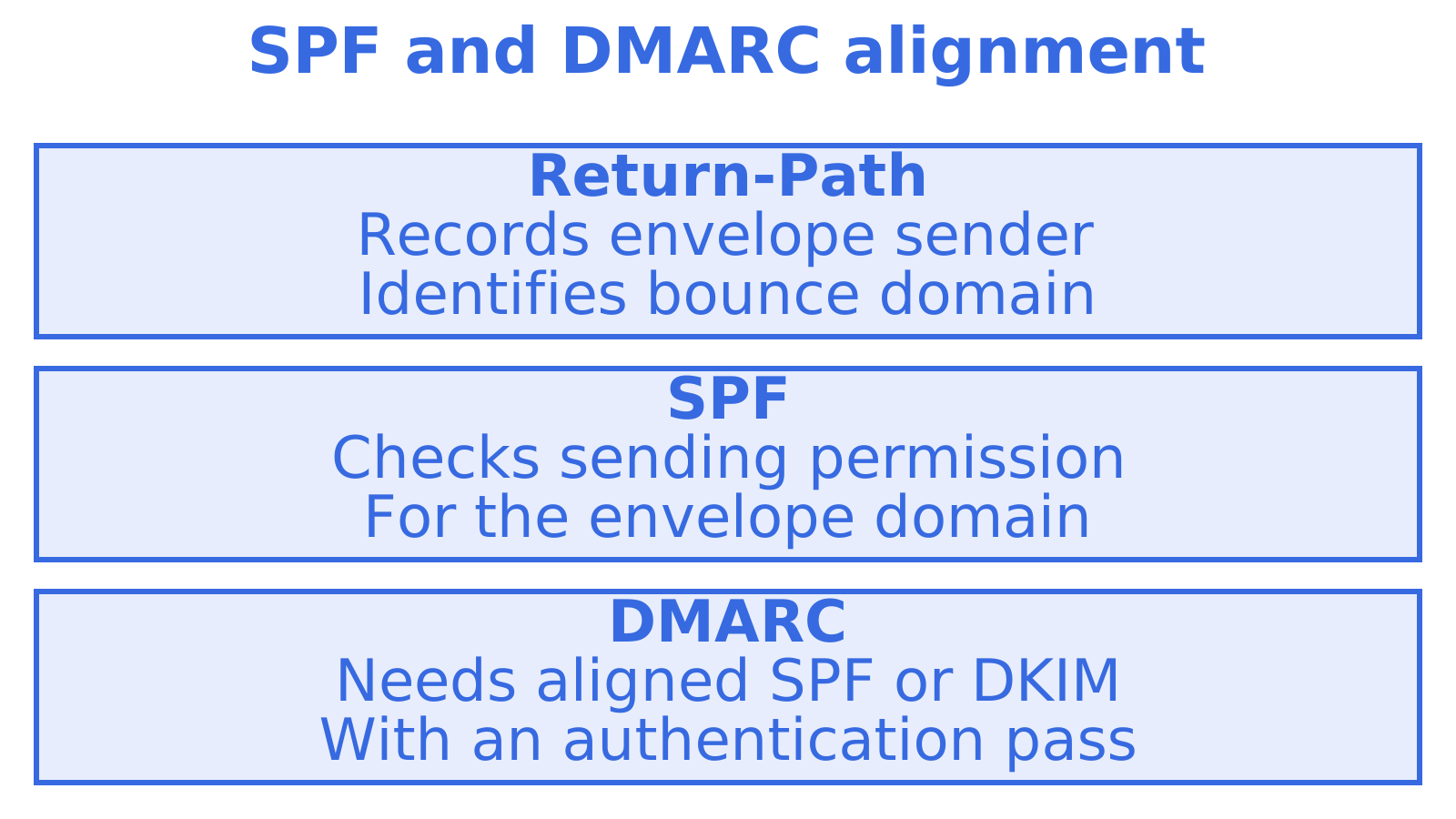
Because the envelope sender is separate from the visible From, it matters for authentication. SPF validates the domain used in the envelope sender (the MAIL FROM identity), not the From header people read. A receiver checks whether the connecting server is allowed to send for that domain. The result is a verdict on the bounce domain, which is why this is also the domain attackers abuse when they spoof.
That gap is the reason DMARC exists. DMARC asks whether the domain that passed SPF, or the domain that signed with DKIM, lines up with the visible From domain. A message can pass SPF on a platform’s bounce domain and still fail DMARC alignment if the return-path domain does not match your From domain. A custom return-path domain fixes that. A short explanation of how the envelope sender gets recorded as Return-Path and then used in these checks is in this business email setup walkthrough.
A related concept is authenticated submission. RFC 4954 lets a client add an AUTH parameter to MAIL FROM, tying an individual message to an authorised identity and separating the authenticated identity from the sender identity supplied. The design separates session authentication from per-message sender authorisation, so a trusted, authenticated submitter can send for envelope identities it is permitted to use.
Two practical SPF notes. First, SPF has a limit on DNS lookups, and stacking many includes breaks it silently. Our write-up on SPF include limits shows how to stay under it. Second, before you tighten DMARC policy, read the guidance on how to safely enforce SPF, DKIM and DMARC so legitimate mail streams do not get rejected.
What forwarding and mailing lists do to it
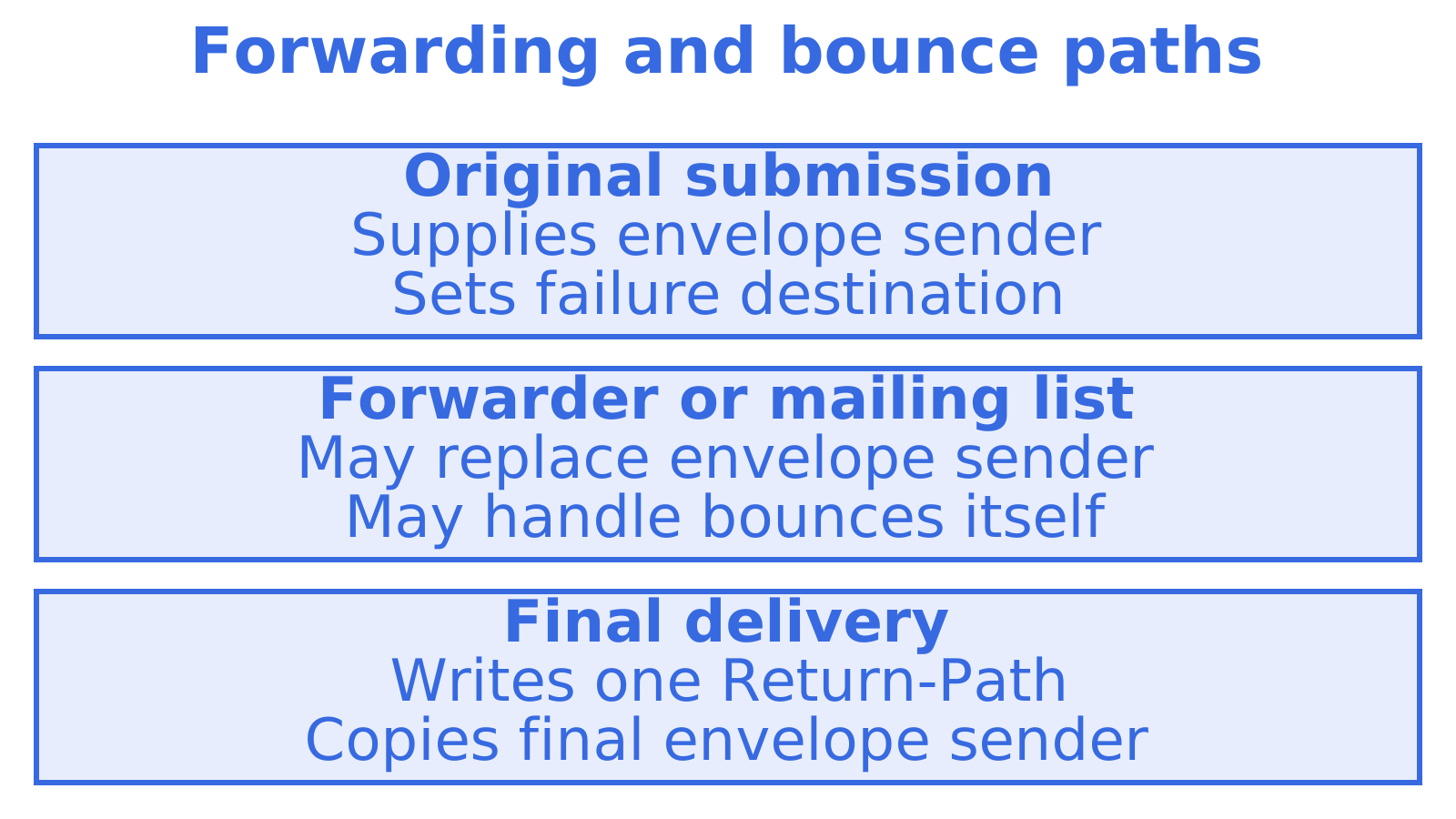
The Return-Path you read is only the last envelope sender in the chain. RFC 5321 allows a forwarding, gateway or relay system to strip the existing Return-Path and rebuild the MAIL FROM, so that the delivered message carries exactly one Return-Path.
Mailing lists take this further. Delivery from a list commonly sets the envelope return address to a list-maintainer or bounce-processing address. That keeps subscriber bounces going to the list software, which can remove dead addresses, rather than flooding the original author. If you are debugging and the Return-Path shows a list address, nothing is wrong. It is working as intended.
The same logic applies to simple forwarding. If a message hops through a forwarding rule, SPF may fail at the final hop, because the forwarder’s server is not authorised for the original envelope domain. Forwarders that rewrite the envelope sender avoid this, at the cost of changing the Return-Path.
When bounces do arrive, you still have to interpret them. The developer’s guide to hard and soft bounces and the list of bounce reason codes with automation rules turn those failure reports into suppression and retry logic. If you want a general primer on dealing with undeliverable mail first, this piece on fixing email bounces and deliverability covers the symptoms from the sender’s side.
How to read Return-Path in a real message
You can check any message in a few minutes.
- Open the message in your mail client and choose the option to view the original, raw source or full headers.
- Find the
Return-Path:line. It is normally one of the first lines, because the delivery server inserts it at the top. - Compare its domain with the
From:domain. Same domain suggests the sender manages their own bounces. A different domain suggests a sending platform. - Look at the
Authentication-Resultsline, if your provider adds one. It usually shows the SPF result for the envelope domain next to the DKIM and DMARC outcomes. - Read the
Received:lines from the bottom up to follow the path the message took.
See also the Sendmux email header analyzer.
Common things to look for:
- Return-Path missing entirely: you may be looking at a sent copy, or a client that hides it. View the received copy instead.
- Return-Path is
<>: this is a bounce or automatic notification. The empty path stops two mail systems from bouncing failure reports back and forth forever. - Return-Path domain unrelated to From: typical for platform sending. Check that SPF passes for that domain and that DKIM aligns with your From domain.
- Different Return-Path from what you configured: a forwarder or list rewrote it along the way.
Our perspective on return-path for agent email
We build email infrastructure for AI agents.
An agent is not a person at a keyboard. When a message fails, nobody notices a bounce in an inbox. The failure report has to land somewhere a program can read it, tie it back to the exact message and the exact mailbox, and act on it.
It is also why we like usage-based, mailbox-scoped design. Each agent mailbox has its own identity and mailbox-scoped credentials. When you route outbound across your own providers, the bounce path should follow the same routing, so you can see which provider and which sender domain produced a failure.
Our advice is simple. Choose your return-path domain deliberately, keep it aligned with your From domain, and make sure something in your stack reads the failures. Agents that read, thread and act on mail are only as good as the feedback they get when a message does not arrive.
Giving an agent a mailbox
If you are building an agent that sends and receives email, you do not have to wire up a domain before you start experimenting. An agent can register itself at myagent.mx and receive a mailbox on the shared @myagent.mx domain, usable with no DNS setup. Registration creates a durable read token with mailbox.read and email.receive. Sending unlocks once a human owner accepts the invitation and explicitly approves it.
When you are ready for your own domain, Sendmux agent inboxes provide mailbox-scoped access, and the wider email API for agents covers sending and receiving. If you are weighing protocols, our comparison of SMTP and an email API lists five checks to run before you migrate.
FAQ
Is Return-Path the same as the From address?
No. From is the visible author identity that your mail client displays. Return-Path is the envelope sender, copied into the message at final delivery, and it is where bounces go. They can be identical, but on mail sent through a platform they usually differ.
Where do bounces go, to Reply-To or Return-Path?
Bounces go to the envelope sender, which appears as Return-Path on the delivered message. Reply-To is only consulted when a person replies in a mail client. RFC 5321 says error messages should be delivered to the reverse-path, not to From or similar header fields.
Why can I not see Return-Path on a message I sent?
The header is added by the receiving system at final delivery, so it exists on the delivered copy and not on your draft or Sent item. Open the message as received by the recipient, or view the original source of an incoming message, and look near the top of the headers.
Does Return-Path affect deliverability?
It can. SPF is evaluated against the envelope sender domain, and DMARC checks whether that domain aligns with your From domain. A return-path domain that you control and that matches your From domain gives receivers a consistent identity. Pair it with DKIM so authentication survives forwarding.
Can I hide or remove the Return-Path header?
You cannot reliably remove it, because the receiving server writes it from the envelope. What you can change is the envelope sender your sending system uses. Thunderbird users asking about this are usually seeing their account’s domain, which is the address that submitted the mail.
Sources
- RFC 4021: Registration of Mail and MIME Header Fields
- RFC 5321: Simple Mail Transfer Protocol
- RFC 5321 with errata, section 4.4 on Return-Path
- RFC 5322: Internet Message Format
- RFC 821: Simple Mail Transfer Protocol
- RFC 4954: SMTP Service Extension for Authentication
- Stack Overflow: difference between Return-Path, Reply-To and From
Recommended
Give an agent its own address
Sendmux is the Email Inbox API for AI Agents.