 myagent.mxBLOG
deliverability · spf include limit
Prevent Mail Loss: RFC 7208 SPF Include Fixes for Admins and MSPs
RFC 7208 based checklist for admins and MSPs to avoid permerror and mail loss. Learn which mechanisms count toward the 10 DNS lookup limit, how to audit...
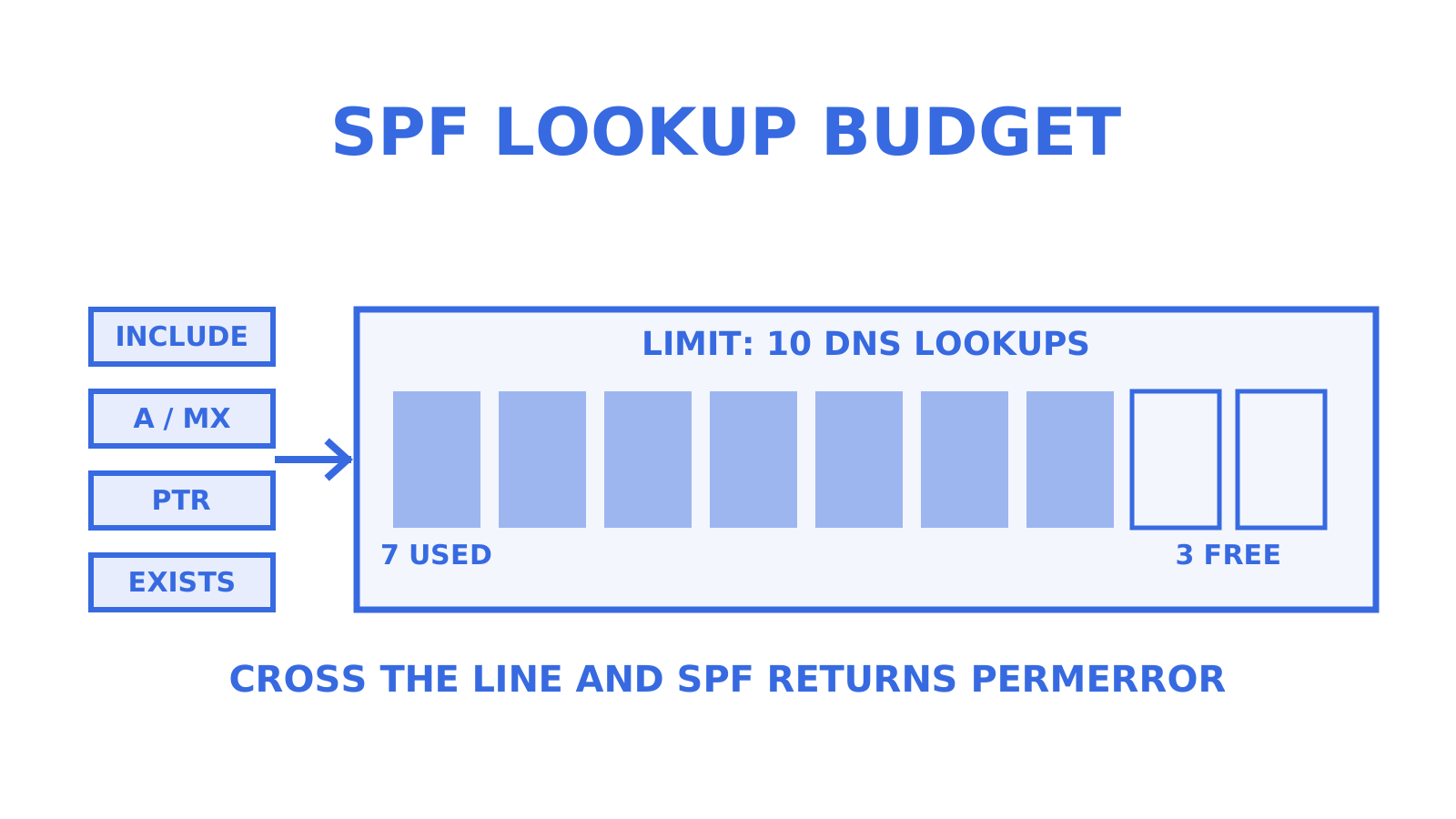
SPF checks must not require more than 10 DNS lookups. Exceeding that ceiling returns a permerror, and a permerror usually means SPF cannot produce a pass result at all. That breaks SPF based authentication outright, and because DMARC often leans on SPF for alignment, a single bloated record can quietly push good mail into spam folders or rejection queues. RFC 7208 is the specification behind this rule, and it leaves no room for interpretation.
TL;DR
- Most SPF records that exceed the 10 DNS lookup limit result in a permerror, which prevents any pass result and can harm email deliverability.
- Each include, a, mx, ptr, exists, and redirect modifier in an SPF record counts as at least one DNS lookup, with nested includes adding further lookups.
- Using only ip4, ip6, all, and exp mechanisms avoids lookups and helps keep the SPF record within the limit, but may reduce flexibility.
- Regular auditing with online tools or scripts can identify records close to the lookup limit, allowing proactive cleanup of unused includes and mechanisms.
- Budgeting for 7 to 8 lookups and considering partial flattening of stable IPs helps maintain deliverability while minimizing DNS query volume.
Table of Contents
- What RFC 7208 says counts and what does not
- Why the limit exists and what permerror actually does
- What counts toward the 10: a counting checklist
- How to check your current SPF lookup count
- Reducing lookups without breaking deliverability
- Running SPF checks across an MSP portfolio
- Common mistakes and a rapid troubleshooting checklist
- What multi-tenant mail infrastructure taught us about SPF
- A pragmatic alternative for faster detection
- Sources
- FAQ
What RFC 7208 says counts and what does not
The 10 lookup ceiling in RFC 7208 applies specifically to mechanisms and modifiers that trigger a DNS query during SPF evaluation. Not every term in an SPF record costs a lookup, and knowing the difference is the first thing any audit needs to establish.
The terms that cause DNS queries are:
- include: pulls in another domain’s SPF record and evaluates it, costing at least one lookup plus whatever that included record itself needs.
- a: resolves the domain (or a specified one) to its A/AAAA records.
- mx: resolves the domain’s MX records, then resolves each of those hostnames, which can multiply quickly.
- ptr: performs a reverse DNS lookup and is rarely needed in modern deployments.
- exists: checks for the existence of a DNS record built from a macro-expanded domain.
- redirect: the modifier that hands off evaluation entirely to another domain’s record.
Terms that do not cause a lookup are ip4, ip6, all and exp. They are evaluated directly from the text of the record, so an SPF record built entirely from ip4 and ip6 ranges can be as long as you like without touching the lookup budget.
RFC 7208 also sets sub-limits inside these mechanisms. When mx is used, every MX resource record returned counts, and when ptr is used the implementation must not query more than 10 A or AAAA records in that single PTR evaluation. The specification also flags void lookups, being queries that return no data, as something implementations should cap separately to stop malicious or careless records from causing excessive DNS traffic.
Why the limit exists and what permerror actually does
The 10 lookup rule in RFC 7208 exists to stop SPF checks from becoming a DNS amplification vector or a denial of service risk for the checking mail server. Without a hard ceiling, a malicious or poorly built record could force a receiving mail server to chase dozens of nested includes for every message it processes.
Permerror is the specification’s answer when that ceiling is breached: the SPF check stops, returns an error state, and produces no usable result at all. That has consequences for anyone standing downstream of the record.
- No SPF pass is possible, regardless of whether the sending IP address would otherwise have matched.
- DMARC alignment relying on SPF fails, because DMARC needs a passing SPF or DKIM result to authenticate the message under most policies, a point covered in more detail in our guide to enforcing DMARC alongside SPF and DKIM.
- Receiving mail servers respond differently, some rejecting outright, others quarantining or marking mail as spam, depending on their own policy for handling SPF errors.
RFC 7208 requires implementations to return permerror once the 10 lookup limit is exceeded, and that requirement is what turns a messy SPF record into a deliverability incident rather than a cosmetic problem, according to RFC 7208. The practical effect is that a record which “mostly works” can fail entirely for a subset of recipients whose mail servers enforce the limit strictly.
What counts toward the 10: a counting checklist
Counting lookups by eye is straightforward once you know the rules, but nested includes trip up even experienced admins. Work through a record top to bottom using this sequence:
- Count every top-level include, a, mx, ptr and exists mechanism, plus any redirect modifier, as they appear in the record.
- Open each include and repeat the count inside it, because a third-party provider’s SPF record adds its own lookups on top of the one already spent opening it.
- Expand mx terms fully, counting one lookup for the MX query itself and one for each hostname it resolves, as explained in this reference on MX records.
- Flag any ptr mechanism immediately, since it is rarely necessary and carries its own internal cap of 10 A/AAAA lookups per evaluation.
- Note any void lookups, queries that return no answer, since implementations may treat repeated void lookups as a separate limit that also risks permerror.
A short worked example shows how fast this adds up:
| SPF term | Lookups it costs | Running total |
|---|---|---|
include:_spf.google.com |
1, because Google’s current record is flat ip4/ip6 ranges | 1 |
include:sendgrid.net |
2, one for the include plus one nested include inside it | 3 |
include:spf.protection.outlook.com |
1, because Microsoft’s current record is flat ip4/ip6 ranges | 4 |
a |
1 | 5 |
mx |
1 plus one per MX host, so 2 for a single-host domain | 7 |
That record sits at 7 of the 10 permitted lookups before a single marketing tool or CRM has been added, which is how records creep toward the permerror line.
How to check your current SPF lookup count
You do not need to guess. Several free online SPF checkers will parse a record, expand every include recursively, and report a lookup count alongside any warnings about nesting depth or void lookups. Expect their output to show a running total and to flag the record red once it crosses 10.
- Run an online SPF validator first, since most will expand nested includes automatically and show the final count.
- Resolve includes manually with
dig txtornslookupwhen you want to verify a tool’s count or work offline. - Write a short script that walks each include recursively if you manage many domains and want repeatable output rather than a one-off web check.
- Check message headers on a failed message for the Received-SPF result, which usually states permerror explicitly when the limit was the cause.
- Read DMARC aggregate (RUA) reports for spf result entries showing permerror or none, which often surface the problem before a human notices bounced mail.
Pro Tip: Schedule an automated SPF lookup count check on a weekly cadence for every domain you manage, not just the ones that have already broken.
Reducing lookups without breaking deliverability
Fixing an over budget SPF record is mostly about trade-offs between how much work you save the DNS resolver and how much maintenance you take on yourself. Work through the safer options first.
- Replace
aormxwith explicit ip4/ip6 ranges when the sending infrastructure’s IP addresses are stable, since ip4 and ip6 never cost a lookup. Source the ranges from the provider’s own published documentation rather than guessing from current DNS answers, since providers do change infrastructure. - Remove unused or duplicate includes. It is common to find a record still referencing a marketing platform or a legacy mail server that stopped sending years ago.
- Consolidate providers where practical, since fewer sending platforms means fewer includes to maintain and audit.
- Avoid
ptrentirely. RFC 7208 itself discourages it, and it rarely adds authentication value that ip4/ip6 or include cannot provide more cheaply. - Use
redirectfor whole-record delegation when one domain should simply inherit another’s policy wholesale, rather than duplicating a long list of includes. - Treat full flattening with caution. Flattening replaces every include with its resolved ip4/ip6 ranges, which looks efficient but means your record silently goes stale the moment a third party changes its sending infrastructure. That trade often costs more in missed mail than it saves in lookups, and a fully flattened record can also bump against the 255 character per string limit in a TXT record, forcing multi-string workarounds.
- Consider a partial flattening pattern instead. Publish explicit ip4/ip6 ranges for the stable, high volume part of your sending infrastructure, and keep a single include for the smaller, changing remainder. This keeps the lookup count low without taking on full ownership of every third party’s IP list.
- Look at dynamic or managed SPF services if your organisation runs many includes that change often, since they automate the flattening and refresh cycle rather than leaving it to manual updates. The operational cost is dependency on another vendor staying in sync with your providers.
Pro Tip: Aim for 7 or 8 lookups as your working ceiling, not 10, so one unannounced change at a third party provider does not tip you into permerror overnight.
Running SPF checks across an MSP portfolio
Managing one domain’s SPF record is a task. Managing fifty client domains is a policy problem, and it needs the same rigour you’d apply to patching or backups.
- Set an audit cadence, weekly or fortnightly depending on portfolio size, and run it through an automated scanner rather than manual review.
- Adopt a headroom policy across every client domain, treating 8 lookups as the internal red line even though 10 is the technical limit.
- Apply change control to third-party includes. Any client adding a new sending tool should trigger a lookup recount before go-live, not after the first bounce.
- Build a simple reporting template that shows current lookup count, headroom remaining, and any includes added since the last audit, so clients understand risk without needing to read RFC text.
- Keep an emergency procedure documented for permerror incidents: which record to roll back to, who has DNS access, and how long propagation will take.
Pro Tip: Give every client domain a shared spreadsheet or dashboard row showing its current lookup count, so a portfolio wide risk is visible at a glance rather than discovered one incident at a time.
Common mistakes and a rapid troubleshooting checklist
Reordering mechanisms inside an SPF record is a common reflex when mail starts failing, but it is not a fix. SPF evaluates left to right and stops at the first match, so reordering can change which mechanism wins a match, but it does not reduce the total lookup count and does nothing to prevent the next permerror.
When mail flow breaks, work through this sequence:
- Check the Received-SPF header on a bounced or quarantined message for an explicit permerror result.
- Run the record through a lookup counter to confirm whether 10 has been exceeded and by how much.
- Check DMARC aggregate reports to see whether the failure is isolated or affecting a wide range of receiving domains.
- Apply the smallest safe fix, typically removing one unused include or replacing one
a/mxmechanism with static IPs. - Re-run the lookup counter and send a test message after any DNS change, and allow for propagation time before declaring the incident closed.
What multi-tenant mail infrastructure taught us about SPF
Running mail infrastructure for many tenants at once means SPF problems rarely announce themselves cleanly. A client adds a new outreach tool, an include chain that was fine last quarter quietly tips over the limit, and the first sign is a support ticket about missing mail rather than a DNS error anyone saw coming.
The pattern that holds across every case is the same: visibility beats vigilance. A scheduled check catches a creeping lookup count long before a human would notice the record had changed at all.
A pragmatic alternative for faster detection
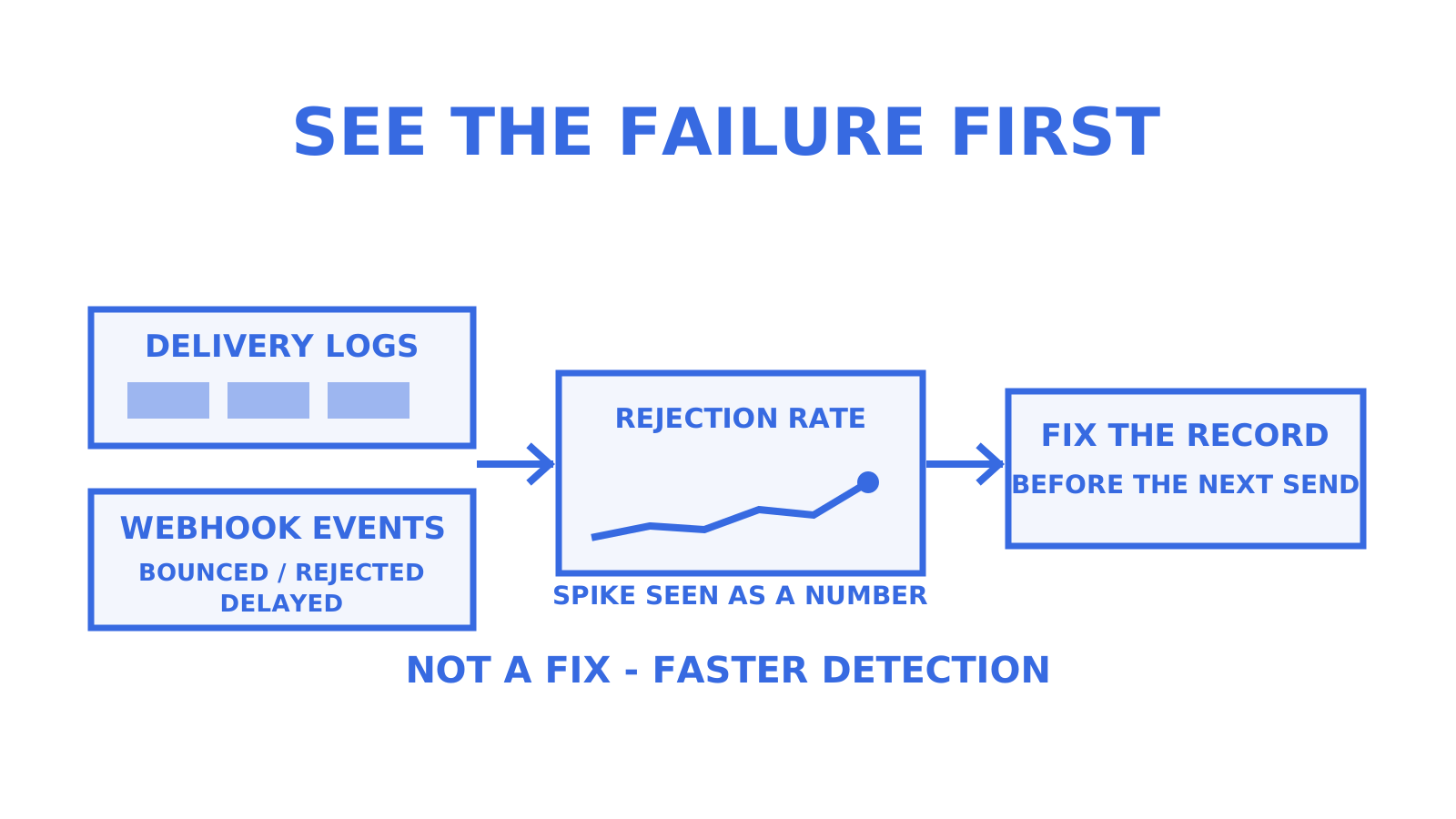
Fixing an SPF record is a DNS task, and no platform changes that. What a platform can change is how quickly you notice the problem in the first place. Some platforms give every mailbox its own delivery logs and metrics, so a spike in rejected or failed sends shows up as a number you can watch, not a guess you make after a client calls.
Routing health monitoring can flag a sending account that keeps failing, and webhook events for bounced, rejected and delayed messages may arrive as they happen rather than sitting in a digest you check periodically. For a team already juggling client DNS records, that shortens the gap between a permerror starting and someone actually seeing it. It is not a substitute for fixing the SPF record itself, but it is a reasonable way to catch the next one sooner. You can look at Sendmux inbox to see how the mailbox and logging pieces fit together.
Sources
For SPF specifics, RFC 7208 is the primary reference and the final word on lookup counting. For DMARC’s reliance on SPF and DKIM alignment, see our RFC 9989 guide. Microsoft’s guidance for high-volume senders is worth folding into any monitoring routine, alongside whichever SPF lookup counter your team has standardised on.
- RFC 7208: Sender Policy Framework (SPF)
FAQ
What is the SPF limit?
SPF evaluation is capped at 10 DNS-causing mechanisms and modifiers per check, a rule set out in RFC 7208. Exceeding that cap forces a permerror result, meaning the check cannot produce a pass regardless of whether the sending server would otherwise have matched.
Is there a limit on SPF records?
Yes, the DNS lookup limit of 10 applies to mechanisms like include, a, mx, ptr, exists and the redirect modifier, as defined in RFC 7208. Mechanisms like ip4, ip6, all and exp do not count towards that limit, since they are read directly from the record text.
What is an SPF record on a mail server?
An SPF record is a DNS TXT record published by a domain owner that lists which mail servers are authorised to send mail on the domain’s behalf. Receiving mail servers query this record during delivery to check whether the sending server’s IP address is authorised, and a result of pass, fail or permerror follows from that check.
What is a good SPF record?
A good SPF record authorises exactly the sending infrastructure a domain actually uses, stays well under the 10 lookup limit, ideally with headroom around 7 or 8, and avoids unnecessary mechanisms like ptr. It should also end with an appropriate all mechanism, and be reviewed whenever a new sending tool or provider is added.
Give an agent its own address
Sendmux is the Email Inbox API for AI Agents.