 myagent.mxBLOG
agents & inboxes · event driven email
Event-Driven Email: How to Design It for Apps and AI Agents
Event-driven email means your app reacts to events and email itself emits events. See the architecture, the events to handle, and how to make it reliable.
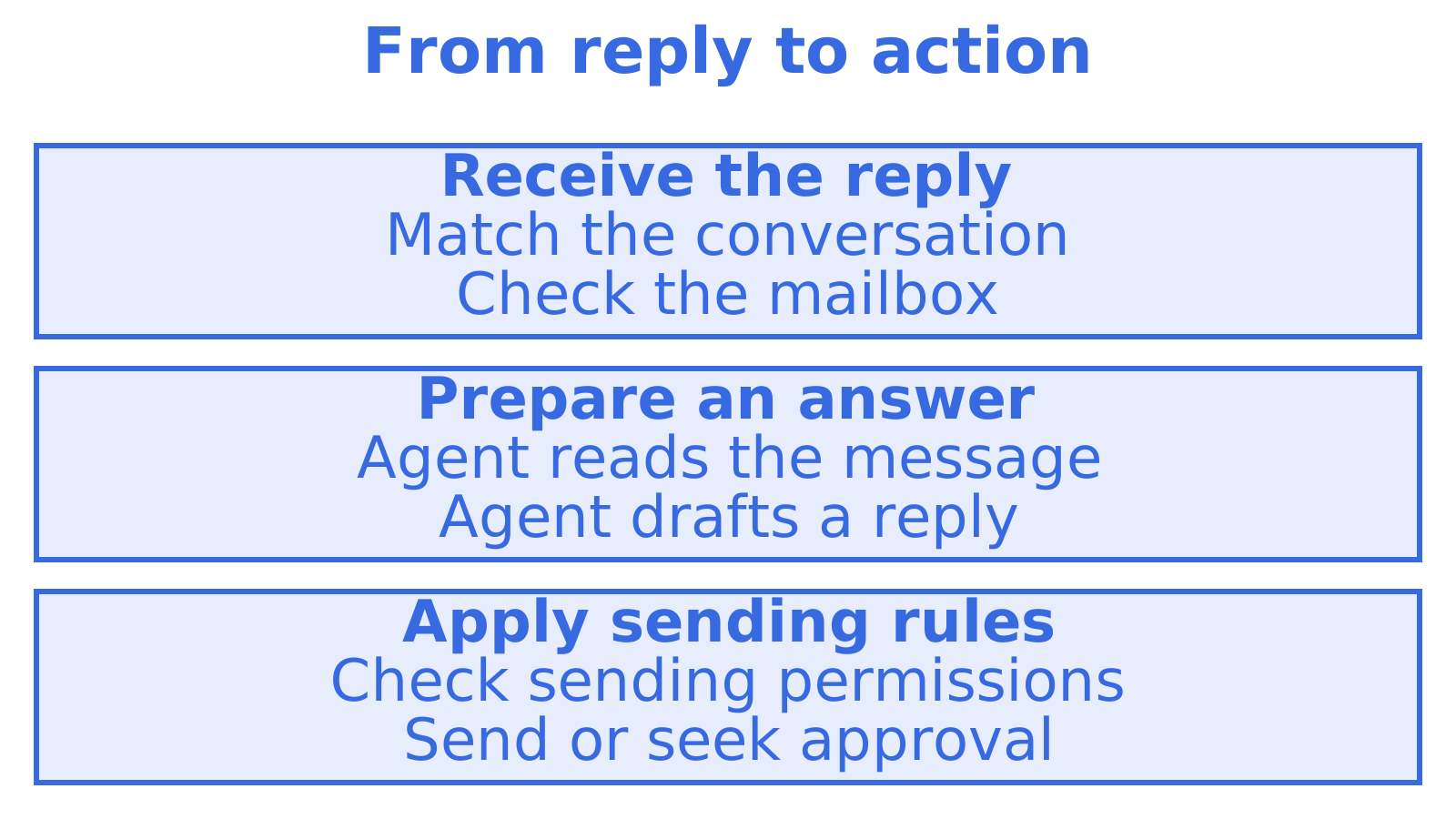
Your app sends a failed-payment email. Then it bounces. Or the customer replies, and your system needs to decide what happens next. With event driven email, an app event triggers a message, then delivery updates and replies set the next action in motion. An AI agent might read the reply and prepare an answer. Design both directions together, keeping a record that lets you trace each message from the app event through to whatever comes back.
Developers, SaaS teams and AI agent builders need to connect what they send with what comes back. This guide covers that connection, including the architecture, reliability, security, records for failed delivery or processing, and when an agent needs a mailbox of its own.
TL;DR
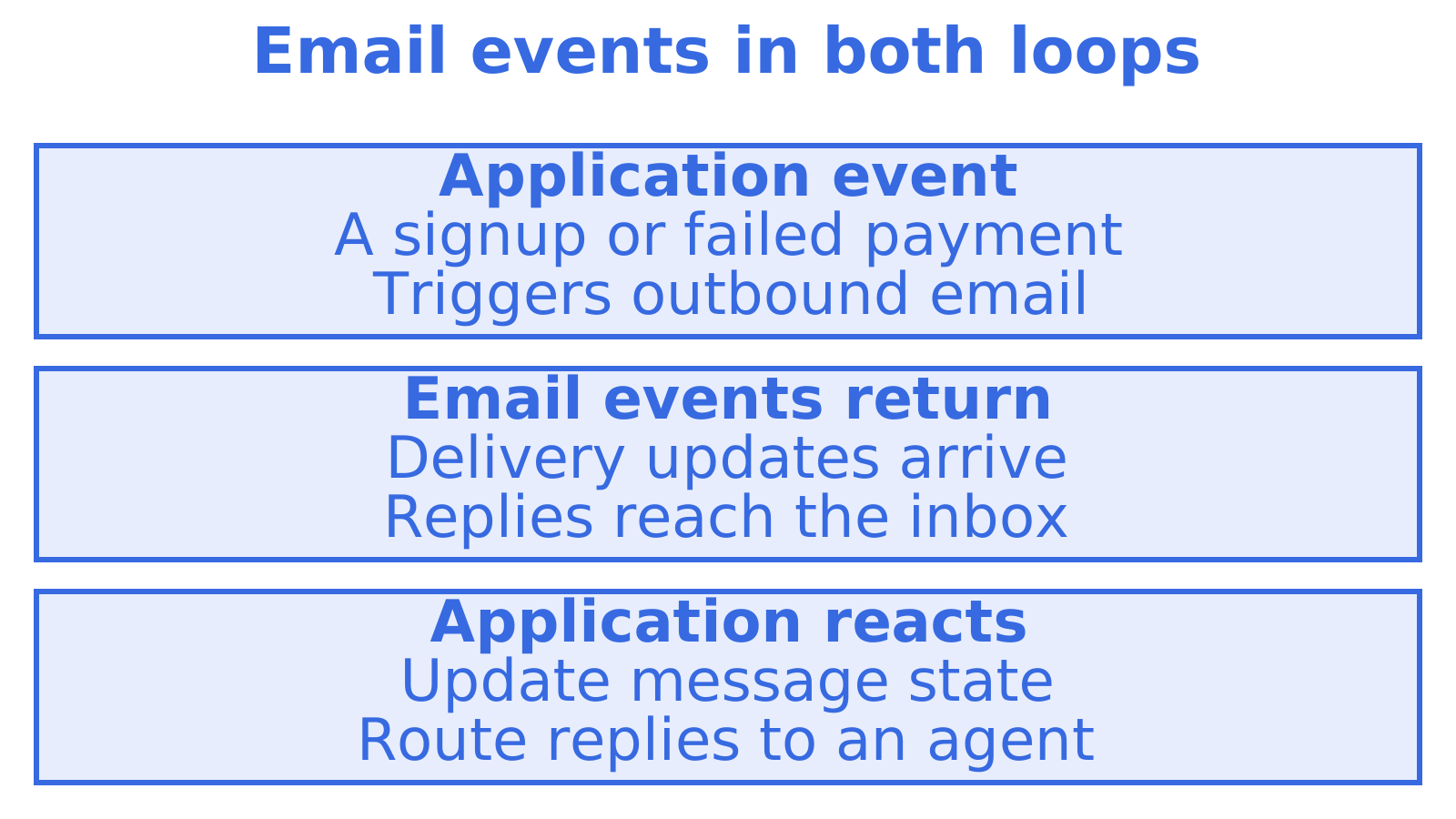
- App events trigger outbound mail. Delivery updates, bounces and replies then trigger app or agent actions, completing the two loops of event-driven email.
- A webhook sends an event notification to your server. Receive it, verify its signature and store it durably, then acknowledge receipt and process it from a queue.
- Notifications can arrive twice. Give each event a unique ID so repeated processing has the same effect as processing it once. That’s idempotency.
- Decide what happens after a bounce, complaint or reply. You might stop further sends or route the reply to an agent.
- If an agent needs an identity of its own, consider giving it a dedicated mailbox with narrowly scoped credentials. That keeps its access separate from a human’s Gmail or Outlook account.
Table of Contents
- What event-driven email actually means
- The architecture: producers, a broker, consumers
- Outbound: turning application events into email
- Inbound: letting email trigger actions
- Which email events should you handle?
- Making it reliable
- Securing events, credentials and identities
- Dedicated agent mailbox or a human’s Gmail?
- Observability: seeing what the system did
- Our perspective
- Start with a mailbox your agent can use today
- FAQ
- Sources
What event-driven email actually means
A campaign goes out Tuesday at 9 am. A nightly job checks unpaid invoices. An inbox script runs every five minutes. Those automations follow a schedule, while event-driven email sends when something happens and reacts when something comes back. You can still run scheduled work alongside it.
Design the sending loop, then the loop that acts on what comes back.
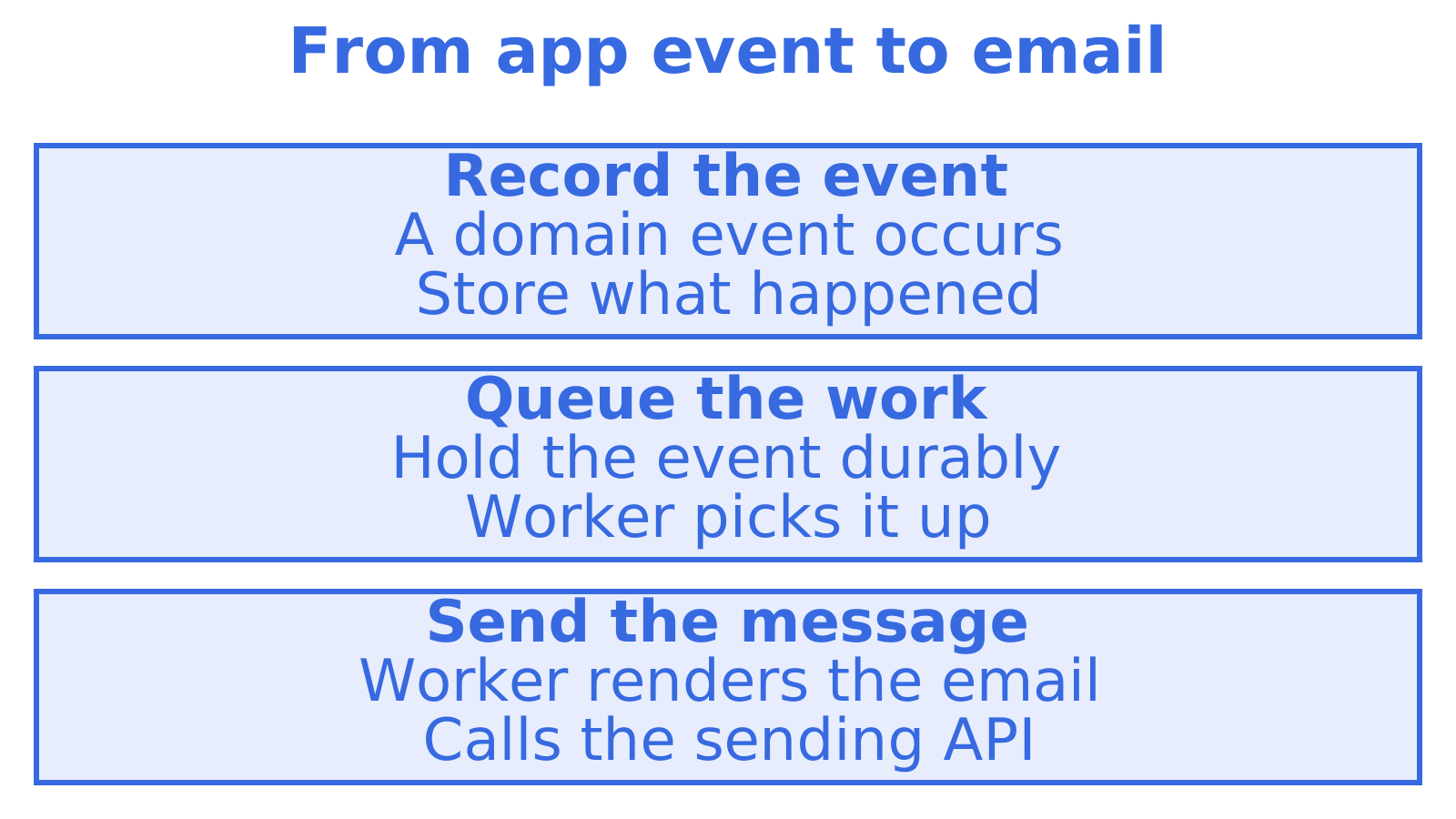
Loop one: application event to outbound email. A password reset, shipped order or monitor crossing a threshold starts the work. Your service records the event. A worker turns it into a message and calls an email API to send it. For this transactional email layer, see our transactional email API integration guide.
Loop two: email event to application action. Delivery reports, bounces and spam complaints come back from the provider. Replies and new inbound messages arrive too. Those events can tell your system to stop sending to an address, open a ticket, wake an agent or update a customer record.
An inbound message gives an AI agent its next task. It reads the message and decides what to do. That makes the agent an event consumer, the software acting on the event, with its inbox as the event source.
The architecture: producers, a broker, consumers
Separate event creation from mail sending and response processing when laying out the architecture.
- Producers emit domain events:
order.shipped,trial.expiring,alert.fired. - A queue or broker holds events for a worker, keeping email processing separate from the app’s work.
- Email workers take events, render messages and call the sending API.
- A webhook receiver takes the events the email provider sends back.
- A second queue holds inbound events until they can be processed.
- Consumers handle the event by updating state, notifying a human or passing a reply to an agent.
With orchestration, a central controller decides what happens next. Choreography lets services react independently. Google Cloud describes loosely coupled services that can be changed and scaled independently, though monitoring and troubleshooting can become harder. Say five services react to a bounce. To work out why the customer received another message, you need a record of what each service did.
Let services react independently, but keep a central record. That’s our practical advice. Log every message and its related events against a message ID so that, when a customer reports a missing email at 2 am, you have somewhere to start looking.
Where webhooks, queues and the email API each fit
| Component | Job | Failure it protects against |
|---|---|---|
| Email API | Accepts a send request, returns a message ID | Your app handling SMTP details and provider quirks |
| Queue before the API | Buffers send requests, applies retry and rate limits | Traffic spikes and provider throttling |
| Webhook receiver | Verifies and stores inbound events quickly | Timeouts and retry storms from the provider |
| Queue after the webhook | Decouples receipt from business logic | Slow handlers losing events |
| Event stream (SSE) | Pushes live events to a connected client | Polling delay for live dashboards and agents |
Webhooks and server-sent events (SSE) serve different connections. Webhooks send notifications to a server endpoint; retry behaviour depends on the provider. SSE keeps a connection open so a dashboard or running agent can receive live events. For the choice between them, see email event streaming with webhooks plus SSE.
Outbound: turning application events into email
Set the outbound rules before sending: which messages go out, how you avoid duplicates and what happens if delivery stalls.
Separate the event from the message. invoice.payment_failed records what happened. The message explains it to a person. You can then change the wording while keeping the payment logic intact, or use that same event to trigger a customer email and an internal alert.
Make retries safe. The API accepts a message, then the worker crashes before recording success. A retry may send it again. Derive a stable key from the event ID and template, using the sending service’s idempotency support where available. Decide how to reconcile an uncertain API response before retrying, because a local check alone cannot settle it. See our email retry strategy article.
Respect rate limits and plan for provider trouble. Keep password resets and other messages in a queue so temporary failures leave the work available. Set retry limits. Before switching providers, decide how you’ll handle sends with an uncertain outcome. Sendmux provides a Sending API for high-volume provider-routed sending. See the Sendmux sending API.
Define when a sequence continues or stops. After a welcome message, you might send a nudge if setup remains incomplete. Track the current step and check that the next message is still needed before sending. The marketing example in building email automation sequences uses progress tracking that also applies to transactional flows.
Inbound: letting email trigger actions
A reply arrives. Work out how it reaches your system, which conversation it belongs to and what should happen next. That’s the inbound loop.
A typical inbound path:
- A message arrives at the provider for an address you control.
- Parsing extracts structured fields, including sender, subject, text, HTML, attachments and thread headers.
- A webhook or SSE stream, for example, carries the receiving integration’s notification to your application.
- Verify the notification and store the work durably. Only then should the receiver acknowledge it.
- Use
In-Reply-ToandReferencesheaders to help find the conversation. The consumer checks the match in the correct mailbox before routing the message.
Structured fields give the agent the sender and message without requiring it to interpret the whole raw email format, MIME. JSON, for example, can carry the text and conversation identifier extracted by your application. Keep the original for troubleshooting. See reliable inbound email webhooks for more on the receiving design.
A worked example: a support agent
A customer replies to a ticket confirmation. The flow:
- Here, parsing turns the reply into JSON that the application can use.
- Verify the webhook notification and store the work durably before returning a 200 response.
- The worker takes the queued event, finds its existing thread and hands the message to the support agent.
- The agent prepares an answer. Your rules and its sending permissions determine whether it sends that answer or queues the draft for human approval.
- Record the send’s message ID in the application, then link later
deliveredorbouncedevents to it.
Each step leaves a record against the conversation. A customer says, “I never got your answer”. You can then check for the draft, the sending attempt and the reported delivery status.
Which email events should you handle?
Find out which events the provider supports. Decide how to respond to each one.
| Event | What it means | What to do |
|---|---|---|
| Accepted / queued | The provider took the message | Store the message ID, mark as in flight |
| Delivered | The recipient’s server accepted it | Mark delivered; this is not proof it was read |
| Hard bounce | The address is permanently invalid | Suppress the address, stop all sends to it |
| Soft bounce | Temporary failure (full mailbox, server down) | Retry with backoff, then give up and flag |
| Complaint | The recipient marked it as spam | Suppress and review what you sent |
| Reply / inbound | A person or agent wrote back | Match to thread, route to consumer |
| Send failure / rejected | The provider refused or the send errored | Alert, fail over to another route, or retry |
Share address suppression across workflows. Once one workflow learns an address is invalid, the others should stop sending there too. Be careful with opens and clicks. Image proxies and security scanners can generate that activity, so an open event alone should not prompt an agent to take consequential action.
Making it reliable
A missed event can leave the system in the wrong state. So can a duplicate or an update that arrives out of order. These four practices help you recover.
Acknowledge fast, process later
Verify the webhook, then store the work durably. Acknowledge receipt only once storage succeeds and process the work from a queue. Business logic belongs outside the request handler, where slow processing won’t cause request timeouts and extra delivery attempts. This event pipeline guide describes the architecture.
Assume duplicates
Expect duplicate webhooks. Use the provider’s event ID to recognise them, with the scope its documentation requires. Coordinate the processing record with the action it triggers so that a crash won’t silently lose work or repeat it. See email webhooks: signing, idempotency and replay and production-ready email webhooks with idempotency.
Don’t rely on order
Arrival order can mislead you. Keep both notifications if delivered arrives after bounced, and check the provider’s event meanings and timestamps. Set explicit state-transition rules rather than letting the last event to arrive overwrite the status.
Keep replay possible
Set an access and retention policy for recovery payloads, and keep what you need within it. Once a handler is fixed, replay selected events through the corrected code. Leave duplicate protection on. A replay should not send the email or repeat another external action.
Limit traffic on each sending route. As failures repeat, space retries further apart and add jitter, a small random delay that keeps workers from retrying together. Reconcile sends with an uncertain outcome before moving to a second provider, reducing the risk of duplicate messages.
Securing events, credentials and identities
Email events carry personal data and can trigger actions. Protect incoming notifications along with the credentials that let your system read or send mail.
- Verify every webhook using the provider’s documented scheme. Calculate HMAC signatures over the raw request body using the shared secret, then compare in constant time. Preserve the signed bytes. Parsing and re-serialising JSON can change them. For implementation guidance, see webhook HMAC verification.
- Scope credentials narrowly. Limit an agent to the mailbox access and permissions its task needs. If a credential leaks, that boundary limits the damage.
- Isolate tenants. Put access checks around each customer’s mail, credentials and logs. Test the boundary by checking that an agent for one customer cannot retrieve another customer’s messages.
- Require approval for consequential actions. Reading can expose sensitive mail. Sending can make commitments in someone’s name. Review both permissions, with owner approval required before new agents gain outbound access.
Dedicated agent mailbox or a human’s Gmail?
Connecting a prototype to the developer’s Gmail or Outlook account through OAuth gives the agent delegated access. Check the boundaries before taking it beyond a test. Which messages can it read, how is access renewed or revoked, and whose address can it send from? A mistake could expose personal mail or send in the developer’s name.
A dedicated mailbox is the better fit when:
- the agent needs an identity of its own, separate from any person.
- you run many agents or tenants and need isolation with per-mailbox logs.
- inbound mail needs to arrive in real time without polling.
- you need to limit permissions to the agent’s task.
- a human’s account should stay outside the agent’s access.
An agent drafting replies from someone’s sent history may reasonably use that person’s account. Keep access limited to the task and decide which actions require approval. You can also give the agent a separate mailbox and have the person approve its proposed replies.
Imagine a monitoring agent triaging alerts in a dedicated inbox, or a SaaS app giving each customer an inbox and sending identity. See AI agent monitoring with an alert mailbox and transactional email API for platforms to explore those designs.
Observability: seeing what the system did
Choreographed systems need good records. At minimum, log:
- each send request, its message ID and route, and the event that triggered it.
- each inbound webhook, the signature check result and the processing outcome.
- each agent decision that led to an email, linked to the inbound message it answered.
- the queue depth and how long its oldest unprocessed event has waited.
Set alerts for a growing backlog and events waiting too long. You may catch a stalled consumer before a customer reports a missing response. Keep a documented flow alongside delivery records to compare what happened with what should have happened. For a broader view, see process discovery methods.
Our perspective
We built Sendmux around the idea that an email address is an identity for software, not only for people. Once an agent has its own mailbox, event-driven email stops being an integration project and becomes the default way it works: mail arrives, an event fires, the agent acts.
That is why we provide a Mailbox API for receiving and mailbox sending, and a Sending API for high-volume provider-routed sending. Webhooks deliver email event notifications, while SSE provides live mailbox events. We also scope mailbox credentials to a mailbox.
Our own agent onboarding follows the same principle. Self-registered agents receive a durable token that can read and receive mail in their assigned mailbox. After owner acceptance and approval, they can exchange it for a one-hour token with
email.sendbefore sending. We think that is the honest way to give software an email identity.
Start with a mailbox your agent can use today
Begin at myagent.mx. It starts with receive and read access, so it can react to inbound events immediately. A self-registered agent needs owner acceptance and approval before it can exchange its durable token for a one-hour token with email.send. The Sendmux agent email API includes mailbox-scoped receiving and sending, a provider-routed Sending API, and webhook event notifications.
FAQ
What is event-driven email?
It is an approach where events, rather than schedules, drive email. Application events such as a signup or a failed payment trigger outbound messages, and email events such as a bounce or a reply trigger application or agent actions. The result is a system that reacts as things happen.
Do I need webhooks, or is polling enough?
Polling works at small scale but adds delay and wastes requests. Webhooks deliver events as they occur, with provider retries, and SSE suits live clients that hold a connection open. Most production systems use webhooks for server-side processing and may add SSE for dashboards or running agents.
How do I stop duplicate events from causing duplicate actions?
Assume every webhook can arrive more than once. Store each event’s unique ID with a database uniqueness constraint, and skip any event you have already processed. Apply the same idea to sends by deriving an idempotency key from the triggering event.
Should an AI agent use my personal Gmail account?
For anything beyond a quick test, a dedicated mailbox is safer. It keeps the agent’s identity separate from yours, limits what it can read, and avoids OAuth tokens that expire or need a human to re-consent. Reserve a personal account for cases where the agent truly acts as you, ideally with approval before sending.
Which email events matter most?
Hard bounces, complaints and replies. Bounces and complaints protect your sender reputation through suppression, and replies are the events that let a conversation continue. Delivered and accepted events give you the audit trail around them.
Sources
- Service orchestration on Google Cloud | Google Cloud Blog
- Webhook Event Pipelines for Email | EmailDev.guide
Recommended
Give an agent its own address
Sendmux is the Email Inbox API for AI Agents.