 myagent.mxBLOG
apis & sending · transactional email api
Transactional Email API: A Developer's Integration Guide
Discover how to seamlessly integrate a transactional email API in three simple steps, enhancing your app's email capabilities today.
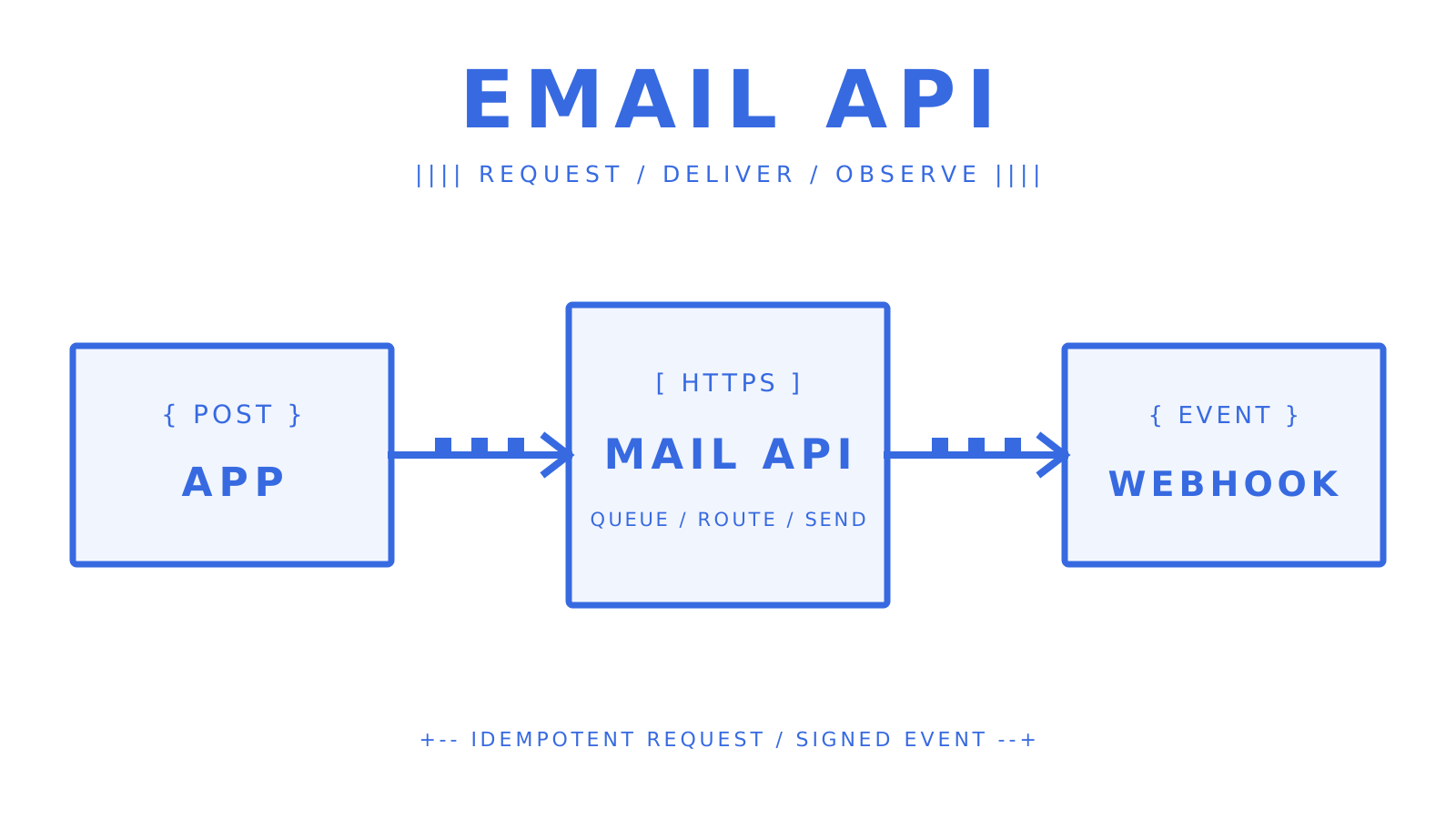
A transactional email integration should be easy to retry and easy to inspect. Use a REST API, authenticate the sending domain, keep each credential narrowly scoped, and record delivery events outside the request path. That gives password resets, receipts, alerts, and agent replies a traceable path from application code to the recipient.
The basic flow has three steps:
- Create an API key for the mailbox or workspace that will send.
- Publish SPF, DKIM, and DMARC records before production traffic.
- Send one authenticated request, then receive signed delivery events through a webhook.
For Sendmux, the current public request is:
POST https://smtp.sendmux.ai/api/v1/emails/send
Authorization: Bearer <your_api_key>
Content-Type: application/json
Idempotency-Key: <unique_request_key>

{
  "from": { "email": "noreply@yourdomain.com" },
  "to": { "email": "user@example.com" },
  "subject": "Confirm your account",
  "html_body": "<p>Your confirmation link is ready.</p>"
}
Store the accepted message identifier with your own request record. Then handle message.delivered, message.bounced, message.complained, message.rejected, and message.delivery_delayed as asynchronous webhook events.
Key Takeaways
A REST-based transactional email API is the clearest fit when developers need structured requests, idempotent retries, delivery telemetry, and code-owned workflows.
| Point | Details |
|---|---|
| API over SMTP for observability | An HTTP API can return structured acceptance data and pair it with delivery webhooks. |
| Domain authentication comes first | Publish SPF, DKIM, and DMARC before moving production traffic. |
| Keep streams separate | Transactional vs marketing email traffic should use separate identities when marketing complaints could affect critical mail. |
| Use least-privilege credentials | Give a mailbox or service only the exact permissions it needs. |
| Keep delivery handling asynchronous | Verify the webhook signature, persist the event, acknowledge it, and process it outside the HTTP request. |
What qualifies as a transactional email API use case?
A transactional email is a one-to-one message triggered by a user action or system event. Common examples from applications and microservices include:
- One-time passwords (OTPs) and magic links
- Order confirmations and receipts
- Password reset and account recovery messages
- Shipping updates and delivery notifications
- Account verification emails
- Subscription renewal and payment failure alerts
- Webhook-triggered system alerts
Broadcast promotions belong on a marketing stream. That distinction matters operationally and legally. The FTC’s CAN-SPAM guidance uses a message’s primary purpose to distinguish transactional or relationship content from commercial content. If promotional material dominates, the exemption for transactional content may no longer apply.
Teams searching for transactional messaging solutions or an email transaction service should first decide whether the application only sends or must also receive replies. A conventional API for email delivery covers outbound events. A mailbox API adds inbound messages, threads, and reply state for agents and support workflows.
How does a transactional email API actually work?
Your application authenticates an HTTP request, the provider accepts and queues the message, and later state changes arrive through webhooks. The API response confirms acceptance, not inbox delivery. Delivery, bounce, complaint, rejection, and delay are separate events.
| Dimension | Transactional API | SMTP relay | Mailbox / unified inbox API |
|---|---|---|---|
| Request surface | HTTPS and JSON | SMTP submission | HTTPS, JSON, and mailbox state |
| Observability | Acceptance response plus webhooks | Server replies plus provider-specific logs | Delivery events plus inbound conversation state |
| Safe retry | Provider contract can support idempotency | Application/provider dependent | Provider contract can support idempotency |
| Receiving email | No | No | Yes |
| Best fit | Event-triggered application mail | Legacy integrations and simple relays | AI agents and two-way workflows |
Use a fresh Idempotency-Key for each logical send and reuse it only when retrying that same send. This keeps a timeout retry from producing a duplicate password reset or receipt.
What features should you require from any email API provider?
The best transactional email providers make the delivery contract explicit. Evaluate the public specification and real event payloads, not only the dashboard.
| Feature | Why it matters | What to verify |
|---|---|---|
| Stable API contract | Prevents request drift | Versioned OpenAPI, required fields, error schemas |
| Templating and substitution strategy | Keeps content changes controlled | Provider templates or application-rendered HTML, variable validation, escaping, and versioning |
| Idempotency | Makes retries safe | Header semantics, retention window, conflict behavior |
| Signed webhooks | Protects event ingestion | Signature algorithm, timestamp, retry policy |
| Delivery event model | Supports incident response | Delivered, bounced, complained, rejected, delayed |
| Authentication guidance | Supports inbox placement | SPF, DKIM, DMARC setup and status |
| Credential scopes | Limits blast radius | Per-mailbox or application permissions |
| Throughput and rate limits | Bounds application concurrency | Per-second, per-minute, per-hour, and per-day quotas |
| Routing controls | Handles provider failure | Weights, health, quotas, and failover behavior |
| Sandbox and testing | Catches failure-path bugs before launch | A documented test mode or provider-supported bounce and rejection scenarios |
| Multi-tenant controls | Isolates customer workloads | Credential, mailbox, domain, and quota boundaries |
| Logs and time-to-inbox | Makes support queries answerable | Message ID, recipient, provider, event history, and latency on critical paths |
Before the first production send, verify all three domain-authentication layers. SPF authorizes sending infrastructure for a domain. DKIM attaches a domain signature that receivers can validate. DMARC aligns SPF or DKIM with the author domain, publishes handling policy, and enables aggregate reporting. Use the exact records supplied by the selected provider rather than copying example values.
An integrated email API should also document limits, error codes, and how it behaves when a downstream provider returns 429 or 5xx. If your product is multi-tenant, verify isolation at the credential, mailbox, sending-domain, and quota layers.
How do you get a test transactional email working?
Start with one real request through the documented production-shaped endpoint. Do not rely on a guessed provider test address or a template field copied from another vendor.
- Create a mailbox or sending identity and store its key in a secrets manager.
- Grant only the required Sendmux permissions, such as
email.send; useemail.receive,mailbox.read, ormailbox.settings.updateonly when the workflow needs them. - Verify the sending domain and publish the required SPF, DKIM, and DMARC records.
- Choose a content-rendering strategy. If the provider supports templates, validate and version every substitution variable. For Sendmux’s current strict request schema, render the content in your application and send it as
html_body;template_idandpersonalizationsare rejected as unknown fields. - Send the minimal request shown above with a unique idempotency key.
- Register a webhook destination, verify its HMAC signature over the raw request body, persist the event, and return success promptly.
- Exercise bounce, rejection, delay, and retry paths using scenarios explicitly documented by the chosen provider rather than assuming a universal sandbox address.
Treat templates as part of the product interface: preview rendered output, reject missing variables, and keep transactional content concise. If the provider offers an SDK, compare its generated request with the public HTTP schema. Knowing how to use email API clients is useful, but the wire contract remains the source of truth.
Customer.io’s setup guide shows a provider-specific workflow: create the transactional message and its content, configure its settings, then call the API to test a send from a verified sender. Use it to see what onboarding involves. Check request fields and event setup against your chosen provider’s documentation. This is not a universal Sendmux procedure.
How do you maximize inbox placement and avoid rejections?
Authenticate first, send to recipients who expect the message, and watch mailbox-provider feedback as volume changes. Separate important transactional traffic from promotional campaigns so one stream’s complaint pattern does not damage the other.
Google recommends keeping spam rates below 0.1% and requires bulk senders to avoid reaching 0.3% or higher. Yahoo requires complaint rates below 0.3%. These are not interchangeable thresholds. Follow Google’s sender guidelines and Yahoo’s sender requirements for the current rules.
For a new domain or dedicated IP, start with a low sending volume to engaged recipients, increase gradually, and monitor reputation plus server responses. There is no universal numeric warm-up recipe that fits every sender history and provider mix.
Transactional email best practices also include immediate hard-bounce handling, complaint processing, DMARC aggregate-report review, and a clear separation between acceptance and delivery metrics.
How do you monitor delivery and troubleshoot failures?
Persist an application correlation ID, idempotency key, provider message ID, recipient, and event history. That lets support staff trace one message without searching raw logs across several services.
Monitor four distinct signals rather than collapsing them into one delivery percentage:
- API send attempts and acceptance responses
- Signed delivery events for delivered, bounced, complained, rejected, and delayed states
- Complaint feedback and domain-reputation changes
- Time-to-inbox for critical paths such as one-time passwords and password resets
Treat webhook ingestion as a short boundary:
- Read the raw request body.
- Verify the signature and timestamp.
- Store the event idempotently.
- Return a success response.
- Update application state asynchronously.
Outbound delivery uses webhooks. Sendmux mailbox SSE is for inbound mailbox events such as message.received and spam-state changes, not outbound delivery confirmation.
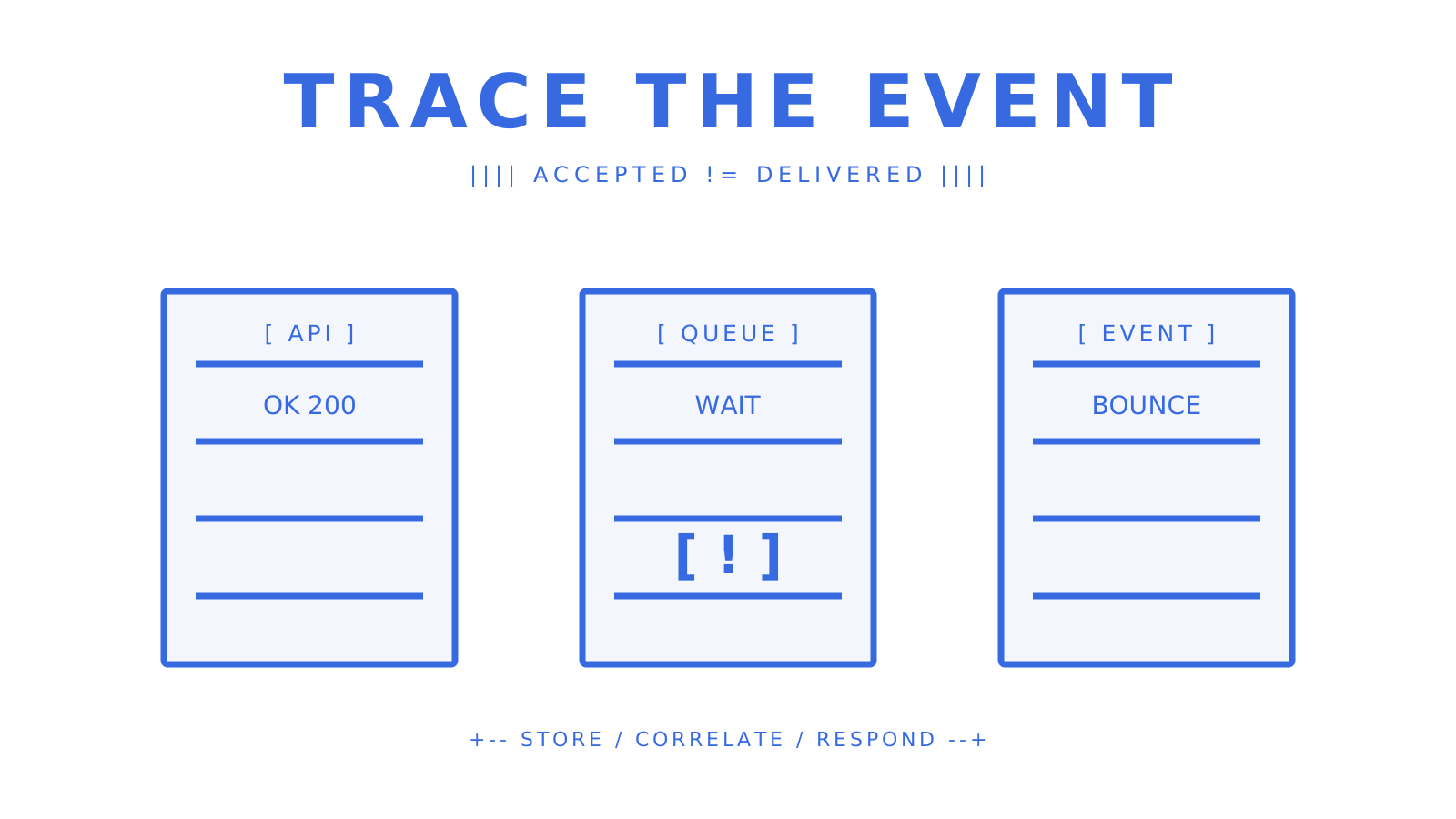
Use the failure class to choose the response:
- For
401or403, check credential validity and permission scope. - For
429, respect the provider’sRetry-Afterguidance and use bounded backoff. - For a DKIM or SPF failure, compare the live DNS record with the provider’s expected value.
- For a hard bounce, stop sending to the failed recipient until the address is corrected.
- For a complaint, update recipient policy before the next attempt.
What should you budget for pricing and throughput at scale?
Compare accepted-recipient pricing, managed-provider premiums, inbound processing, dedicated infrastructure, and support terms. Also verify whether quotas are hard stops or routing controls.
Model the full operating cost before choosing a provider:
- Connected-provider sending at
$0.000500per accepted recipient - Per-recipient outbound charges and managed-provider premiums
- Inbound processing for replies and two-way workflows
- Sendmux mailbox storage at
$0.02per decimal GB-month - Dedicated infrastructure, overage rules, support, and service commitments
Normalize provider quotes to cost per 1,000 accepted recipients before comparing tiers. At 500,000 connected-provider recipients, $0.000500 each equals $250 in usage, or $257 including the Pro base charge, before other published charges.
Sendmux charges $0.000500 for each provider-accepted recipient through an owned or connected provider. Its repository documents a 10M+ accepted messages per day capacity target, while complete validation of the whole business pipeline remains a separate operational requirement. Treat a capacity target as architecture evidence, not as a universal throughput guarantee for every account and provider configuration.
The same 10M+ accepted messages per day capacity target is useful when sizing queues, but it does not replace account- and provider-level load testing. At scale, queues and idempotency matter more than oversized request bursts. Sendmux’s published OpenAPI 3.1 contract permits batches of up to 100 messages per request; still bound concurrency, honor per-provider quotas, and route only through providers whose current health and limits allow the send.
Why Sendmux fits developer teams and AI-agent integrations
Sendmux combines sending, inbound mailbox state, delivery routing, and agent-facing interfaces. The current platform exposes weighted routing across configured providers, automatic failover, signed delivery webhooks, mailbox-scoped credentials, an OpenAPI contract, SDKs, and CLI 1.5.0 with 104 API commands.
Sendmux’s dashboard delivery logs include a CSV export with the current filters applied. Use it to review the message, recipient, provider, attempts, and recorded status. Keep that status separate from later webhook delivery events: an accepted send is not proof of inbox delivery. Exported logs support investigation alongside your application’s correlation IDs and event history.
Sendmux provides SDKs for TypeScript, Python, Go, PHP, Ruby, and Rust. First-party LangChain and Vercel AI SDK wrappers expose tools for sending email, listing messages, and replying. They use the Sending and Mailbox clients. The existing permission and event boundaries still apply.
The integration surfaces map to distinct production responsibilities:
- The sending API accepts outbound HTML and returns structured acceptance data.
- The mailbox API exposes inbound messages, threads, and cleaned content for replies.
- Mailbox-scoped keys keep
email.send,email.receive,mailbox.read, andmailbox.settings.updatepermissions explicit. - Signed webhooks carry outbound delivery changes; mailbox SSE carries inbound mailbox changes.
- Weighted provider groups, quotas, and alternative selection keep routing policy out of application code.
- The OpenAPI contract, first-party SDKs, CLI, and MCP give developers and agents several typed integration paths.
Provider choices include Gmail OAuth, Outlook OAuth, SMTP, and managed delivery paths configured by the workspace. The public event contract uses dotted names: message.delivered, message.bounced, message.complained, message.rejected, and message.delivery_delayed.
For agent workflows, cleaned message text, thread state, and extracted links reduce the amount of MIME and HTML handling in application code. These features make Sendmux an email delivery service API and mailbox layer rather than a send-only wrapper.
What actually separates reliable integrations from fragile ones
Reliable integrations can replay a request safely, prove who sent it, trace what happened afterward, and isolate one tenant’s failure from another. Fragile integrations share one unrestricted key, treat API acceptance as delivery, and perform business work synchronously inside a webhook handler.
Test failure paths before launch. Trigger provider-supported bounce and rejection cases, simulate rate limiting in your own integration tests, verify signature failures are rejected, and confirm duplicate webhook deliveries do not duplicate state changes.
Sendmux gets your transactional email integration production-ready faster
Sendmux supplies the sending and mailbox primitives, but the application still owns recipient policy, secrets, retries, and business state. Start with one mailbox, one scoped key, one verified domain, one test request, and one signed webhook consumer. Expand only after that loop is observable.
If you are comparing the best transactional email api options, verify the exact endpoint, permissions, event names, retry contract, and receiving model yourself. Those details determine whether a service stays manageable after the first successful send.
Sources
- CAN-SPAM Act: A Compliance Guide for Business
- Email sender guidelines
- Yahoo sender best practices
- Transactional vs Marketing Email: The Difference
- Transactional Email Examples
- Set up a transactional email
- Sender Policy Framework (SPF), RFC 7208
- DomainKeys Identified Mail (DKIM), RFC 6376
- Domain-based Message Authentication, Reporting, and Conformance (DMARC), RFC 9989
- Sendmux sending product
- Sendmux platform-builder solution
FAQ
What is a transactional email API?
A transactional email API is an HTTP interface that lets your application send event-triggered, one-to-one messages such as OTPs, receipts, and password resets programmatically, with structured delivery logs and webhook callbacks for delivery state changes.
How is a transactional email API different from SMTP?
An API call returns structured JSON and can support idempotency keys for safe retries plus webhook delivery events. SMTP uses a mail-submission protocol and usually leaves more retry, event, and application-level logging work to your team.
Do transactional emails need an unsubscribe link under CAN-SPAM?
Generally no. The FTC says messages whose primary purpose is transactional or relationship content are exempt from most CAN-SPAM requirements, but commercial content can change how the primary-purpose test applies.
What DNS records do I need before sending transactional email?
Publish SPF and DKIM authentication for the sending domain, then add a DMARC policy and reporting record. Exact provider requirements depend on sending volume, but all three give mailbox providers the identity signals needed to evaluate your mail.
Why use Sendmux for transactional and agent email?
Sendmux combines outbound sending with mailbox APIs, mailbox-scoped keys, weighted provider routing with failover, and signed delivery webhooks. Pro costs $7 per team each month plus $0.000500 per provider-accepted recipient through an owned or connected provider.
Give an agent its own address
Sendmux is the Email Inbox API for AI Agents.