 myagent.mxBLOG
agents & inboxes · ai agent email
AI Agent Email for Developers: Build Real Agent Inboxes
Unlock the potential of AI agent email with Sendmux. Empower your agents to autonomously manage emails using an efficient API setup.
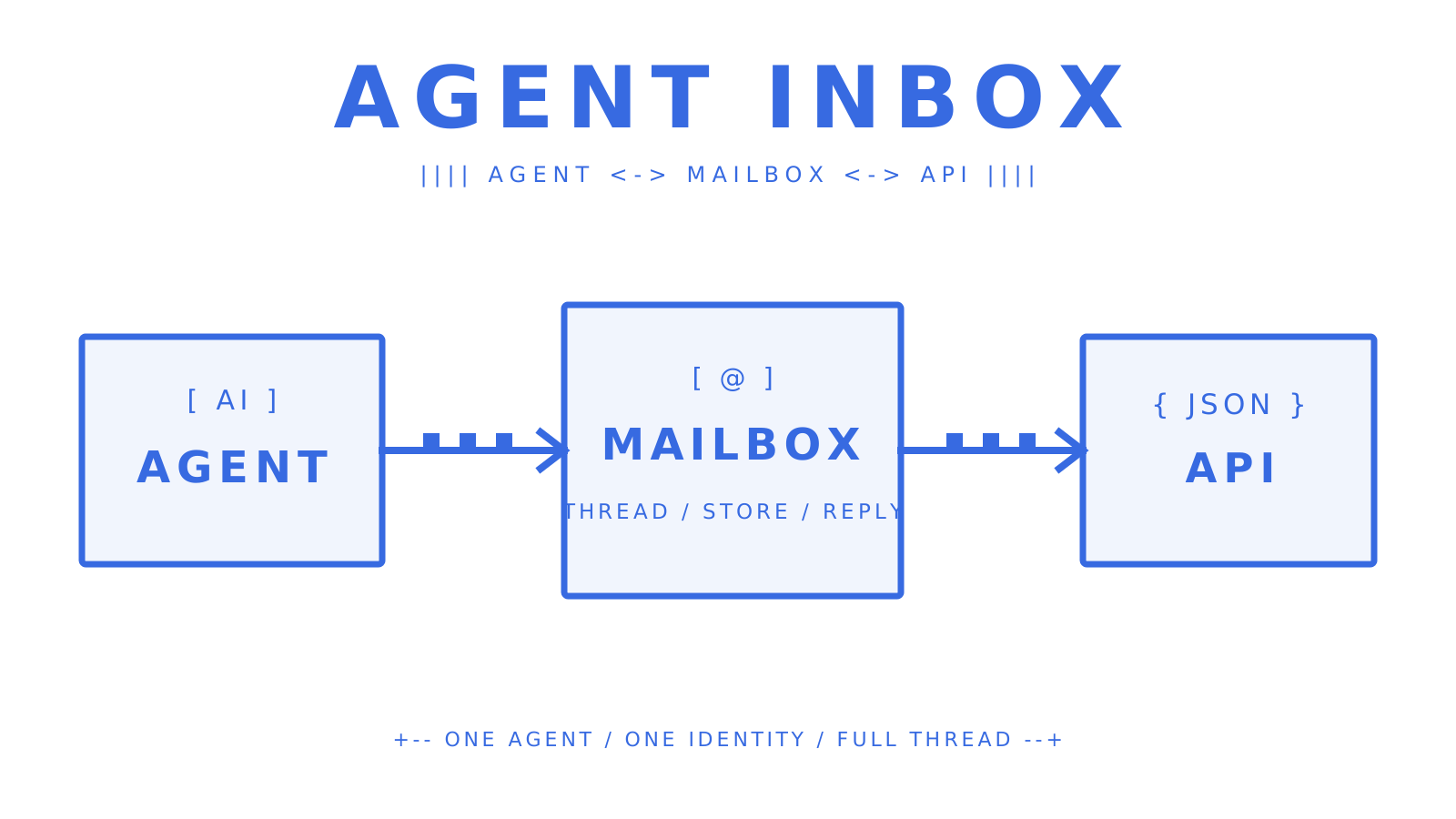
For a production AI agent that sends and receives email autonomously, give it a dedicated mailbox through an agent-first mailbox API. The mailbox becomes the agent’s durable identity: it receives messages, preserves thread context, exposes structured JSON to the model, and sends replies under explicit permissions. Sendmux combines that inbox with provider routing, signed events, and mailbox-scoped keys, so developers do not have to join a sending service, a consumer inbox, a MIME parser, and a webhook relay themselves.
Immediate next steps:
- Create a mailbox on
@myagent.mxor a verified custom domain. - Issue a mailbox-scoped API key with only the permissions the agent needs.
- Receive events through HMAC-SHA256 signed webhooks or the Server-Sent Events stream.
- Preserve
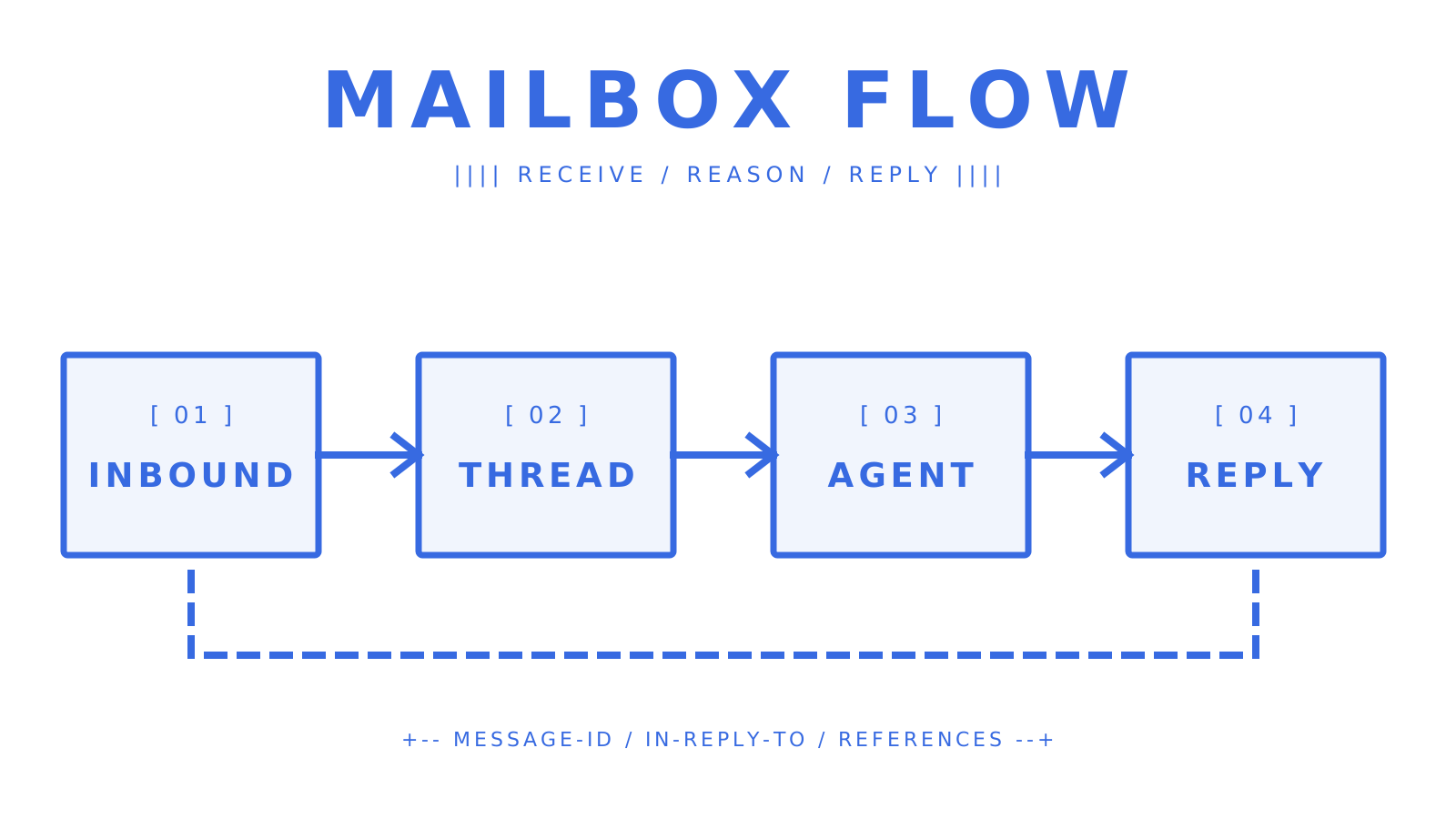
Message-ID,In-Reply-To, andReferenceswhen sending a reply. - Verify SPF, DKIM, DMARC, and the bounce-handling record before sending from a custom domain.
Key Takeaways
An AI agent needs more than reply-writing software. Production email for AI agents needs a real address, durable threads, structured message content, scoped authority, event delivery, and observable sending.
| Point | Details |
|---|---|
| Give the agent a real mailbox | A dedicated address, structured JSON, and stored threads survive restarts, jobs, and model changes. |
| Preserve threading headers | In-Reply-To and References keep replies in the same conversation for recipients and agents. |
| Use least-privilege keys | Mailbox-scoped permissions limit a compromised or misconfigured agent to one inbox. |
| Verify events before acting | Check X-Sendmux-Signature over the raw webhook body before parsing the JSON payload. |
| Separate mailbox and provider concerns | Sendmux keeps the agent inbox stable while routing outbound mail through SMTP, Gmail OAuth, Outlook OAuth, or Amazon SES. |
What is an AI agent email inbox, and why does it differ from an AI assistant?
An AI agent email inbox is a mailbox the agent can operate through an API. It is different from an AI email assistant, which helps a person draft, summarize, or improve a message while the person remains responsible for sending it.
Microsoft Copilot in Outlook is an example of the assistant model. It helps with drafting and tone inside a human mailbox. A mailbox agent can instead receive an event, inspect the thread, decide on an allowed action, and send a reply without waiting for a click.
That distinction changes the architecture:
- Autonomy: the agent may send, reply, and forward within policy.
- Mailbox ownership: each agent or tenant can have its own address and stored messages.
- Thread memory: the provider preserves
Message-ID,In-Reply-To, andReferencesinstead of flattening every reply into a new conversation. - Durable identity: the same address remains usable across sessions, workflows, and model restarts.
- Authority to act: scoped credentials decide whether the agent can receive, read, send, or update mailbox settings.
Consumer auto-replies solve a smaller problem. Gmail’s vacation responder and Outlook automatic replies return configured text during an absence. cPanel autoresponders provide per-address reply rules. None of them gives an agent a general decision loop, structured mailbox state, or programmatic authority over a conversation.
Gmail normally replies only to a sender’s first message. If the responder stays on, another message after four days can get a new reply. Editing the response can also make a later message receive the updated text.
Outlook supports separate internal and external replies on supported accounts, but its Automatic Replies feature does not support POP or IMAP accounts. cPanel lets you set a reply body for an address and an interval between replies to the same sender.
For LLM-based systems, ask the mailbox API for cleaned text and structured attachment metadata. Parsing raw MIME and stripping quoted HTML inside every agent run increases token use and creates a second email parser you must maintain.
What does an agent-first mailbox API provide, and why use Sendmux?
An agent-first mailbox API combines mailbox creation, inbound storage, threading, message retrieval, events, and outbound replies behind one access model. Sendmux adds multi-provider sending, so the mailbox identity is not locked to one outbound provider.
| Capability | What production systems should require |
|---|---|
| Mailbox creation | Programmatic mailbox provisioning on a shared or verified custom domain |
| Message content | Structured JSON with cleaned text plus HTML, headers, links, and attachment metadata when requested |
| Threading | Server-side grouping from Message-ID and References, with reply headers available to the client |
| Inbound events | HMAC-SHA256 signed webhooks for backend delivery and SSE for live clients |
| Outbound routing | SMTP, Gmail OAuth, Outlook OAuth, or Amazon SES with weights, quotas, health checks, and failover |
| Security controls | Team isolation, mailbox-scoped keys, explicit permissions, and human dashboard roles |
Sendmux documents one stable mailbox layer across Gmail OAuth, Outlook OAuth, Amazon SES, and customer-owned SMTP providers. Weighted delivery groups distribute traffic, per-provider limits apply per second, minute, hour, and day, and unhealthy providers are skipped after repeated delivery failures. The sending system has a 10M+ accepted messages per day capacity target; repository validation does not establish that as an end-to-end tested rate or customer SLA.
The developer surface includes OpenAPI 3.1 specifications and official SDKs for TypeScript, Python, Go, PHP, Ruby, and Rust. The sendmux CLI 1.5.0 exposes 104 API commands across Management, Mailbox, and Sending operations, plus onboarding and profile commands. langchain-sendmux, @sendmux/ai-sdk, the hosted OAuth MCP endpoint, and the docs-search MCP cover common agent-framework workflows.
Core features to require from an AI agent email API
The core feature test is whether the API preserves identity, context, and authority from receipt through reply. A send-only endpoint cannot meet that requirement by itself.
Mailbox lifecycle
The system should create dedicated mailboxes through an API, check address availability, attach the mailbox to @myagent.mx or a verified custom domain, and expose its current quota and usage. Sendmux’s Mailbox API covers messages, threads, folders, attachments, identities, usage, quotas, submissions, and mailbox metadata from a mailbox-scoped key. The Mailbox API keeps that lifecycle available to code instead of making mailbox setup a dashboard-only task.
Threading and headers
Threading uses email headers as well as the subject. Message-ID identifies a message. In-Reply-To points at the message being answered, while References carries the chain. Sendmux groups conversations from Message-ID and References and makes reply headers available to clients. Its public mailbox send operation does not accept in_reply_to or references as request fields.
Inbound events
Use signed webhooks when a backend must receive events while clients are offline. Use Server-Sent Events when an agent can hold a live HTTP connection. Sendmux signs the exact webhook body with HMAC-SHA256 in X-Sendmux-Signature, identifies events with X-Sendmux-Event-Id and X-Sendmux-Event-Type, and retries failed deliveries with backoff. The live stream is GET /api/v1/mailbox/events and supports Last-Event-ID for reconnecting clients.
Webhook payload replay is not a shipped Sendmux feature. Delivery attempts and retained payloads can be inspected for seven days, while replay remains on the roadmap. A production consumer should deduplicate X-Sendmux-Event-Id and persist its own work state.
Search and message APIs
Server-side message and thread search lets the agent retrieve the relevant conversation instead of loading an entire mailbox. The Mailbox API returns structured JSON with senders, recipients, subject, cleaned text, HTML, headers, keywords, attachments, and thread metadata. Download attachments through short-lived links rather than putting file bytes or raw MIME into a model prompt.
Diagnostics and observability
Delivery logs should distinguish queued, sent, delivered, bounced, deferred, rejected, and failed states. Sendmux supports message-level search and CSV export for those logs. Keep raw MIME and parsed JSON available for diagnosis when a delivery or content edge case needs inspection. Automatic suppression lists are not currently part of the public API, so production applications must treat bounce and complaint events as explicit policy inputs rather than assuming every bad recipient will be suppressed for them.
How does outbound sending and provider routing work for agents?
Outbound routing separates the agent’s mailbox identity from the provider that moves a specific message. That makes failover and tenant-specific provider choice possible without changing the agent’s address or inbox API.
Outbound models
There are two provider models. A customer can bring SMTP, Gmail OAuth, Outlook OAuth, or Amazon SES credentials, keeping the established domain and provider account. Sendmux also offers a managed Amazon SES route for triggered and transactional mail. Each inbound mailbox delivery or provider-accepted recipient through an owned or connected provider costs $0.000500; managed Amazon SES costs $0.000750 per accepted recipient.
A managed route does not remove the need for consent, list hygiene, or authentication. A BYO provider does not force the agent application to implement routing itself when Sendmux owns the delivery group, quotas, and health decisions.
Routing strategies
Weighted delivery groups split eligible traffic by configured percentages. Separate groups keep transactional and bulk traffic on different provider pools. Limits apply per second, minute, hour, and day, and a failing provider can be removed from rotation so traffic continues through healthy members of the same group.
Use an Idempotency-Key header on HTTP sends. The same key and body within the idempotency window returns the original result instead of sending a duplicate; a different body under an existing key returns a conflict.
Deliverability essentials
Before sending from a custom domain, publish SPF, DKIM, and DMARC records and complete the bounce-handling verification. SPF authorizes sending infrastructure, DKIM signs the message, and DMARC defines alignment policy and failure handling for receivers.
Intercom’s guidance on automated email responses also applies to agents: the response should be relevant, state what happens next, and provide a human path when automation cannot resolve the request. Keep support, outreach, and transactional streams on separate domains or subdomains so a complaint spike in one stream does not damage another.
How do you secure agent mailboxes in a multi-tenant platform?
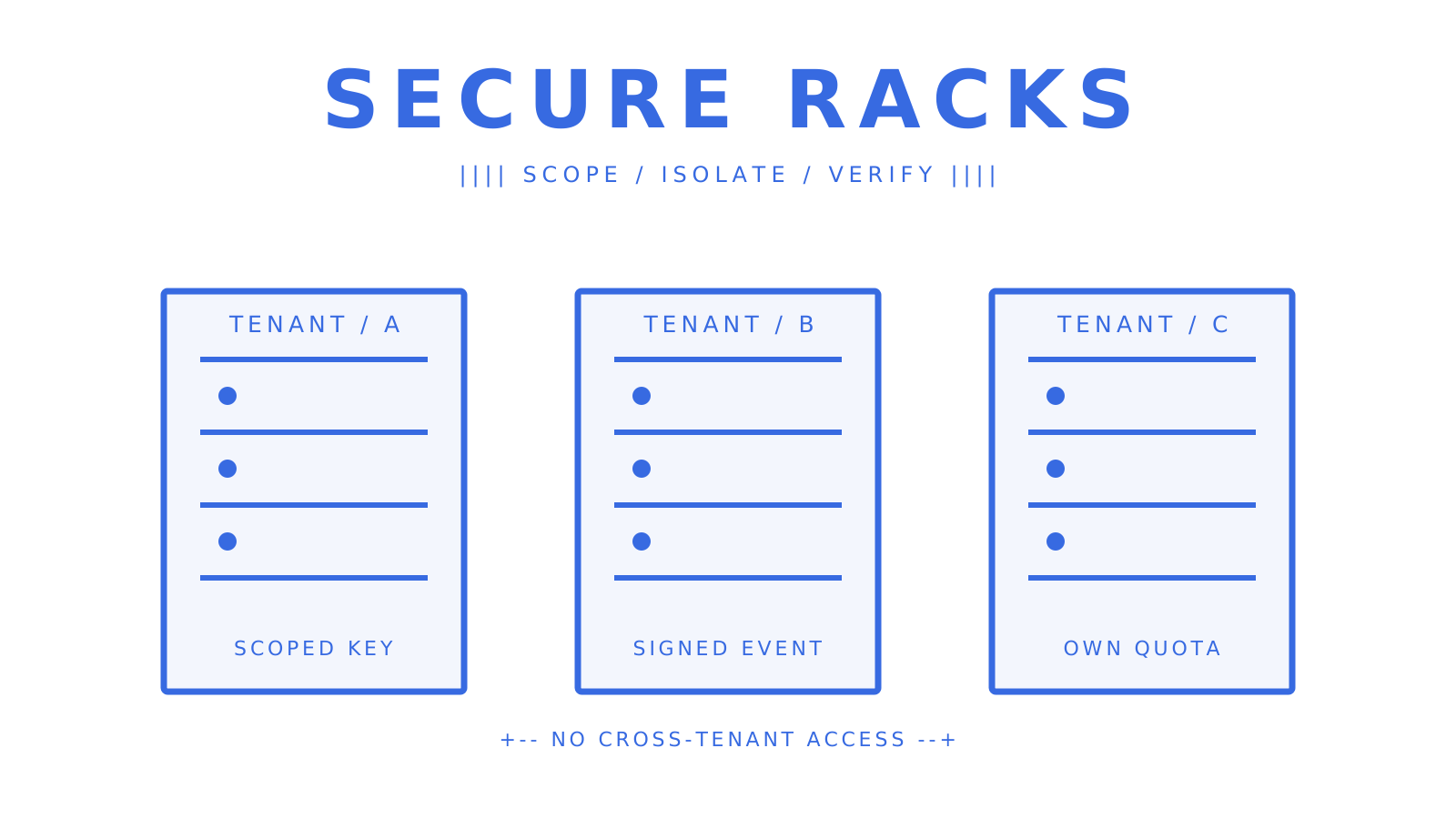
Secure agent email starts with a separate tenant boundary and a separate credential boundary. Human workspace roles control people; mailbox-scoped keys control code.
Mailbox-scoped API keys and least privilege
Give each agent a key for one mailbox and only the permissions it needs. Send-only workers can receive email.send; mailbox clients can receive mailbox.read, mailbox.settings.update, or email-receive access as required. A mailbox-scoped key cannot become a team infrastructure key just because the application asks for another mailbox ID.
Role-based access control and tenant isolation
Owner, Admin, Developer, and Member roles govern human access in the Sendmux dashboard. Teams isolate providers, delivery groups, mailboxes, domains, billing, logs, and API keys. For a multi-tenant SaaS product, place each customer’s email resources inside the intended team boundary and avoid sharing a root credential with tenant-facing workers.
Signed webhooks and event verification
Verify X-Sendmux-Signature against the raw request body before parsing JSON. Use a constant-time comparison, reject missing or invalid signatures, then deduplicate on X-Sendmux-Event-Id. Store webhook secrets and API keys in a secrets manager, never in source control or client-side code.
Data governance
Define retention for message bodies and attachments before launch. Email routinely contains personal data, account identifiers, and payment references. Document how long each class of data remains, how deletion requests are handled, and which people and services can read it. Sendmux supports mailbox and domain sender filters with allowlist or denylist modes; those inbound controls are different from a general outbound-recipient suppression list.
Monitor volume per mailbox and provider. A sudden 10x increase should trigger review because it can indicate a broken loop, compromised key, or unexpected workload. Quotas are a hard limit; monitoring explains why the limit is being approached.
Truto’s audit-logging guidance uses a tenfold increase in CRM-record retrieval as an example worth investigating. The email-volume check above applies the same monitoring principle to a different workload. Treat the multiplier as an alerting example, not proof that an agent is compromised. Review the expected workload and event history before deciding what happened.
What does the developer experience look like for agent email APIs?
A useful developer surface is typed, inspectable, and available without a browser-only workflow. It should include schemas, SDKs or ordinary HTTP, local credential profiles, event examples, and exact error behavior.
OpenAPI, SDKs, and language coverage
OpenAPI 3.1 lets teams generate clients and validate request/response shapes in CI. Sendmux publishes SDKs for TypeScript, Python, Go, PHP, Ruby, and Rust. Package shapes differ by language: Go is one module with per-surface packages, Rust ships an umbrella crate, and the other four languages provide umbrella and per-surface packages.
The CLI 1.5.0 covers 104 API commands and supports JSON output. That makes it useful for creating mailboxes, rotating keys, inspecting logs, and scripting setup without copying values out of a dashboard. TypeScript, Python, Go, PHP, Ruby, and Rust users can then move the same Mailbox API workflow into an official SDK.
Testing and sandbox behavior
Ask exactly what a provider’s development environment can do. Sendmux does not currently publish a dedicated sandbox-mailbox feature or webhook replay endpoint. Test with an isolated team and mailbox, use a controlled recipient, inspect signed webhook attempts, and keep real outbound volume within a deliberately low quota.
Agent framework integrations
Sendmux provides langchain-sendmux for LangChain and @sendmux/ai-sdk for the Vercel AI SDK. Both expose focused tools for sending email, listing messages, and replying. The hosted MCP endpoint at https://mcp.sendmux.ai/mcp uses OAuth 2.1 grants; local and self-hosted MCP options are also available. See the agent builders integration page for current examples.
What are the common use cases and architecture patterns for agent email?
The mailbox boundary should follow who owns the conversation. Some agents need one identity per process; others need one mailbox per customer or team.
- Browser and scheduled agents: use a dedicated mailbox, receive a reply event, and resume the waiting job with the matching thread.
- Customer support agents: triage a shared support mailbox, reply inside a thread, and hand off to a person when policy or confidence requires it. The Sendmux customer-support pattern covers that shared-inbox path.
- Outreach and sales agents: require consent controls, separate sending domains, per-mailbox quotas, and a human review path for risky messages. The Sendmux sales-outreach guide covers the provider and quota side.
- Transactional SaaS agents: send receipts or alerts through a provider pool while keeping delivery events and audit records inside the correct tenant.
Three common flow patterns are event-driven processing (event -> queue -> agent -> reply), mailbox-per-user identity, and human-in-the-loop approval. Choose one explicitly. Mixing them without an ownership rule creates duplicate replies and unclear authority.
How should you budget for agent email pricing and quotas?
Budget from accepted recipient occurrences and provider choice, while treating mailbox retention as a separate capacity decision. Do not estimate only from the number of API requests.
Sendmux pricing is usage-based with no per-seat or per-mailbox fee:
- Inbound or owned and connected outbound:
$0.000500per billable event. - Sendmux-managed Amazon SES:
$0.000750per accepted recipient. - Storage:
$0.02per decimal GB-month.
One message sent to multiple To, CC, or BCC recipients can produce multiple billed recipient occurrences. Standard Mailbox and Sending API limits are 1,800 requests per minute; a batch send accepts up to 100 messages and counts as one request. Management API operations use a separate 600 requests-per-minute limit.
Size per-provider quotas to peak bursts, not daily averages. Watch attachment storage in support workflows and set retention before historical mail becomes expensive to review or delete.
How do you evaluate and select an agent email API provider?
Evaluate the complete receive-to-reply path. A polished send endpoint is not enough if inbound messages, tenant access, and delivery failures require separate systems.
Reliability
- Is failover behavior documented, and which provider failures remove a route from rotation?
- Is throughput framed as a design target, a tested capacity, or a contractual SLA? Sendmux documents a 10M+ accepted messages per day capacity target, but repository validation does not establish it as an end-to-end tested rate or contractual SLA.
- Can delivery logs be searched and exported by tenant and message?
Security
- Can a key be restricted to one mailbox and explicit permissions?
- Are webhook bodies signed with HMAC-SHA256 before parsing?
- Are providers, mailboxes, credentials, logs, and billing isolated by tenant?
Developer ergonomics
- Is a current OpenAPI 3.1 specification published?
- Are typed SDKs available for the languages the team actually uses?
- Are exact endpoints, headers, limits, and event names available as readable documentation?
Deliverability and domains
- Does custom-domain setup cover SPF, DKIM, DMARC, and bounce handling?
- Can transactional and bulk providers be placed in separate delivery groups?
- Can a provider quota prevent one agent from consuming the shared pool?
Ask separately about SOC 2, HIPAA, support response, dedicated infrastructure, and contractual SLAs if the use case requires them. Do not infer compliance or an SLA from a product feature list.
Quickstart: create an inbox, receive an event, and send a reply
This quickstart uses current Sendmux CLI and API surfaces. The exact operation shapes are also published through OpenAPI 3.1. It avoids the obsolete /v1/mailboxes/{mailbox_id} endpoint shape that appeared in the imported draft.
Step 1: Create a mailbox and provision a scoped key
Install the CLI and create a mailbox from a root-key profile:
npm install -g @sendmux/cli

sendmux management:create-mailbox \
  --body '{"email":"support-agent-01@myagent.mx"}'
Create or rotate a mailbox-scoped credential through the Management API or dashboard, then store it as SENDMUX_MAILBOX_API_KEY in a secrets manager. Grant only the mailbox permissions used by the worker.
Step 2: Subscribe to inbound events
For a live local client, open the SSE stream:
curl -N "https://app.sendmux.ai/api/v1/mailbox/events?event_types=message.received,message.received.spam" \
  -H "Authorization: Bearer $SENDMUX_MAILBOX_API_KEY"
For a backend, register a webhook and verify the raw request body against X-Sendmux-Signature. Use X-Sendmux-Event-Id as the deduplication key. Webhooks remain the better choice when the process cannot hold a live connection; SSE is the direct choice for a connected agent client.
Example receiver URL: https://your-agent.example.com/hooks/email.
Step 3: Read the message and send a reply
Use the Mailbox API SDK to stream incoming events. This Python example reads structured JSON events without parsing an HTML body or a complete MIME message:
import os
from sendmux_mailbox import create_mailbox_client, iter_mailbox_events

mailbox = create_mailbox_client(
    api_key=os.environ["SENDMUX_MAILBOX_API_KEY"]
)

for event in iter_mailbox_events(mailbox, event_types="message.received"):
    message_id = event.message_id
    print(f"new message: {message_id}")
To send a message, use POST /api/v1/mailbox/messages/send or the equivalent SDK method. The public request body does not accept in_reply_to or references, so this operation alone cannot send a reply with the original thread headers. Add an Idempotency-Key header so retrying the same request within the idempotency window returns the original result instead of sending a duplicate.
Common developer mistakes and operational gotchas to avoid
Most failures come from unclear authority or from treating email as plain text instead of a stateful protocol.
Treating the agent like an AI email assistant. Decide whether it is draft-only, send-with-approval, or autonomous. Enforce that choice with scoped permissions and application policy.
Parsing raw MIME in the agent loop. Request structured JSON, cleaned text, and structured attachments from the Mailbox API. Keep raw bodies available for diagnosis, not as the default prompt input.
Dropping reply headers. Preserve In-Reply-To and References on every reply. Subject matching alone breaks when a participant renames the thread.
Sharing one mailstream. Keep support, outreach, and transactional traffic on separate domains or provider groups so their reputation and quotas do not contaminate one another.
Assuming suppression or replay exists. Sendmux exposes delivery logs, bounce and complaint visibility, webhook attempts, and retained payloads. Application policy must still handle suppression decisions and recovery until the planned public features ship.
Skipping a human path. Keep an audit record and a review or escalation route for actions with financial, legal, account, or reputational impact.
Why agent-first mailboxes are the right call for production workloads
Agent-first mailboxes are the right production boundary when the system must receive, reason, and reply under its own durable identity. They keep threads, credentials, events, and delivery records attached to the agent instead of borrowing a person’s inbox session.
TechCrunch’s coverage of AgentMail is one market signal for this category: agent systems are creating demand for inbox infrastructure designed around autonomous software rather than a human mail client.
You can prototype with a consumer inbox or drafting assistant. That works while a person remains the final sender. It becomes harder to operate when the product needs per-tenant mailbox isolation, signed events, provider failover, exportable delivery logs, and permissions that limit one agent to one inbox.
The tradeoff is another infrastructure dependency and usage cost. In return, the team avoids building mailbox storage, MIME cleanup, thread reconstruction, webhook delivery, provider routing, and quota enforcement as separate internal services.
Sendmux gives your agents a real inbox and identity
Sendmux is the email layer for AI agents that need dedicated mailboxes, inbound and outbound APIs, and provider choice. Each mailbox can use @myagent.mx or a verified custom domain, while outbound mail routes through Gmail OAuth, Outlook OAuth, Amazon SES, or customer-owned SMTP providers.
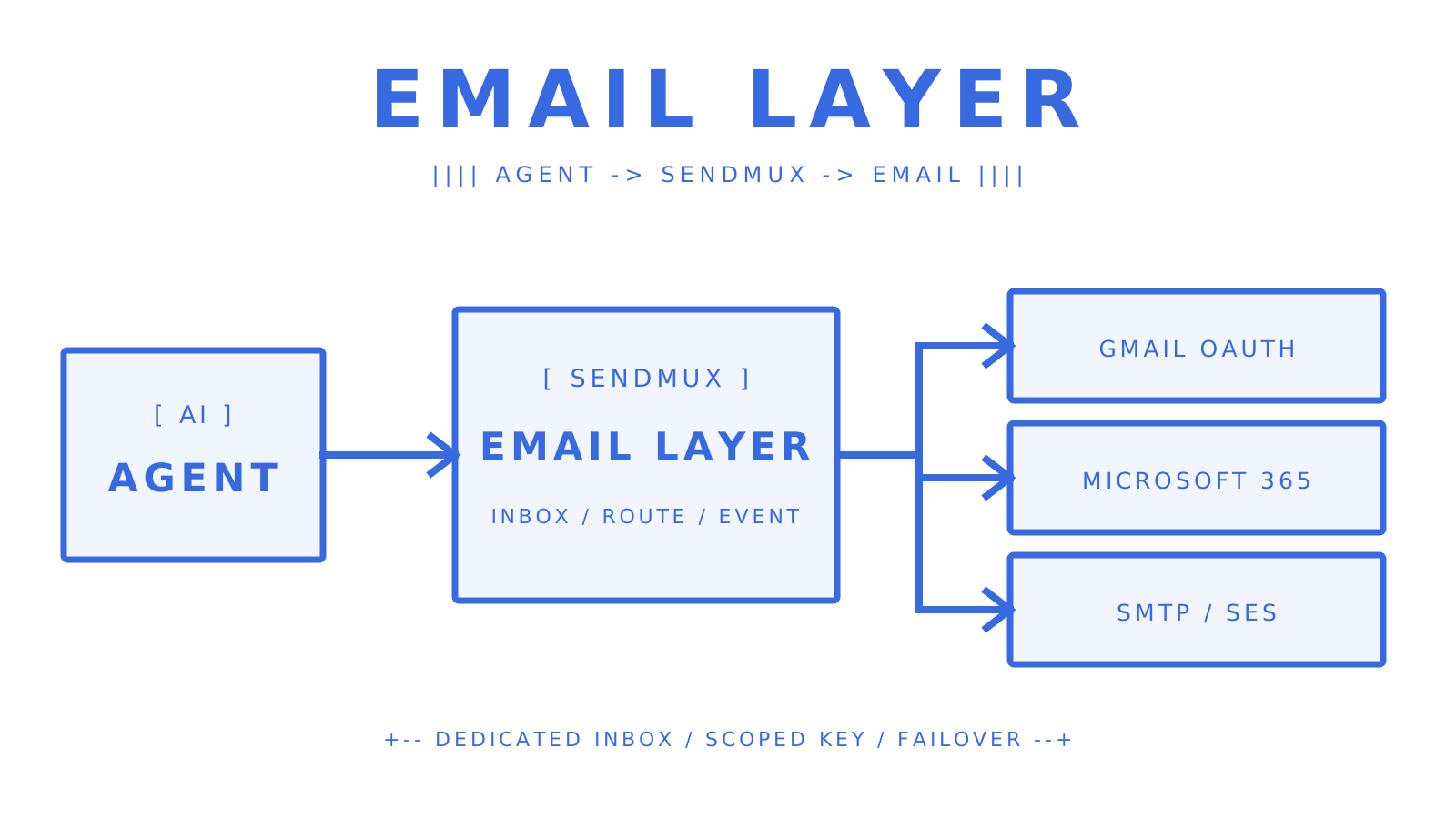
Mailbox-scoped keys provide least-privilege access. The Mailbox API returns structured JSON and keeps thread operations separate from provider routing. HMAC-SHA256 signed webhooks and SSE deliver events; OpenAPI 3.1, six language SDKs, the CLI, LangChain, Vercel AI SDK, and MCP integrations provide multiple ways to connect an agent. Pro costs $7 per team each month plus individually billed usage, with no separate seat or mailbox fee. Create an agent inbox with Sendmux when the workflow needs a real address rather than another drafting surface.
Sources
- Sendmux product overview
- Sendmux platform API for AI agents
- Sendmux multi-provider sending
- Sendmux agent builders integrations
- AI Email Assistant for Outlook | Microsoft 365
- How to set up Out of Office automatic replies in Outlook | Microsoft Support
- Automated Email Responses: Best Practices | Intercom
- Set up an out of office auto-reply | Gmail Help
- Autoresponders | cPanel Documentation
FAQ
What is an AI agent email inbox?
An AI agent email inbox is a real mailbox owned and operated by an autonomous AI agent. The agent can read inbound messages, preserve thread context, and send replies through scoped permissions without requiring a human to operate the mailbox.
How does an agent email API differ from a transactional email service?
A transactional email service primarily sends outbound notifications. An agent email API adds dedicated inbound mailboxes, message and thread APIs, real-time events, scoped access, and reply handling alongside outbound sending.
Can my AI agent use Gmail or Outlook as its sending provider?
Yes. Sendmux can route outbound mail through Gmail OAuth, Outlook OAuth, customer-owned SMTP providers, or Amazon SES. Weighted delivery groups, quotas, health monitoring, and failover keep provider choice separate from the agent mailbox.
How do I keep one tenant’s agent mailboxes isolated from another’s?
Give each agent a mailbox-scoped key with only the permissions it needs, keep customer resources in separate Sendmux teams, and use Owner, Admin, Developer, and Member roles for human access. Mailboxes, providers, quotas, logs, and credentials remain inside their team boundary.
What SPF, DKIM, and DMARC records do I need for a custom agent domain?
Publish an SPF record that authorizes the sending provider, the DKIM records supplied for cryptographic signing, and a DMARC policy that tells receiving systems how to handle authentication failures. Sendmux domain verification also checks the bounce-handling record used for delivery status notifications.
Give an agent its own address
Sendmux is the Email Inbox API for AI Agents.