 myagent.mxBLOG
apis & sending · email delivery webhooks
Developers: Production Ready Email Webhooks with Idempotency
Developer first playbook for email webhooks: verify HMAC signatures, persist and dedupe events, ACK fast and enqueue work. Includes Sendmux inbox and SSE...
An email webhook is an HTTP callback that pushes information about an email event to your endpoint instead of requiring scheduled inbox polling. Inbound notifications report received messages; delivered, bounced and complaint events describe sending outcomes. JSON is common, but formats and delivery delays depend on the provider: webhooks do not guarantee instant arrival or a fixed improvement over a five-minute polling interval. To start, choose the mailbox or sending resource, register an endpoint and subscribe to the supported event types your handler needs.
TL;DR
- Payloads vary by provider and event type. MailSlurp documents fetching the full email and attachments after a compact notification, while email-webhook shows attachments inline as base64; do not infer a universal small-message cutoff.
- Implement idempotency with a documented event identity that stays stable across retries. A
webhookIdmay identify a subscription, while amessageIdmay appear in several distinct events; neither is a universal dedupe key. - Verify each request using the provider’s exact signing contract. Sendmux signs raw body bytes with HMAC-SHA256; timestamp checks require an authenticated timestamp supplied by that provider and a policy compatible with legitimate retries.
- Test webhooks with tools like request inspectors and local tunnels, confirming that your handler correctly rejects invalid signatures and handles retries gracefully.
- Use webhooks when low latency and real-time updates are critical, but consider IMAP polling or streaming connections if your infrastructure cannot support public inbound HTTP endpoints.
Table of Contents
- How email webhooks work: from inbound SMTP to your endpoint
- What events and payload fields should you expect?
- How do you set up and test an email webhook?
- Building for production: idempotency, retries, and monitoring
- How do you test and debug an email webhook?
- Webhooks vs polling vs SSE: which fits your setup?
- About this guide
- What actually matters when you build this
- Give your agents a real inbox, not just an event feed
- Sources
- FAQ
How email webhooks work: from inbound SMTP to your endpoint
For inbound mail, a server accepts a message over SMTP and the provider routes it to the intended address. A receiving service may parse MIME into structured fields before delivering an HTTP callback. The callback may contain parsed content or only identifiers for a later fetch; the format and HTTP method follow that provider’s contract. Delivery, bounce and complaint notifications come from the corresponding sending outcomes rather than this inbound-only sequence.
Check what the event actually contains before choosing the worker flow. Some providers send metadata such as a sender, subject and message ID, then expose the full message through another request. Others include parsed content inline. Larger request bodies can consume more transfer time and receiver memory, so test your payload limits and acknowledgement deadline using representative bodies and attachments.
Do not assume a single cross-provider wire format. MailSlurp documents JSON callbacks, while Mailgun’s signature input differs from Sendmux’s raw-body HMAC. Identify the event, subscription and delivery attempt separately, verify authenticity, and persist the event before acknowledging durable acceptance. At 2am, those separate identifiers help you trace the retry without treating it as a new business event.
Two deployment patterns to evaluate are:
- Serverless endpoint: a function validates the request, persists accepted work and returns. Measure startup latency, payload limits and cost for the selected runtime instead of assuming it is always cheap or fast.
- Ingest service plus workers: a service validates and durably accepts requests, then workers process them. Oracle’s modular email architecture guidance concerns reusable newsletter templates, not this ingest architecture. For consistent database-and-queue handoff, AWS’s transactional outbox guidance explains the dual-write problem and the transaction boundary. Size and monitor the queue; this design alone does not guarantee survival of every traffic spike.
The MailSlurp webhook flow illustrates inbox selection, callback registration, event delivery and a fast acknowledgement. Preserve that separation in either deployment pattern, but follow each provider’s resource, authentication and retry requirements.
What events and payload fields should you expect?
Provider event names differ. Illustrative categories such as NEW_EMAIL (or received), DELIVERY, BOUNCE and SPAM_COMPLAINT are not portable enum values. Mailgun’s webhook documentation lists delivered, bounced, opened, clicked, unsubscribed, complained and stored events. Sendmux uses public names such as message.received, message.delivered, message.bounced, message.complained and message.delivery_delayed; use the supported names from the provider you configure.
Use this field checklist when mapping a provider payload into your application; the camelCase names below are illustrative and are not the Sendmux wire schema:
| Field | Purpose |
|---|---|
webhookId |
Subscription identifier in MailSlurp’s example, not a universal event or delivery-attempt ID |
inboxId |
Mailbox identifier where the event has mailbox scope |
messageId |
Identifier for an email; combine with the event’s documented identity and scope rather than deduping unrelated events by message alone |
event |
Illustrative event field, e.g. NEW_EMAIL, BOUNCE; provider names and fields differ |
createdAt |
Illustrative event-generation timestamp; do not confuse it with an authenticated request timestamp |
from / to |
Sender and recipient addresses |
subject |
Message subject line |
Attachment delivery is provider-specific. Email-webhook shows attachment contents inline as base64; MailSlurp describes fetching message content and attachments after notification. If a provider supplies short-lived download URLs, check their expiry and recovery path. Do not assume that file size alone selects inline content versus a URL.
Check the actual header contract before implementing verification:
X-Webhook-Idis an illustrative name, not a required standard header. Sendmux usesX-Sendmux-Event-Id; after verification, compare it with the signed body’sidbefore using it for dedupe.X-Signatureis also illustrative. Sendmux sendsX-Sendmux-Signatureassha256=<hex>, computed with HMAC-SHA256 over the exact raw body bytes; compare it in constant time.X-Timestampis not part of Sendmux’s current webhook headers. A provider-specific timestamp check only helps against replay when the timestamp is authenticated; retain accepted event identities and do not treat a valid HMAC alone as proof of freshness.
How do you set up and test an email webhook?
For an inbox-oriented provider, use these four setup checks; sending-event subscriptions and existing Outlook mailboxes have different resource and permission requirements:
- Create an inbox. This is the address that will receive mail and trigger events.
- Register a webhook target. Configure a public HTTPS endpoint and the appropriate mailbox, team or sending-resource scope. Store the signing secret securely where verification code can access it.
- Choose event types. Subscribe only to events your application handles.
NEW_EMAILandBOUNCEare examples, not Sendmux enum values; configure exact names such asmessage.receivedormessage.bouncedfor Sendmux. - Set auth headers. Confirm the provider’s signature fields and signing input. HMAC-SHA256 is used by Sendmux and Mailgun, but Mailgun signs timestamp-plus-token while Sendmux signs the raw body; do not add an expected timestamp that the provider never sends.
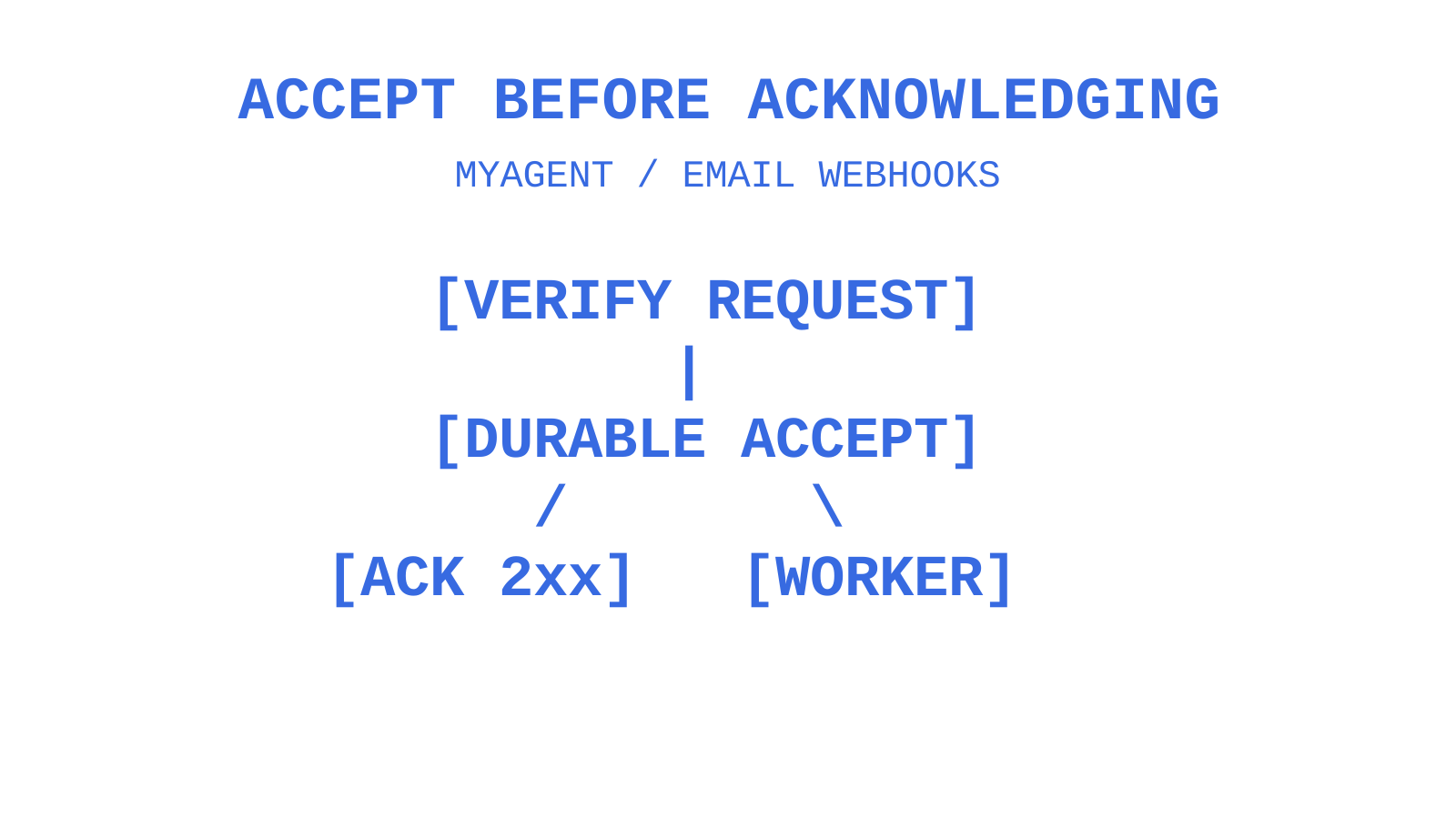
Give the ingest path four responsibilities: authenticate and validate the event, atomically record its identity, durably record pending work, then acknowledge acceptance with a 2xx response. Event storage and pending work must commit together, or the stored receipt must itself be the recoverable work queue. A separate best-effort enqueue after saving a seen ID can lose the event.
The following Node/Express-style sketch is an unsafe example to review, not a production handler. Its exists/save race permits concurrent duplicates, and an enqueue failure after save causes a retry to return 200 without restoring the lost work. Its placeholder verifySignature, req.rawBody and stores also need real implementations; x-signature is not Sendmux’s header:
app.post('/webhooks/email', async (req, res) => {
  const valid = verifySignature(req.headers['x-signature'], req.rawBody, secret);
  if (!valid) return res.status(401).end();

  const seen = await eventStore.exists(req.body.webhookId);
  if (seen) return res.status(200).end();

  await eventStore.save(req.body.webhookId, req.body);
  await queue.enqueue('process-email', req.body);
  res.status(200).end();
});
Replace that sequence with an atomic unique insert scoped to the provider, tenant and documented event identity, storing both the accepted event and pending work in one transaction. A worker then processes durable pending rows or an outbox dispatcher delivers them to a queue. Make the worker’s side effects idempotent too: durable receipt does not make an external notification, charge or ticket exactly-once. Fetch attachments in the worker, using the provider’s documented API or URL and recovery path.
Pro Tip: Keep attachment fetching outside the acknowledgement path. Bound worker download time and retries against the job’s recovery policy and any URL expiry; the provider’s webhook retry schedule is not automatically the right attachment-download timeout.
Building for production: idempotency, retries, and monitoring
Design for duplicate and out-of-order webhook attempts. A provider can retry an event whose first acknowledgement was lost; retry budgets are finite, so at-least-once processing is a design assumption rather than a guarantee that every event will eventually arrive. Reconcile gaps and make side effects idempotent to avoid duplicate notifications, charges or tickets.
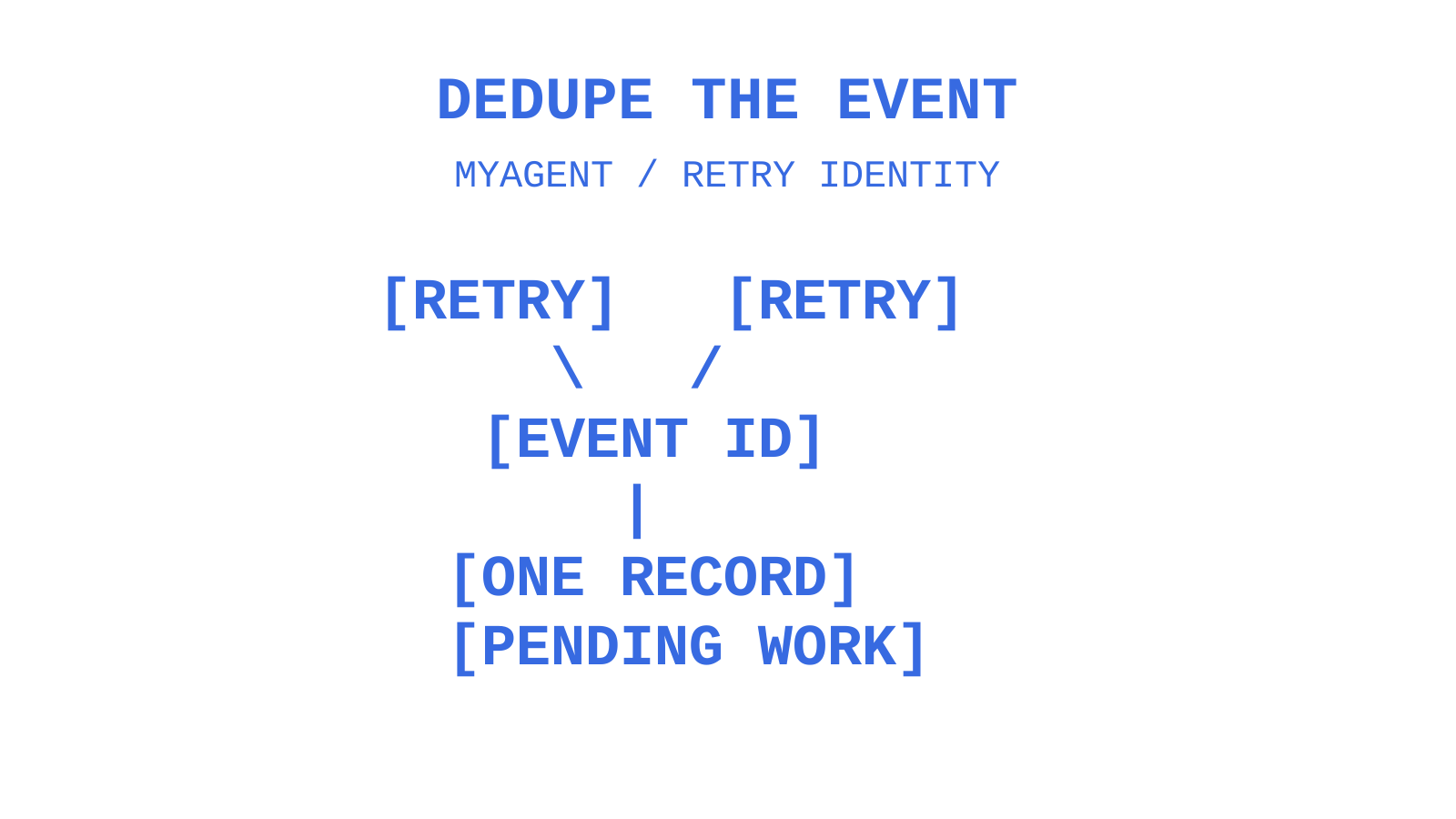
Choose a documented retry-stable event identity. Do not blindly dedupe by messageId or webhookId: a message can generate multiple events and a webhook identifier can name the subscription. For Sendmux, verify the body and use its id, checking agreement with X-Sendmux-Event-Id.
In your chosen database, enforce a unique scoped event key atomically; Redis can be part of an application design, but a separate check-then-set or expiring cache alone is not durable processing.
Include these production checks:
- Persist enough verified event data to recover the work, then return 2xx within your provider’s deadline. A second or two is a useful target to test, not a universal contract; queue acceptance must be durable before success.
- Treat repeated deliveries of the same event ID as a retry signal, not a new event, and route persistent failures to a poison queue for manual inspection.
- Track non-2xx responses, retry counts and processing latency. A retry spike can reflect endpoint failures, timeouts, lost acknowledgements or downstream trouble; inspect the evidence instead of assuming one cause.
- Verify signatures using the provider’s documented HMAC-SHA256 input where that algorithm applies. Check an authenticated timestamp only where supported, with a window that permits legitimate delayed deliveries; a few minutes is an example policy, not a universal safe cutoff. RFC 2104 defines HMAC, not a webhook header format or replay window.
For retry and backoff design, DataTool’s retry logic guide is supplementary reading about malformed AI responses. Use AWS’s retry-with-backoff guidance for the general pattern: retry transient failures, keep operations idempotent, and avoid retrying indefinitely or overloading a dependency.
Pro Tip: Log the event ID, available attempt number and latency for each webhook request, including successful ones. Correlate that metadata with durable receipt and worker state to investigate endpoint and queue failures without logging signing secrets or unnecessary message content.
How do you test and debug an email webhook?
Testing an email webhook properly means simulating the messy cases, not just the happy path. A few tools make that manageable:
- Request inspectors like webhook.site let you see the exact payload and headers a provider sends before you write a line of handler code.
- Local tunnels such as ngrok or Cloudflare Tunnel expose your localhost server to the internet temporarily, so you can register a real webhook URL against a service running on your own machine.
- Sandbox inboxes and replay tools can provide captured test payloads where the provider supports them. Test attachment-heavy MIME messages with fixtures as well as provider tests. Sendmux offers a synthetic
sendmux.testevent and retained payload inspection; its Replay control is documented as coming soon, so do not depend on it as an available replay API.
Before production traffic, test invalid signatures, simultaneous retries of one event, distinct events for one message, oversized bodies, large attachments, storage failures and a downstream queue outage. Return 2xx during that outage only if work is already durably accepted and recoverable; otherwise return the provider-appropriate error so it can retry. Verify eventual worker completion after recovery, not only the acknowledgement latency.
Webhooks vs polling vs SSE: which fits your setup?
Pick the mechanism based on what your infrastructure can actually support, not on which one sounds most modern.
- Webhooks fit a reachable HTTPS endpoint when event-driven updates suit support automation and transactional triggers. Measure delivery and retry latency rather than assuming notifications always avoid a delay of minutes.
- IMAP or polling can suit a client that cannot host a public endpoint and needs mailbox retrieval. Polling and mailbox access are separate decisions: an event feed can also trigger later API reads.
- SSE or streaming connections suit clients that can maintain an outbound connection to a supported event feed. Reconnect and reconcile after interruptions; Sendmux’s mailbox stream covers received-message events, not every sending event available through webhooks.
Run the decision through four questions: is your endpoint reachable from the public internet, what’s your expected message volume, how large are typical attachments, and what latency does your use case actually demand?
About this guide
This guide covers provider-specific webhook contracts and an application-owned durable processing pattern. Sendmux supports signed webhooks and a Mailbox API SSE stream for received-message updates. Its SDK families include TypeScript, Python, Go, PHP, Ruby and Rust; choose the API surface and permissions your integration needs.
What actually matters when you build this
Test failure sequences as deliberately as the happy path: a signature that fails, a payload that exceeds your limit, and a duplicate arriving while the original is in progress. A fifteenth retry after a queue outage or a message with nine attachments can be useful stress scenarios, but neither describes a guaranteed provider retry budget or payload limit. A handler returning 2xx on the first try proves only the response, not completed work.
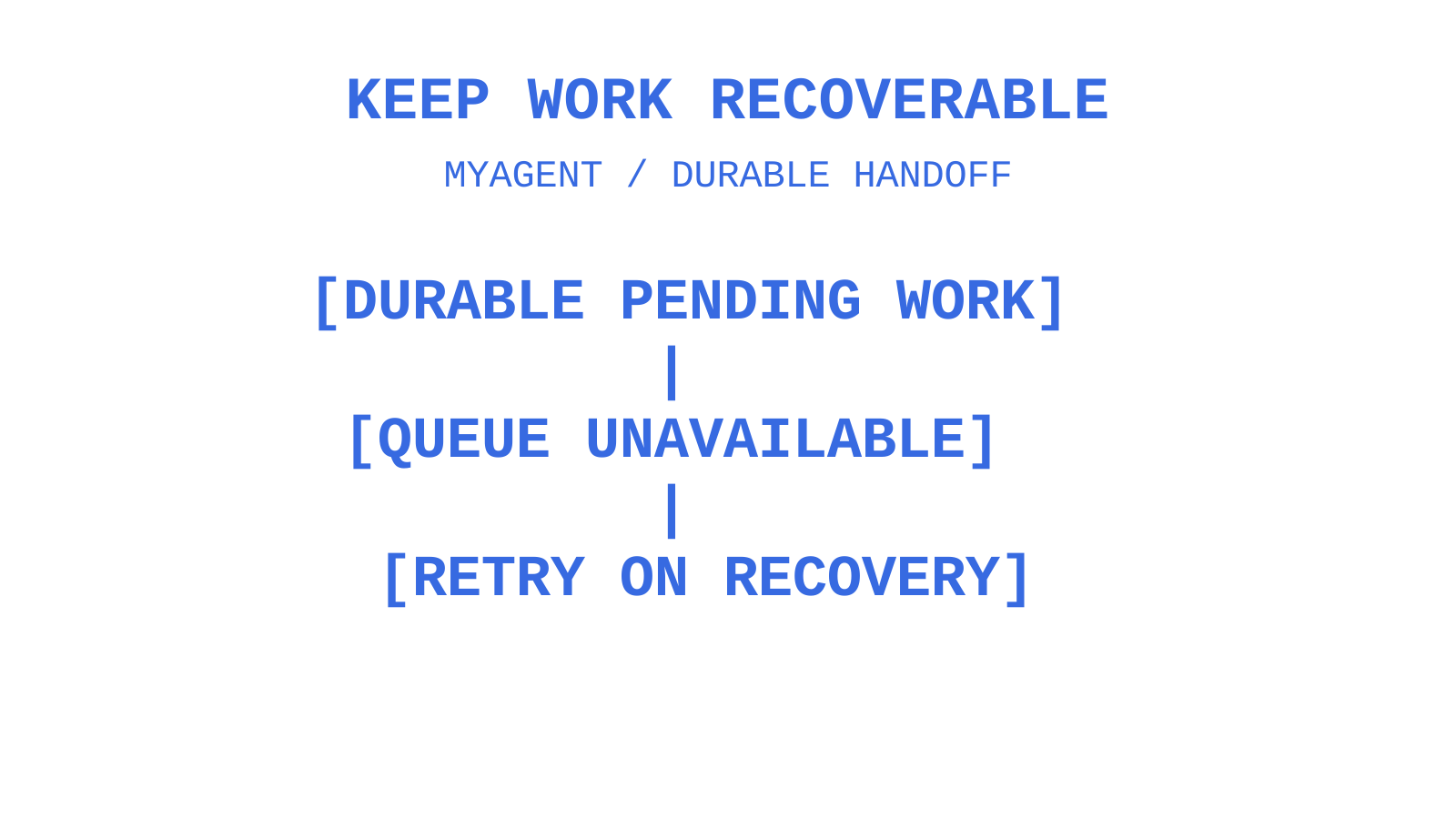
Design verification, durable receipt, recoverable handoff and acknowledgement together before adding business logic. Keep downstream processing separate, but verify each new side effect and event type against that contract. A good ingest boundary supports recovery; it does not guarantee that the webhook contract will never change.
Lost acknowledgements are one reason providers retry. Treat those retries as expected traffic, retain enough event state for your recovery policy and investigate exhausted attempts. There is no evidence here that this removes half of production incidents; measure duplicates, failures and recovery in your own system.
Give your agents a real inbox, not just an event feed
A webhook notification reports an event; mailbox access supplies stored messages and conversation context. Sendmux provides persistent mailboxes, thread resources and message search through its Mailbox API. Pair the reads you need with signed webhooks or the received-message SSE stream, and keep sending permission separate when an agent needs to reply.
For agents, Myagent points to Sendmux’s self-registration flow. An agent can request an @myagent.mx mailbox without a payment card or prior human signup and receive read/receive access once the inbox is ready. That does not create a signed-webhook subscription automatically: webhook creation requires authorised team-management access. A mailbox client can use the permitted SSE stream; sending requires owner acceptance and explicit approval. Teams can scope webhooks by mailbox and event type, and eligible failed attempts are retried with backoff.
If you are wiring up inbound email, start with a Free team and configure a webhook for a mailbox you control when you have the required management permission. New Free teams include one webhook; confirm your current limits before scaling.
Sources
- Email to webhook guide: route inbound email in real time
- Mailgun Webhooks Integration
- What is an Email Webhook? A Developer’s Guide
- Modular email architectures: efficient workflow and foundation for personalisation
FAQ
What Is an Email Webhook?
An email webhook is an HTTP callback that reports an email event to your endpoint. Depending on the provider, it can describe inbound receipt or sending outcomes such as delivery, bounce or complaint, and may contain JSON metadata rather than the full message. Delivery can be delayed or retried; it is not an instantaneous guarantee.
Can I Use a Webhook to Send an Email?
A provider’s email-event webhook notifies your application; it is not that provider’s sending endpoint. Your handler can call a separate sending API or SMTP service after validating the event and obtaining sending permission. Avoid loops and repeated sends by making that action idempotent too.
How Can I Create a Webhook to Outlook?
Microsoft Graph supports change-notification subscriptions for Outlook messages, including new messages in an existing mailbox. Create a subscription with the required Microsoft Graph permissions and a public HTTPS notification URL, implement endpoint validation and notification checks, and renew the subscription. A separate email-provider mailbox is not required merely to receive Outlook notifications.
Are Email Webhooks Free?
Sendmux includes webhook capacity on its Free and Pro plans; new Free teams include one webhook. Mailgun also describes its webhook integration as free with an account. Your hosting, storage and processing can still cost money, and plan limits remain separate from the absence of a standalone webhook fee. Check current webhook capacity and usage limits before scaling.
How Do I Handle Duplicate Webhook Deliveries?
Verify the request, then atomically record a scoped, retry-stable event identity together with recoverable pending work. A duplicate receipt can return 2xx once that durable acceptance is confirmed, but it must not discard work lost between a seen-ID write and a separate enqueue. Track worker completion and make side effects idempotent; a message ID or subscription ID alone may not identify the event you intend to process.
Give an agent its own address
Sendmux is the Email Inbox API for AI Agents.