 myagent.mxBLOG
apis & sending · webhook hmac verification
Webhook HMAC for Developers: 7 Checks to Verify Raw Body Signatures
Verify webhook signatures with HMAC using SHA 256 over raw request bytes, constant time comparison, timestamp checks, secret rotation, and debugging tips...
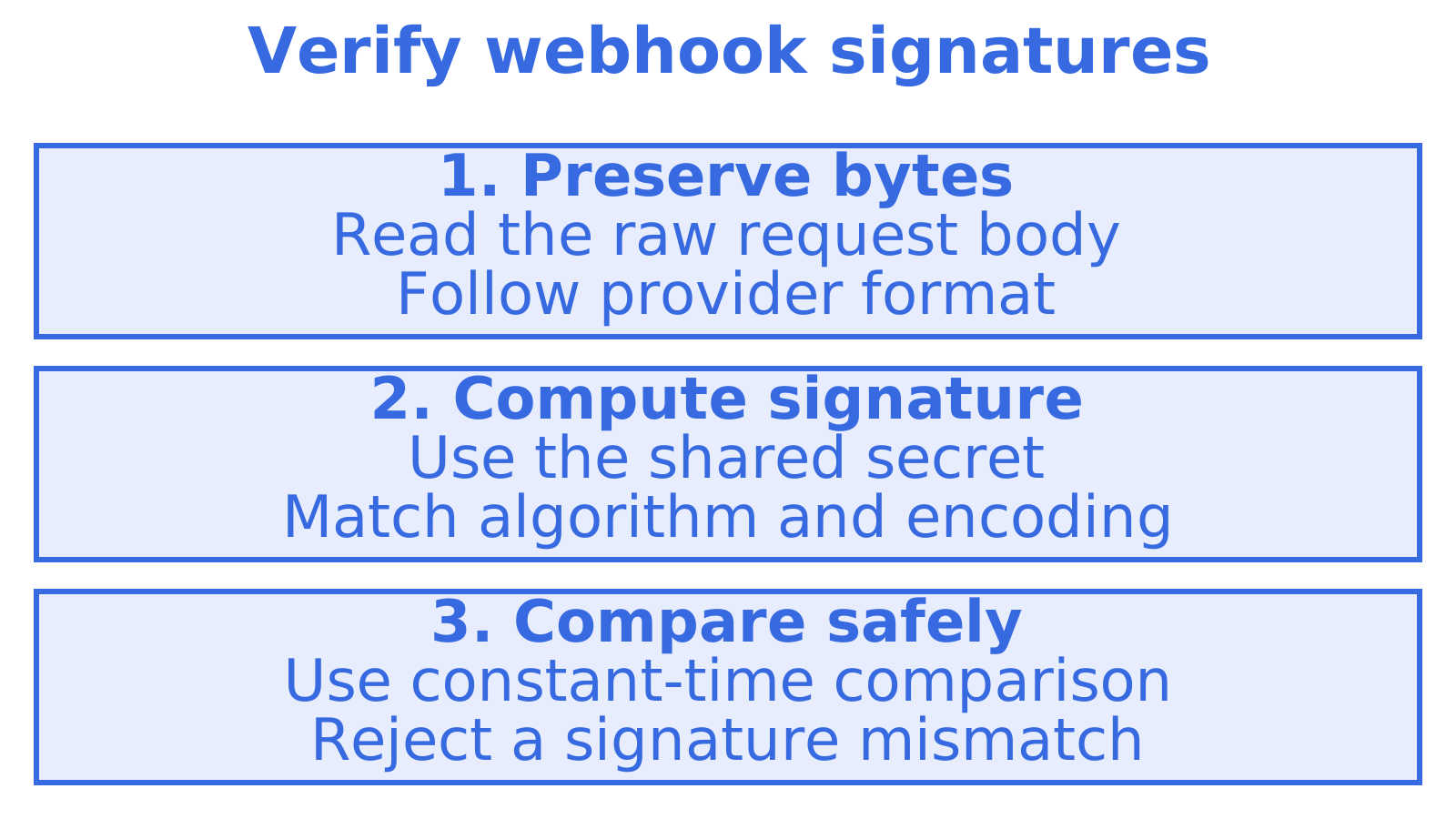
Anyone who finds your webhook URL can send it a fake event. Check the signature first. Before your handler acts, verify that the delivery was signed with your shared secret, using HMAC-SHA256 over the exact bytes your provider signs and a constant-time comparison that avoids revealing matching portions through comparison time. HMAC-SHA256 is a secret-based authentication code. These seven checks include code you can adapt, plus HTTPS to encrypt traffic, signed timestamps to check freshness and event IDs to reject replays.
TL;DR
- Build the signed string exactly as the provider specifies, including any timestamp, event ID, delimiters, and encoding; remove prefixes such as sha256= before comparison.
- Framework parsers, proxies, or line ending changes can alter bytes; capture the body and headers, then compare locally when verification fails.
- Generate a random secret of at least 32 bytes for each endpoint, and accept current and recently active secrets during rotation.
- Reject deliveries outside roughly five minutes and deduplicate event IDs to block replay attacks, since a valid signature alone remains reusable indefinitely.
- Require HTTPS with TLS 1.2 or later; HMAC does not encrypt payloads, and mutual TLS or IP allowlists suit specific threats or compliance.
Table of Contents
- Why do webhook receivers need message authentication?
- What is HMAC, and why is HMAC-SHA256 the usual choice?
- How do you verify a webhook signature step by step?
- Which implementation pitfalls cause signature mismatches?
- What operational controls make HMAC effective over time?
- What does verification look like in Node.js and Python?
- How do you keep verification working after deploy?
- When should you add mutual TLS or IP checks beyond HMAC?
- How do we handle signed webhooks and event delivery?
- FAQ
- Sources
Why do webhook receivers need message authentication?
A provider sends an event to your URL with an HTTP POST. That’s a webhook. Anyone who learns the URL can POST to it too, so your handler needs to distinguish a genuine delivery from a forged one.
A valid signature tells you that a shared-secret holder signed the message and the signed bytes haven’t changed. Which holder? The signature can’t tell you that. Keep TLS, the encryption protecting traffic in transit, because signing leaves the payload visible.
Before parsing, check which headers your provider uses:
- Find the header containing the HMAC signature of the signed message.
- Check for a timestamp header covered by the provider’s signature, so you can reject stale deliveries.
- An event ID, so you can spot duplicates.
What is HMAC, and why is HMAC-SHA256 the usual choice?
HMAC (hash-based message authentication code) uses a secret key and a hash function to produce a short authentication code. Your handler checks for a match to confirm that a key holder signed the message and the signed bytes haven’t changed.
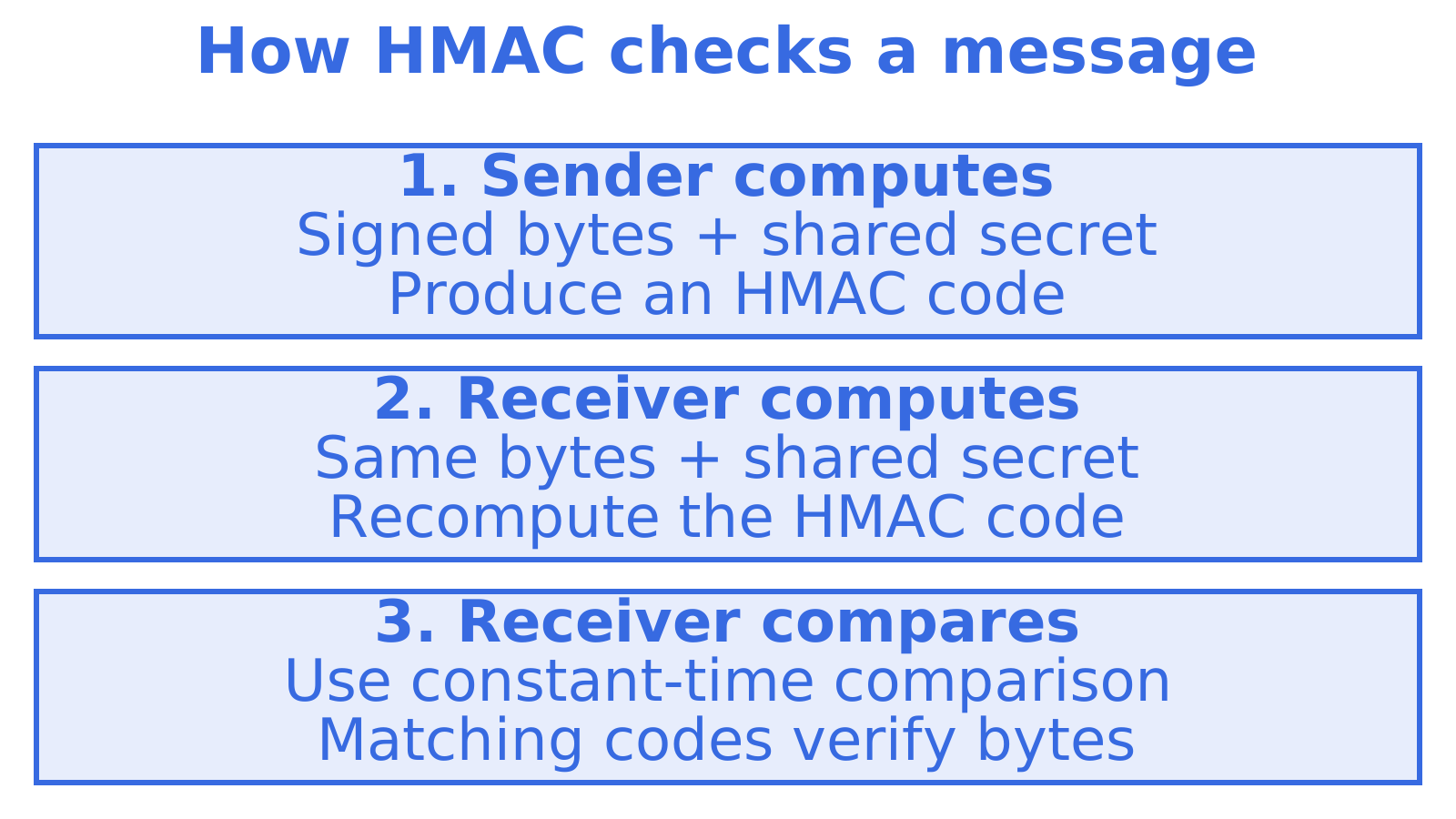
Cryptographic libraries support HMAC-SHA256, making it a common choice. Follow your provider’s signing specification for the algorithm and message format your handler must use. The OWASP webhook security guidance has further guidance.
HMAC checks a message’s authenticity and integrity. The payload stays readable to anyone who can read the traffic, so keep transport encryption in place alongside signing.
How do you verify a webhook signature step by step?
OWASP lays out the sequence, and provider docs such as Adyen’s HMAC verification guide show it with exact formats. Paste this checklist into your handler and test each line:
- Read the original request body bytes before parsing any JSON.
- Read the signature header and any timestamp or event ID headers your provider uses.
- Reconstruct exactly what the provider signed, keeping its delimiters and including the timestamp and event ID wherever its format requires them.
- Use your secret to compute HMAC-SHA256. Encode the digest as hex or base64 to match the provider.
- Use a constant-time function to compare your computed value with the received signature.
- Return 401 on failure, without revealing which check failed.
- While rotating secrets, accept signatures matching any secret that is currently active.
Put signed-string construction in a small function with its own unit tests. Give it a payload whose whitespace changes after parsing, so accidental re-serialisation makes a test fail.
Which implementation pitfalls cause signature mismatches?
Most failures trace back to bytes changing between the provider and your hash function. Check these first:
- Parsed bodies. Framework auto-parsers turn payloads into data structures. Re-serialising JSON can change whitespace, key order or number formatting, so preserve the original bytes whenever the provider signs the raw body.
- Encoding and line endings. A trailing newline changes the digest. So do character encoding, CRLF versus LF and number serialisation.
- Proxies and middleware. Gateways can rewrite headers and alter bodies before your code sees them. Inspect what reaches the handler during controlled debugging, keeping secrets and sensitive payload data out of view.
- Naive comparison. Never compare signatures with
==, since standard equality operators can leak timing information. Usecrypto.timingSafeEqual,hmac.compare_digestorhash_equals. - Format mismatches. Check hex versus base64. Remove a leading header prefix such as
sha256=only if the provider specifies it.
For a failed delivery, securely capture the raw body and compute the expected signature locally using the provider’s signed-message format. Compare it with the header. A mismatch means checking the secret, encoding and exact input bytes in turn, because the digest can’t tell you which input differs.
What operational controls make HMAC effective over time?
A correct check on day one decays without good secret handling. These are the controls we would put in place:
- Give each webhook endpoint a cryptographically random secret. If the provider lets you choose it, use at least 32 random bytes and keep it in a secrets manager.
- Allow an overlap window during rotation, accepting signatures from the current and recently active secret while the change propagates. Close that window when the old secret is no longer needed.
- Require HTTPS with TLS 1.2 or later to protect confidentiality as well as the integrity covered by the signature.
- Reject deliveries outside a short signed-timestamp window and deduplicate authenticated event IDs. Five minutes can suit providers whose retry behaviour allows it. Without freshness or replay checks, someone can submit the same signed message again.
- Keep secrets out of failure logs. Rate-limit the endpoint to reduce the load caused by a flood of bad requests.
Use the same generic 401 for missing headers, bad signatures and stale timestamps. Record the detailed failure reason in internal logs, keeping secrets out.
What does verification look like in Node.js and Python?
These examples assume the provider signs only the raw body and puts a hex digest in an X-Signature header, with an optional sha256= prefix. They show signature comparison. Before using them in a handler, add the provider’s required message construction, input validation and replay checks.
- Node.js (Express). Put
express.raw({ type: 'application/json' })on the webhook route before any JSON parser, giving you a Buffer inreq.body. Then run the comparison below.
const crypto = require('crypto');
const received = (req.get('X-Signature') || '').replace('sha256=', '');
const expected = crypto.createHmac('sha256', secret).update(req.body).digest('hex');
const a = Buffer.from(received);
const b = Buffer.from(expected);
const ok = a.length === b.length && crypto.timingSafeEqual(a, b);- Python (Flask). Get the bytes with
request.get_data()before accessingrequest.json, as shown below.
import hmac, hashlib
received = request.headers.get('X-Signature', '').replace('sha256=', '')
expected = hmac.new(secret.encode(), request.get_data(), hashlib.sha256).hexdigest()
ok = hmac.compare_digest(received, expected)- Check the lengths in Node. Compare buffer lengths first, as shown. With different sizes,
timingSafeEqualthrows. - Test against recorded payloads. Securely save a signed test delivery with its body bytes and headers. Assert that your handler accepts it, then changes its answer to rejection when one byte changes.
The primitives in these examples are documented in the Node.js crypto documentation and the Python hmac module reference.
How do you keep verification working after deploy?
Verification code tends to break quietly, through a proxy change or a framework upgrade, so treat it like any other critical path:
- Run recorded signed test deliveries through your verification function in CI. A parser change should fail the build before reaching production.
- Set an alert for spikes in signature failures, and watch for unexpected changes to the provider’s headers.
- Cache authenticated event IDs to help prevent processing a delivery twice.
- Use the provider’s verification library when available, since it is designed for that provider’s signing format.
After verifying a delivery, handle duplicates and retries. Production ready email webhooks with idempotency covers planning a handler that avoids processing the same event twice.
When should you add mutual TLS or IP checks beyond HMAC?
Match extra controls to the threats facing your endpoint. With mutual TLS, both sides authenticate using certificates for a connection-level identity check. IP allowlists restrict the network addresses that can connect. Check provider support and compliance requirements before adding either, including the upkeep of expiring certificates and address ranges that can change.
How do we handle signed webhooks and event delivery?
If you build agent or mailbox workflows, we sign webhook deliveries, so you can verify them. Get a mailbox and wire up a webhook through our Sendmux inbox, or read the docs at sendmux.ai.
FAQ
What is the safest way to verify a webhook HMAC signature?
Compute HMAC-SHA256 over the raw request body with your secret, then compare it to the received signature using a constant-time function. Never hash a parsed and re-serialised body, because that changes the bytes and breaks the match.
Why does my webhook signature verification keep failing?
The usual cause is that your framework parsed the body before you hashed it, which alters whitespace, key order or number formats. Check the encoding (hex versus base64), any sha256= header prefix, and whether a proxy changed the payload.
How do I protect webhooks against replay attacks?
Verify the delivery timestamp within a short tolerance window, typically about five minutes per OWASP’s webhook guidance, and deduplicate on event ID. A valid signature alone stays valid indefinitely.
What response code should I return for an invalid signature?
Return 401 for a missing or failed signature. Keep the response generic so you do not tell an attacker which check failed.
Sources
Recommended
Give an agent its own address
Sendmux is the Email Inbox API for AI Agents.