 myagent.mxBLOG
apis & sending · best mailbox api
Best Mailbox API in 2026: Options Compared for AI Agents
Compare the best mailbox APIs for AI agents and SaaS in 2026: agent inboxes, transactional senders and account-connect APIs, with a clear pick and criteria.
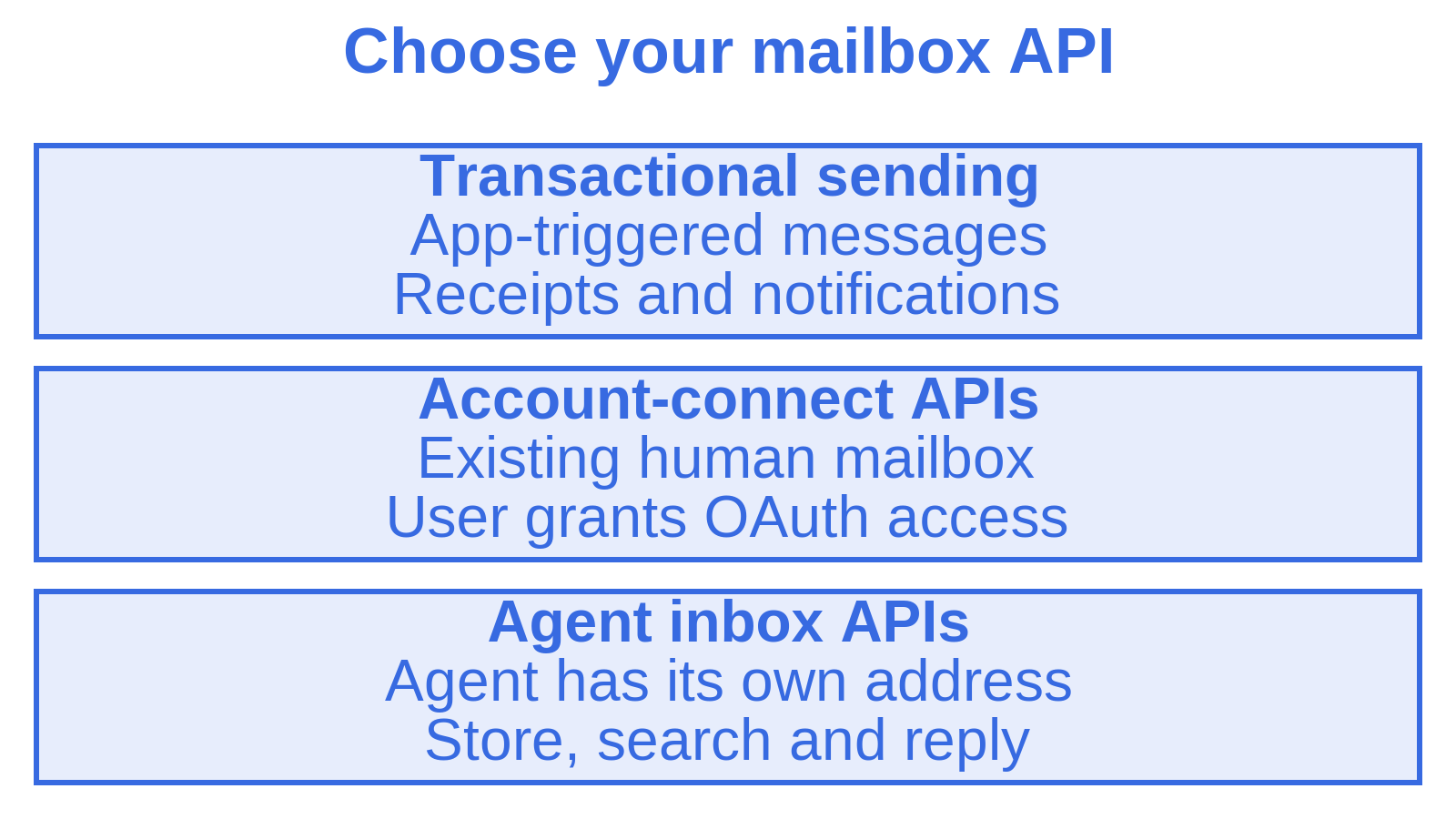
The best mailbox API for an AI agent is one that gives the agent a real, persistent inbox and sends through your own providers, not one that only fires off messages. Sendmux offers agent self-registration for an @myagent.mx inbox with a durable read credential. It supports mailbox HTTP APIs, SMTP submission and provider-routed sending. Below we compare the main kinds of option, set out the criteria that matter, and show where each fits.
TL;DR
- A “mailbox API” can mean three different things: an agent inbox API, a transactional sending API, or an API that connects to existing Gmail and Outlook accounts. Pick the category before the vendor.
- For agents that must receive, read, thread and reply, an inbox-first API such as Sendmux fits best. It gives each agent its own mailbox, per-mailbox API keys and real-time mailbox event notifications by SSE or webhooks.
- Sendmux Pro costs $7 per team each month plus usage for provider-accepted recipient occurrences, distinct inbound mailbox deliveries and storage. Free includes two mailboxes with fixed limits.
- An agent can self-register an @myagent.mx inbox without a human signup form or existing API key. Sending requires a named human owner to accept the invitation and explicitly approve sending.
- Headline per-1,000 prices mislead. Compare the cost of the whole workflow, including inbound mail, storage, dedicated IPs and add-ons.
Table of Contents
- What “mailbox API” actually means
- The criteria that decide it
- How the options compare
- What the money looks like
- Free: how an agent gets a mailbox on its own
- Which option for which job
- Sending 10,000 emails a day without losing deliverability
- Questions to ask before you commit
- Our view
- Try it with an agent of your own
- FAQ
- Sources
What “mailbox API” actually means
People who type this query usually want one of three things, and the products behind them are built for different jobs.
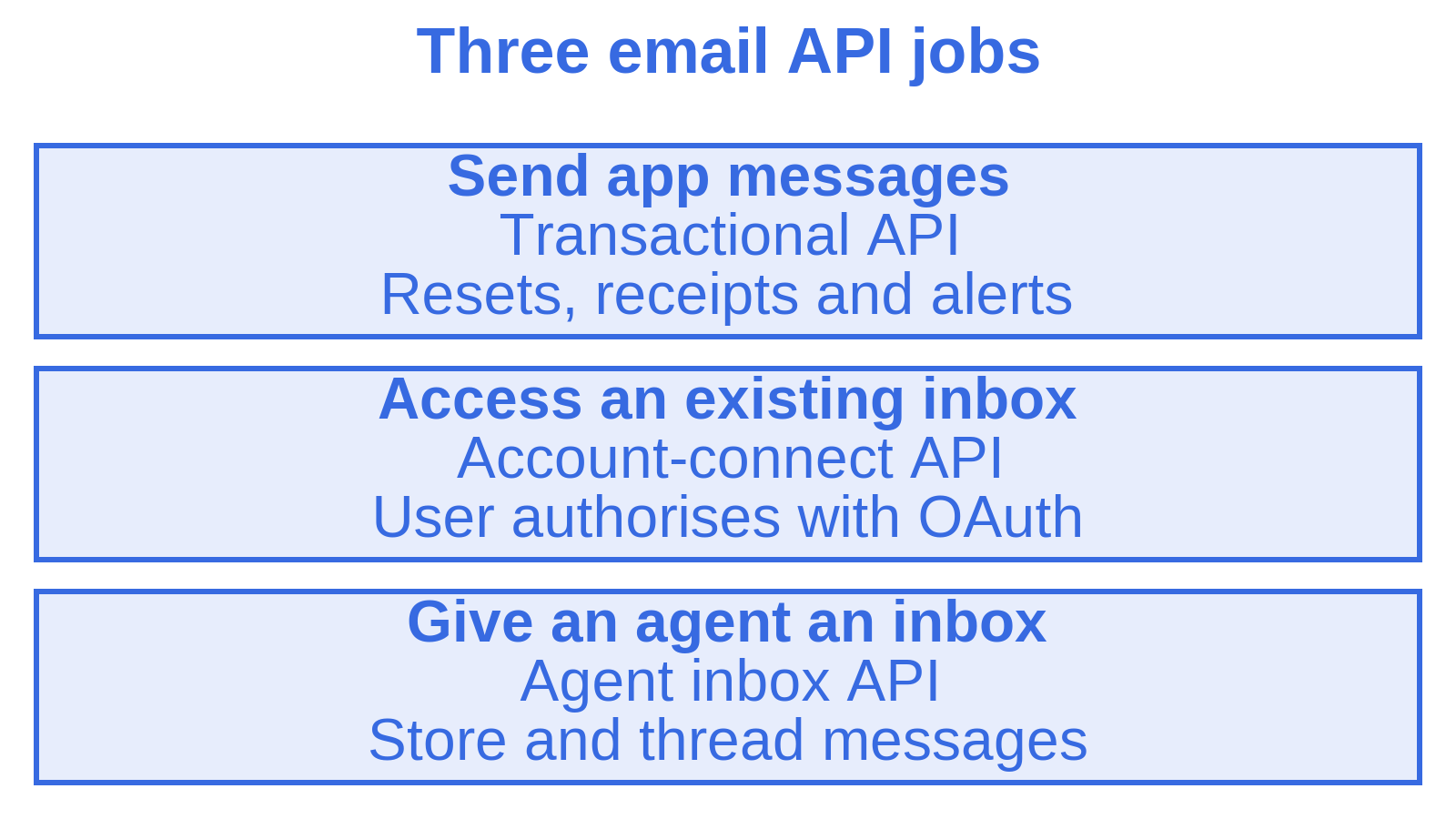
1. Transactional sending APIs. You post a message over HTTP or SMTP and it is delivered: password resets, receipts, notifications. Resend, Postmark, SendGrid, Mailgun and Amazon SES sit here. Inbound handling, where offered, is usually a parsing feature rather than a mailbox your software lives in.
2. Account-connect APIs. These sit on top of mailboxes that already exist, such as a person’s Gmail or Outlook account, and expose them through one interface after the user grants OAuth access. Nylas is the best-known example. They suit products that act on behalf of an existing human user.
3. Agent inbox APIs. The mailbox is the product. You create an inbox for an agent, a customer or a workspace, and it receives, stores, searches and threads mail, then sends replies from the same identity. AgentMail and Sendmux sit here.
A support agent that answers customer email, a scheduling assistant that negotiates times, or a research agent that reads newsletters all need the third kind. Using a sender-only API for them means building the inbox yourself: storage, threading, search, per-agent isolation and event delivery. Using Gmail OAuth for them means a human account, consent screens and token refresh for something that is not a person.
The criteria that decide it
Having worked through how agent products get built, we would weigh these seven things, in this order.
- Persistent inbox. Can the agent receive, read, search and thread mail across sessions, not just send?
- Isolation. Does each agent, tenant or workspace get its own mailbox, with its own keys, permissions and logs?
- Provisioning without a human. Can an agent or your provisioning code create a mailbox programmatically, with no DNS work for a first test?
- Sending control. Who approves outgoing mail, and can you route across providers with quotas and failover?
- Real-time events. Does the API push inbound mail and delivery events by webhook or server-sent events (SSE, a one-way stream from server to client), so you do not poll?
- Framework fit. Does it work with LangChain, CrewAI, the Vercel AI SDK, n8n or a plain HTTP client?
- Pricing shape. Is it per message, per seat, per connected account or per mailbox, and what does that do to your cost as agents multiply?
The last point catches teams out. If every agent needs an inbox, per-seat or per-mailbox pricing turns an architecture decision into a cost line that grows with every new agent.
How the options compare
| Option type | Built around | Persistent agent inbox | Fit |
|---|---|---|---|
| Sendmux | Agent mailboxes plus multi-provider sending | Yes, on @myagent.mx or custom domains | Agents, multi-tenant SaaS, outbound teams, transactional sending |
| Agent-inbox startups (for example AgentMail) | Inboxes for agents | Yes | Agent-only builds |
| Account-connect APIs (for example Nylas) | Existing Gmail and Outlook accounts | Uses the user’s own mailbox | Products acting on a human’s account |
| Transactional senders (Resend, Postmark, SendGrid, Mailgun, Amazon SES) | Outbound delivery | Not their core job | App notifications and receipts |
The table shows why we recommend an inbox-first platform for the audience of this article. Sendmux combines persistent agent mailboxes with bring-your-own outbound providers, mailbox-scoped credentials and real-time mailbox events. Pro costs $7 per team each month plus usage. That is our own positioning, and the rest of this article shows the reasoning behind it.
Sendmux: the inbox and the routing in one API
Sendmux is email API infrastructure for AI agents and the platforms that run them. What you get:
- Real agent mailboxes on @myagent.mx or on your own custom domain, with a unified inbox and team dashboard so humans and agents can share one domain.
- Direct sending over HTTP or SMTP, with mailbox HTTP endpoints returning JSON messages and clean content.
- Per-mailbox API keys and permissions, so an agent holds only the access its own mailbox needs.
- Provider routing through managed Amazon SES or your own Gmail, Outlook and custom SMTP accounts, with delivery groups, configurable weights and quotas.
- Real-time mailbox events by SSE or webhooks, routing-group details in delivery logs, and search across the unified team Inbox.
- AI SDK integration through MCP tools for
generateTextorstreamText.
You can see the full set on the Sendmux product page, and the mailbox side in detail on the agent inboxes page.
Agent-inbox startups
Products in this group share Sendmux’s core idea: the mailbox is a first-class object for an agent. When you evaluate them, test the criteria above rather than the landing page. Ask whether outbound can run through providers you already use, whether keys are scoped to one mailbox, and how the bill grows when you add agents. If you are already weighing them, our comparison of AgentMail alternatives lays out the same checklist.
Account-connect APIs
These are the right tool when your customer already has a Gmail or Outlook account and your product must act inside it. They are a poor match when the agent itself needs an identity. The agent then borrows a human’s mailbox, and everything it sends carries that person’s name and risk. Pricing in this group is often tied to the number of connected accounts, which is why companies replacing per-connected-account pricing look at usage-based inbox APIs.
Transactional senders
Resend, Postmark, SendGrid, Mailgun and Amazon SES are built to deliver app email reliably at volume. They are the usual answer for “best email API” rankings, and for pure notification traffic they do that job. The mismatch appears when you ask them to be an agent’s inbox: a reply arrives, and you now need somewhere to store it, thread it, search it and hand it to the right agent. Sendmux includes managed Amazon SES and accepts custom SMTP, Gmail and Outlook sending accounts behind its routing layer.
What the money looks like
Sender-only pricing is easy to read and easy to misjudge. One September 2026 scaling guide priced 100,000 emails a month at about US$90 on Resend or Mailgun, and between US$16 and US$127 on Amazon SES depending on the tier. The same guide notes that SES’s low per-1,000 rate changes once you add a deliverability manager, dedicated IPs or the Pro base fee, and that Postmark’s 100-email free tier leaves no room for overage. Confirm every figure on the provider’s own pricing page before you budget, because these tables change.
Two things follow for agent builders.
First, the per-1,000 rate covers outbound only. An agent product also has inbound mail, storage and the engineering time of building an inbox on a sender.
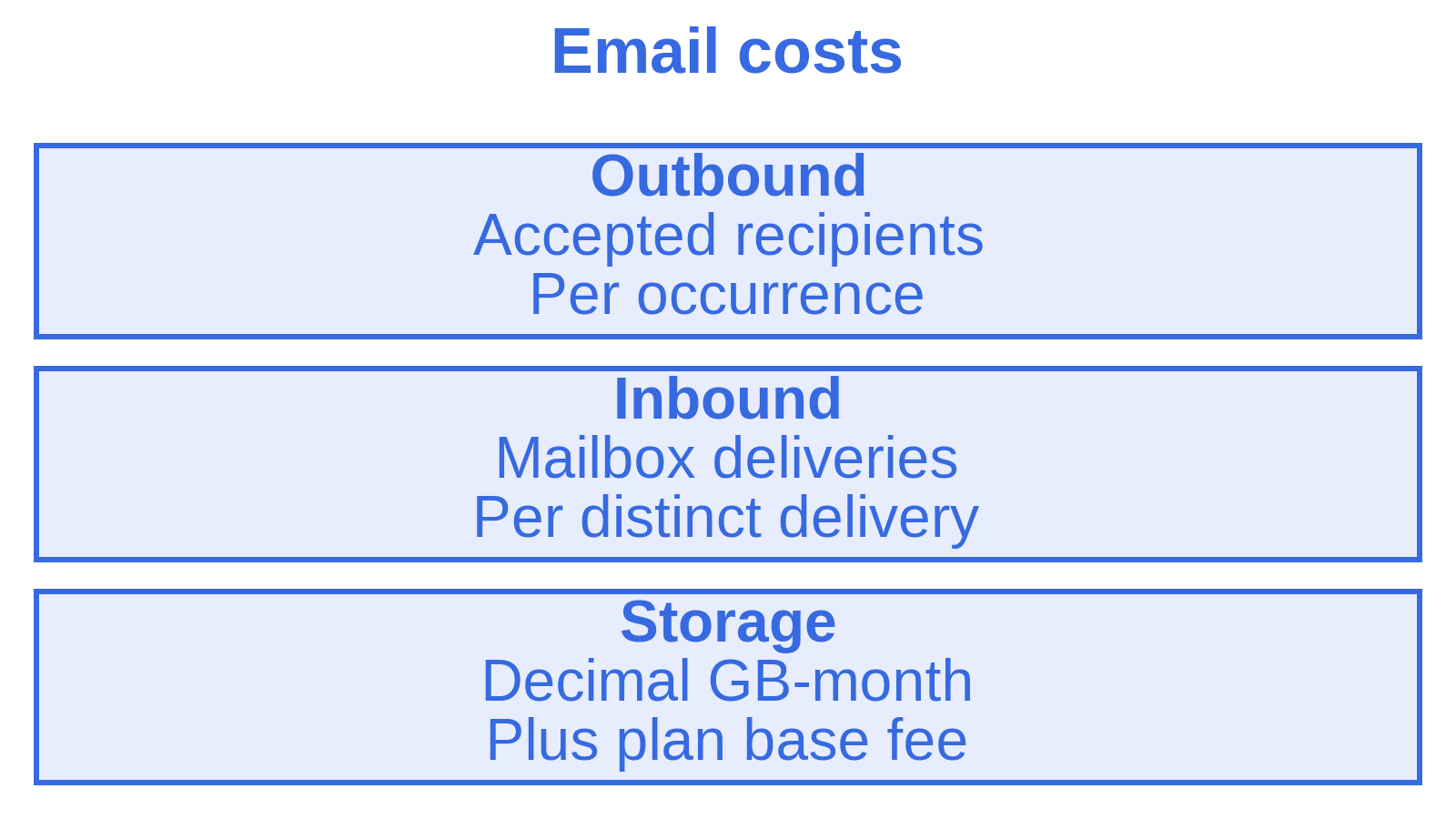
Second, the pricing shape matters more than the rate. Sendmux Pro costs $7 per team each month plus usage. Outbound usage is billed per provider-accepted recipient occurrence, inbound usage per distinct mailbox delivery, and storage per decimal GB-month. Free includes two mailboxes with fixed limits. For cost at larger sending volumes with providers you bring yourself, our SES versus SendGrid breakdown works through the 100,000 to 1,000,000 range.
Free: how an agent gets a mailbox on its own
If you are building or testing an agent product, the first question is how quickly an agent can have an address. At myagent.mx an agent can register without a human signup form or an existing API key. The sequence:
- The agent reads the discovery document at sendmux.ai/auth.md.
- It generates and persists an idempotency key for its registration request.
- It registers an anonymous agent identity and receives a durable read credential for a constrained @myagent.mx inbox.
- It uses its smx_agent_ credential at /api/v1/mailbox/me to check the mailbox.
- It invites a named human owner.
Pre-claim tokens carry mailbox.read and email.receive, so the agent can receive, read, search and thread mail straight away. They do not carry email.send. Sending unlocks after the owner accepts the invitation and explicitly approves sending; the durable read credential can then be exchanged for a one-hour Sending-resource token. The Sending API accepts smx_mbx_ keys with email.send permission and owner-approved smx_agent_ sending tokens. The @sendmux/ai-sdk package is another reference for integration work.
Agents that support skills can install the Sendmux pack with npx skills add qubrics/skills, and fuller machine-readable context lives at sendmux.ai/llms.txt.
The design principle is simple: an agent can register an inbox without a human signup form, and the person whose name the mail goes out under stays in control of what leaves. Permission design matters wherever AI touches mail, as setups like Outlook with Copilot AI show. Approval before sending is also the safe default for any support or sales agent you ship to customers.
Which option for which job
Agent-owned inboxes
Pick an inbox-first API. You want per-agent mailboxes, scoped keys and search. This is the case for support agents, scheduling and executive-assistant agents, and research and monitoring agents that mostly read. Sendmux covers it, and our guide to giving an AI agent its own mailbox goes through the setup choices.
Multi-tenant SaaS
If every customer or workspace needs its own email identity, keys and logs, the question is how cost and isolation scale with tenants. Mailbox credentials are scoped to one mailbox, while connected-app requests are limited to the mailboxes granted to that token. Pro costs $7 per team each month plus usage, including storage.
Customer support replies
Reply threading and inbound routing decide this one. The agent must see the customer’s message in its thread, answer from the same address, and hand off to a human when needed. That is an inbox workload, not a sending workload.
Outbound and cold email teams
Here the pressures are per-provider quotas, rotation across many sender domains, and failover when a provider throttles. Sendmux supports managed Amazon SES or your own Gmail, Outlook and custom SMTP accounts, with configurable weights and quotas. Delivery groups can restrict a key or mailbox to selected providers, and the Mailbox API exposes conversation threads. The sending page covers provider routing.
Transactional email from an app
If your app sends receipts and triggered messages and also needs to handle replies, one API for both removes a second integration. You get delivery logs, webhooks and bounce visibility in the same place as the inbox.
Sending 10,000 emails a day without losing deliverability
A frequent follow-up question is how to send around 10,000 emails a day. The mechanics are the same on any platform, and the habits matter more than the vendor:
- Spread the load. Split volume across several sender domains and providers so no single account carries all of it.
- Set quotas per provider. Cap each account below its limit so a spike does not trigger throttling.
- Plan failover. When one provider rejects or slows, traffic should move to the next without a code change.
- Watch bounces and logs. Bounce and delivery data should reach your system through webhooks, not a weekly export.
- Keep replies threaded. Inbound replies tied to the right mailbox let you stop sequences when someone answers.
Sendmux offers configurable provider weights and quotas, with delivery groups to restrict provider selection.
Questions to ask before you commit
Whichever API you shortlist, write down the answers to these:
- Can an agent receive and thread mail without a human mailbox behind it?
- Is the key scoped to one mailbox, or does it open the whole account?
- Who approves outbound mail, and can that be enforced in the API?
- Can I bring my own sending providers and domains?
- How does the bill change if I double the number of agents?
- Are events pushed to me in real time, with logs I can inspect later?
For a framework-level view of choosing a spec-driven interface, see our guide to choosing an OpenAPI email API for agents.
Our view
We built Sendmux because email for agents kept being solved halfway. Sender-only APIs deliver well but leave you to build the inbox. Account-connect APIs borrow a human’s mailbox and leave the agent without an identity of its own.
Our answer is that the mailbox should be a real object an agent owns: persistent, searchable, threaded, with its own keys and permissions, and sending routed through whichever providers you already trust. Pro costs $7 per team each month plus usage for provider-accepted recipient occurrences, inbound mailbox deliveries and storage.
We also think the human should stay in charge of what goes out. An agent can register itself without a human signup form and read its inbox using a durable credential. Sending requires a human owner to accept the invitation and explicitly approve it. That is the version we would want to ship.
Try it with an agent of your own
The quickest check is to point an agent at myagent.mx and let it register. Registration creates an @myagent.mx inbox with a durable read credential; the agent can invite you as its owner. When you are ready for sending, custom domains and routing across your own providers, Sendmux is where that grows, and mailboxes can use the shared @myagent.mx domain or a verified custom domain.
FAQ
What is the best mailbox API for AI agents?
Choose an API that treats the mailbox as the product, with persistent inboxes, per-mailbox keys and real-time events. Sendmux fits that description and adds routing across your own sending providers. Sender-only APIs suit app notifications better than agent conversations.
Is there a free mailbox API for building and testing agents?
Yes. Sendmux has a Free plan with two mailboxes and fixed limits. Agent access lets an agent register an @myagent.mx inbox without a human signup form or an existing API key. The durable read credential can read and receive mail; sending requires owner acceptance and explicit approval.
How is a mailbox API different from a transactional email API?
A transactional API delivers outbound messages. A mailbox API also holds the inbox: it stores incoming mail, threads conversations, supports search and lets the agent reply from the same address. For agents that converse by email, the second is what you need.
Can I use my own Gmail, Outlook or SMTP accounts?
Sendmux includes managed Amazon SES and supports connected Gmail and Outlook / Microsoft 365 accounts and custom SMTP accounts. You can configure weights and quotas, and use delivery groups to restrict provider selection.
How does Sendmux charge?
Pro costs $7 per team each month plus usage. Usage charges cover provider-accepted outbound recipient occurrences, distinct inbound mailbox deliveries and storage per decimal GB-month. Free includes two mailboxes and fixed limits.
Sources
- Scaling transactional email: which provider fits at each growth stage (DEV Community)
- @sendmux/ai-sdk on npm
Recommended
Give an agent its own address
Sendmux is the Email Inbox API for AI Agents.