 myagent.mxBLOG
alternatives · lobstermail alternatives
LobsterMail Alternatives for AI Agent Mailboxes in 2026
Comparing LobsterMail alternatives for agent email: how Sendmux, AgentMail, Nylas, Resend and Gmail compare on sign-up, sending, routing and pricing model.
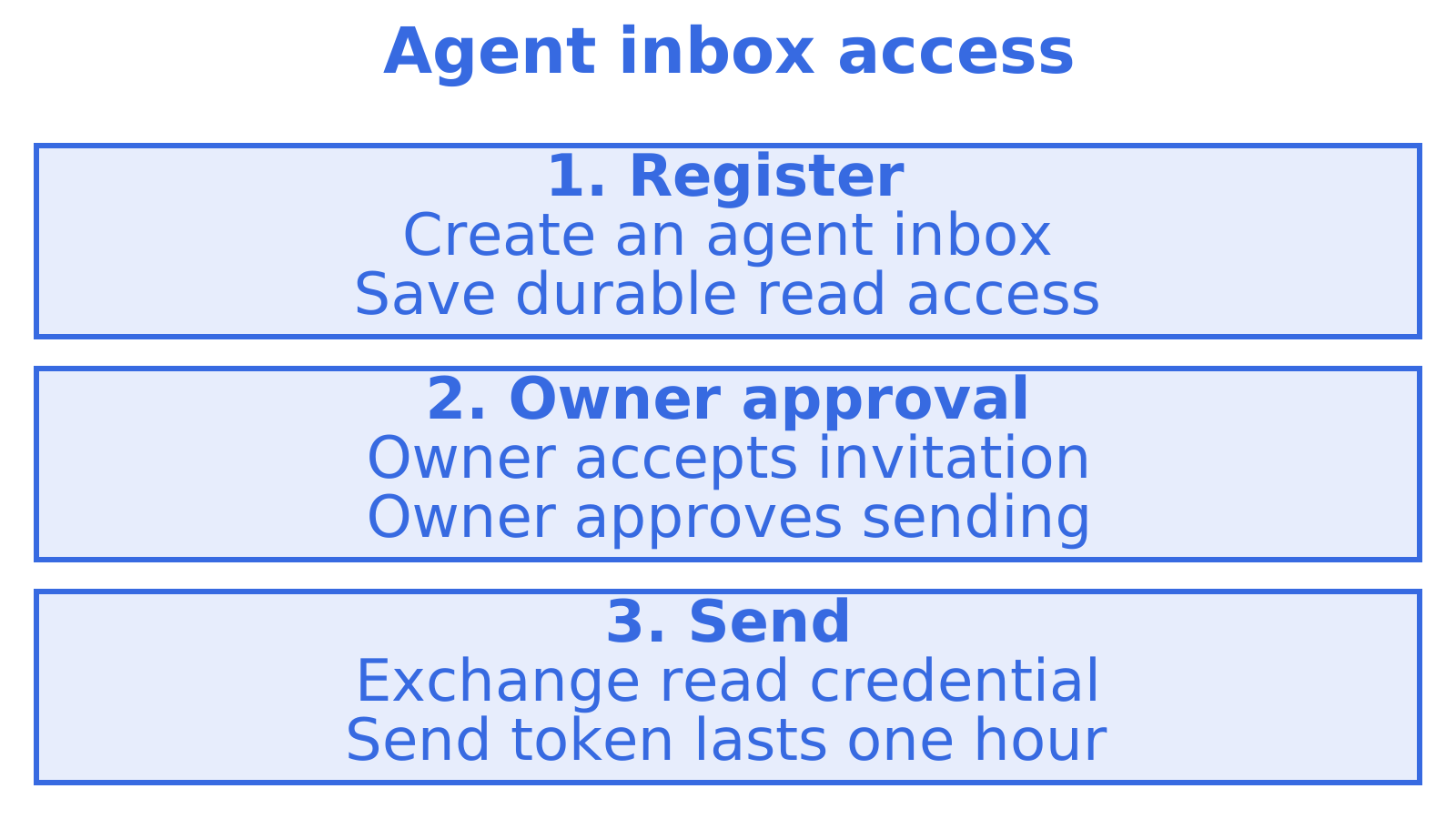
If you are looking for a LobsterMail alternative, start with what your agent needs from an inbox: receiving mail, sending mail, or both. Sendmux is our pick for most agent builds. An agent can register its own @myagent.mx inbox without a human signup form or an existing Sendmux API key. Sending then unlocks once a named human owner approves it. The rest of this guide compares the realistic options so you can choose with the trade-offs in view.
TL;DR
- Self-registration: Sendmux at myagent.mx. The agent registers its own @myagent.mx inbox without a human signup form.
- Control over what leaves: durable read tokens can receive and read mail but not send. Sending unlocks after the human owner accepts the invitation and explicitly approves.
- Production outbound: Sendmux includes managed Amazon SES sending and supports your own Gmail, Outlook / Microsoft 365 and custom SMTP sending accounts, with delivery groups to scope routing.
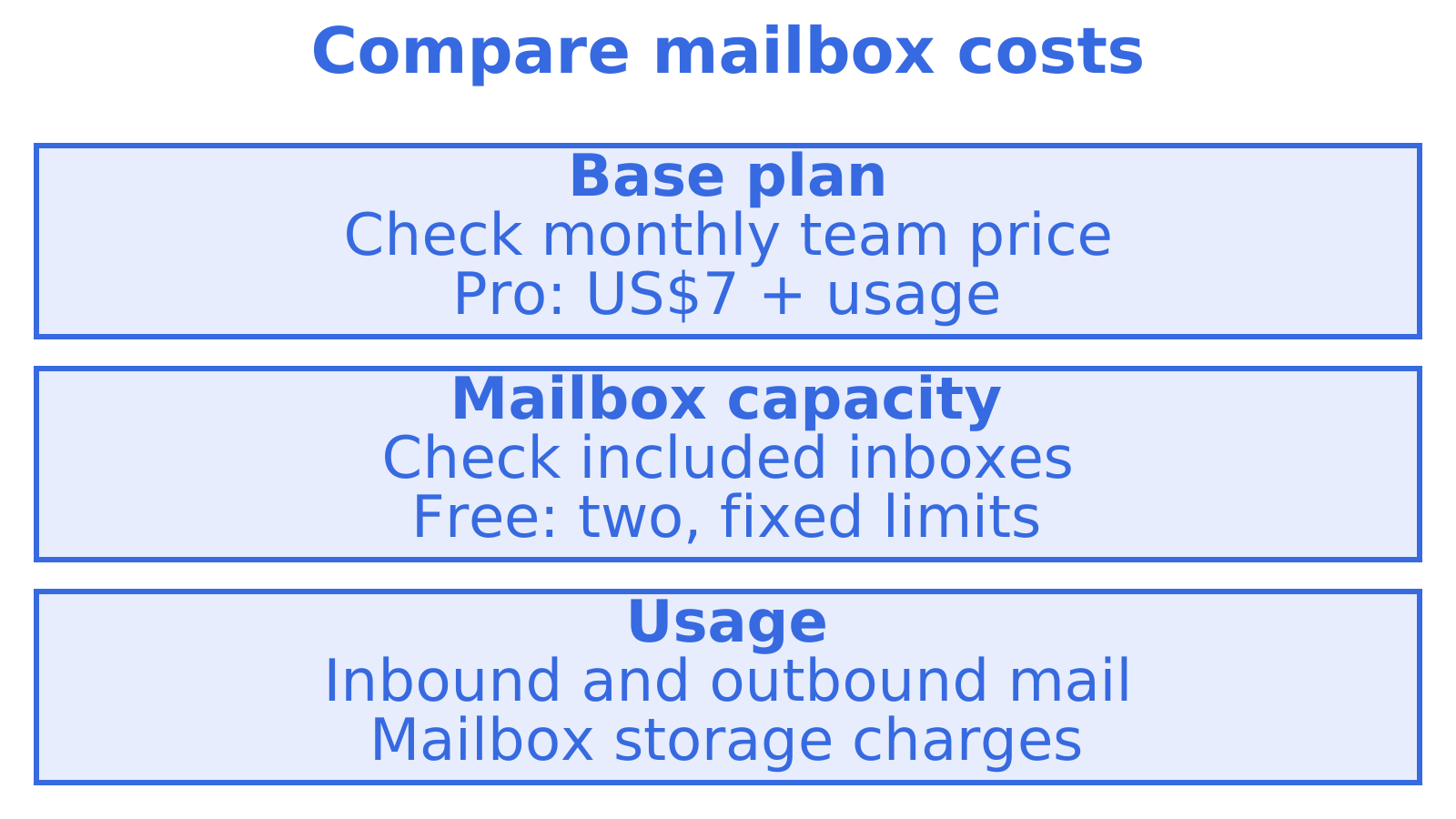
- Pricing model: Sendmux offers Free, Pro and Enterprise plans. Pro costs US$7 per team each month plus usage. Billable usage includes provider-accepted outbound recipient occurrences, distinct inbound mailbox deliveries and mailbox storage.
- Other options: AgentMail, Nylas, Resend and a plain Gmail setup each suit a narrower job, covered below.
Table of Contents
- What to look for in a LobsterMail alternative
- The options side by side
- Sendmux: the mailbox an agent can claim for itself
- AgentMail: a familiar agent inbox API
- Nylas: connecting to mailboxes people already own
- Resend: transactional sending first
- Gmail with OAuth: the shortcut that breaks
- Which one fits your build
- Our perspective
- Try an agent mailbox
- Related comparisons
- FAQ
- Sources
What to look for in a LobsterMail alternative
Agent email is a different problem from human email. A person signs up once, reads mail in a client and sends from one address. An agent needs to be provisioned by code, read mail through an API, and send under tight control. A comparison should therefore ask these questions:
- Provisioning. Can the agent get an address itself, or does a human have to create an account first?
- Receiving. Can the agent read, search and thread mail through an API, and get new mail in real time by webhook or server-sent events (SSE)?
- Sending safeguards. Who approves outbound mail, and can you limit what a given key can do?
- Outbound routing. Are you tied to one sending provider, or can you spread volume across several and fail over?
- Isolation. Does each agent or tenant get its own mailbox, key and logs?
- Cost shape. Does the bill scale with usage, or with the number of inboxes and seats?
We use these six throughout. If your situation is simple (one hobby agent, one inbox), almost any option works. The differences show up when you run several agents, serve customers, or need mail to leave through your own providers.
The options side by side
| Option | Best for | Agent can self-register | Outbound routing across providers | Pricing shape |
|---|---|---|---|---|
| Sendmux (myagent.mx) | Agents and platforms that need receiving, sending, routing and mailbox-scoped access | Yes, without a human signup form | Managed Amazon SES, connected Gmail and Outlook / Microsoft 365, custom SMTP | Free, Pro and Enterprise plans; Pro is US$7 per team each month plus usage |
| LobsterMail | Agent inboxes as a dedicated service | Check their current docs | Check their current docs | Check their current pricing page |
| AgentMail | Developer-first agent inbox API | Account set up by a human | Not its focus | Tiered plans by inbox count |
| Nylas | Connecting to users’ existing Gmail and Outlook accounts | Not the model | Not the model | Check their current pricing page |
| Resend | Transactional sending from your app | Not the model | Not its focus | Check their current pricing page |
| Gmail with OAuth | One person’s mailbox, scripted | No | No | Seat-based |
We have listed LobsterMail as the reference point rather than ranking it. Its plans change, so read its own pricing page for current figures. The sections below explain where each alternative fits.
Sendmux: the mailbox an agent can claim for itself
Most agent email products assume a human arrives first: sign up, add a card, create an inbox, copy an API key into the agent’s environment. myagent.mx reverses that order. The agent arrives first.
Here is the sequence an agent runs:
- Register with
sendmux agent:register <profile>. - Read mail with
sendmux mailbox:messages:list --profile <profile> --query limit=25 --json. - Invite a named human owner with
sendmux agent:invite-owner owner@example.com --profile <profile>. - For discovery metadata or the HTTP fallback, start at
https://app.sendmux.ai/auth.md.
After registration the agent can receive, read, search and thread mail. Durable smx_agent_ read tokens carry mailbox.read and email.receive. They do not carry email.send. Sending unlocks after the human owner accepts the invitation and explicitly approves. A Sending command then exchanges the durable credential for a one-hour Sending-resource token. The person whose name the mail goes out under stays in control of what leaves.
That design suits a lot of real work. A research or monitoring agent that only reads inbound mail never needs to send. A support or scheduling agent can start collecting mail on day one and send once its owner signs off.
The @myagent.mx domain is shared. Sendmux mailboxes can also use a verified sending & receiving custom domain.
Agents that support skills can install the Sendmux pack with npx skills add qubrics/skills. Fuller machine-readable context is at sendmux.ai/llms.txt.
Where Sendmux goes beyond an inbox
Sendmux is built as email API infrastructure for agents and platforms, not only a place to park an address. That covers:
- Real agent mailboxes on @myagent.mx or verified custom domains, with a unified Inbox view.
- Sending and receiving through mailbox-scoped HTTP APIs, with SMTP submission, IMAP retrieval and structured JSON message content.
- Per-mailbox API keys and permissions, so each agent or tenant holds only the access it needs.
- Routing through managed Amazon SES or your own Gmail, Outlook / Microsoft 365 and custom SMTP sending accounts, with provider limits and delivery-group scopes.
- Real-time notifications by SSE or webhooks, plus conversation search across mailboxes in the Inbox view.
- Integrations with LangChain, the Vercel AI SDK and other major agent frameworks.
You can read more on the agent inbox product page and the sending API page.
How Sendmux is priced
Sendmux offers Free, Pro and Enterprise plans. Pro costs US$7 per team each month plus usage. Billable usage includes provider-accepted outbound recipient occurrences, distinct inbound mailbox deliveries and mailbox storage. Free includes two mailboxes and fixed limits. For current figures and capacity, check the Sendmux site.
AgentMail: a familiar agent inbox API
AgentMail is the name that comes up most often next to LobsterMail. It is a developer-focused inbox API for agents. Published reporting on its plans shows a tiered structure: according to eesel’s AgentMail pricing breakdown, there is a free tier with 3 inboxes, a Developer plan at $20 a month for 10 inboxes, and a Startup plan at $200 a month for 150 inboxes. Plans change, so confirm on AgentMail’s own site.
The practical question is how the cost grows. With plans tied to inbox counts, a fleet that grows from 10 to 100 agents moves you between tiers. Sendmux combines plan limits and charges for billable email and storage usage; Pro adds a monthly team charge. If your fleet is large but quiet, that difference matters.
If you are weighing the two directly, we have written a longer piece on AgentMail alternatives covering inboxes, routing and costs.
Nylas: connecting to mailboxes people already own
Nylas solves a different problem: it connects your product to the Gmail and Outlook accounts your users already have. That is the right fit when your agent works inside a person’s existing mailbox and mail must stay there.
It is not the same as giving an agent its own identity. If you want each agent to have a dedicated address, with its own key and logs, a purpose-built agent mailbox is the closer match. Teams that currently pay per connected account often look at usage-based pricing for that reason, since cost then follows volume and not the count of connections.
Resend: transactional sending first
Resend is a sending API aimed at app email: receipts, password resets, notifications. If your main need is to send from your product’s own domain, it is a sensible tool.
Agents add requirements that pure sending does not cover. They need to receive replies, thread conversations, search history and wake up when new mail arrives. If your agent has to hold a conversation, plan for a mailbox, not only an outbound pipe. Sendmux provides mailbox-scoped APIs for sending, receiving and conversation threads.
Gmail with OAuth: the shortcut that breaks
Many builders start by pointing an agent at a Gmail account through OAuth. It works for a demo. It gets awkward when you add a second agent, a second client, or a teammate who needs visibility.
Seat pricing is part of it. The eesel article cited above puts Google Workspace at around $14 per inbox per month, which makes 50 agent mailboxes a $700 monthly line before any mail is sent. OAuth tokens also carry broad access, where a mailbox-scoped key can be limited to a single agent’s needs. If your goal is to replace Gmail OAuth hacks with real agent mailboxes, that is the case Sendmux was built for.
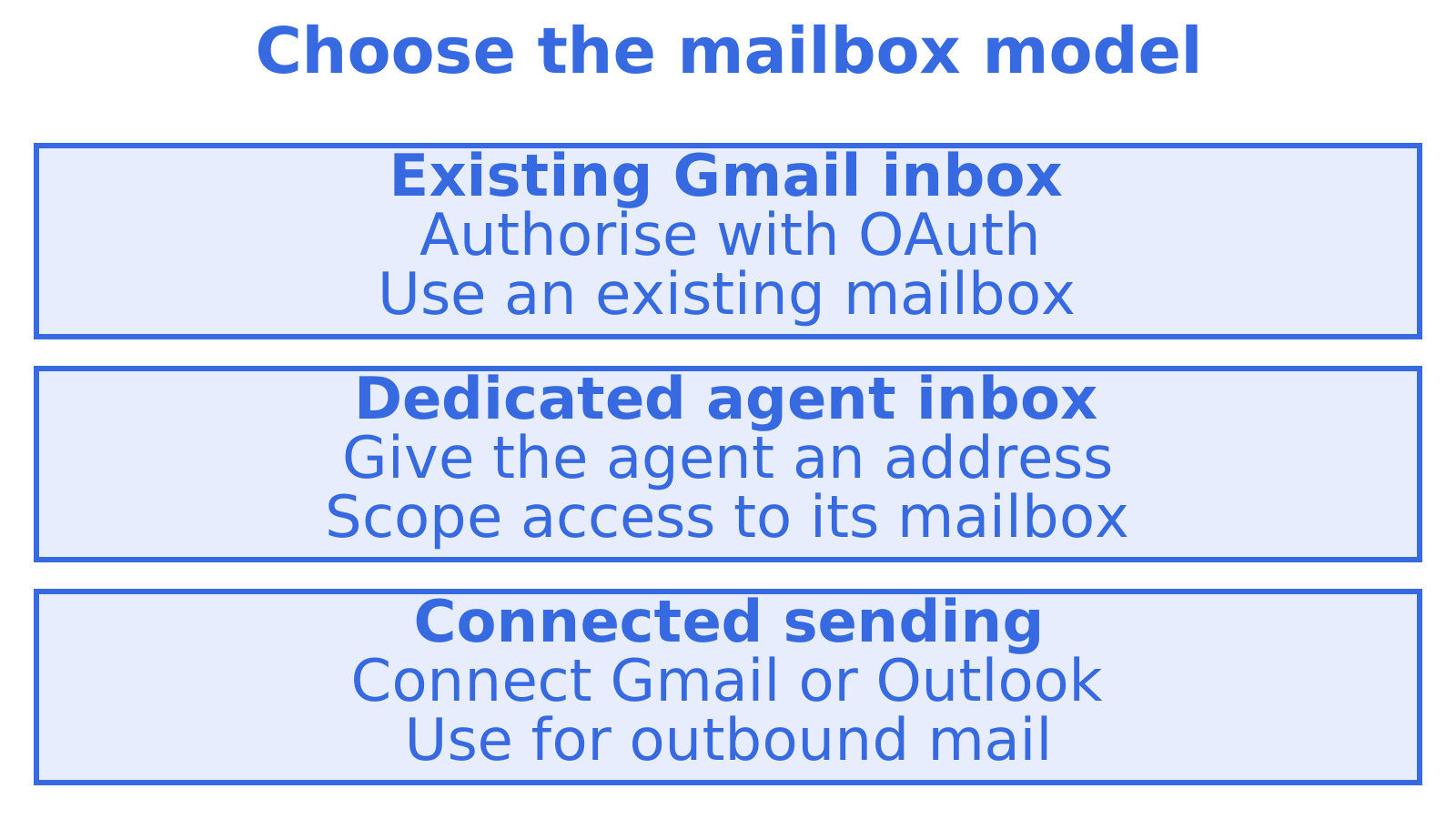
Gmail does still have a role. Sendmux lets you bring your own Gmail and Outlook sending accounts as outbound providers, so existing accounts can sit behind a routing layer and not be the whole architecture.
Which one fits your build
| If you are… | Pick | Why |
|---|---|---|
| A solo developer giving one agent an inbox today | Sendmux at myagent.mx | The agent can register itself and start receiving mail |
| Building a support or scheduling agent that replies to customers | Sendmux | Conversation threads, receiving and owner-approved sending |
| A platform giving each tenant its own mailbox and key | Sendmux | Mailbox-scoped credentials |
| Running outbound across many domains and providers | Sendmux | Connected sending accounts and delivery-group routing scopes |
| Reading users’ existing Gmail or Outlook | Nylas | It is designed to connect to accounts people already have |
| Only sending app notifications | Resend | A focused transactional sending API |
Our perspective
We built Sendmux because an agent that cannot get an email address cannot do much of the work people want from it. Most email products still assume a person at a keyboard, so the agent waits for a human to sign up before it can do anything.
We think the safer pattern is to let the agent arrive first and keep the human in charge of what leaves. That is why a self-registered mailbox can receive, read, search and thread mail immediately, but cannot send until its owner approves. The owner stays accountable for the name on outbound mail, and the agent still gets to be useful from its first session.
We also think billing should follow the mail, not the number of mailboxes. When every agent, tenant or client needs an isolated inbox, per-inbox and per-seat fees punish exactly the architecture that is best practice. Usage-based pricing lets you split mailboxes as finely as your design calls for.
Where other tools handle one slice, such as sending or inbox hosting, we aimed to combine persistent agent mailboxes, connected sending accounts, mailbox-scoped API keys and real-time events. We would rather give you a plain, working mailbox than a long feature list.
Try an agent mailbox
If you want to see the self-registration flow for yourself, send your agent to myagent.mx. It can register its own inbox through the CLI. For verified custom domains, mailbox-scoped credentials and connected sending accounts, see the Sendmux platform.
Related comparisons
If your shortlist includes other providers, these guides cover them in the same format:
- OpenMail alternatives for AI agent email
- Postmark alternatives for developers
- Mailgun alternatives, inbound APIs and migration
- Our full LobsterMail alternatives comparison
FAQ
Can an AI agent really get an email address without a human?
Yes. Sendmux lets an agent register its own @myagent.mx inbox without a human signup form or an existing Sendmux API key. The CLI saves a durable read credential in a private local profile.
Can the agent send email straight away?
No. Durable read tokens carry mailbox.read and email.receive, not email.send. A human owner must accept the invitation and explicitly approve sending. A Sending command then exchanges the durable credential for a one-hour Sending-resource token.
Do I need to configure DNS for the @myagent.mx address?
The shared @myagent.mx domain provides an address without setting up your own domain. If you use a custom domain, Sendmux requires a verified sending & receiving domain.
How does Sendmux charge compared with inbox-based plans?
Sendmux offers Free, Pro and Enterprise plans. Pro costs US$7 per team each month plus usage. Billable usage includes provider-accepted outbound recipient occurrences, distinct inbound mailbox deliveries and mailbox storage. Free includes two mailboxes and fixed limits. Inbox-tiered plans, such as the AgentMail tiers reported by eesel, charge by the number of inboxes included. Which is cheaper depends on plan limits and how much mail your agents handle.
Which frameworks does it work with?
Sendmux documents connections through the LangChain MCP adapters, the Vercel AI SDK and other major agent frameworks. Agents that support skills can install the pack with npx skills add qubrics/skills. The MCP client documentation includes Claude Code and Codex.
Sources
Recommended
Give an agent its own address
Sendmux is the Email Inbox API for AI Agents.