 myagent.mxBLOG
apis & sending · SMTP protocol standards
RFC 5321 for Developers: Follow the Standard, Not the Draft
Use the published RFC 5321 as your authority, treat RFC5321bis as a changing draft, and avoid SMTP pitfalls in sessions, recipient handling, and port choice.
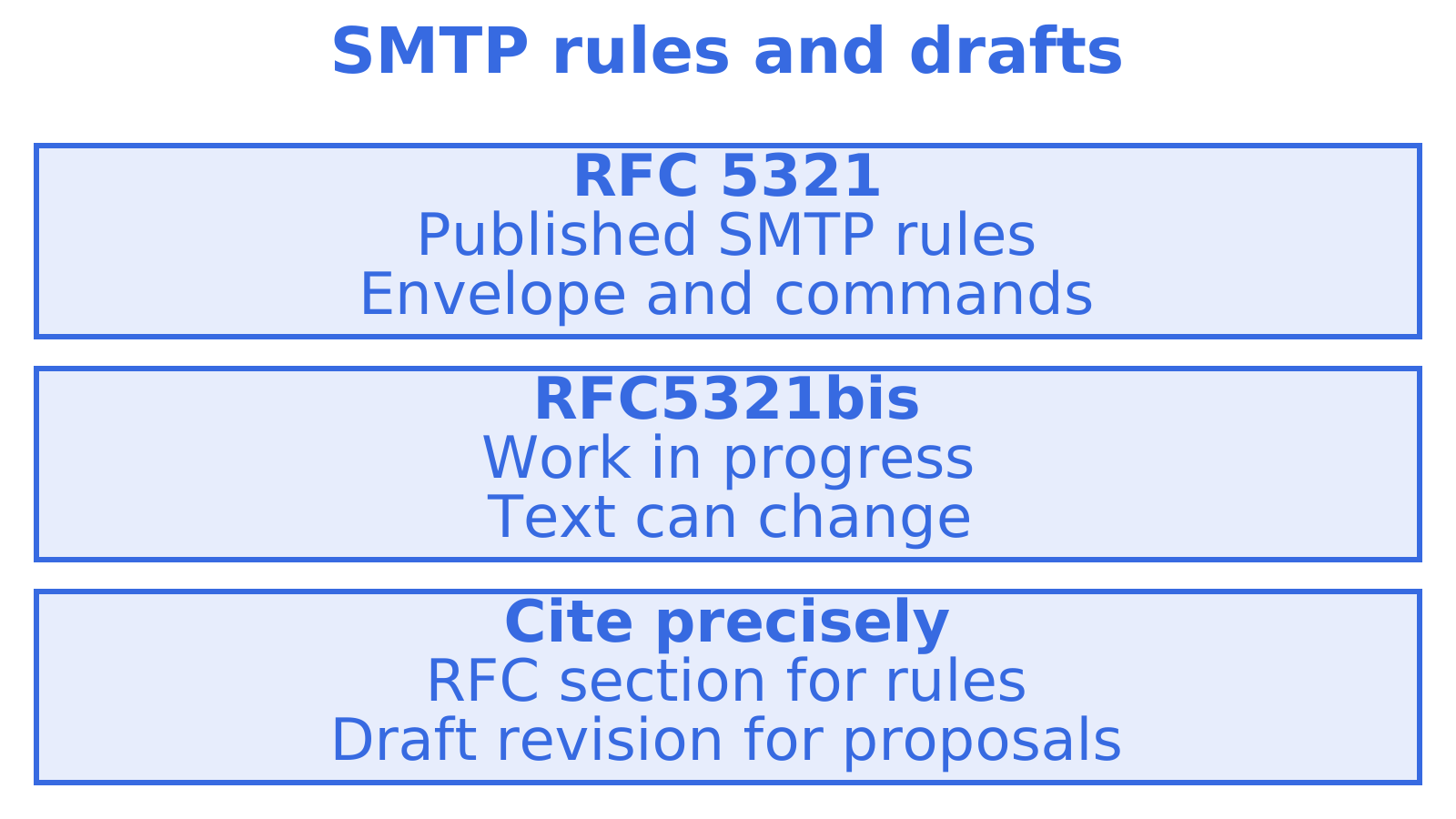
Building an SMTP client? Start with RFC 5321 for the published rules. When citing RFC5321bis, label it work in progress. Recipient handling, replies and port choice all depend on that distinction, which this guide explains. The official specification is at the RFC Editor.
TL;DR
- SMTP routes mail through MAIL FROM and RCPT TO, not visible headers; record each recipient’s reply and retry only temporarily deferred addresses.
- Treat 4xx replies as temporary and retry later, while 5xx replies are permanent; automate decisions from numeric codes, not changeable explanatory text.
- Use port 587 for submission with authentication and STARTTLS; reserve port 25 for server to server relay, while 465 provides implicit TLS.
- Read all EHLO capabilities before using extensions, then issue EHLO again after STARTTLS because the server’s advertised options may change.
- Cite RFC 5321 for normative behaviour; RFC5321bis remains an Internet Draft, so identify its revision and label it work in progress.
Table of Contents
- Where to read and cite RFC 5321 and the bis draft
- How an SMTP session works, step by step
- Other SMTP commands and the lock-step rules
- SMTP reply codes and the RFC 7504 additions
- ESMTP extensions and EHLO
- Submission versus relay, and which port to use
- Internationalised addresses with SMTPUTF8
- What RFC5321bis changes and how to treat Internet-Drafts
- Practical notes for debugging and common pitfalls
- Quick reference: commands and common reply codes
- Why we build on the RFC text
- Give your agent an inbox that speaks standard SMTP
- FAQ
- Sources
Where to read and cite RFC 5321 and the bis draft
Read the canonical text at the RFC Editor. The IETF Datatracker also has a browsable copy, with revision history and links to every RFC that updates it, so you can follow how the specification has changed. In code comments, design documents or tickets, cite “RFC 5321, Simple Mail Transfer Protocol” in full. Add the section number. A bare “see the SMTP RFC” leaves colleagues searching a long document for the behaviour you meant.
RFC5321bis intends to replace RFC 5321, but remains an Internet-Draft. Before publication as an RFC, its text can change from one revision to the next. Name the revision you read and call it “work in progress”.
Three groups of related documents are worth bookmarking:
- RFC 6409 covers message submission: handing mail from an application or mail client to its provider.
- RFC 6531 defines the SMTPUTF8 extension for UTF-8 addresses.
- RFC 7504 added the 521 and 556 reply codes.
Found an unfamiliar EHLO keyword? Look it up in the IANA registries for SMTP service extensions and their parameters.
How an SMTP session works, step by step
A sending client passes mail to a receiving server through SMTP, normally over TCP so the data arrives in order. Mail servers can relay messages too, using DNS MX records to find the destination server.
A session opens when the server sends a greeting, normally a 220 reply. The client answers with EHLO, which identifies it and asks the server to list its capabilities. HELO is the older, extension-free form and is only a fallback. From there, a single mail transaction runs like this:
- The client sends
MAIL FROM:<reverse-path>, naming the envelope sender, and the server replies 250 if it accepts that command. - The client sends one or more
RCPT TO:<forward-path>commands, one per recipient, and the server answers each one separately. - The client sends
DATA, and the server replies 354 to say it is ready for message content. - The client transmits the message and ends it with a line holding only a full stop, written
<CRLF>.<CRLF>. - The server gives a final reply that says whether it took responsibility for the message.
- The client sends
QUIT, the server replies 221, and the connection closes.
One connection can carry several transactions. To abandon the current transaction and leave that connection open, send RSET.
Envelope versus message headers
SMTP delivers to the envelope addresses. As RFC 5321 explains in its distinction between the envelope and the content, MAIL FROM and RCPT TO control transport, while the headers inside DATA describe the message. Those can differ. The From: and To: lines in a mail client show the headers, and a blind-copy recipient can appear in RCPT TO without appearing in the delivered headers at all.
Per-recipient decisions
Record every RCPT TO reply. A single transaction can have accepted recipients alongside temporary deferrals and permanent rejections, and the final DATA reply determines whether the server accepted the message for those recipients. Check that reply before retrying. After successful DATA acceptance, retry only the temporarily deferred addresses. A temporary DATA failure also leaves the earlier accepted recipients needing another delivery attempt.
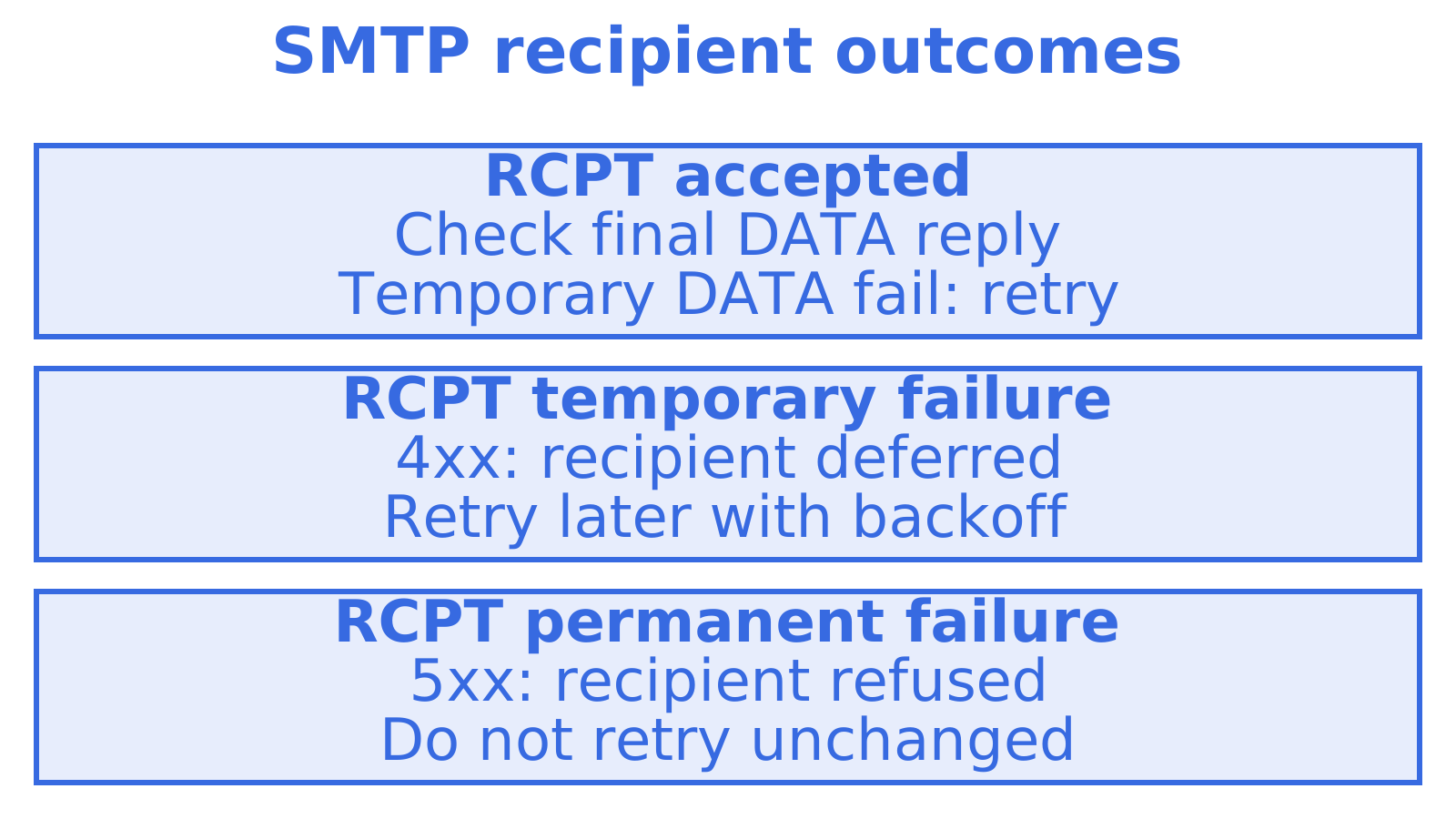
Keep the recipient address beside each RCPT TO reply, and record the final DATA reply too. That gives you a way to distinguish an address rejection from an accepted message.
Other SMTP commands and the lock-step rules
RFC 5321 also covers RSET, VRFY, EXPN, HELP, NOOP and QUIT. It defines their syntax and the points in a session where clients may use them.
- RSET abandons the current mail transaction and clears its sender, recipient and message data, while keeping the session open.
- VRFY asks whether a name or address identifies a mailbox. Servers can decline to verify it.
- EXPN asks for the members of a mailing list, which can expose addresses.
- HELP requests human-readable help text.
- NOOP requests a 250 reply without changing the transaction, allowing a client to check whether the server still responds.
- QUIT asks the server to close the session, and the server replies 221 before closing.
Why the protocol is lock-step
Wait for each reply in basic SMTP. Sending the next command too soon can leave your client matching a delayed reply to the wrong command. With PIPELINING, specific commands can go together, but you still have to match and process the replies in order.
Keep track of the SMTP command you sent, the reply you expect and the transaction stage. A 503 signals a sequencing problem. Sort out the state before sending further commands, or you will be guessing which request each reply answers.
Disabling VRFY and EXPN
Restricting VRFY and EXPN is a common way to limit address disclosure. They can expose mailboxes and list members, and servers can decline them without affecting normal message delivery.
SMTP reply codes and the RFC 7504 additions
SMTP replies are numeric completion codes, and RFC 5321 discusses reply severity, function groups, numeric order, multiline replies and the special handling of the reply after DATA. The first digit gives the outcome:
- 2xx means the requested action completed successfully.
- 3xx means more input is needed, such as message content after DATA.
- 4xx means the action failed temporarily and may be tried again later.
- 5xx means a permanent failure. Repeating the unchanged request will not remedy it.
Read a multiline reply to the end. All but the last line have a hyphen after the code (250-SIZE <maximum-size>). The final line has a space (250 HELP). You need that complete EHLO reply before using the advertised capabilities.
| Code | Class | Typical meaning |
|---|---|---|
| 220 | Positive completion | Service ready, sent as the greeting |
| 250 | Positive completion | Requested action completed |
| 354 | Positive intermediate | Start mail input, end with the lone full stop |
| 421 | Temporary negative | Service not available, closing the channel |
| 450 | Temporary negative | Mailbox unavailable, try again later |
| 550 | Permanent negative | Mailbox unavailable or action refused |
| 554 | Permanent negative | Transaction failed |
| 521 | Permanent negative | Host does not accept mail at all (added by RFC 7504) |
| 556 | Permanent negative | Server will not accept messages for that recipient domain (added by RFC 7504) |
RFC 7504 adds 521 and 556 to the extensible reply-code set. A host returning 521 says it never accepts mail, useful for machines that only send. With 556, the receiving server refuses mail for the destination domain.
Base automated decisions on the numeric reply code. The accompanying text is primarily for people under RFC 5321, and its wording varies between servers. Our guide to logging SMTP DSN codes covers more detailed status information.
ESMTP extensions and EHLO
Send EHLO to discover SMTP extensions. In the multiline 250 response, the first line identifies the server and the remaining lines advertise its capabilities. Read them all before choosing an extension. An older server that does not recognise EHLO can use HELO for a basic conversation without extensions.
Typical keywords you will see:
- SIZE lets clients declare message size in MAIL FROM and can advertise a maximum size, allowing oversized messages to be rejected before transmission.
- STARTTLS offers an upgrade to TLS, which encrypts the connection.
- AUTH lists the available authentication mechanisms for identifying the sending client.
- SMTPUTF8 advertises support for internationalised addresses and UTF-8 message headers.
- 8BITMIME advertises support for 8-bit message bodies beyond 7-bit ASCII.
- PIPELINING allows certain commands to be sent together before their replies arrive, while replies are still processed in order.
Read every EHLO keyword before choosing parameters, using a parameter only when the server advertised its matching keyword. If EHLO is rejected, fall back to HELO and drop the extensions. Capabilities belong to that connection. Two servers behind the same hostname can advertise different options, and STARTTLS can change the list because many servers withhold AUTH until the connection is encrypted. Issue EHLO again after STARTTLS. Use the fresh list.
Check IANA when an extension keyword is unfamiliar. Registration gives clients and servers consistent names. Private names begin with “X”, and your client should ignore extensions it does not recognise.
Keep the current connection’s EHLO capability list handy for size parameters, authentication and UTF-8 handling. After STARTTLS, replace it with the new EHLO response.
Submission versus relay, and which port to use
Sending mail to a provider and relaying mail between servers are different roles. RFC 5321 describes SMTP transfer; RFC 6409 separately defines submission and designates port 587 for it. Server-to-server relay normally uses port 25.
Separate submission and relay services let a provider enforce application authentication, sender and security policies while handling incoming server-to-server mail under different rules.
- Port 25 normally carries relay traffic between mail servers. Many networks restrict outbound connections on it, so applications should follow their provider’s submission settings.
- Port 587 is designated for submission. Follow the provider’s authentication requirements and use STARTTLS to encrypt the connection.
- Port 465 was historically used for SMTP over implicit TLS, where the connection is encrypted from the first byte instead of upgraded. Many providers still support it.
- Some providers offer another submission port when 587 is blocked. Check the provider’s settings rather than assuming a port is available.
RFC 5321 does not define TLS, authentication, message size or internationalisation on its own. Separate extensions cover those. For an integration using 587 or 465, try the checks in our 587 versus 465 walkthrough, then use the submission versus relay questions to establish which role your software plays.
For staff email branding, Abersecure covers email signature management. That is a separate concern from SMTP transport.
Internationalised addresses with SMTPUTF8
RFC 5321 alone does not enable internationalised addresses. The SMTPUTF8 extension in RFC 6531 defines how to send UTF-8 addresses, and it requires the server to advertise SMTPUTF8 before clients use it. It extends the mailbox syntax of the base specification so that the local part (before the @) and domain may contain UTF-8 characters.
What a careful client does:
- Check EHLO first. The server must list SMTPUTF8 before you send an internationalised address or header. Without that support, a UTF-8 address will be refused or mangled.
- Declare it in the transaction. A message needing UTF-8 address or header support needs the SMTPUTF8 parameter in MAIL FROM.
- Handle domains separately. For DNS lookups, IDNA gives internationalised domains an ASCII representation. A non-ASCII local part has no equivalent general conversion and needs SMTPUTF8 along the delivery path.
- Plan for refusal. Report a delivery problem when the address needs SMTPUTF8 and the next hop lacks it. Keep the address as supplied.
- Keep the explanation. When a server refuses a message for a missing capability, record both the numeric reply and its text.
Before promising internationalised addresses to users, test the full delivery path to the providers they will use.
What RFC5321bis changes and how to treat Internet-Drafts
RFC5321bis aims to replace RFC 5321 with a consolidated, clearer specification. Check whether it has been published. An Internet-Draft’s intended status tells you where it is heading, and does not grant approval.
How to work with it:
- Anchor normative behaviour to RFC 5321. Explain implementation requirements with citations to the published RFC and its applicable updates.
- Read the draft as clarification. Where RFC 5321 is ambiguous, the draft can help. Cite the revision you read and label it work in progress.
- Compare the actual changes. Check the differences from RFC 5321 even when the wording or behaviour looks familiar.
- Check the appendix for differences. Find revisions from RFC 5321 in the draft’s change appendix, then read the affected sections in context.
- Re-check before you cite. Name the version your argument relies on, since drafts expire and newer revisions can supersede them.
RFC 5321 defines the envelope transaction and state machine for transport and relay. Headers and MIME content have their own specifications. Neither RFC 5321 nor its draft successor settles how a message body should look.
Practical notes for debugging and common pitfalls
Start a failed SMTP session investigation with command order and recipient results. Check that you read complete replies and used only the connection’s advertised capabilities.
- Track state strictly. Keep a record of the command sent, expected reply and transaction stage. Preserve command and reply order when using PIPELINING.
- Treat MAIL, RCPT and DATA results independently. Keep each recipient’s reply and the final message result. Retry temporary failures as appropriate, remembering recipients accepted at RCPT if DATA subsequently failed temporarily.
- Read the whole multiline reply. Stop at the line with a space after the code. Lines left unread can be mistaken for the next command’s reply.
- Retry by reply class. Back off and retry 4xx failures. After a 5xx refusal, do not repeat the unchanged request. Make submission failures clear to the user.
- Match the port to the role. Server relay uses 25. For authenticated submission on 587 or 465, follow the provider’s settings.
- Secure the channel. Use STARTTLS or implicit TLS to require appropriate encryption. Consider restricting VRFY and EXPN on your servers to limit address disclosure.
- Log codes and text. Decide from numeric codes, keeping the text for diagnosis. Enhanced delivery status codes can give further failure details.
Before changing the client, capture a timestamped session transcript. Match commands to replies to spot sequencing errors, and redact credentials and message content before sharing the capture.
Quick reference: commands and common reply codes
A compact list to keep beside your editor:
EHLO client.example.orgidentifies the client and requests capabilities. UseHELO client.example.orgas the basic fallback.MAIL FROM:<sender@example.org>starts a transaction and names the envelope sender.RCPT TO:<rcpt@example.com>names one recipient, repeated per recipient.DATArequests permission to send message content. A lone full stop on its own line ends that content.RSETabandons the current transaction.VRFY namequeries mailboxes, andEXPN listqueries list membership. Servers may restrict both.QUITends the session.- Common replies include 250 (completed), 354 (send content), 421 (closing, retry later), 450 (temporarily unavailable), 550 (permanent refusal), 554 (transaction failed), 521 (host accepts no mail) and 556 (destination domain accepts no mail).
A tiny per-recipient flow looks like this:
C: RCPT TO:<ann@example.com>
S: 250 OK
C: RCPT TO:<bob@example.com>
S: 450 Mailbox busy, try later
C: RCPT TO:<cy@example.com>
S: 550 No such user
C: DATA
S: 354 Start mail input
Ann’s recipient command succeeds, Bob’s is deferred and Cy’s is refused. Check DATA next. If the server accepts the message, retry only Bob. If DATA fails temporarily, Ann also needs a later attempt.
Reply codes drive automated decisions. RFC 5321 gives numeric codes that role, with explanatory text to help people diagnose results.
Why we build on the RFC text
When reviewing an integration that uses Sendmux through SMTP, cite the relevant RFC 5321 section behind each protocol decision. Another developer can then check both the rule and its scope.
A sender that mistakes a 4xx for a 5xx can abandon a delivery after a temporary failure. Use the published rules for numeric replies, separate recipient records and capability checks. Read RFC5321bis for proposed clarifications, keeping those proposals distinct from published requirements.
Give your agent an inbox that speaks standard SMTP
We built Sendmux for agents that need their own address. Sendmux mailboxes use the shared @myagent.mx domain or a verified sending and receiving custom domain. You can send mail through HTTP or SMTP, and read messages and conversation threads through the Mailbox API. SMTP submission is one way to send mail, so the guidance in this guide can be useful.
Our free plan covers mailboxes on a shared domain. Visit Myagent to learn about sending through standard SMTP.
FAQ
What is the RFC for SMTP?
The current SMTP standard is RFC 5321, which defines the envelope, commands and transaction model, and you can read it at the RFC Editor. A successor, RFC5321bis, is still an Internet-Draft, so cite it as work in progress.
Which port should I use for SMTP, 587 or 465?
For sending from an application or mail client, use 587, the port RFC 6409 designates for submission, with authentication and STARTTLS. Port 465 uses implicit TLS and is still supported by many providers, while port 25 is for server-to-server relay.
Do emails still use SMTP?
Yes. SMTP is still the protocol that moves mail between servers and carries submitted mail from clients to providers. Reading mail from a mailbox uses other protocols, but transfer and submission both rely on SMTP and its extensions.
How do I find out what my SMTP server is?
Check your mail provider’s settings page, or your mail client’s account configuration, for the outgoing server name. For a domain you control, the MX records in DNS name the servers that receive its mail, though your outgoing submission server may be a different host.
Sources
Recommended
Give an agent its own address
Sendmux is the Email Inbox API for AI Agents.