 myagent.mxBLOG
deliverability · smtp dsn codes
Developers: Log SMTP DSN Codes Verbosely Using RFC and IANA Rules
RFC and IANA aligned reference for developers to parse, log, and triage SMTP DSN codes. Learn when to retry, which Diagnostic-Code to preserve, and...
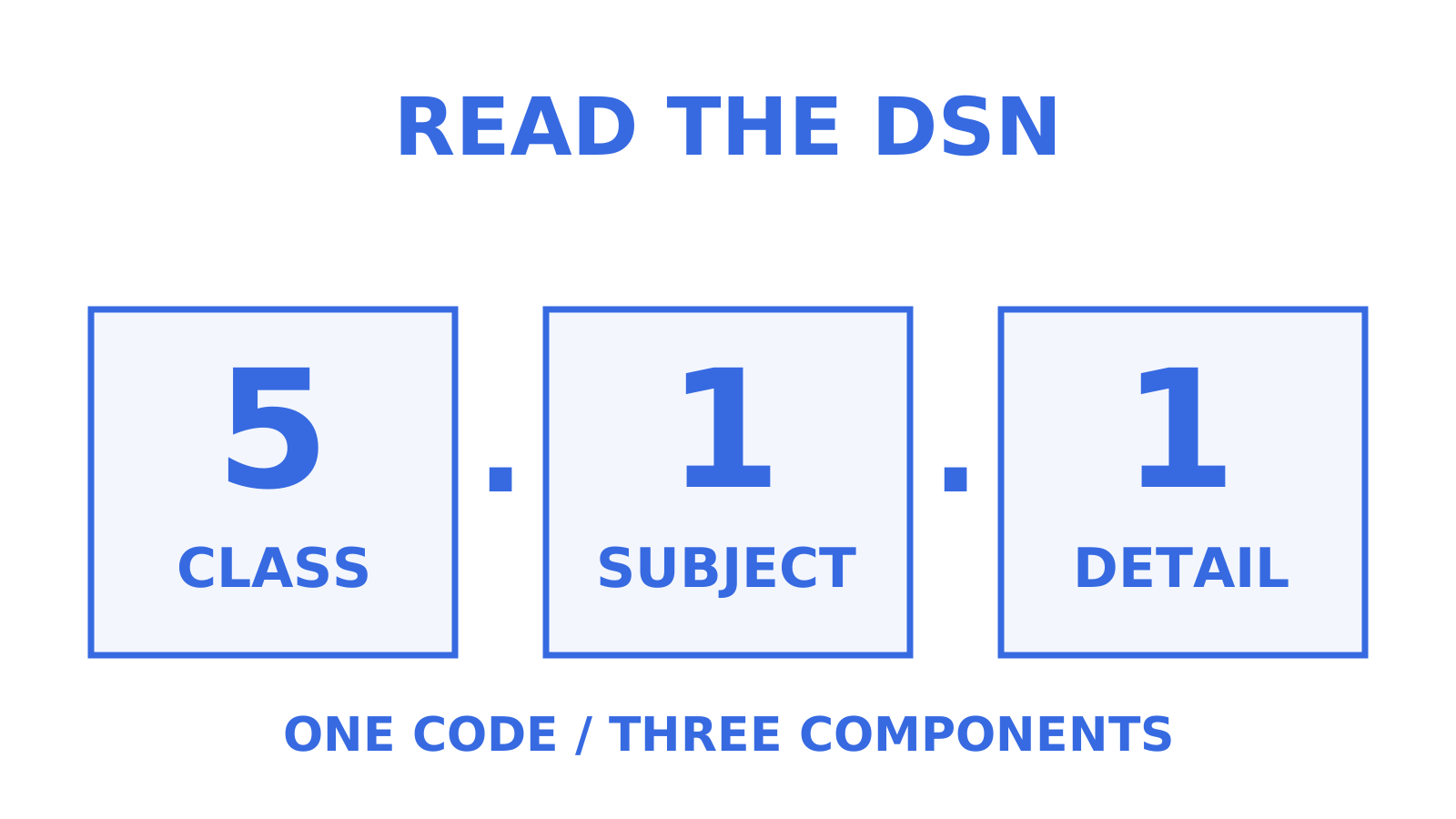
An SMTP DSN enhanced status code is a three part, machine readable result written as class.subject.detail (5.1.1, for instance). The first component, the class digit, tells you whether to retry or fix, the second, the subject component, tells you where the fault sits, and the third, the detail component, gives the specific condition. On your own outbound connection, see a 4, first queue and retry; see a 5, stop resending and fix the cause first. On a received DSN, inspect the Action field before initiating anything: delayed means the reporting MTA is still handling the delivery attempts itself. Check Diagnostic-Code when it is present, because it preserves the transport diagnostic reported by the remote or reporting MTA. What are DSN codes good for in practice? Turning vague failures into a classification your queue worker can act on without parsing free text.
TL;DR
- Enhanced status codes provide granular insight into SMTP failures, with the class digit indicating whether to retry or stop sending on your own connection, and the DSN Action field deciding who retries a received notification.
- The subject component categorises issues such as addressing errors, mailbox problems, network failures, or security policies.
- Illustrative enumerated codes like 5.1.1 (user unknown) and 5.2.2 (mailbox full) show how diagnostics tend to arrive, though the exact Diagnostic-Code wording is provider-dependent.
- When handling bounce responses, prioritise the class digit for session retry logic, the Action field for received notifications, and the subject component for triage of where the fault sits.
- Always log both the normalised status triple and the raw Diagnostic-Code string for thorough diagnostics and future reference.
Table of Contents
- Understanding SMTP DSN codes: structure and syntax
- How enhanced DSN codes map to basic SMTP reply codes
- What do the subject sub-codes (X.0 to X.7) mean?
- Common enumerated DSN codes and what their Diagnostic-Code text looks like
- Diagnostic-Code and Remote-MTA: the fields worth preserving
- A troubleshooting playbook for 4.x.x versus 5.x.x
- How should you log and parse DSN codes in production?
- Standards first, then log everything raw
- Sources
- FAQ
Understanding SMTP DSN codes: structure and syntax
Enhanced status codes exist because the classic SMTP response codes, three-digit numbers like 550 or 421, have standardised meanings of their own, with the outcome class and specific codes defined by RFC 5321, but only coarse granularity. The IANA enhanced status codes registry and RFC 3463 fixed that by layering a second, more granular scheme on top: class.subject.detail, three dot separated components with no leading zeros (write 5.1.1, never 5.01.01), where the subject and detail components can each be one to three digits.
Each component does a distinct job:
- Class (first digit): the outcome. 2 means success, 4 means a persistent transient failure where retrying may work, and 5 means a permanent failure unlikely to resolve without a change. For hard vs soft bounces, distinguish SMTP classes from provider labels: 5.x.x denotes permanent failure and 4.x.x persistent transient failure. Mailchimp calls permanent delivery failures hard bounces and typically temporary failures soft bounces, while noting that providers differ in their definitions.
- Subject (second component): the broad category, covering addressing, mailbox state, mail system, network, protocol, message content, or security and policy.
- Detail (third component): the specific condition inside that subject, such as “mailbox full” or “user unknown”.
RFC 3463 defines the semantics for each class and subject pairing, and RFC 5248 created the IANA registry that tracks every enumerated code as new ones get added. That distinction matters for anyone building bounce classification codes into a parser: a hardcoded list of known codes can miss later registrations, so treat the IANA registry as the living reference rather than a blog post’s static table.
How enhanced DSN codes map to basic SMTP reply codes
The classic three digit SMTP reply and the enhanced status code aren’t separate systems. Where a server supports the ENHANCEDSTATUSCODES extension (RFC 2034), the two are issued together in the same session, and the enhanced code refines what the basic reply already told you; in a delivery status notification, the separate Status field carries the enhanced code transport-independently, whether or not you saw the original session.
The rough correspondence runs like this:
- 2yz replies pair with 2.x.x codes. A
250 2.1.5 Recipient OKconfirms the recipient was accepted at RCPT TO; message acceptance follows successful DATA completion, and neither step alone proves final delivery to the mailbox. - 4yz replies pair with 4.x.x codes. A
451 4.4.1 Connection timed outsignals a transient problem, usually on the network or destination server side. - 5yz replies pair with 5.x.x codes. A
550 5.1.1 User unknownis permanent. Retrying the identical message won’t fix an address that doesn’t exist.
For a mail producer, retry logic follows from where you saw the code. On an immediate 4.x.x session response to your own outbound connection, queue the message and retry with exponential backoff, doubling the wait between attempts and capping total retries somewhere around 24 to 72 hours before giving up, an illustrative application-level expiry choice. RFC 5321’s baseline is more patient: at least 30 minutes between retries and a give-up time of at least 4-5 days. On a received DSN, the class digit alone is not the whole story: read the Action field first. delayed means the reporting MTA has been unable to deliver so far and intends to keep trying, and further notifications may be issued; failed means it has abandoned the message, so the fix is attention, not another retry loop. If a 4.x.x code keeps recurring past your retry ceiling without resolving, that’s the point to escalate to a human rather than let the queue keep spinning. A guide on building a retry strategy for outbound mail covers backoff timing in more depth if you’re wiring this logic into a queue worker.
What do the subject sub-codes (X.0 to X.7) mean?
The second component, the subject, is where triage actually happens, because it narrows where the fault sits, which informs, though it does not by itself decide, who owns the fix: you, the recipient, or something in between. RFC 3463 defines eight subject categories, numbered 0 through 7.
- X.0, other or undefined status: a catch-all for conditions that don’t fit the other categories. Log the raw code and fall back to the class digit, plus the Action field on a received notification, for retry behaviour.
- X.1, addressing status: a broad addressing category. The recipient may not exist, the domain may be bad, or a sender or system address may be syntactically invalid. Determine which from the class and the specific detail plus diagnostic text before acting; an invalid address needs fixing, not retrying.
- X.2, mailbox status: a broad mailbox-status category, not only capacity. The mailbox may be full, disabled, or over quota, and it also covers mailing-list expansion issues. Check the specific detail and class before choosing retry or remediation: RFC 3463’s transient full-mailbox code is 4.2.2, worth retrying later, while 5.2.1 (mailbox disabled) is permanent. Some providers emit 5.2.2 for a full mailbox anyway; respect the permanent class when you see it and treat recipient or storage remediation as the fix.
- X.3, mail system status: the destination mail system itself has a problem, often configuration or capacity related on their end rather than the specific address.
- X.4, network and routing status: connectivity failures between mail systems. DNS lookups failing, no route to host, or a relay timing out. Check the class rather than assuming: RFC 3463 registers some of these codes, such as X.4.4 (unable to route), for both persistent transient and permanent use.
- X.5, mail delivery protocol status: something went wrong in the SMTP or ESMTP conversation itself, often a command sequencing issue or an unsupported extension.
- X.6, message content or media status: the message itself has a problem, such as an encoding the destination server can’t handle or a media type it rejects.
- X.7, security or policy status: authentication or policy failures, including SPF, DKIM and DMARC alignment problems, and spam filtering rejections.
Pro Tip: When you’re triaging a spike in bounces, sort by subject component before you sort by anything else. An X.7 spike points at security or policy conditions, which include authentication failures and blocklisting but also other policy rejections; an X.1 spike points at addressing problems, which can involve recipient or sender addresses. Match the specific detail, class, and Diagnostic-Code before acting; the categories point to different conditions.
Common enumerated DSN codes and what their Diagnostic-Code text looks like
The enumerated smtp bounce codes below illustrate patterns worth recognising on sight. Knowing the pattern before you see it saves the “what does this even mean” search mid incident.
- 5.1.1, user unknown: the classic hard bounce. Diagnostic-Code can read something like
smtp; 550 5.1.1 The email account that you tried to reach does not exist. Remove the address from future sends. - 5.2.2, mailbox full: the recipient’s mailbox is over quota. Where a provider emits the transient 4.2.2 form it is worth a limited retry window, since mailboxes empty out; a persistent 5.2.2 on the same address over weeks is a permanent condition for that recipient.
- 4.4.1, no answer from host: a transient network failure, the destination MTA didn’t respond in time. Diagnostic-Code can show a connection timeout string. Retry with backoff; don’t treat it as permanent.
- 5.7.23, SPF validation failed: the sending domain’s SPF record didn’t authorise the sending IP. Diagnostic-Code can name the failing check directly, something like
smtp; 550 5.7.23 SPF validation failed. Investigate the SPF failure before retrying the message unchanged. - X.6.3 or X.6.6, conversion required but not supported, or message content not available: X.6.3 means a host in the forwarding path could not perform a required format conversion; X.6.6 means the message content could not be fetched from a remote system. These are enumerated in the IANA registry’s detail tables alongside the basic reply codes they typically pair with.
Diagnostic-Code and Remote-MTA: the fields worth preserving
The Status field gives you the normalised triple, but it’s a summary. RFC 3464 specifies Diagnostic-Code as an optional field that preserves the transport’s own wording when it is present, and that original text is sometimes more precise than the rounded off Status number sitting next to it. Both halves matter when you are mining mail server error messages for patterns: the code classifies, the wording explains.
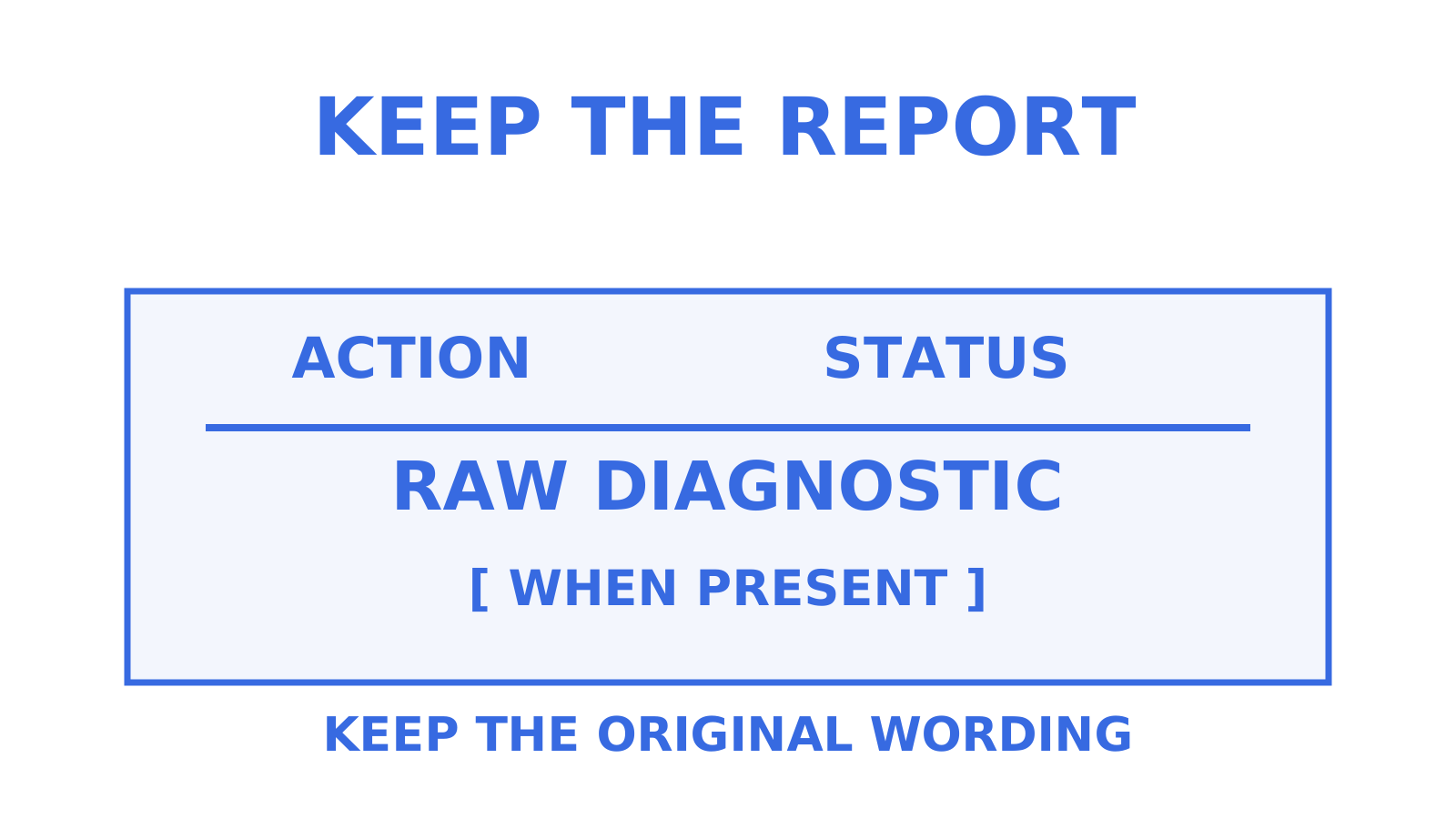
Diagnostic-Code has its own structure: a diagnostic-type token, such as smtp, followed by a semicolon and the raw diagnostic text. A valid DSN can omit the field entirely, so never synthesise raw text that isn’t there. When Remote-MTA is present, it tells you the diagnostic came from a hop further along the chain rather than your own outbound server, which matters when you’re deciding who to escalate to.
For production logging, keep at minimum:
- Status, the normalised enhanced code
- Final-Recipient, the address the DSN concerns
- Action, whether the DSN represents a failed, delayed, delivered, relayed, or expanded result
And preserve these verbatim whenever they are supplied:
- Diagnostic-Code, the raw transport text, type included
- Remote-MTA, the hop that generated the diagnostic
If you’re filing a ticket with a destination admin because their mail server keeps rejecting valid mail, attach Diagnostic-Code and Remote-MTA verbatim when you have them. Paraphrasing the error into “they said it bounced” gets you nowhere; pasting the exact string is far more actionable for the admin on the other side.
A troubleshooting playbook for 4.x.x versus 5.x.x
Use a fixed decision order to investigate raw SMTP error codes. Run through this sequence:
- Read the class digit first. For an immediate session reply, 4.x.x means queue and retry on your existing backoff schedule, and 5.x.x means stop sending that message as-is and diagnose before touching resend. For a received DSN, check Action first:
delayedmeans the reporting MTA is already retrying, so give it time before adding your own. - Check DNS and routing basics. Confirm MX records resolve, inspect the reverse-DNS result for your sending IP, and check for a network connectivity problem, especially for 4.4.x codes.
- Verify authentication. For anything landing in the 5.7.x range, check SPF alignment, DKIM signature validity, and DMARC policy before assuming it’s a blocklist issue.
- Check quotas and allowlists on both ends. X.2.x codes point at mailbox status; read the specific detail, class, and Diagnostic-Code to find whether it is capacity, a disabled mailbox, or list expansion, and check your own provider’s sending limits too if you are the one being throttled.
- Escalate with the full diagnostic payload. When a 4.x.x code doesn’t clear after your retry ceiling, or a 5.x.x code looks wrong for a known-good address, send the destination admin the exact Diagnostic-Code and Remote-MTA strings, not a summary.
Pro Tip: Set an alert threshold on the rate of change in 5.7.x codes specifically, not just total bounce volume. A sudden climb in security and policy failures usually points at something worth investigating the same day, whether it turns out to be an authentication regression or a fresh blocklisting.
How should you log and parse DSN codes in production?
A schema that only stores the normalised Status field will eventually lose you information you need. Store both the parsed triple and the raw Diagnostic-Code string whenever it exists, always, even when they seem redundant in the moment.
Practical rules that hold up at scale:
- Persist Status as three separate integers (class, subject, detail) for filtering, plus the raw Diagnostic-Code text for tickets and audits.
- Index Final-Recipient and Remote-MTA so you can pivot a dashboard by recipient domain or by which hop generated the failure.
- Roll subject components up into high-level tags (addressing, mailbox, network, policy) for dashboard views, while keeping the full detail code in the underlying record.
- When a parser hits a code it doesn’t recognise, don’t discard it. Log the raw triple and fall back to subject-level meaning rather than failing the whole record; new detail codes can be registered in the IANA table, and where the subject itself is unrecognised, fall back to the recognised class meaning rather than discarding the code.
A minimal log entry might carry status: "5.1.1", diagnostic_code: "smtp; 550 5.1.1 ...", final_recipient, remote_mta, and action, with status and the recipient domain as your primary search indices.
Standards first, then log everything raw
RFC 3463 and the IANA registry are the stable baseline for smtp status codes. Every parser and dashboard should defer to them first, then preserve raw Diagnostic-Code text so nothing gets lost when a new code turns up. The bounce reason codes guide goes further into applying this in practice, including how a delivery status notification maps onto queue-worker retries.
Sources
- IANA: SMTP enhanced status codes registry
- RFC 3463: Enhanced Mail System Status Codes
- RFC 3464: An Extensible Message Format for Delivery Status Notifications
- RFC 2034: SMTP Service Extension for Returning Enhanced Error Codes
- RFC 5248: A Registry for SMTP Enhanced Mail System Status Codes
- RFC 5321: Simple Mail Transfer Protocol (retry strategies, section 4.5.4)
FAQ
Which port should I use for SMTP, 587 or 465?
Port 587 with STARTTLS and port 465 with implicit TLS are both current standards for authenticated mail submission, and RFC 8314 recommends supporting both, treating their security as equivalent when each is configured to require TLS. Sendmux’s own sending endpoint accepts STARTTLS submission on port 587 or 2525, and the fuller breakdown of port 587 versus 465 covers when each port still makes sense.
What does SMTP code 554 mean?
554 is a three-digit permanent SMTP reply in the 5yz class, typically meaning the transaction failed outright, or that no SMTP service is available at connection opening. When the server supplies an enhanced status code, it gives more detail about the cause. Check the enhanced code rather than treating the basic reply alone as diagnostic.
How do I find my SMTP server details?
Your SMTP server details come from your mail provider or sending platform, usually the host, port, and authentication credentials shown in their dashboard or API documentation. SMTP access exists only if the provider offers it and documents that authentication mode; an HTTP sending API’s API key on its own does not give you an SMTP host or port. Check the provider’s documentation for whether separate SMTP credentials are required; Sendmux supports a send-capable mailbox key as the SMTP password.
What does SMTP code 421 mean?
421 is a three-digit transient SMTP reply in the 4yz class, meaning the service isn’t available right now and the server is closing the transmission channel, so a later retry needs a new connection. When the server supplies an enhanced status code alongside this 4yz reply, its class is 4.x.x. Treat it as a signal to retry later with backoff rather than a permanent rejection.
Give an agent its own address
Sendmux is the Email Inbox API for AI Agents.