 myagent.mxBLOG
deliverability · smtp 421 rate limited
587 vs 465: Resolve SMTP Submission in Under 5 Minutes for Sysadmins
Default to 587 with STARTTLS and keep 465 as a fallback. RFC aware, practitioner steps with OpenSSL and swaks tests and a five minute decision flow.
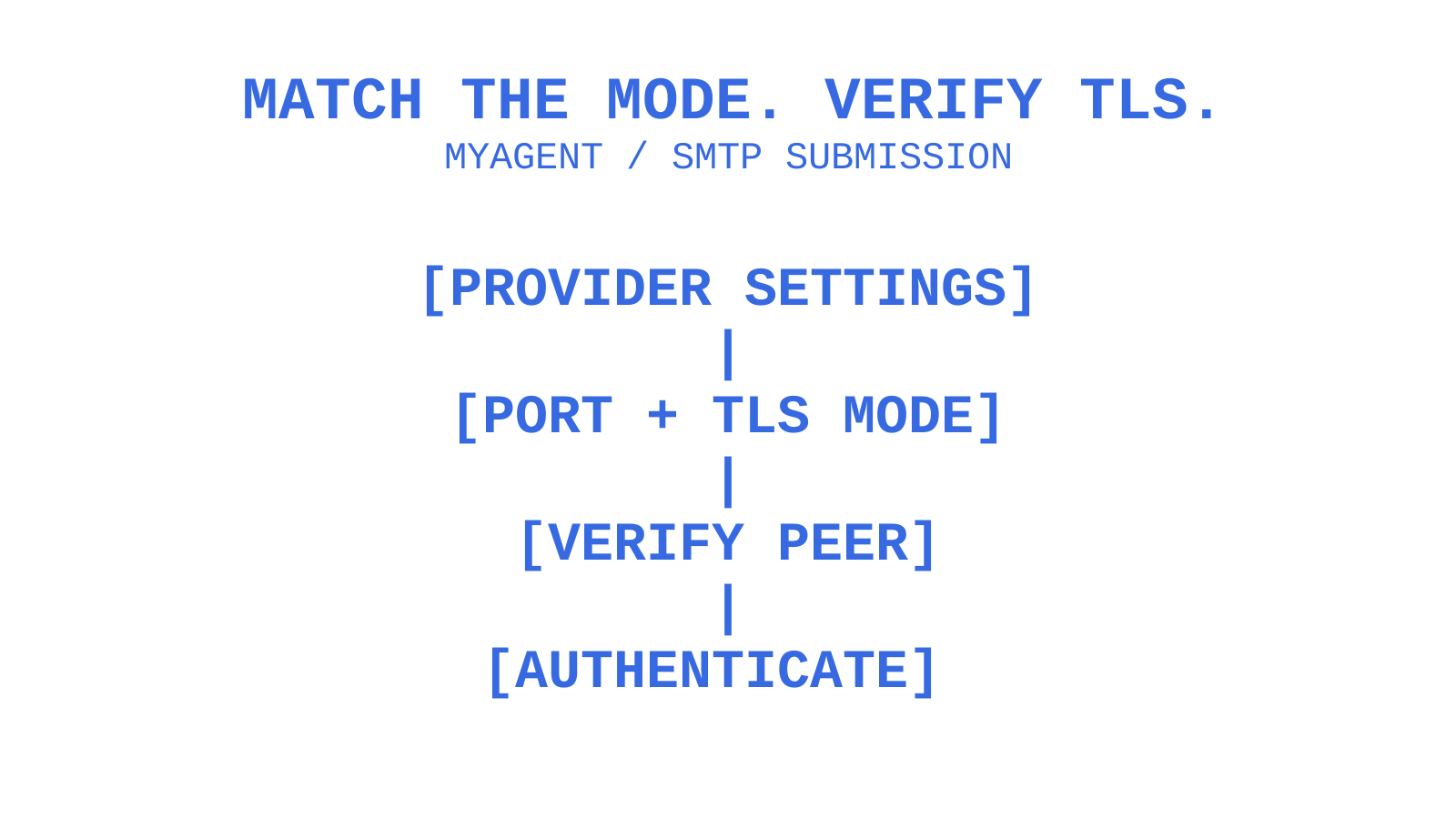
Start with SMTP port 587 and strict STARTTLS when that is your provider’s documented recommendation; SendGrid is one example. Keep 465 as a deliberately configured alternative only when the provider supports implicit TLS. This operational starting point is not a universal standards ranking: RFC 8314 prefers implicit TLS for submission while recognising equivalent security for correctly enforced 587 and 465. Require encryption and peer verification before credentials or messages, and never treat a TLS or authentication failure as permission to weaken those checks.
TL;DR
- Port 587 upgrades SMTP with STARTTLS; port 465 starts TLS before SMTP. A middlebox can disrupt either path, and implicit TLS specifically avoids the STARTTLS upgrade exchange.
- Cloud restrictions can block port 25. Use the provider-supported submission endpoint on 587 or 465; test 2525 only when that provider offers it and your network policy permits it.
- Correctly diagnosing SMTP connection issues involves verifying network reachability, inspecting SSL/TLS certificates, and ensuring the server supports the expected encryption mode, especially when facing intermittent failures.
- A preconfigured alternative port can help with a confirmed reachability problem. Keep the same TLS and identity requirements, stop on TLS or authentication errors, and avoid resending a message whose acceptance is uncertain.
- Port selection does not change SPF, DKIM or DMARC evaluation. Those checks address sender-domain authentication and alignment; neither valid authentication nor encrypted transport guarantees inbox placement.
Table of Contents
- SMTP ports 587 vs 465: the technical difference that actually matters
- Standards and history: why RFCs and IANA still cause confusion
- Why your SMTP connection fails: ports, firewalls and middleboxes
- A practical decision flow: 587 first, 465 as the deliberate fallback
- Configuration examples and troubleshooting recipes for SMTP submission
- Security and deliverability: the port is one input among several
- What years of SMTP debugging actually teach you
- Sending mail from an AI agent? Here’s the submission path that works
- Sources
- FAQ
SMTP ports 587 vs 465: the technical difference that actually matters
The split between these two ports comes down to when encryption starts, not which one is “more secure” in some abstract sense.
Port 465 uses implicit TLS: the TLS handshake begins immediately after TCP connection establishment, before the SMTP greeting or commands. The initial ClientHello is visible, so “encrypted from the first byte” is not a literal description of every packet. SMTP application data follows successful TLS negotiation. RFC 8314 recommended this submission mode in 2018.
On port 587, the client receives a plaintext SMTP greeting, sends EHLO, and checks the STARTTLS capability. It requests STARTTLS, waits for the server’s positive response and negotiates TLS. After successful negotiation, it discards pre-TLS capabilities and sends EHLO again. A strict client requires validated TLS before authentication or message submission; the port number alone does not enforce that policy.
- Implicit TLS (465): TLS starts before SMTP application data. Stop if TLS or peer verification fails; there is no SMTP STARTTLS upgrade phase.
- STARTTLS (587): SMTP starts in the clear and requests a TLS upgrade. An opportunistic client may be downgraded if the advertisement is stripped; a strict client must refuse to continue without verified TLS.
- Middlebox behaviour: a proxy can strip an upgrade advertisement, block a connection or interfere with TLS. Implicit TLS removes the STARTTLS-specific exchange, but it is not immune to blocking or TLS interception.
Twilio’s port comparison is provider guidance, not a measurement of every network. SendGrid’s integration documentation recommends 587 when unsure and also supports 465. Use that recommendation for SendGrid; do not infer that all libraries default to 587 or that it has two extra decades of testing over 465.
Pro Tip: For an intermittent failure, record the stage that failed: TCP connection, SMTP greeting, STARTTLS, certificate verification or authentication. If a network breaks the upgrade path, a provider-supported 465 endpoint may be worth testing with the same verification policy.
Standards and history: why RFCs and IANA still cause confusion
The port history separates message relay, message submission and the way TLS begins. Read those roles separately before choosing a connection mode.
RFC 6409 defines message submission on port 587, distinct from SMTP relay on port 25. Its predecessor RFC 2476 introduced that submission separation in 1998; it did not define STARTTLS. SMTP STARTTLS was specified separately and is now described in RFC 3207. A provider may offer other documented submission ports, so check the actual service contract.
RFC 8314 records that port 465 was briefly registered as “smtps”, then revoked and reassigned to a different service. It does not date that revocation to 1998. Mail software continued using 465 for secure submission, and the 2018 standard registered the additional “submissions” use to match that deployed practice. This history does not establish that 587 is twenty years more mature.
In 2018, RFC 8314 preferred implicit TLS for submission and access, while supporting both implicit TLS on 465 and strict STARTTLS on 587. Its preference does not make every provider expose both modes.
- IANA’s service names and port numbers registry is the authoritative record of these reassignments if you want the primary source.
- RFC 8314 prefers implicit TLS for submission; its section 3.3 states that correctly implemented and enforced 587 STARTTLS and 465 implicit TLS have no significant security difference.
- Providers can recommend different supported ports. A provider-specific 587 default can be operationally appropriate without changing RFC 8314’s implicit-TLS preference.
Why your SMTP connection fails: ports, firewalls and middleboxes
A standards-compliant configuration still needs a reachable endpoint. Separate network reachability from TLS negotiation and account authorization before changing settings.
Some hosting environments restrict outbound port 25 to reduce abuse. AWS documents an EC2 restriction, Google Cloud documents external port-25 restrictions with exceptions, and Azure policies depend on subscription and service. For authenticated client submission, start with the provider’s documented 587 or 465 endpoint rather than assuming port 25 is available. Your own firewall rules can still block an otherwise supported port.
A STARTTLS-stripping attacker or interfering proxy can remove the plaintext capability advertisement on port 587. If TLS is required, the client must fail rather than send cleartext credentials. Port 465 avoids this upgrade exchange, but TLS inspection, invalid certificates and blocked TCP connections can still affect it. Diagnose the actual response and certificate instead of treating either port as immune.
- If a corporate proxy or antivirus product intercepts SMTP, test whether it preserves the required TLS and certificate checks; do not assume every such product breaks STARTTLS.
- AWS, GCP and Azure have different port-25 restrictions and exemption rules. Check the policy for the actual service and account; a support ticket is not a universal way to remove the restriction.
- Port 2525 is not the IANA SMTP submission port. Mailgun offers it as an alternative where standard submission ports are unavailable. Use it only with documented TLS settings and permitted network access, not as a way around an intentional security policy.
Mailgun documents 2525 as an alternative when 587 is blocked. A TCP refusal can also mean the wrong host or port, no listening service, or an active reject rule; it does not prove a firewall is the cause. Confirm provider support and the intended endpoint before testing an alternate port. A TLS or authentication failure needs its own diagnosis.
A practical decision flow: 587 first, 465 as the deliberate fallback
Use this five-minute flow for initial triage when you already have the provider settings and network access. It is not a guarantee that an account-policy or network fault can be repaired within five minutes.
- Start with 587 and STARTTLS where the provider recommends it. Require peer verification and successful TLS before submission. For a provider recommending implicit TLS, start with its 465 endpoint instead.
- Check the provider’s documentation before changing firewall rules. Match the advertised host, port and TLS mode; an implicit-TLS listener expects a TLS handshake before SMTP.
- If 587 fails at the TCP level, investigate reachability, then test supported 465. A refusal or timeout is distinct from a certificate or AUTH error. Confirm the alternate listener and require the same trust policy.
- If both standard ports are unavailable, check whether the provider offers 2525. Test it only when permitted, with the documented strict TLS mode.
- Make any fallback explicit and bounded. Preconfigure approved endpoints and their TLS modes; permit a retry only for a diagnosed reachability failure. Do not switch ports to evade TLS validation, authentication, quotas or policy errors. If a connection drops after message transmission, reconcile whether it was accepted before resending.
Pro Tip: A 2 AM incident is easier to investigate when the logs identify the endpoint, failure stage and SMTP response. A fallback route is a tested contingency, not a promise that submission will never fail.
Configuration examples and troubleshooting recipes for SMTP submission
For a quick first sixty seconds of triage, identify the endpoint and TLS mode before running a test. Replace example addresses with systems you are authorised to inspect, and use a dedicated test account for authentication.
For implicit TLS on port 465, inspect the handshake and require certificate and hostname verification:
openssl s_client -connect smtp.example.com:465 -servername smtp.example.com -verify_hostname smtp.example.com -verify_return_errorFor STARTTLS on port 587, -starttls smtp performs the SMTP upgrade before the TLS handshake:
openssl s_client -connect smtp.example.com:587 -starttls smtp -servername smtp.example.com -verify_hostname smtp.example.com -verify_return_errorThese OpenSSL commands show diagnostic information and abort certificate-verification errors; they do not authenticate or send a message. Use the intended trust store and inspect the negotiated protocol, chain and hostname result. To test LOGIN authentication against a provider that permits it, the following swaks command requires TLS verification and quits after AUTH, before MAIL FROM or message data. Supply a test username and retrieve its credential through your approved secret-management process; do not paste secrets into shared logs. The prompt-masking option is best-effort, so confirm that your terminal masks input before entering a credential.
swaks --to test@example.com --from you@example.com --server smtp.example.com --port 587 --tls --tls-verify --auth LOGIN --auth-user --auth-password --protect-prompt --auth-hide-password --quit-after AUTHRun through this sequence when a connection isn’t behaving:
- Confirm DNS resolves the mail host correctly, and that you’re not hitting a stale cached IP.
- Test TCP reachability with
telnet smtp.example.com 587ornc -zv smtp.example.com 465. These do not validate TLS; quit telnet without entering credentials. A refusal may come from a reject rule, a wrong endpoint or a missing listener. - Inspect the
openssl s_clientverification result, including certificate validity, trusted chain and expected hostname. Do not accept a connection merely because certificate text was printed. - Match the provider’s enabled authentication mechanism to the client.
LOGIN,PLAINandCRAM-MD5are not interchangeable provider guarantees; use a supported modern authentication method where required, and do not weaken organization policy to make an old client work. - A 421 response is a transient negative SMTP reply that closes the channel. Inspect its text and failure stage, then apply the provider’s retry policy instead of switching ports.
A 421 response means the SMTP service is unavailable and is closing the transmission channel. A provider may use it for load or connection limits, but the code alone does not prove rate limiting, greylisting or bad credentials. Retry an unaccepted message according to a bounded backoff policy and investigate persistent failures.
Microsoft documents port 587 with STARTTLS for Office 365 SMTP AUTH client submission. Organization-wide and per-mailbox settings, security defaults and authentication policies can disable that capability. Those are account-authorization checks after a network connection, not a cause of TCP connection refusal. Use the approved Microsoft authentication method and have the tenant administrator assess an authentication failure; do not disable security defaults merely to make a diagnostic pass.
- Symptom: immediate connection refusal → check the hostname, listening service and network reject rules before investigating credentials.
- Symptom: TLS handshake hangs or errors → check endpoint mode, supported versions, network interception and certificate verification.
- Symptom: authentication succeeds but the message is rejected → inspect the exact SMTP reply, sender permissions, recipient validity, quotas and message policy; do not assume SPF or DKIM is the cause.
Security and deliverability: the port is one input among several
Correct port and TLS settings protect submission but do not guarantee inbox placement. Transport security, sender-domain authentication and receiver filtering answer different questions.
With required peer verification, TLS protects the client-to-server hop. SPF evaluates authorization for the SMTP identity, DKIM verifies a domain signature, and DMARC checks alignment with the message’s author domain. A DMARC pass needs an aligned SPF or DKIM pass, not necessarily both. A valid TLS connection on 465 does not repair a broken signature or SPF configuration, but one failed authentication check does not by itself guarantee spam placement; receiver policy still applies.
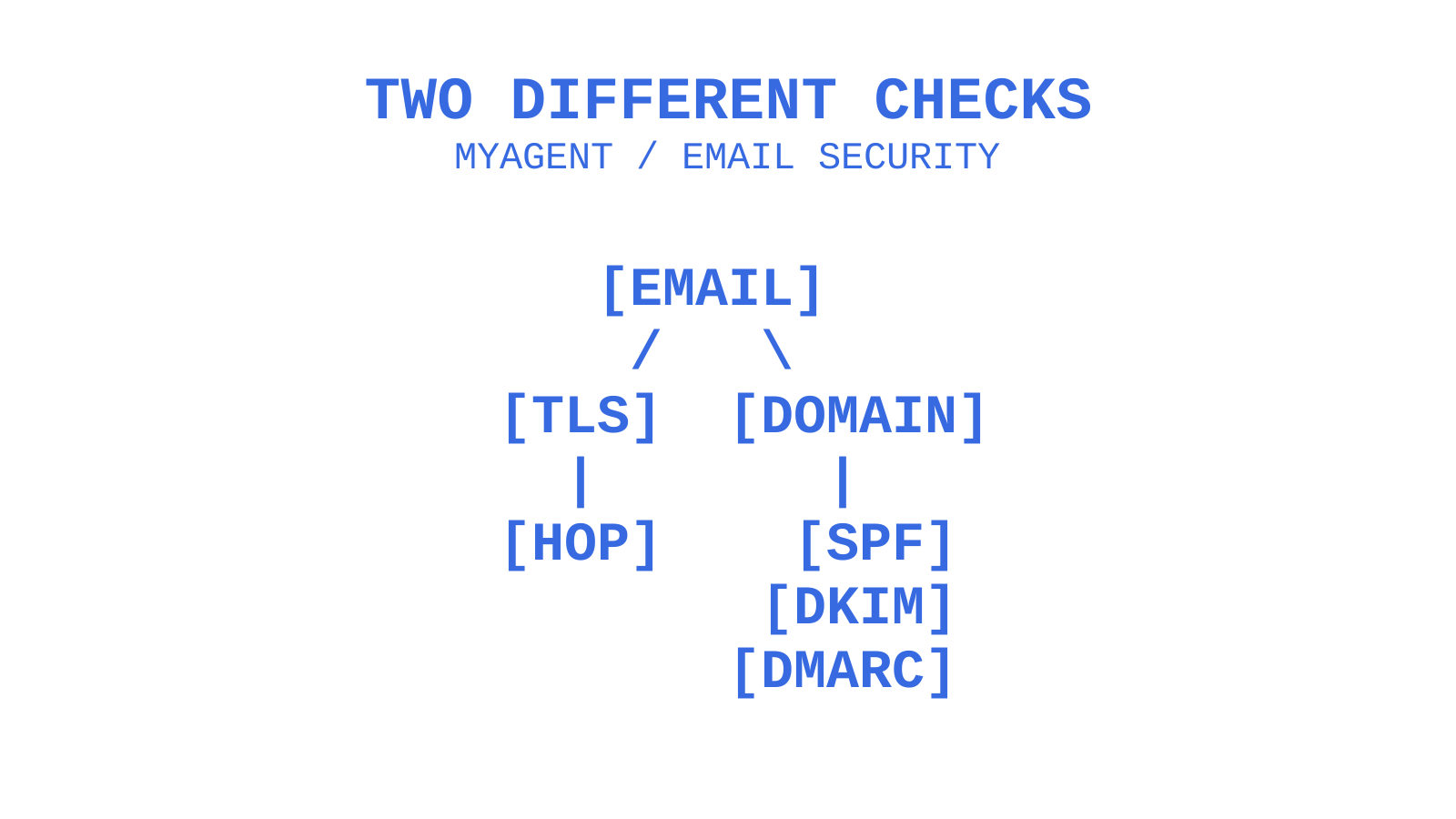
A failed TLS handshake may produce no SMTP reply, while authentication failure can produce an explicit AUTH error. Do not relabel either as 421 without observing that response. The 421 explanation is supplementary troubleshooting context; RFC 5321 defines its transient service-unavailable meaning. Keep the actual response code and stage attached to the diagnostic record.
A queued message that keeps failing can expire when the sending system reaches its configured retry limit. That final non-delivery is different from the earlier transient replies. Investigate repeated deferrals and receiver feedback, but do not infer a reputation penalty solely from the fact that retries occurred.
- Log useful SMTP response codes and failure stages while redacting credentials and sensitive content. Use those records to distinguish acceptance from deferral and rejection.
- Use a bounded retry window with backoff appropriate to the provider and error class; do not hammer a service that has asked you to wait.
- Monitor certificate expiry separately from message delivery, and alert on verification failures rather than disabling validation to preserve throughput.
What years of SMTP debugging actually teach you
Keep a connection profile for each provider: hostname, port, TLS mode, verification policy and supported authentication. A single unexplained port rule cannot replace that contract.
RFC 8314’s registration of 465 aligns the registry with existing secure-submission practice; it does not establish a two-decade testing advantage for 587. Diagnose the stage that failed before changing the profile. A network refusal, failed certificate check and rejected credential are different incidents, even when the application reports all three as “SMTP not working”.
Test each provider-supported route from the deployment network before relying on it. Record safe connection metadata and response codes. If you implement a contingency route, keep its TLS policy equally strict, bound its retries and handle uncertain message acceptance before resubmission.
Sending mail from an AI agent? Here’s the submission path that works
Sendmux documents SMTP submission on port 587 or 2525 with STARTTLS and a separate HTTPS sending API. Its SMTP listener requires TLS before authentication. Choose the integration your application supports, retain certificate verification, and use a send-capable credential; a newly registered agent’s read-and-receive token does not itself authorize submission. Port 465 remains a valid standard for providers that expose it.
Myagent directs agents to Sendmux registration for a mailbox on the shared @myagent.mx domain without a prior human signup. Provisioning must complete before the inbox is ready. Initial access is read and receive only; the invited human owner must accept and explicitly approve sending. Free-plan and mailbox limits still apply. Sendmux’s public developer tools include TypeScript, Python, Go, PHP, Ruby and Rust SDKs, delivery logs and routing across connected sending providers. After sending is approved, configure the documented SMTP or HTTPS path with the correct sending credential.
Sources
Use RFC 8314 for submission TLS, RFC 6409 for message submission and RFC 5321 for SMTP replies and retries. Use each provider’s documentation for its supported configuration:
- SMTP Port 587 vs 465: Which Port Should You Use? | Twilio
- IANA service names and port numbers
- Which SMTP Port to Use? Understanding ports 25, 465, & 587 - Mailgun
If you are still comparing services, review the provider’s published ports, TLS requirements and authentication contract alongside these standards.
FAQ
What is the difference between SMTP ports 587 and 465?
Port 587 commonly uses STARTTLS: SMTP begins in plaintext, then upgrades through a TLS handshake. Port 465 begins the TLS handshake before SMTP. Require successful TLS and peer verification with either mode; the initial TLS ClientHello is not itself encrypted.
Is port 587 a valid SMTP port for Office 365?
Yes. Microsoft documents port 587 with STARTTLS for Office 365 SMTP AUTH client submission. If TCP connects but authentication fails, check the approved authentication method and the tenant and mailbox policies. Disabled SMTP AUTH is not an explanation for TCP connection refusal.
Why is SMTP port 465 not working?
Check three areas: whether the provider offers implicit TLS on that endpoint, whether the network can reach port 465, and whether TLS version and certificate verification succeed. A refusal can also indicate a wrong host or missing listener. Diagnose the observed stage instead of automatically switching to an insecure configuration.
Should I use port 25 or 587 for SMTP?
For authenticated client submission, use the provider’s documented submission service, commonly 587 with strict STARTTLS or 465 with implicit TLS. Port 25 is used for SMTP relay and is restricted in some hosting environments. Specialized relay or Direct Send configurations have different requirements; do not substitute them for a client-submission setup without checking the provider contract.
What should I do if I keep seeing an SMTP 421 error?
SMTP 421 means the service is unavailable and is closing the channel. Read the accompanying text and apply bounded retries for messages not accepted, following provider guidance. Persistent failures need investigation; the code alone does not identify rate limiting, greylisting or an authentication issue, and switching ports is not a general remedy.
Give an agent its own address
Sendmux is the Email Inbox API for AI Agents.