 myagent.mxBLOG
deliverability · list unsubscribe header
Developers: Implement RFC 8058 One Click List-Unsubscribe Correctly
Developer checklist to implement RFC 8058 one click List-Unsubscribe: add both headers, ensure DKIM signs them, use opaque tokens, and test POST endpoints.
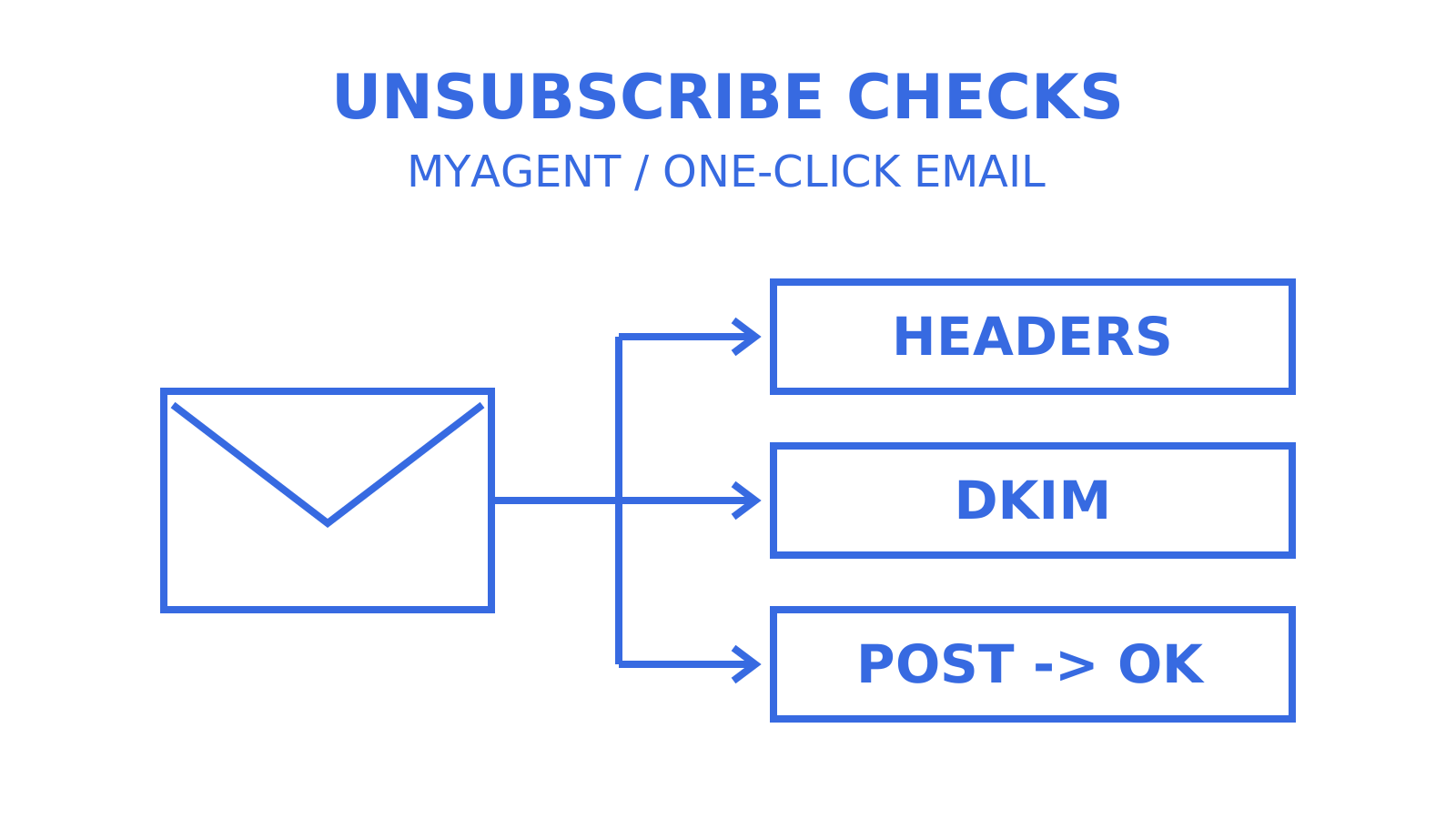
Add the List-Unsubscribe and List-Unsubscribe-Post headers to marketing and subscription email that needs one-click unsubscribe, and make sure a valid DKIM signature covers both. List-Unsubscribe tells the receiving mailbox how to remove that recipient from your list. List-Unsubscribe-Post signals that your server supports one-click behaviour under RFC 8058. Gmail excludes transactional messages such as password resets from its one-click requirement. Correct headers support the protocol; they do not guarantee that Gmail, Yahoo or Outlook will display an unsubscribe button.
TL;DR
- Use an opaque or otherwise hard-to-forge unsubscribe URL component that identifies the recipient and list. DKIM signs the message’s unsubscribe headers; the endpoint validates the URL component separately, and anyone possessing the message may be able to unsubscribe its recipient.
- Include both List-Unsubscribe and List-Unsubscribe-Post headers for RFC 8058 one-click processing, then check the receiving provider’s display and sender-eligibility rules.
- Sign both headers with DKIM and process POST requests without redirects, cookies or HTTP authorization. The receiver must obtain the user’s consent before sending the POST.
- Test header syntax, DKIM coverage, token validity and actual removal from the intended list; verify that the POST endpoint does not redirect or require session data and handles repeated requests safely.
- DKIM coverage of both headers and a correctly configured endpoint are protocol requirements. They do not guarantee that a mailbox provider will display the one-click unsubscribe option.
Table of Contents
- What the list unsubscribe header actually does
- Mailto, GET and one-click POST: three unsubscribe methods compared
- Why this header protects your sender reputation
- How to implement one-click unsubscribe in your sending pipeline
- Testing your unsubscribe headers before they reach production
- Notes from running agent-scale mailboxes
- Stop treating one-click unsubscribe as optional polish
- Sources
- FAQ
What the list unsubscribe header actually does
The List-Unsubscribe header is old by internet standards. RFC 2369, published in 1998, defined it to give mailing-list software a machine-readable way to describe how a recipient can leave. The header carries one or more URIs in angle brackets, separated by commas:
List-Unsubscribe: <mailto:unsub@example.com>, <https://example.com/unsub?id=abc123>A mailto: URI describes an unsubscribe request sent by email on the recipient’s behalf. An https: URI points to a web endpoint. The URI alone does not declare support for an RFC 8058 one-click POST; the companion header supplies that signal.
That gap is why RFC 8058 exists. Published in January 2017, it adds a companion header:
List-Unsubscribe-Post: List-Unsubscribe=One-ClickThis tells the mailbox provider that, after obtaining the user’s consent, it can issue a single POST request to the URL in List-Unsubscribe without a browser session or an additional confirmation click on the sender’s website. RFC 8058 separates a consented one-click request from a link that may open a confirmation page. The endpoint should process the unsubscribe directly; processing deadlines are a separate provider requirement. Gmail requires subscription senders to honour unsubscribe requests within 48 hours.
Mailto, GET and one-click POST: three unsubscribe methods compared
Each URI type behaves differently once it reaches a real inbox, and the differences matter for both your users and your infrastructure.
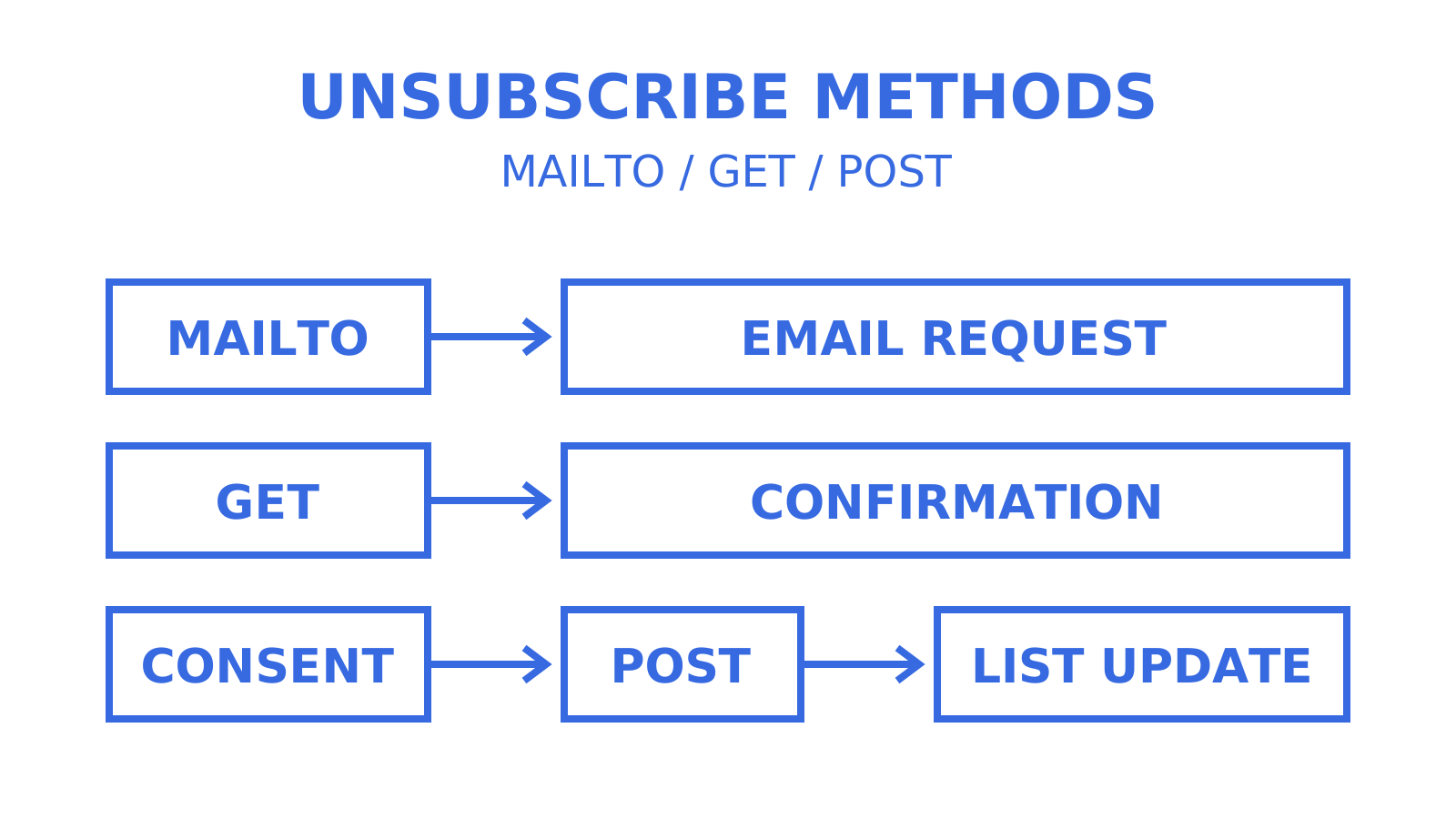
Mailto flow. When List-Unsubscribe carries only a mailto: address, a supporting mailbox client can compose and send an email to that address on the recipient’s behalf. Your mail server (or list-management software) has to parse those incoming unsubscribe requests and act on them. This established method adds an email-processing step; the header itself does not provide immediate confirmation that the subscription changed.
URL/GET flow. A bare https: URI with no List-Unsubscribe-Post header can open a browser tab to a confirmation page. IANA’s guidance explains why GET must not itself change subscription state: automated processes may follow email links without the recipient intending to unsubscribe. A confirmation page can collect the user’s decision and submit it through a subsequent request that changes state.
One-click POST. With List-Unsubscribe-Post present and a valid DKIM signature covering both headers, the mailbox provider can obtain the user’s consent and send a direct POST to your URL with a body of List-Unsubscribe=One-Click, encoded as multipart/form-data or application/x-www-form-urlencoded. No cookies, HTTP authorization, required browser session state or redirect. Your server validates the URL component, processes the request for the identified recipient and list, and returns a direct success response.
The security model here rewards a specific engineering choice: opaque tokens in the unsubscribe URL rather than predictable IDs. If your unsubscribe link is ?id=1042 and that ID is the only protection, someone can iterate through IDs and unsubscribe other recipients. Use an opaque identifier or another hard-to-forge component that identifies both the recipient and list. A random token can support that design, but it does not by itself make your POST endpoint stateless or idempotent. The application must handle repeated requests safely when a mailbox provider retries after a timeout.
Why this header protects your sender reputation
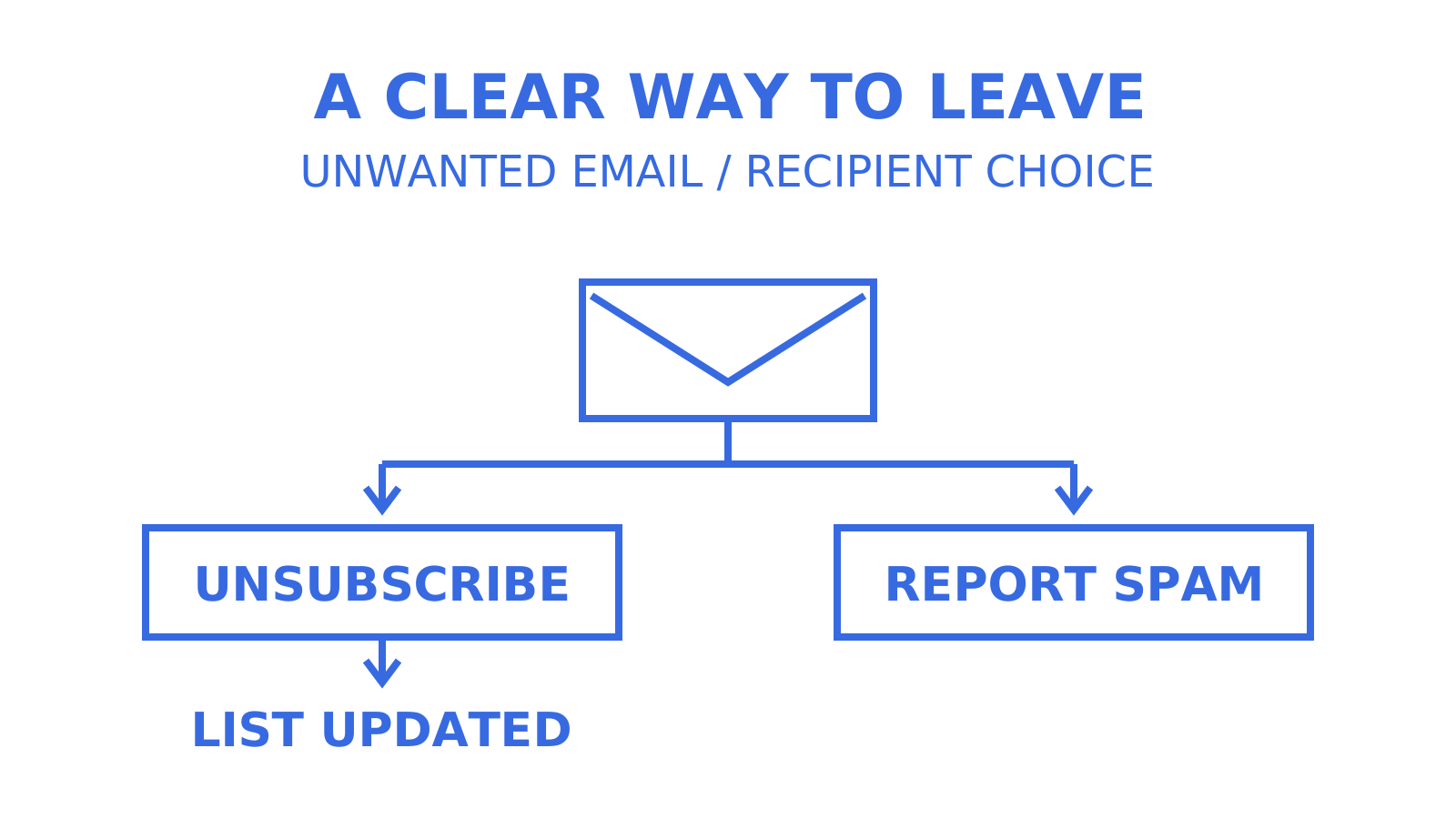
A visible “Unsubscribe” control gives users an alternative to hunting for a footer link or hitting “Report spam.” Check how Gmail, Outlook and Yahoo Mail present supported unsubscribe methods, because their interfaces and eligibility decisions can differ. Gmail explicitly applies automated eligibility checks even when List-Unsubscribe and List-Unsubscribe-Post are correctly implemented and signed. Keep a clearly visible unsubscribe link in the message body as well; Google’s subscription guidance requires one.
That distinction drives the deliverability case. Making unsubscribe easy can reduce the frustration that leads recipients to report unwanted mail as spam, but an unsubscribe click is not a guarantee of zero reputation impact. Nielsen Norman Group’s research on unsubscribe UX found that difficult opt-out flows pushed participants toward the spam button. Google’s bulk-sender guidance separately requires one-click unsubscribe for applicable marketing and subscription messages and explains the importance of low spam rates.
The control will not surface for every message. Check whether DKIM covers List-Unsubscribe and List-Unsubscribe-Post, whether the syntax is valid, and whether the message is an eligible subscription message. Then check the provider’s sender-quality criteria. A missing control is a diagnostic clue, not proof that a particular header is broken; correct implementation alone does not guarantee Gmail’s top-of-message display.
How to implement one-click unsubscribe in your sending pipeline
Add both headers to applicable outbound marketing and subscription messages. This is an example order, not a required ordering of the two header fields:
List-Unsubscribe: <mailto:unsubscribe@yourdomain.com>, <https://yourdomain.com/unsub?token=OPAQUE_TOKEN>List-Unsubscribe-Post: List-Unsubscribe=One-Click
Including both a mailto: and an https: URI gives supporting receivers an alternative unsubscribe method when they read List-Unsubscribe but do not use the one-click header. RFC 2369 supports URI lists and gives their entries a left-to-right preference order. RFC 8058 requires one HTTPS URI and permits additional non-HTTP/S URIs such as mailto.
Check DKIM coverage explicitly. Your DKIM signature’s h= tag needs to list both List-Unsubscribe and List-Unsubscribe-Post among the signed headers, and your signing process must actually cover them at send time. RFC 8058 requires a valid covering signature and says receivers should not offer one-click processing without it. A raw header dump showing the two fields is insufficient: verify the signature, then evaluate Gmail’s separate sender-eligibility checks if its control is missing.
On the receiving end, your POST endpoint needs to:
- Accept
List-Unsubscribe=One-Clickin the body, asmultipart/form-dataorapplication/x-www-form-urlencoded. - Do not require cookies, HTTP authorization or a browser session: the mailbox provider’s server makes the request. Validate the recipient-and-list URL component instead.
- Never redirect on POST. Return a direct success response after handling the unsubscribe, including a safe response to a repeated valid request.
- Log an internal request ID or non-reversible token fingerprint, timestamp and outcome so a disputed unsubscribe is auditable without storing a usable unsubscribe token in ordinary logs.
If you’re sending through Amazon SES, AWS’s reference architecture pairs the headers with an API Gateway endpoint backed by a Lambda function. That is an implementation example; another stack can implement the same protocol. Whether you use a direct SMTP relay or an API-based send, create the unsubscribe headers before calculating the DKIM signature that covers them, and make sure they survive later processing. Header injection and signing can happen in different components; their ordering and the final delivered result are what you must verify.
Pro Tip: Choose token lifetime and record retention explicitly, and make repeated valid requests for an already-unsubscribed recipient and list safe. Expiring or rotating a token immediately after use must not turn retries into a broken unsubscribe flow. An “already unsubscribed” result can be clearer to debug than a generic 404 six months later; six months is an example here, not an RFC 8058 retention requirement.
Testing your unsubscribe headers before they reach production
Send an authorised test message to a real Gmail or Outlook account and inspect any unsubscribe control next to the sender’s name. Whether it appears or not, open the raw message source and run the checks below. In Gmail, use “Show original” under the more-actions menu. A missing control may reflect provider eligibility rather than an implementation failure.
- Confirm List-Unsubscribe and List-Unsubscribe-Post are both present once and syntactically valid, with the unsubscribe URIs in angle brackets.
- Confirm your DKIM signature’s
h=tag lists both headers, and that the signature itself validates. - Confirm the unsubscribe URL is reachable and returns a direct success response on POST; 200 is an example, not a specific RFC 8058 status-code mandate.
- Confirm the URL component is opaque or otherwise hard to forge and identifies a real recipient and the intended list.
- Send an authorised manual POST request to your test endpoint and check it does not redirect or require a cookie or HTTP authorization. Verify that the intended subscription changes and that a repeated valid request remains safe.
Automated security scanners may make GET requests against links in emails, which is why a bare GET should never trigger an unsubscribe on its own. A redirect on your POST endpoint, including one introduced by a load balancer or CDN, violates RFC 8058’s no-redirect requirement even when every header looks correct. If test messages behave inconsistently, investigate the delivery results and the mailbox provider’s sender-eligibility rules. General reading on link domain reputation is supplementary context; it does not establish that a mailbox provider throttles or blocks the unsubscribe HTTP endpoint.
Notes from running agent-scale mailboxes
For agent-scale mailboxes, predictable unsubscribe IDs expose the same risk as they do for any mailing list: someone who can guess the identifiers may unsubscribe other recipients. RFC 8058 recommends an opaque identifier or another hard-to-forge component for the recipient and list. DKIM authenticates the message headers, while your endpoint validates the URL component; neither prevents someone who already possesses the original message from using its unsubscribe URL. Make token scope and repeat handling explicit before increasing volume.
Routing POST unsubscribe events across multiple sending providers adds its own wrinkle. Each outbound path needs to feed confirmed unsubscribes into shared subscription state for the relevant list, or another route may email someone who already opted out. Verify DKIM coverage on a delivered message from every provider path: passing on one route does not establish that the headers are covered on another. Inspect raw headers or use a header analyser for that investigation; the deliverability articles provide related reading rather than an executable delivery-debugging tool.
Stop treating one-click unsubscribe as optional polish
Treat List-Unsubscribe as a protocol behavior you can verify, rather than a checkbox. RFC 8058 distinguishes a consented POST unsubscribe request from automated GET retrieval and requires DKIM coverage of the unsubscribe headers. Implementing those rules is engineering work; the RFC does not settle your applicable legal obligations.
Adding the two headers is only part of the implementation. RFC 8058 requires a valid DKIM signature covering both and recommends that receivers withhold one-click processing without it. Header syntax announces support, the signature authenticates the fields, and your endpoint must carry out the unsubscribe. None of those checks alone guarantees a mailbox provider’s visible control.
Check three steps before releasing: first, create and sign both headers; second, validate the recipient-and-list URL component; third, verify direct POST handling and safe repeat requests. Also test the confirmation-page fallback for GET requests and keep the visible body unsubscribe link. Those fallback and body controls serve recipients whose client does not offer one-click processing.
Sources
- RFC 2369 - The mailing list command set and extension headers
- IANA message-headers assignment — List-Unsubscribe
- Using one-click unsubscribe with Amazon SES | AWS Messaging Blog
- Unsubscribe mistakes and best practices — Nielsen Norman Group
- RFC 8058 - Signaling One-Click Functionality for List Email Headers
- Gmail email sender guidelines FAQ
- Google subscription message guidelines
- Manage your subscriptions in Gmail
FAQ
What is an unsubscribe header in an email?
It’s a set of metadata fields, List-Unsubscribe and List-Unsubscribe-Post, that tell the receiving mailbox how to remove a recipient from your list without them having to find a link in the email body.
Is there a way to mass unsubscribe from mailing lists?
Gmail offers a Manage subscriptions view for reviewing subscription senders without opening each message individually. You can unsubscribe from a sender there; Google says that action unsubscribes you from the active mailing lists related to that sender. The feature’s availability and the subscriptions shown depend on the client. Do not assume it lists every sender or provides one action that removes every mailing-list subscription.
Why isn’t my Gmail list unsubscribe feature working?
Check for a missing List-Unsubscribe-Post field, malformed header syntax or a DKIM signature that does not cover both unsubscribe headers. Those are implementation problems to fix, but correct headers still do not guarantee Gmail’s control: Google also applies automated sender-eligibility checks. Inspect both the delivered message and the sender requirements.
How do I see what email lists I’m subscribed to?
Look for supported unsubscribe controls in Gmail, Outlook or Yahoo, use Gmail’s Manage subscriptions view where available, or search recent newsletters and marketing emails to identify subscriptions manually. An inbox is not a universal inventory of every list you joined, and a missing control does not prove that you are not subscribed.
Check Sendmux submission limits
If you are evaluating Sendmux for this workflow, account for its current API limit: the Sending HTTP API and Mailbox API accept only X-* names in custom_headers, so you cannot submit List-Unsubscribe or List-Unsubscribe-Post through that option. Verify the supported submission route and the final delivered DKIM coverage for each provider path before relying on RFC 8058 one-click processing. Sendmux’s free header debugging tools include an analyser for raw headers from a delivered test message. It helps read recorded authentication results and routing information; it does not predict inbox behavior or independently validate a DKIM signature.
Give an agent its own address
Sendmux is the Email Inbox API for AI Agents.