 myagent.mxBLOG
apis & sending · per tenant email
Multi-Tenant Email API: Architecture and Isolation Guide
What a multi-tenant email API is, how to isolate tenants' inboxes, keys, webhooks and reputation, and what to check before you choose one for your platform.
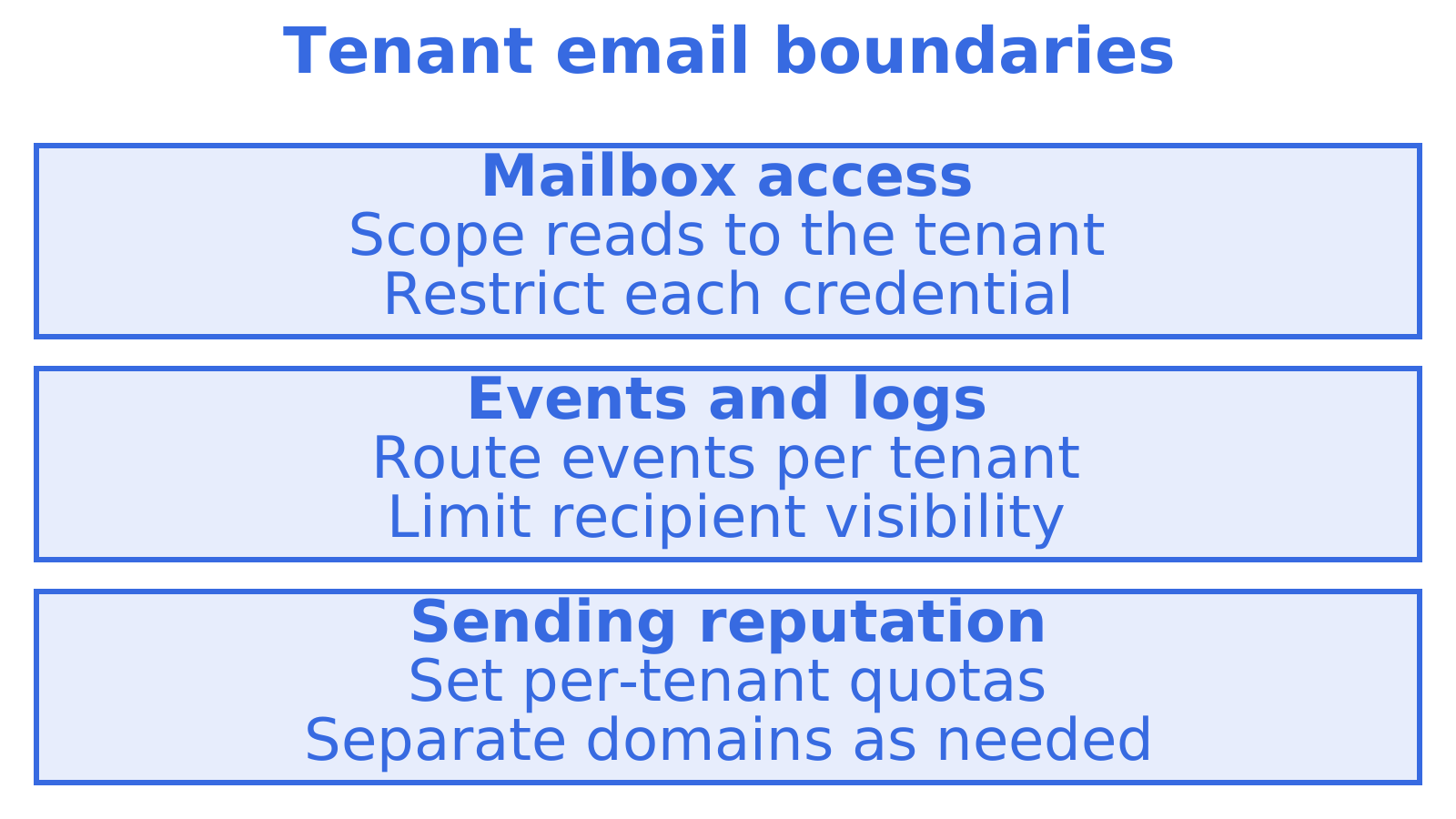
A multi-tenant email API lets one platform give every customer, workspace or AI agent its own email identity, with its own inbox, credentials, limits and logs, all behind a single integration. The test of a good one is simple: if tenant A’s key leaks, tenant B’s mail stays private, and if tenant A’s sending goes bad, tenant B’s deliverability does not suffer. This guide covers the architecture, the isolation controls that matter, and the questions to ask when you compare options.
TL;DR
- A multi-tenant email API provisions a separate identity (address, inbox, API key, quota, log stream) per tenant, rather than sending everything as one shared sender.
- Isolation has to cover five things: mail content, credentials, webhooks, logs and sending reputation. Missing any one of them is how cross-tenant leaks happen.
- Inbound mail needs idempotent ingestion and header-based threading, or redelivered messages and replies turn into duplicates.
- Per-tenant quotas, suppression lists and provider failover keep one noisy tenant from damaging everyone else.
- Sendmux provides mailbox-scoped API access and tracks incoming email, outgoing email and storage costs.
Table of Contents
- What a multi-tenant email API actually is
- Provisioning an identity for each tenant
- The five layers of tenant isolation
- Inbound mail: routing, threading and duplicates
- Limits, bounces and failover per tenant
- Choosing a multi-tenant email API: a checklist
- Our perspective
- A practical way to start
- Build order for a new platform
- FAQ
- Sources
What a multi-tenant email API actually is
Three different things get called “email API”, and mixing them up leads to the wrong architecture.
| Approach | What it gives each tenant | Typical limit |
|---|---|---|
| Transactional sending API | A shared sending pipeline, often one From domain | Outbound only. Replies go somewhere else, and tenants are tags, not boundaries |
| Connected-account API (OAuth to a user’s Gmail or Outlook) | Access to a mailbox the user already owns | Token refresh, consent screens and per-connected-account pricing |
| Multi-tenant email API | A provisioned mailbox and identity per tenant, with send and receive | Needs real isolation design, which is the subject of this guide |
The multi-tenant model fits when you are the one creating the email identity: a SaaS app giving each workspace an inbox, a support product replying on a customer’s behalf, or a platform that hands every AI agent its own address. If your users already have mailboxes you want to read, a connected-account approach is a different job.
The word “tenant” is flexible. It might be a customer company, a workspace, a client of your agency, or a single autonomous agent. The architecture is the same: one boundary per tenant, enforced on every request.
Provisioning an identity for each tenant
Start from the identity, not the send call. Each tenant needs:
- An address. Either on a shared domain (for example a subdomain your platform owns) or on the tenant’s own domain once they have verified DNS. A shared domain gets a tenant working in seconds. A custom domain gives them their own brand and, importantly, their own domain reputation.
- A mailbox. A persistent store, so inbound mail and sent mail live in one place and can be read, searched and threaded later. A sender-only service cannot give you this.
- A scoped credential. An API key that can act on that mailbox and nothing else.
- Limits. Send quotas, storage caps and rate limits set at the tenant level.
- A way to be switched off. Suspending one tenant should be a single operation that leaves the rest untouched.
Provisioning should be an API call your own signup flow makes, not a ticket to a human. At Sendmux, the multi-tenant platform is built around this idea, and the inbox product covers the mailbox side.
Shared domain or custom domain?
Use a shared domain for onboarding, trials and agents that need an address immediately. Move tenants to their own domain when they send volume, need brand control, or when you want their reputation separated from the pool. Plan for both from day one, because migrating a live tenant between them is much harder than supporting either from the start. Our own walkthrough of tenant email isolation in seven migration steps covers that move.
The five layers of tenant isolation
“Tenant isolation” is easy to claim and easy to get half right. Check each layer separately.
1. Content
Every read, search and list query must be filtered by tenant at the data layer, not only in the UI or in application code that someone might forget to call. Cross-mailbox search is useful for an operator, but it should be a deliberate, permissioned capability, never the default for a tenant’s key.
2. Credentials
One key per mailbox or per tenant, with explicit permissions. A key that can read mail should not automatically be able to send, and a key that sends for one tenant must be unable to name another tenant’s address as the sender. Short-lived tokens and a clear revocation path matter more than clever naming.
3. Webhooks and event streams
Events such as “message received” or “bounced” carry content and recipient addresses. Route them per tenant, sign them so the receiver can verify the origin, and make sure a tenant’s endpoint never receives another tenant’s events. If you offer real-time delivery through server-sent events as well as webhooks, apply the same scoping to both.
4. Logs and metrics
Delivery logs are a leak path people forget. A support dashboard that shows every tenant’s recipients in one table is convenient for you and a risk for them. Scope logs by tenant, and give tenants only their own view.
5. Reputation
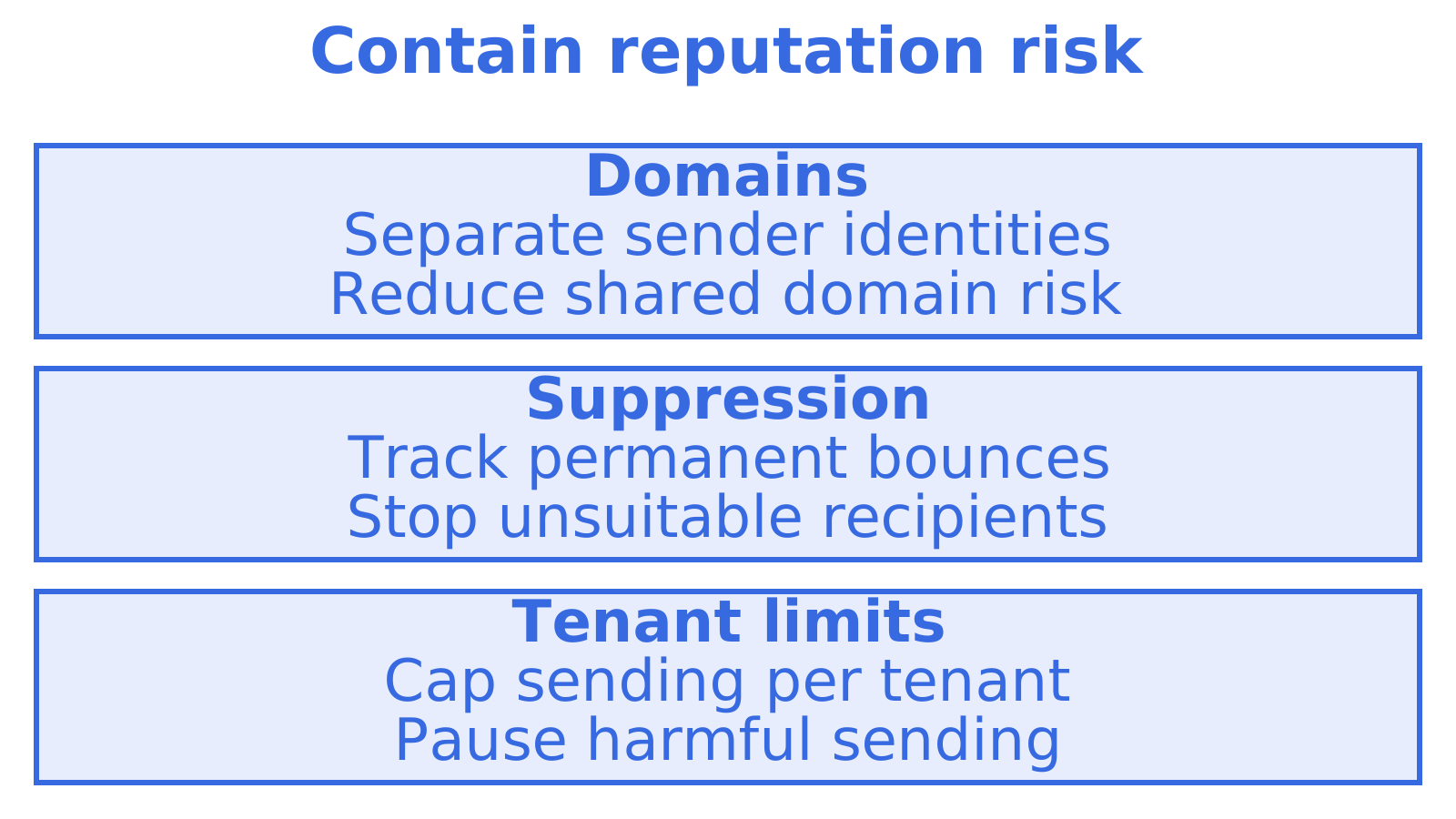
This is the layer that behaves differently from the rest, because it lives outside your system, in the mailbox providers’ judgement of the sending address, domain and IP. If every tenant shares one sender identity, one tenant’s complaints affect all of them. Separate domains, separate suppression lists and per-tenant quotas contain the damage. Our guide to suppression and isolation checks for multi-tenant email goes through the checks in detail.
One example of this approach at the infrastructure level: Amazon SES offers tenant-level reputation tracking and sending status, as described in a third-party enterprise guide to SES tenant management. The principle, giving each tenant its own reputation signals and a way to pause it, applies whichever provider you use. Check the current feature set and quotas on the provider’s own documentation before you design around them.
Inbound mail: routing, threading and duplicates
Sending is half the problem. Replies are where multi-tenant systems quietly break.
Route inbound to the right tenant
Every inbound message must resolve to exactly one tenant, usually by the recipient address. With one mailbox per tenant this is a lookup. With a shared inbound address and plus-tags or reply-to tokens, you are building a router and carrying the risk of misrouting. Mailbox-per-tenant is the simpler design to reason about and to audit.
Make ingestion idempotent
Providers and queues redeliver. If your handler creates a record every time a message arrives, you will get duplicates. One documented pattern from a helpdesk ingestion API is to treat the message ID as an idempotency key, so redelivering the same message does not create a second ticket or reply. The same principle applies to your own webhook receivers and to API writes in general. We cover it in HTTP idempotency keys for API developers.
Thread by headers, not by subject
The same helpdesk documentation describes a sensible order: match on In-Reply-To first, then References, then subject, and without those headers a reply becomes a new ticket. Outbound messages therefore need stable Message-IDs and correct reply headers, so that a customer’s reply lands back in the right thread of the right tenant. Two deeper reads: how the In-Reply-To header works and reply headers and thread IDs.
Limits, bounces and failover per tenant
A shared platform needs controls that act on one tenant at a time.
- Quotas. Set daily and per-minute sending limits per tenant, with different defaults for new and established accounts. A compromised key then has a ceiling.
- Bounce and complaint handling. Record hard bounces per tenant and stop sending to those addresses automatically. Rising complaint rates should trigger a throttle before a provider does it for you.
- Suspension. Pausing a single tenant should not require a deploy.
- Content filtering. If tenants write messages that your platform sends, screen for obvious abuse before it leaves.
- Provider routing and failover. If you send through more than one provider (your own SES, SendGrid, SMTP, or tenants’ connected Gmail and Outlook accounts), weighted routing and automatic failover keep mail moving when one provider degrades. See the sending product.
- Monitoring. Watch bounce, complaint and delivery rates per tenant, not only in aggregate. Averages hide the one tenant who is hurting you. See our notes on email deliverability monitoring for technical teams.
Brand and white-label concerns follow the same logic across SaaS categories. Product teams in other fields have written about multi-tenant e-signature design, where custom domains and branded emails raise questions much like the ones above.
Choosing a multi-tenant email API: a checklist
When you compare providers, including Sendmux, AgentMail, Nylas, Resend and others, score each against the same list.
| Question | Why it matters |
|---|---|
| Is there a real mailbox per tenant, or only sending? | Replies, search and threading depend on it |
| Are API keys scoped to a mailbox or tenant, with separate read and send permissions? | Limits the blast radius of a leaked key |
| Can webhooks and event streams be filtered per tenant? | Prevents cross-tenant event leaks |
| Are logs and metrics tenant-scoped? | Protects recipient data and speeds support |
| Can you attach a custom domain per tenant? | Brand and reputation separation |
| Are quotas, suppression and suspension per tenant? | Contains abuse and bad reputation |
| Can you bring your own outbound providers, and fail over? | Avoids single-provider lock-in |
| How is it priced: per mailbox, per connected account, or per use? | Determines cost as tenant count grows |
| Which SDKs and agent frameworks does it support? | Speeds integration |
Pricing deserves its own look. Per-seat and per-connected-account models can punish you for having many small tenants, most of whom send little. A usage-based model charges for what is actually sent, received and stored instead.
Matching architecture to use case
| Use case | Suggested setup | Trade-off |
|---|---|---|
| SaaS app with an inbox per customer | Mailbox per workspace, scoped keys, custom domains for larger customers | More DNS onboarding work |
| Support agent replying to customers | Mailbox per agent or per brand, strict threading, idempotent ingestion | Needs careful header handling |
| Per-agent identities (scheduling, research, monitoring) | Shared domain mailbox per agent, send permission granted separately | Shared-domain reputation, so cap volumes |
| Agency running outbound for clients | Separate domains and providers per client, per-client quotas | More infrastructure to monitor |
| Transactional email from your own app | Sending API with logs, webhooks and bounce visibility | No inbox unless you add one |
For the transactional end of this spectrum, see our developer’s integration guide to transactional email APIs and the platform builders solution page.
Our perspective
We built Sendmux around a belief: an email identity should be something your software can create, scope and retire without asking anyone’s permission.
A mailbox has its own address and mailbox-scoped credentials. Mailbox costs track incoming email, outgoing email and storage.
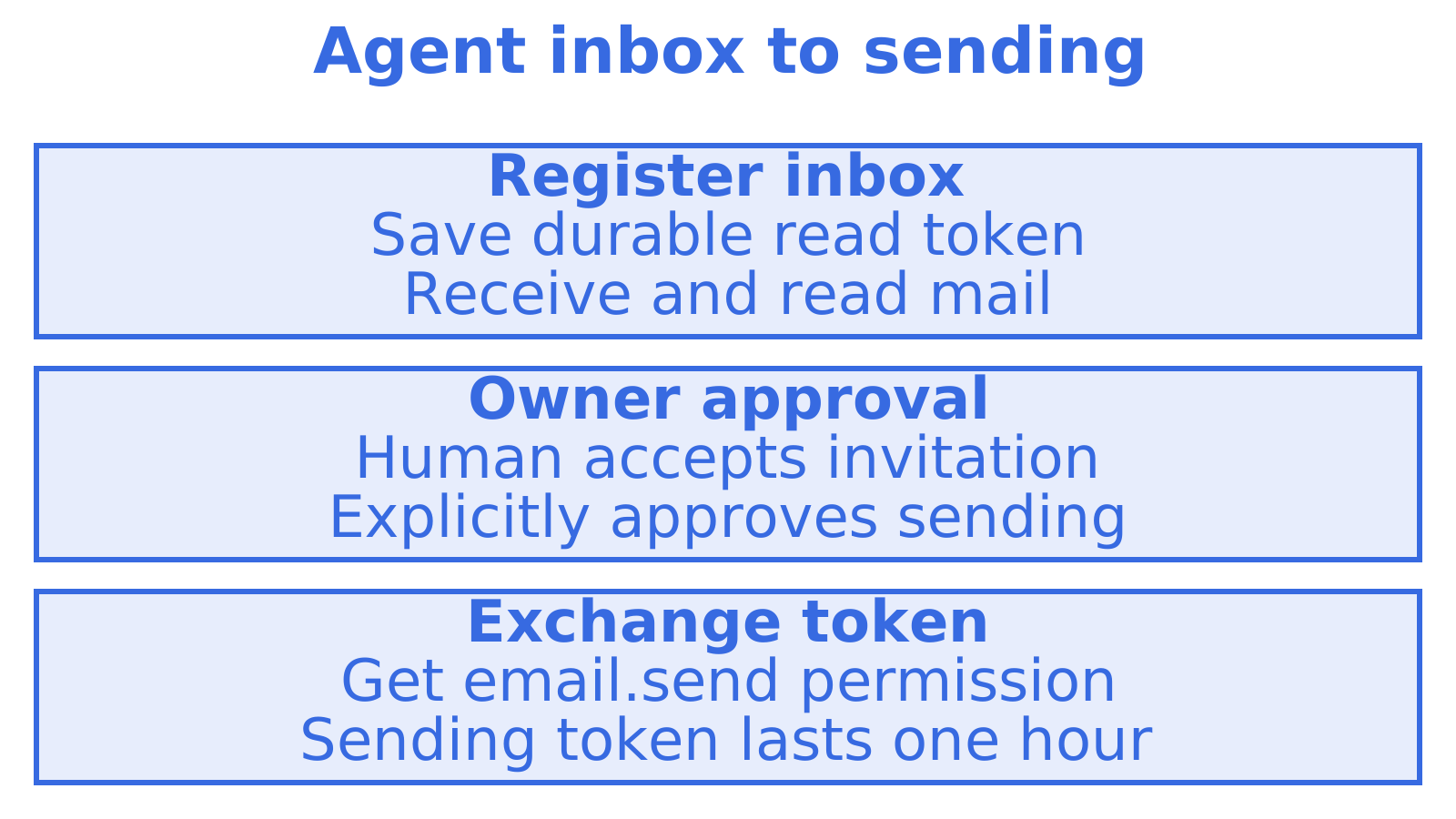
On myagent.mx, an agent can register itself and receive mail, but it cannot send until a human owner accepts the invitation and explicitly approves sending. Receiving is low risk. Sending is where reputation and accountability sit, so we gate it.
A practical way to start
An agent can register an @myagent.mx inbox without a human signup form. Use the Sendmux CLI to register and save a durable read credential. If the CLI is unavailable, use the HTTP flow and discovery document at https://app.sendmux.ai/auth.md. The smx_agent_ credential targets the assigned mailbox, and /api/v1/mailbox/me returns its details.
The durable read token carries mailbox.read and email.receive, so the agent can receive and read mail. Sending stays locked until the human owner accepts the invitation and explicitly approves it. After approval, exchange the durable credential for a one-hour email.send token. Start at myagent.mx, or read the full product overview. Agents that support skills can run npx skills add qubrics/skills.
Build order for a new platform
If you are starting from nothing, this sequence keeps rework low:
- Decide what a tenant is (company, workspace or agent) and give it a stable internal ID.
- Provision one mailbox and one scoped key per tenant at signup, through the API.
- Start every tenant on a shared domain with conservative quotas.
- Add webhook endpoints per tenant, with signature verification and retries.
- Make inbound ingestion idempotent and thread on headers.
- Add custom domains for tenants that need them, with DNS verification.
- Add per-tenant monitoring, suppression and a suspension switch.
- Add a second outbound provider and test failover before you need it.
Each step is small. The mistake is doing step 1 loosely and discovering at step 7 that tenants cannot be separated.
FAQ
What is the difference between a multi-tenant email API and a transactional email API?
A transactional API sends messages from your application, usually through one shared pipeline. A multi-tenant email API gives each tenant its own identity, mailbox, keys, limits and logs, so it handles replies and isolation as well as sending. Many platforms need both, and the multi-tenant layer is what keeps customers apart.
Should every tenant get its own domain?
Not at the start. A shared domain gets tenants running without DNS work, and it suits trials and agents. Give a tenant its own domain when they send meaningful volume, want their own brand, or when you need their reputation kept separate from others.
How do I stop one tenant’s bad sending hurting the rest?
Separate the things providers judge: use per-tenant quotas, per-tenant suppression of bounced addresses, and separate domains where volume justifies it. Monitor bounce and complaint rates per tenant, and keep a one-step way to pause a single tenant.
How do I avoid duplicate tickets or messages from inbound email?
Treat the message ID as an idempotency key so redelivery does not create a second record, and thread replies using the In-Reply-To and References headers before falling back to subject matching.
Sources
- Land an inbound email as a ticket or reply (Auralis Helpdesk API reference)
- Amazon SES Tenant Management: Enterprise Guide
- Multi-Tenant E-Signature: How It Works and What to Choose
Recommended
Give an agent its own address
Sendmux is the Email Inbox API for AI Agents.