 myagent.mxBLOG
agents & inboxes · best email api for crewai
CrewAI Email Integration: Give Your Agents a Real Inbox
How to add email to a CrewAI crew: native Gmail and Outlook apps, triggers, and custom tools for a dedicated agent mailbox, with a pattern for safe sending.
There are two ways to add email to a CrewAI crew. You can connect an existing Gmail or Outlook account through CrewAI’s own integrations, or you can wrap a dedicated email API as a set of custom tools so each agent works from its own mailbox. The first suits an assistant acting for one known person. The second suits agents that need an identity of their own, and it is the route we focus on here, because it is where most production builds end up.
Below: what CrewAI gives you natively, where that stops being enough, and a four-step architecture for receiving, reasoning and replying without letting an agent send anything you haven’t approved.
TL;DR
- CrewAI’s native route is OAuth-connected Gmail or Outlook: quick to set up, but it acts inside a human’s existing mailbox.
- “Email integration” means three different things in CrewAI: a tool the agent calls, an event that starts a crew, or both. A crew that must reply needs both.
- For a mailbox per agent or per tenant, wrap an email API as typed custom tools and feed inbound mail to the crew through webhooks or SSE.
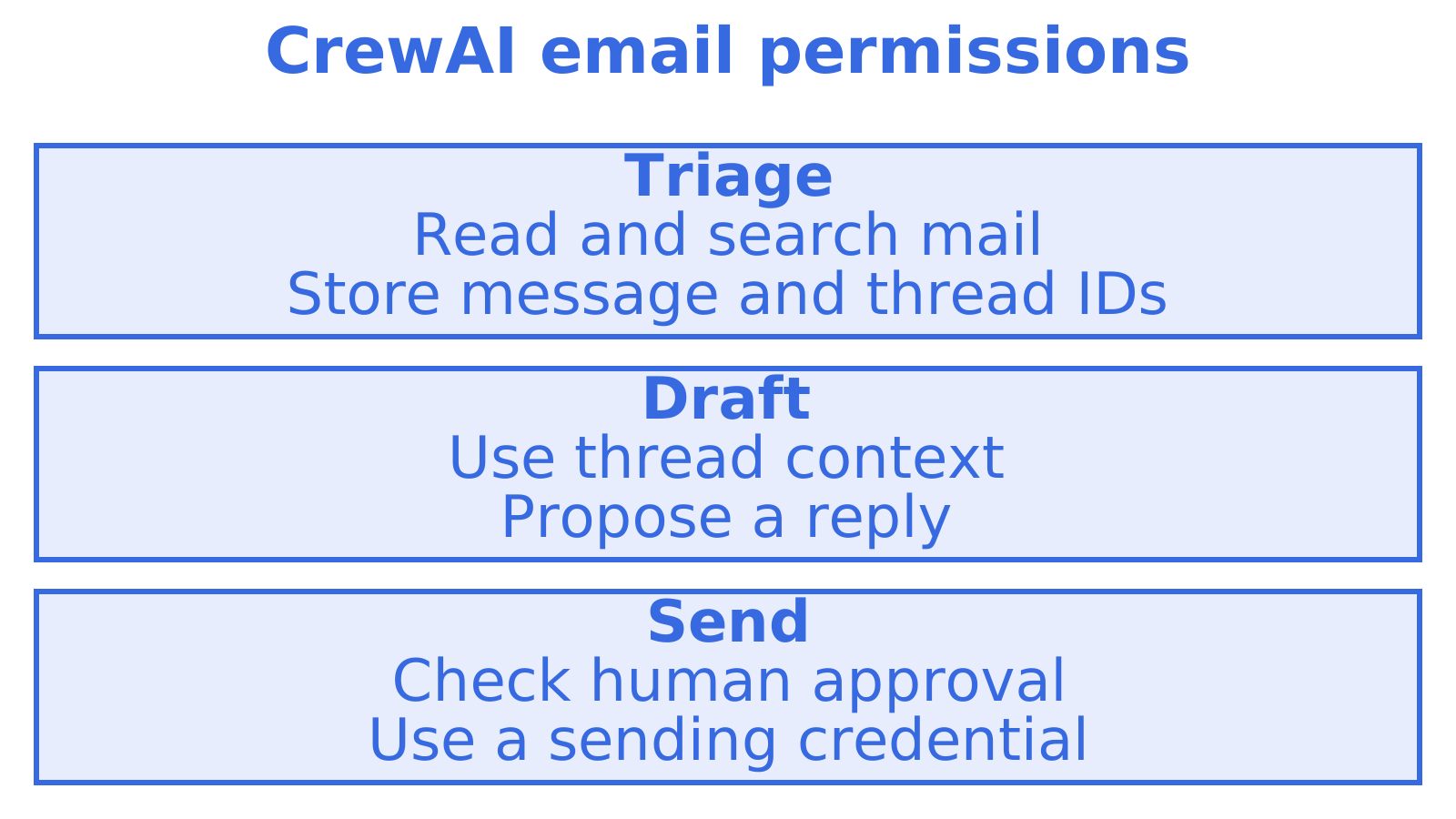
- Give triage agents read and search access only, and keep send permission behind a separate approval step.
- Sendmux gives an agent an @myagent.mx mailbox it can register itself, read and receive mail on while its registration remains active, and send from after a human owner accepts the invitation and explicitly approves sending.
Table of Contents
- What CrewAI gives you out of the box
- Where OAuth-connected mailboxes stop fitting
- Three meanings of “email integration”
- The architecture we recommend
- Wrapping an email API as a CrewAI custom tool
- Getting inbound mail to the crew
- Perspective: the mailbox is the agent’s identity
- A mailbox your agent can register itself
- Choosing between the routes
- A worked example: a support triage crew
- Mistakes we see repeatedly
- Ready to try it
- FAQ
- Sources
What CrewAI gives you out of the box
CrewAI’s platform documents a Gmail integration that lets agents send emails, search messages, manage contacts and create drafts. The documented setup is short:
- Connect Gmail under Integrations in CrewAI AMP and complete OAuth, granting the mail and contact permissions.
- Copy the Enterprise Token.
- Install the tools package with
uv add crewai-tools. - Set the
CREWAI_PLATFORM_INTEGRATION_TOKENenvironment variable. - Attach
apps=['gmail']to an Agent, or a single action such asapps=['gmail/send_email'].
The examples use the familiar Agent, Task and Crew objects in Python. There is a parallel Microsoft Outlook integration with the same shape: connect the account, set the token, then expose microsoft_outlook or a specific action such as microsoft_outlook/get_messages or microsoft_outlook/send_email. Outlook also covers calendar and contacts.
For inbound mail, the Gmail trigger guide describes enabling a trigger on a deployed crew, choosing the event (a new email or a thread update), and parsing the event payload in your first task or Flow step. You can simulate it locally with crewai triggers run gmail/new_email_received.
That is a complete loop for one person’s inbox. The limits show up when the agent is not a person’s helper but a worker in its own right.
Where OAuth-connected mailboxes stop fitting
CrewAI’s tools and integrations documentation describes a multi-user model in which a connected integration can be scoped to the requesting user with user_bearer_token. When no user is logged in, the deployment doesn’t use connected integrations and falls back to the default bearer token. That is user scoping for connected provider accounts. It is not automatic provisioning of a mailbox per agent or per customer.
In practice, four things tend to bite:
- Identity ownership. The mailbox belongs to a human. Everything the agent sends goes out under that person’s name, and everything it reads is that person’s private mail.
- Provisioning. Each OAuth grant is a manual consent step. Fifty agents means fifty grants, and a thousand tenants is not a workable number.
- Shared boundaries. Two agents on one account see each other’s mail unless you filter it yourself.
- Durable state. Thread identifiers, delivery status and bounces live in the provider, not in a layer you control.
None of this makes the native route wrong. If you are building a personal assistant that tidies your own inbox, it is the quickest path and we’d use it. The question is whether the email address is something the agent uses or something the agent is.
Three meanings of “email integration”
CrewAI’s documentation separates connecting an application, choosing which actions are available, and receiving event triggers. Treat those as three separate decisions.
| Decision | Question to answer | CrewAI mechanism |
|---|---|---|
| Tool | Can the agent read, search, draft or send? | apps=[...] with action filtering, or a custom tool |
| Trigger | What starts a run when mail arrives? | Gmail trigger, or your own webhook calling the crew |
| State | Where do threads, IDs and delivery results live? | Your email layer, not the framework |
Most tutorials cover only the first row, with an agent that polls an inbox on a schedule. A support or scheduling agent that has to answer replies needs the second as well, and a production system needs the third.
The architecture we recommend
CrewAI is the orchestration layer. It should not own mailbox identity, provider credentials, delivery state or tenant isolation. That belongs to the email layer, with CrewAI seeing a small, typed interface on top. The custom tools documentation supplies the extension points; the arrangement below is our engineering recommendation built from them, not something CrewAI prescribes.
- Receive. The email layer delivers a structured event, or the crew queries the mailbox.
- Normalise and persist. Store the message ID and thread ID before any model sees the content.
- Decide. A narrowly scoped tool retrieves thread context, and the agent returns a typed decision or a draft.
- Send through a boundary. Sending passes through a separate approval and policy step, never straight from the model.
The separation matters most at step 4. A model that can read untrusted inbound mail and also send outbound mail is one prompt injection away from emailing something you didn’t intend. Splitting the permissions removes that path.
Wrapping an email API as a CrewAI custom tool
CrewAI supports two styles: a BaseTool subclass with a Pydantic args_schema, or a concise @tool function. It also supports async tools, which suit HTTP calls because they don’t block while waiting on the network. The documentation recommends typed outputs. That is useful for email, because message IDs, thread IDs, status values and recipient lists reach the agent as structured JSON instead of prose it has to interpret.
Here is the shape of a read-only tool. The base URL, path and field names are placeholders to replace with the values in the current Sendmux documentation:
import os, httpx
from pydantic import BaseModel, Field
from crewai.tools import BaseTool

class SearchMailArgs(BaseModel):
    query: str = Field(..., description="Search text for this mailbox only")
    limit: int = Field(10, ge=1, le=25)

class SearchMailbox(BaseTool):
    name: str = "search_mailbox"
    description: str = "Search this agent's own mailbox and return thread summaries."
    args_schema: type[BaseModel] = SearchMailArgs

    def _run(self, query: str, limit: int = 10) -> dict:
        r = httpx.get(
            f"{os.environ['MAIL_API_BASE']}/search",  # placeholder path
            params={"q": query, "limit": limit},
            headers={"Authorization": f"Bearer {os.environ['MAILBOX_TOKEN']}"},
            timeout=15,
        )
        r.raise_for_status()
        return r.json()
Three habits make this safe to run. Read the token from the environment, never from the prompt. Return only the fields the agent needs. And give the tool one job, so a triage agent gets search_mailbox and get_thread and nothing else.
Permissions per agent role
CrewAI lets you expose a whole integration or specific actions, and deployed integrations can be configured with permitted actions. Carry the same discipline into custom tools:
| Agent role | Tools it gets | Can it send? |
|---|---|---|
| Triage | Search, read thread | No |
| Drafting | Read thread, save draft | No |
| Sender | Send, reply in thread | Yes, behind approval |
If your email layer issues a key per mailbox, with its own permissions, this table maps straight onto credentials. A triage agent literally holds a token that cannot send.
Getting inbound mail to the crew
Polling a mailbox every few minutes works in a demo and costs you latency and wasted runs in production. Better is to have the email layer push events. With a webhook, your service verifies the signature, stores the IDs, then kicks off the crew with the payload as input. With server-sent events (SSE), a long-lived worker listens to a stream and does the same. Our own write-up on email event streaming with webhooks and SSE covers when to choose each.
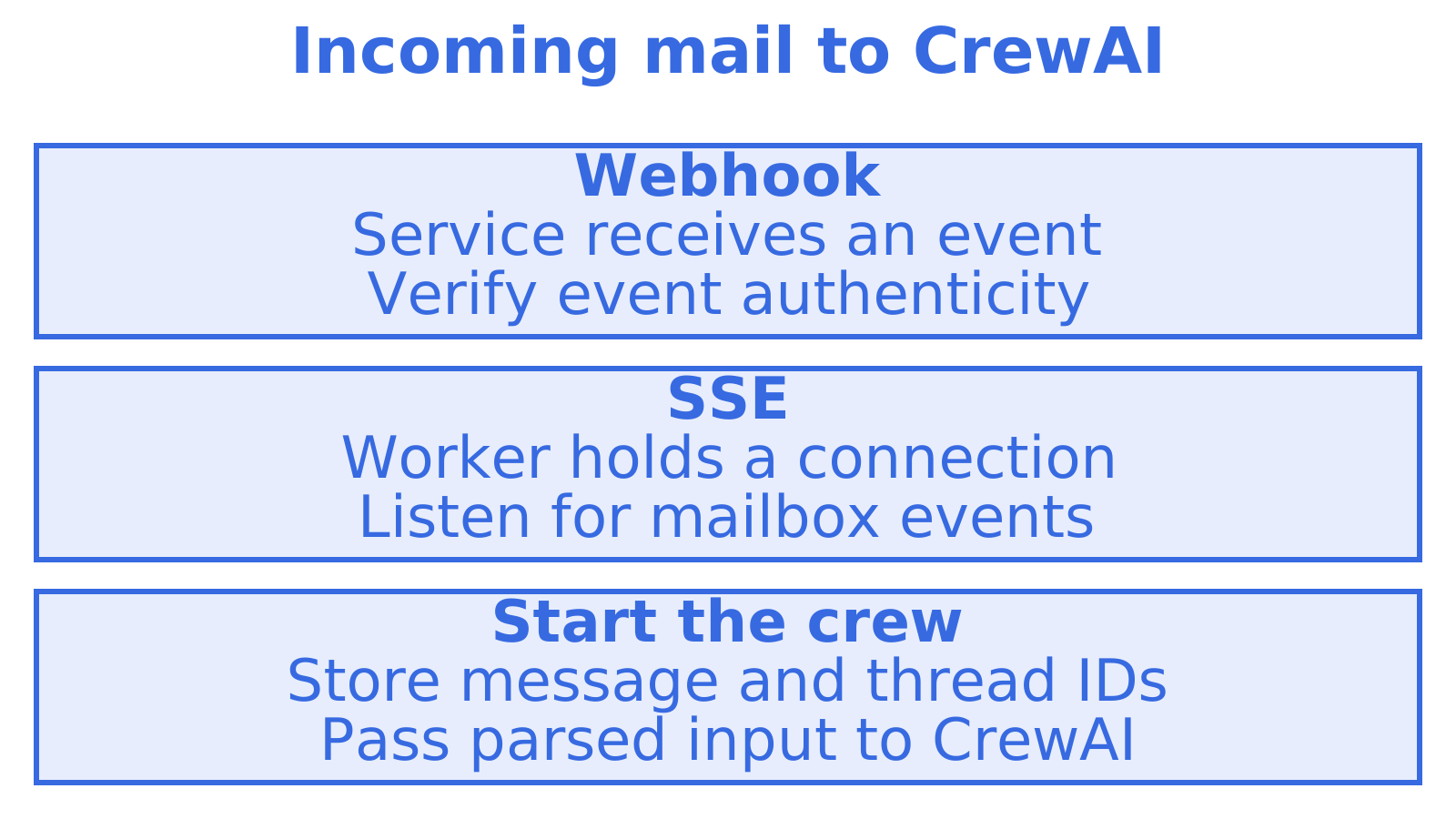
The event should arrive already parsed. Handing a crew raw MIME is a good way to burn tokens on headers. A mailbox-first inbound parsing API returns structured JSON, so your first task starts from sender, subject, body text and thread reference rather than from decoding.
Perspective: the mailbox is the agent’s identity
We build Sendmux, and we think the most common mistake in CrewAI email projects is treating email as a tool when it is an identity. A tool is something an agent picks up and puts down. An identity persists: it has an address that other people write to, a history of threads, and a set of things it is allowed to do.
That is why we don’t pretend Sendmux is a native CrewAI app. It isn’t. The honest integration is a thin custom tool layer: provision or select a mailbox, expose read, search, thread and send as typed tools, consume inbound events by SSE or webhooks, and keep every mailbox key scoped to that one mailbox. CrewAI stays the orchestrator. The email layer owns transport and durable state.
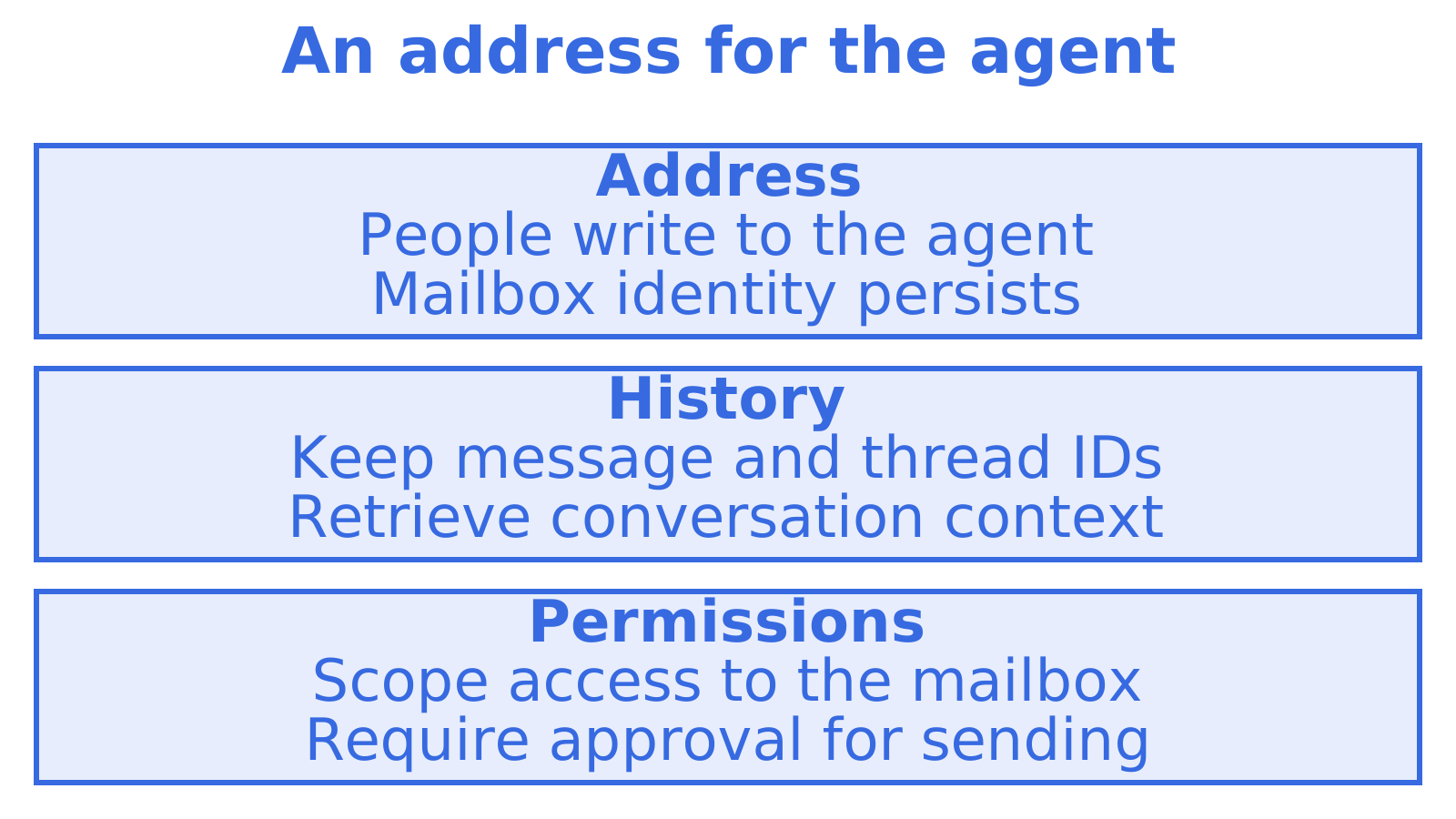
We also hold a firm view on sending. An agent should be able to receive mail the moment it exists, because reading is low risk. Sending should wait for a person who has said yes. It is slower on day one and much cheaper than explaining to a customer why a bot wrote to them unprompted.
A mailbox your agent can register itself
The awkward part of agent email is usually step zero: someone has to sign up. myagent.mx removes that. An agent can register itself and hold a working mailbox in the same session, with no card, no account and no human present. The sequence is:
- Use the Sendmux CLI to register with
sendmux agent:register <profile>. - Let the command wait for the inbox to become ready and save the durable read credential in its private local profile.
- Use that profile for mailbox commands; agent access tokens use the
smx_agent_prefix, and/api/v1/mailbox/mereturns the associated mailbox. - Invite a named human owner with
sendmux agent:invite-owner owner@example.com --profile <profile>. - Have the owner accept the invitation and explicitly approve sending.
Durable read tokens carry mailbox.read and email.receive, so the agent can receive, read, search and thread mail. They do not carry email.send. Sending unlocks once the human owner accepts the invitation and explicitly approves sending; the CLI then exchanges the durable credential for a one-hour email.send token. For a CrewAI build, that is the approval boundary from step 4 of the architecture, built into the account rather than bolted on.
If your agent supports skills, npx skills add Sendmux/skills installs the Sendmux pack, and https://sendmux.ai/llms.txt has fuller machine-readable context.
Choosing between the routes
| Situation | Better fit |
|---|---|
| One assistant working in your own Gmail or Outlook | CrewAI’s native integration |
| Agent needs its own address people can write to | Dedicated agent mailbox |
| One isolated inbox per customer or workspace | Dedicated mailboxes, with multi-tenant controls |
| Outbound across your own Gmail, Outlook, SES or SMTP accounts | Email API with routing and failover |
| Scheduling or calendar agent that handles replies | Agent mailbox plus scheduling agent patterns |
These aren’t exclusive. A crew can use the native Gmail app for the founder’s own inbox and a dedicated mailbox for the support agent, each with different permissions.
A worked example: a support triage crew
Say you run a small SaaS business and want a crew to handle the support address.
- A triage agent receives a webhook for each inbound message. It has
search_mailboxandget_thread, and returns a typed object: category, urgency, and whether a human is needed. - A drafting agent takes that object and the thread, then writes a reply and saves it as a draft with the thread ID attached.
- An approval step, either a person in a dashboard or a policy function for low-risk categories, releases the draft.
- A sender tool holds the only credential that can transmit, and records the result against the thread.
Because the thread ID was stored in step one, replies stay in the same conversation, and a retry after a timeout doesn’t send twice if you check the stored state first. For more on the underlying concepts, our complete guide to email inboxes for AI agents goes deeper, and the agent inbox API page lists what each mailbox exposes.
Mistakes we see repeatedly
- Giving every agent every action. Start from
gmail/fetch_emails-style narrow actions, or read-only custom tools, and add from there. - Letting the model infer IDs from prose. Use typed outputs.
- Polling. Push events and keep the crew idle until there is work.
- Sharing one mailbox across tenants. It makes isolation a filtering problem forever.
- Skipping the approval boundary. Untrusted inbound text plus send permission is the risky combination.
Ready to try it
If you want an agent to start with a real address and no signup friction, point it at myagent.mx. If you’re building for many tenants or need outbound routing across your own providers, start from the Sendmux product overview, or see the developer guide to agent email.
FAQ
Does CrewAI have built-in email support?
Yes, through managed integrations. CrewAI documents Gmail and Outlook apps that connect by OAuth and let agents send, search and draft. They work inside an existing human mailbox, so they don’t create a mailbox for each agent.
How do I use a different email API with CrewAI?
Wrap its HTTP operations as custom tools, either a BaseTool subclass with a Pydantic args_schema or an @tool function. CrewAI’s custom tools guide also covers async tools for network calls. Return typed fields such as message and thread IDs so the agent isn’t parsing prose.
How does a CrewAI agent react to new email?
There are two options. CrewAI’s Gmail trigger starts a deployed crew on a new email or thread update. With any other mailbox service, have it send a signed webhook or SSE event to your service, which then starts the crew with the parsed message as input.
Can a Sendmux agent send email straight after registering?
No. A self-registered agent gets a durable read token that can receive, read, search and thread mail but cannot send. After a named human owner accepts the invitation and explicitly approves sending, the CLI exchanges the durable credential for a one-hour token with email.send.
What is the best email setup for a multi-tenant CrewAI product?
Give each tenant its own mailbox, key and event stream in the email layer, and keep CrewAI as the orchestrator. CrewAI’s user_bearer_token scopes connected provider accounts per user, but it doesn’t provision mailboxes, so tenant isolation has to live in your email infrastructure.
Sources
- Gmail Integration, CrewAI Platform
- Microsoft Outlook Integration, CrewAI Platform
- Gmail Trigger, CrewAI Platform
- Tools & Integrations, CrewAI Platform
- Create Custom Tools, CrewAI
Recommended
Give an agent its own address
Sendmux is the Email Inbox API for AI Agents.