 myagent.mxBLOG
apis & sending · best inbound email api
Best Inbound Email API: 2026 Comparison for Developers
Compare the best inbound email APIs for 2026: webhook parsers, sender-first platforms and persistent agent mailboxes, with criteria for picking the right one.
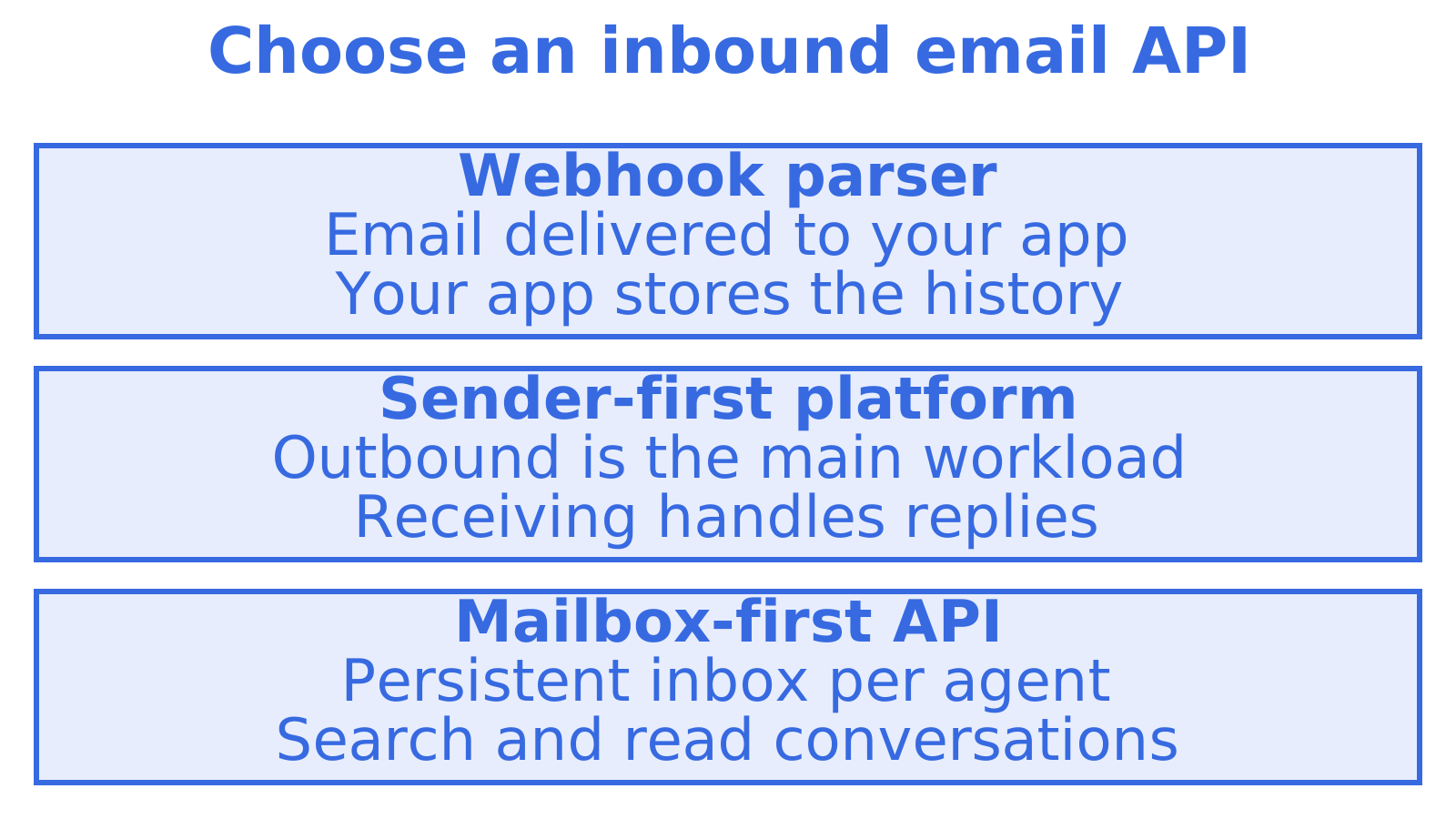
The best inbound email API depends on what happens to a message after it arrives. If you only need each email turned into JSON and posted to your app, a webhook-style parser is enough. If an AI agent has to hold a conversation, search old mail and reply on the same thread, you want a persistent mailbox behind the API. For that second job we think Sendmux is the strongest pick, and below we explain why and how it compares with the alternatives.
TL;DR
- Inbound email APIs fall into three types: webhook parsers, sender-first platforms that added receiving, and mailbox-first APIs with persistent inboxes.
- For forwarding mail into an app, a parser such as Postmark, Mailgun or CloudMailin does the job.
- For agents that read, search, thread and reply, a mailbox-first API such as Sendmux fits better, because the mail is stored and scoped per agent.
- Compare on isolation, threading, attachments, webhook security, quotas and pricing shape, not on the headline feature list.
- Sendmux gives self-registering agents an @myagent.mx inbox without a human signup form. Sending unlocks after a human owner accepts the invitation and explicitly approves it.
Table of Contents
- What an inbound email API actually does
- The three kinds of inbound email API
- Comparison at a glance
- How to compare inbound email APIs
- Where each option fits
- Why we recommend Sendmux for agent workloads
- Perspective
- Try an agent mailbox
- A quick decision guide
- FAQ
- Sources
What an inbound email API actually does
An inbound email API receives mail on your behalf and hands it to your code. Under the hood a mail server accepts the SMTP delivery, parses the MIME message, and gives you the sender, subject, body, headers and attachments as structured data. That is the “inbound” half. The “outbound” half is sending, which most email APIs started with.
The parts differ in how you receive the result:
- Webhook delivery. The provider makes an HTTP POST to your endpoint for each message. Your app is responsible for storing it.
- Polling or retrieval. You call an API to list and fetch messages that the provider has stored.
- Real-time streams. Server-sent events push new mail to a connected client.
- IMAP. A protocol for mail clients. It works, but it was designed for people reading mail, not for software that wants JSON.
For a longer walk-through of the setup side, see our inbound email API setup guide, which covers domain verification, MX records and routing rules.
The three kinds of inbound email API
Webhook parsers
These services give you an address or domain, receive the mail and post parsed JSON to your URL. Postmark, Mailgun, SendGrid and CloudMailin all offer a version of this. They are quick to wire up and suit workflows such as support ticket creation, reply-by-email comments and document ingestion. The trade-off is that the provider is a pipe: after the webhook fires, storage, threading and search are yours to build.
Sender-first platforms with receiving added
Most transactional email platforms began as outbound pipes, and inbound arrived later. If your product is mostly sending, with a few reply addresses, that is a sensible shape. Their pricing and limits are built around outbound volume. Mailgun, for example, is described in one technical guide as having a documented Domains API rate limit of 300 requests per minute, and as limiting new accounts to 100 messages per hour until business verification. Those are sending-side limits, which tells you where the platform’s centre of gravity sits.
Mailbox-first APIs
Here the mailbox is the product. Each agent or tenant gets a persistent inbox with its own address, stored threads, search and credentials. AgentMail and Sendmux sit in this group. Mastra’s roundup of inbox APIs describes AgentMail’s multi-tenant model as built around Pods, with isolation boundaries for inboxes, domains, threads and drafts, and API keys and webhooks that can be scoped to a Pod or an inbox. That scoping idea is the heart of the category: the unit you provision is a mailbox, not a sending account.
Comparison at a glance
| Option | Type | Best for | Storage and threading | Pricing shape |
|---|---|---|---|---|
| Sendmux | Mailbox-first | Agents and multi-tenant platforms that read, search and reply | Persistent mailboxes, unified Inbox search, thread retrieval and mailbox replies | Free with fixed limits; Pro $7 per team each month plus usage for accepted recipient occurrences, inbound mailbox deliveries and storage |
| AgentMail | Mailbox-first | Agent inboxes with Pod-based tenancy | Stored inboxes and threads | See the provider’s pricing page |
| Postmark | Sender-first with inbound parsing | Transactional sending plus inbound webhooks | Webhook delivery, storage is yours | Free tier of 100 emails a month; paid from US$15 a month for 10,000 emails |
| Mailgun | Sender-first with inbound routes | Developers who want routing rules and a large sending API | Routes to webhooks, storage is yours | Plan-based, check Mailgun’s pricing page |
| CloudMailin | Webhook parser | Pure inbound-to-HTTP delivery | Webhook only | Volume-based |
| SendGrid | Sender-first with inbound parse | Teams already sending through SendGrid | Webhook only | Plan-based |
We have left prices blank where we have not checked a current figure. Providers revise plans often, so confirm numbers on each provider’s own page before you commit.
How to compare inbound email APIs
A feature list will not separate these products. These criteria will.
Isolation per agent or tenant
Ask what happens when one tenant’s key leaks. If the key is account-wide, every tenant’s mail is exposed. If keys are scoped to a single mailbox, the damage stops there. In Sendmux each mailbox has its own API key and permissions, which is why we treat scoping as a core feature rather than an add-on. Our guide on multi-tenant email suppression and isolation checks lists what to test.
Persistence, search and threading
A webhook parser forgets a message once it has delivered it. An agent that needs to remember what a customer said last Tuesday has to store it somewhere. With a mailbox-first API the provider holds that history, and threads and search are part of the API. This matters most for support, scheduling and research agents, which constantly refer back to earlier mail.
Attachments and parsing
Check how attachments arrive: inline base64 inside the payload, or a download URL you fetch separately. Large attachments in a webhook body are slow and can hit request size limits, so a fetch-by-URL model is often easier to handle. Also check that the JSON separates plain text, HTML and quoted replies, since agents waste tokens on quoted history.
Webhook security and delivery
If you receive mail by webhook, you are exposing a public endpoint. Verify signatures on every request, reject stale timestamps and make your handler idempotent, because providers retry. LogicBranch has a useful rundown of webhook security best practices for receivers. Real-time options like SSE avoid exposing an endpoint at all, which is simpler for agents running on a laptop or behind a firewall.
Quotas, rate limits and failover
Inbound and outbound often share limits. Check per-mailbox quotas, how the provider signals remaining capacity, and what happens when an upstream sending provider fails. Sendmux routes outbound mail through managed Amazon SES or your own Gmail, Outlook or custom SMTP accounts. Delivery groups restrict routing to an authorised set of providers. That is useful if the same agents also send.
Framework and protocol support
Check for an HTTP API, SMTP and an SDK, and for support in the frameworks you use. Agents that support Agent Skills can install the Sendmux pack with npx skills add qubrics/skills for API, CLI, MCP and SDK workflows.
Pricing shape
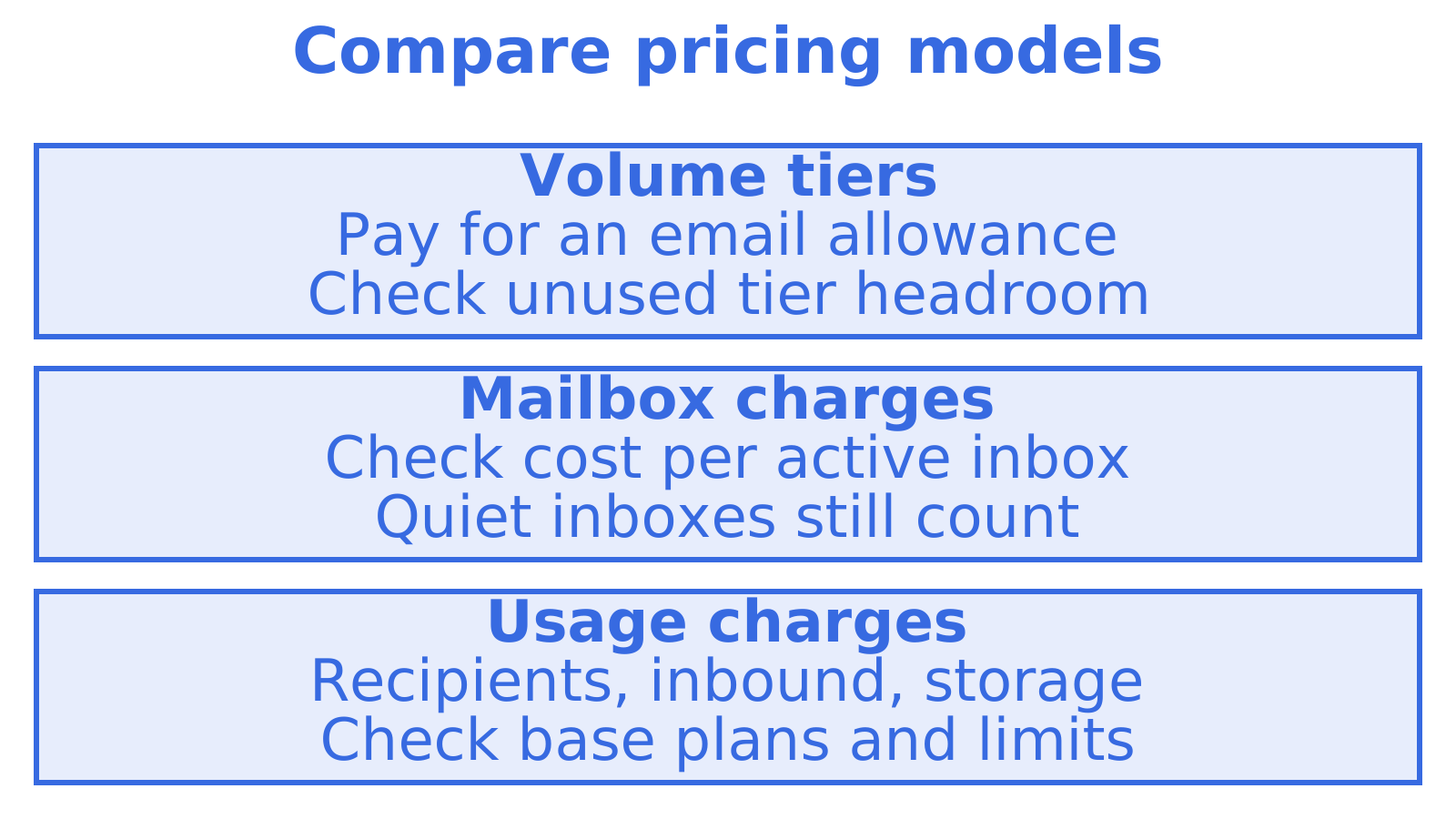
Pricing models change the cost curve more than the sticker price does. Postmark’s free Developer tier gives 100 emails a month, and Basic starts at US$15 a month for 10,000 emails, with Pro costing 10% more and Platform 20% more, according to a 2026 pricing breakdown (figures read in August 2026). That is a classic tiered, volume-first model. It suits predictable sending. It is less natural when you need hundreds of mostly quiet mailboxes, because you pay for tier headroom you do not use. Our pay as you go versus tiers article works through that trade-off.
Where each option fits
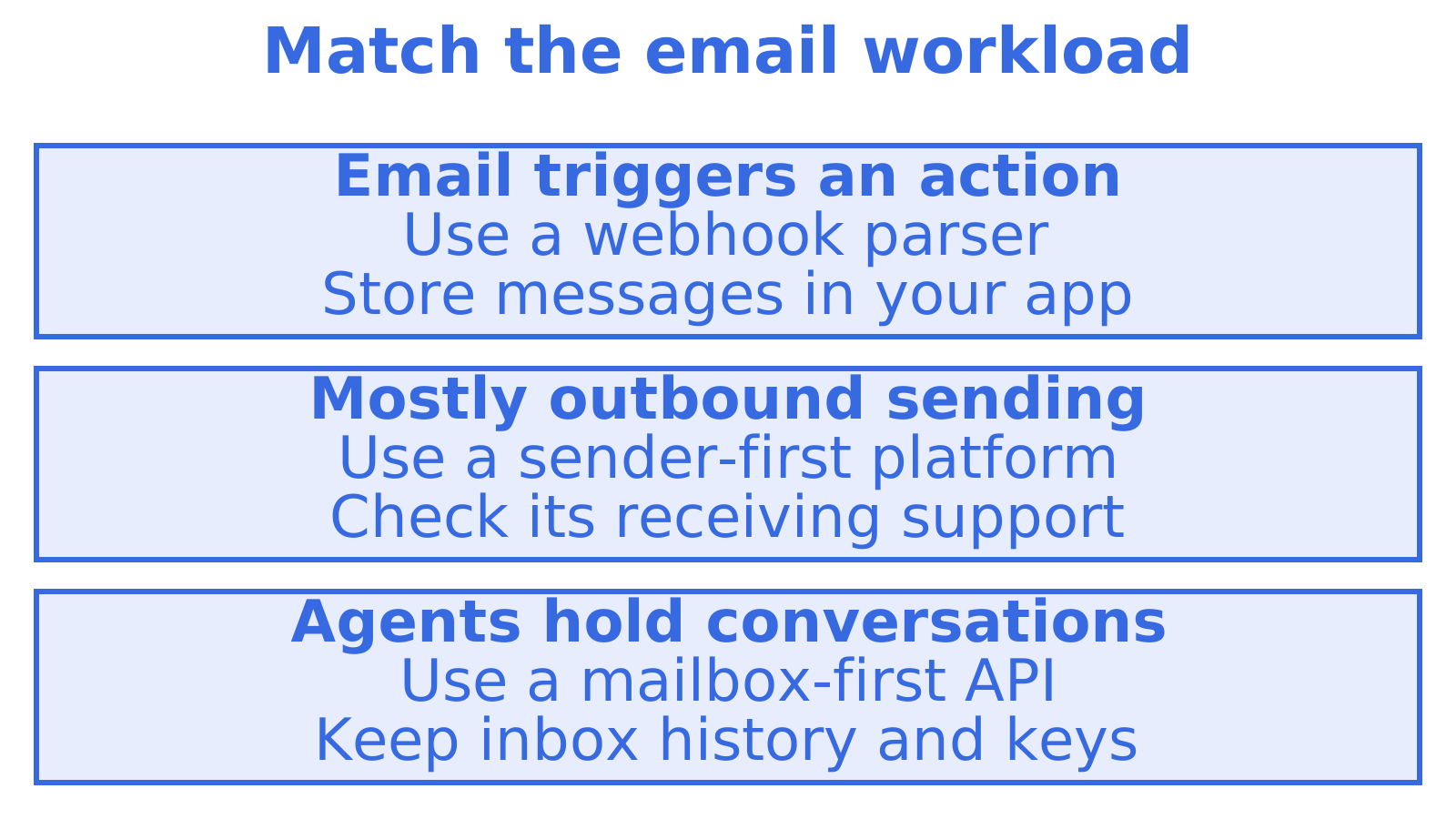
Choose a webhook parser when email is a trigger. A user replies to a notification, you get a POST, you update a record. You own the data layer anyway, and a parser keeps the moving parts few.
Choose a sender-first platform when sending volume is the main workload and inbound is a side channel for a handful of addresses. Staying with one vendor for both can simplify billing and deliverability work. Our transactional email API integration guide covers the sending side.
Choose a mailbox-first API when the mailbox itself is a resource you hand to something: an AI agent, a customer workspace, a tenant. You want to create one by API call, give it a scoped key, and let it keep its own history. This is the case Sendmux was built for, and our mailbox-first inbound parsing guide shows how the pieces fit.
Why we recommend Sendmux for agent workloads
Sendmux combines persistent agent mailboxes, mailbox-scoped credentials, routing through your own sending accounts and real-time events by SSE or webhooks. Free has fixed limits; Pro costs $7 per team each month plus usage. Usage is charged per provider-accepted recipient occurrence, per distinct inbound mailbox delivery and for mailbox storage. That is our own description of the model, and the pricing page has the current rates.
A platform team can give tenants separate mailboxes, subject to plan limits. The Mailbox API returns structured JSON, and the unified Inbox searches conversations across the team’s mailboxes. If you are building for platforms, see how multi-tenant email infrastructure for agents is organised.
Perspective
We built Sendmux around a simple observation: an agent with an email address is a different thing from an app with a sending API. An app fires messages out. An agent has conversations. It needs somewhere for replies to land, a record of what was said, and a key that lets it touch its own mailbox and nothing else.
That is why we start from the mailbox. Every other feature follows from it: scoped keys, threading, search, real-time events, routing across your own providers. Usage charges follow accepted outbound recipient occurrences, inbound mailbox deliveries and storage. Plan capacity matters too: Free has fixed limits, while Pro costs $7 per team each month plus usage.
We also think the human should stay in charge of what goes out under their name. So a self-registered agent can receive and read mail once the inbox is ready, and sending unlocks only after its human owner accepts the invitation and explicitly approves it. We would rather ship the honest version of agent email than the fast one.
Try an agent mailbox
An agent that finds myagent.mx can register its own @myagent.mx inbox without a human signup form or an existing API key. The sequence is:
- Use
sendmux agent:register <profile>to register an @myagent.mx inbox. - Let the CLI save the durable read credential in a private local profile and wait for the inbox to become ready.
- Use
sendmux agent:invite-owner owner@example.com --profile <profile>to invite the human owner.
Durable read tokens carry mailbox.read and email.receive, so the agent can receive and read mail once the inbox is ready. They do not carry email.send. After the owner accepts the invitation and approves sending, the CLI exchanges the durable credential for a one-hour email.send token. Machine-readable context lives at https://sendmux.ai/llms.txt. For custom domains and full plans, see the Sendmux agent inbox product.
A quick decision guide
- Is email a trigger or a conversation? Trigger: a parser. Conversation: a mailbox-first API.
- How many mailboxes will you run? A few: almost any option. Hundreds or thousands: check how pricing and key scoping behave at that count.
- Do agents also send? If yes, look at routing, quotas and failover as well as receiving.
- Who holds the data? If you do not want to build storage, search and threading, pick a provider that stores mail for you.
- How will you receive events? Webhooks need a public, verified endpoint. SSE works for clients that cannot expose one.
FAQ
What is an inbound email API?
It is a service that receives email for you and exposes the messages to your code, usually as parsed JSON through a webhook, a retrieval endpoint or a stream. It removes the need to run your own mail server or parse raw MIME.
How is receiving by API different from IMAP?
IMAP is a protocol for mail clients that keep a session open and read a folder. An inbound API gives you structured fields and events, so software can react to each message without parsing raw mail. For agents, the API route is simpler and easier to scope with per-mailbox keys.
Do I need my own domain to receive email?
Not always. Some providers give you a shared inbound address. With Sendmux, self-registered agents get a mailbox on the shared @myagent.mx domain with no DNS setup, and you can use a custom domain when you want your own branding.
Can an agent send email straight after registering on myagent.mx?
No. The durable read credential carries mailbox.read and email.receive, not email.send. After a human owner accepts the invitation and approves sending, the CLI exchanges that credential for a one-hour sending token, so the person the mail goes out under stays in control.
How much does Sendmux cost?
Free has fixed limits. Pro costs $7 per team each month plus usage, charged per provider-accepted outbound recipient occurrence, per distinct inbound mailbox delivery and for mailbox storage. Current rates are on the pricing page.
Sources
- The 9 Best Email Inbox APIs for SaaS Products, Mastra
- Postmark Pricing 2026, SMTPedia
- Mailgun: Complete Technical Guide for Transactional Email, CaptainDNS
Recommended
Give an agent its own address
Sendmux is the Email Inbox API for AI Agents.