 myagent.mxBLOG
deliverability · smtp 550 issue
6 Steps to Reproduce and Fix SMTP 550 Blocked for Developers
Diagnose and clear SMTP 550 blocked errors with reproducible steps: save the SMTP transcript, inspect headers, and match vendor reply strings to the root...
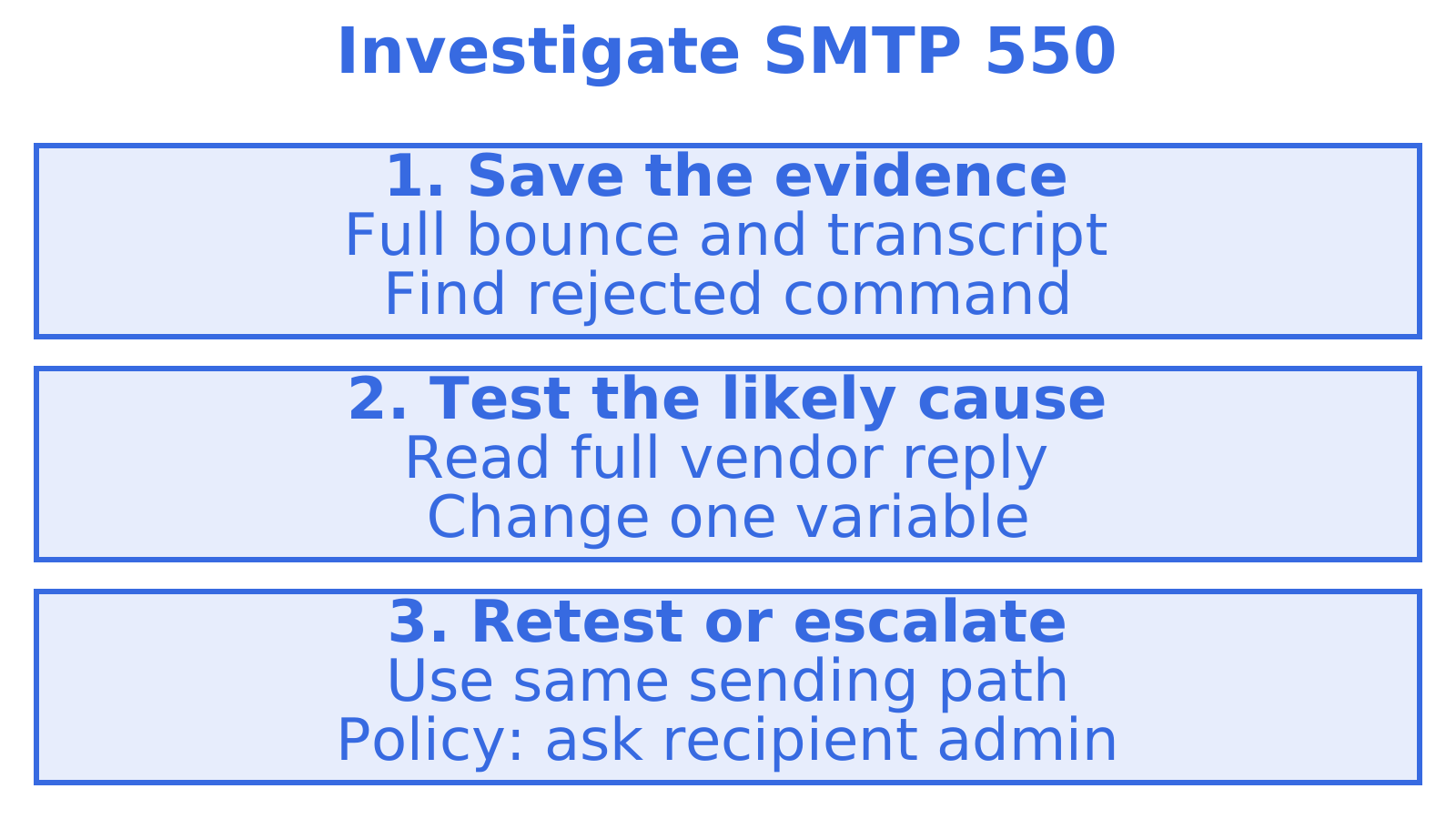
Save the full bounce (NDR) and raw SMTP transcript before changing settings after a 550. The recipient’s server rejected the message during SMTP. Waiting out a temporary glitch won’t resolve it. Common causes include recipient-side spam filtering, a relay or authentication failure on your side, and a blocklisted sending IP. Use the saved reply to decide what to check next.
TL;DR
- Read the full vendor reply after the subcode: 5.1.x indicates an address issue, 5.2.x mailbox or policy limits, 5.4.x routing, and 5.7.x policy.
- Save the complete non delivery report and SMTP transcript, then identify which session command received the 550 before changing settings.
- Require authenticated submission on port 587 or 2525 with STARTTLS to rule out unauthenticated relay attempts or an incorrect submission server.
- Verify SPF, DKIM, DMARC, and matching PTR and HELO records; DNS changes can take up to 24 hours to propagate.
- If sender authentication checks pass, send the recipient administrator full headers and the transcript, because only that administrator can lift a recipient side policy block.
Table of Contents
- What the 550 SMTP code means in technical terms
- Common causes for a 550 blocked error
- How to diagnose a 550 using logs, bounce text and headers
- Step by step fixes for 550 blocked errors
- Common bounce strings and what they usually mean
- Preventive best practice checklist for senders
- Author note and platform context
- Pragmatic priorities when you are troubleshooting
- A different way to handle sending and diagnostics
- FAQ
- Sources
What the 550 SMTP code means in technical terms
A 550 needs investigation before a retry: check the address, message, sending setup and recipient configuration for what must change. SMTP codes starting with 5 indicate a permanent rejection. A 4xx reply instead indicates a temporary failure and permits a later retry.
Read the subcode following 550. A 5.1.x points to an address problem, such as a missing mailbox, while 5.2.x concerns mailbox status, including capacity or a disabled mailbox. A 5.4.x concerns routing or delivery. Security and policy issues, including authentication and spam filtering, fall under 5.7.x.
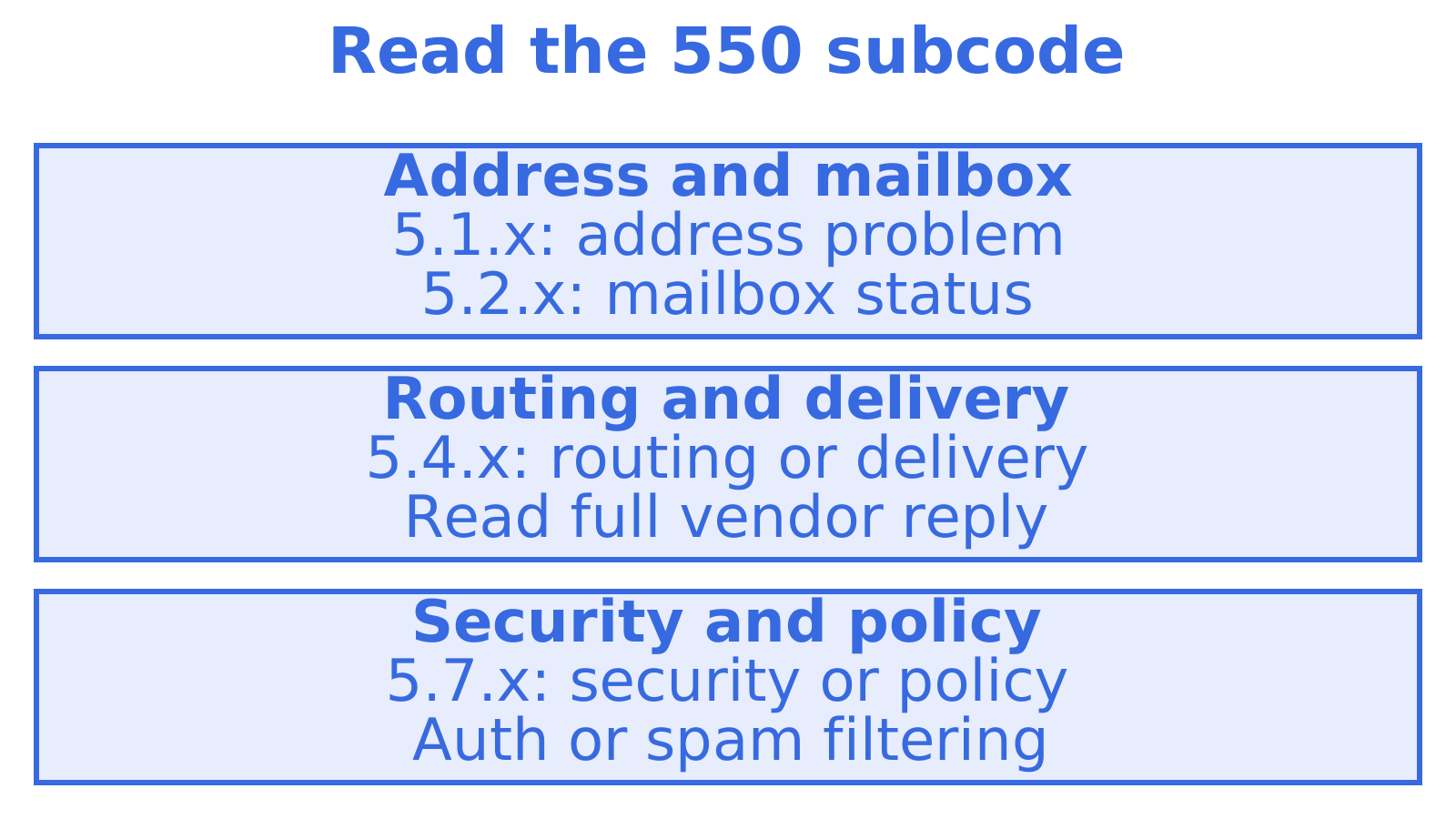
Read the provider’s full explanation before choosing a fix. 550 5.7.520 and a spam content flag directs your next check towards content. A relay denial calls for checking submission settings and permissions.
Common causes for a 550 blocked error
Check the situations below before changing DNS records or opening a support ticket. A 550 almost always stems from one of them. If you need hands-on configuration help, consider email setup and troubleshooting services in Brisbane.
- Check whether the recipient address is wrong, disabled or blocked by the receiving server’s directory rules.
- Your client might be using the wrong submission host or port, or attempting relay without permission.
- The recipient’s gateway may have flagged the message’s content, links or attachments as spam or restricted content.
- A blocklist may contain your sending IP or domain.
- An allow or deny rule at the recipient’s mailbox or organisation may exclude your domain.
- Watch for compromise signs in the sending account, including an unusual volume spike or many near-identical outbound messages.
Choose a check that matches the reply. For example, DNS changes won’t resolve a rejection triggered by a blocked attachment. Each possibility needs its own test so you can investigate a specific cause.
How to diagnose a 550 using logs, bounce text and headers
Read the complete reply before changing configuration. The server usually gives you most of what you need to understand a precise 550 failure. The first three digits alone won’t supply that detail.
- Keep the complete NDR and exact SMTP reply, including trailing vendor tags such as
AS()orA#codes. - Find the command that received the 550 in your sending server’s SMTP log. Inspect the full exchange: HELO/EHLO identifies the client, AUTH authenticates it, MAIL FROM supplies the sender address, and RCPT TO supplies the recipient address.
- When you have headers, inspect
Authentication-Resultsfor recorded checks andReceivedfor the delivery path. SPF checks authorised sending servers. DKIM verifies a signature, while DMARC checks its alignment with the visible sender domain. - From the production sending IP, inspect the recipient mail exchanger with openssl, or telnet where encryption isn’t required. RCPT TO tests recipient acceptance. For a later content rejection, you’ll need a complete message exchange.
- Keep the sending path unchanged and send a second test with a plain, stripped-down body, no links and no attachments. Compare replies to check whether content affects the outcome.
Pro Tip: Compare tests using the same sending IP and route. A laptop’s telnet or openssl test may get a different response from the production mail server.
Use these results to distinguish address or recipient policy issues from authentication or content problems. They give you a basis for choosing the next change.
Step by step fixes for 550 blocked errors
Test the cause the reply suggests and record each result. Change one variable at a time to see what affects the rejection.
- Save the reply from a minimal, authenticated message through your normal sending path. Where appropriate, compare it with a direct telnet or openssl test from that sending IP to locate the rejection.
- Follow the provider’s submission settings, requiring SMTP AUTH where specified. Port 587 commonly upgrades to encryption using STARTTLS. Use 2525 only with provider support, while port 25 is commonly used for mail-server exchanges.
- Match SPF, DKIM and DMARC records to your sending setup. Check PTR, which maps the sending IP to a hostname. Confirm that the hostname presented at HELO is consistent with the setup too.
- Look up the sending IP and domain on relevant blocklists. If listed, fix the reason for the listing and follow that list’s removal process.
- If checks pass and the recipient still rejects mail, contact their administrator or provider with the full SMTP transcript, any available headers and a test message to inspect.
- Evidence of compromise calls for suspending affected credentials, rotating API keys and passwords, and auditing the outbound queue for unauthorised mail. Investigate unusual relay attempts as part of that response.
Pro Tip: Change one variable at a time unless you need urgent containment. Changing DNS and credentials together can obscure which fix cleared the block.
A relay or authentication correction usually works immediately. Other fixes take time. SPF or DKIM DNS changes can take up to 24 hours to propagate in directory-based scenarios, and delisting follows each blocklist’s own process. A recipient-side policy block requires the recipient’s mail admin to lift it. You can’t override that decision from your end.
Common bounce strings and what they usually mean
Use the examples to pick an initial check, matching the full reply and subcode. The 550 code alone covers several causes.
- “550 5.7.520 Message blocked because it contains content identified as spam” points to content filtering. Inspect links, attachments and the body, then compare the reply with a minimal test.
- “550 5.4.1 Recipient address rejected: Access denied” can mean a directory or routing issue. Verify the address and ask the recipient’s administrator to check its configuration.
- “550 Administrative prohibition” or “envelope blocked” indicates a policy rejection. Ask the gateway administrator which rule applied and what your sender or message needs to meet it.
Escalate a generic “550 Message blocked” reply with the transcript and full headers attached, where available. Logs at the recipient’s provider may identify the rule that rejected it.
Preventive best practice checklist for senders
Check regularly for changes to configuration and sending behaviour. You may catch problems before they cause repeated 550 rejections.
- Review SPF, DKIM and DMARC records for accuracy, and inspect
Authentication-Resultsin outbound test messages regularly. - Authenticate and encrypt client submissions. Use STARTTLS where required by the service, and revoke or rotate potentially exposed credentials.
- Grow new sending volumes gradually. Investigate bounce and complaint spikes.
- Keep track of relevant blocklists and maintain a working postmaster or abuse contact for the domain.
- Log delivery outcomes or collect the notifications your sending system provides, then review rejections promptly.
Pro Tip: Investigate bounce or complaint spikes as soon as they appear. They can expose sending problems before you know if a blocklist is involved.
Author note and platform context
I write SMTP port, authentication and deliverability guidance for Myagent and Sendmux. Reconstructing logs and header chains by hand takes a lot of 550 diagnosis time. A platform with structured delivery events, per-mailbox API keys and multi-provider routing gives you that evidence immediately. For a straightforward DNS or authentication gap in your own SMTP stack, I’d still fix it directly.
Pragmatic priorities when you are troubleshooting
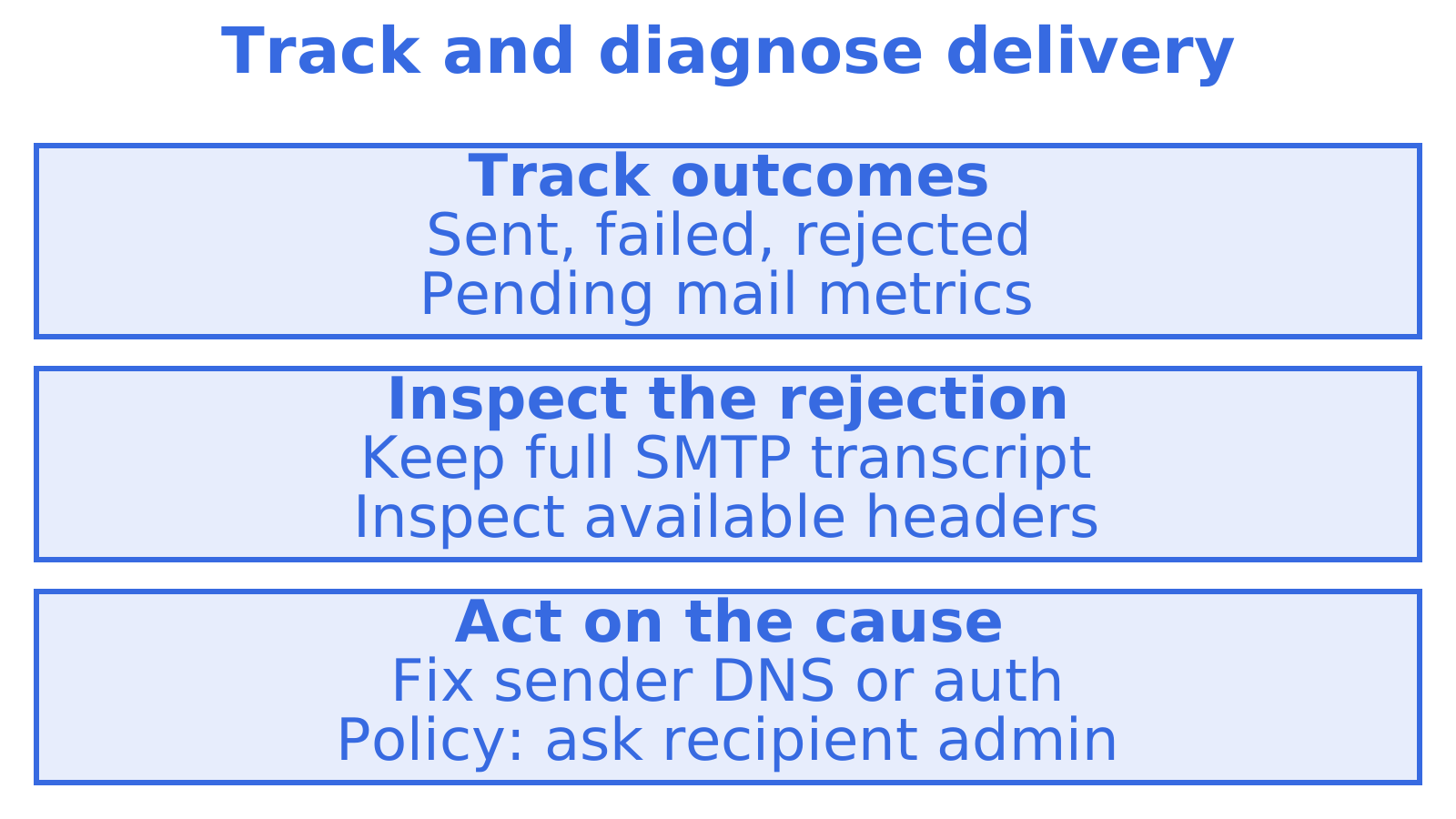
Save the SMTP transcript and run a minimal authenticated test. Compare the reply before changing configuration again. If it points to recipient policy, send the administrator that reply, available headers and a test message so they can check the rule.
A different way to handle sending and diagnostics
When investigating a 550, separate delivery tracking from the rejection details. Sendmux provides team-scoped delivery metrics for sent, failed, rejected and pending mail, and an API endpoint for creating mailbox credentials. Outbound provider selection filters out disabled providers and those at quota, then selects from available providers using configured weights. Use the metrics to review delivery outcomes, and keep the full SMTP transcript and available headers to investigate why a recipient rejected a message.
FAQ
How do I fix an SMTP 550 error?
Start by saving the exact bounce text and SMTP transcript, then match the subcode and vendor message to a likely cause: authentication, content filtering, DNS records or a blocklist listing. Fix that specific cause, retest with a minimal authenticated message, and escalate to the recipient’s provider with full headers if the rejection persists.
What does 550 blocked mean on an email?
It means the receiving mail server refused your message during the SMTP session rather than accepting it for later delivery. The cause is almost always recipient-side policy, spam filtering, an authentication failure on your end, or your sending IP appearing on a blocklist.
What does the SMTP error 550 mean?
SMTP 550 is a permanent failure code, distinct from a 4xx temporary error that invites a retry. The server has made a final decision to reject the message, and the subcode plus any vendor-appended text identifies the specific reason.
How do I fix “550 5.7.26 this mail has been blocked because the sender is unauthenticated”?
This specific reply means the recipient server requires SPF, DKIM or DMARC authentication that your message failed or lacked entirely. Correct your DNS records for all three, confirm your sending IP matches your PTR record, and resend once the authentication checks pass.
Sources
- I receive a 550, 553, or relay-prohibited error when sending email messages | Microsoft Support
- SMTP error from remote mail server after end of data: 550 Message blocked. – cPanel
- NDR error code 550 5.4.1 “Recipient address rejected: Access denied” | Microsoft Support
- Remote server returned ‘554 5.7.0 < #5.7.520 smtp;550 5.7.520 Message blocked because it contains content identified as spam. AS(4810)>’ — Microsoft Q&A
Recommended
Give an agent its own address
Sendmux is the Email Inbox API for AI Agents.