 myagent.mxBLOG
apis & sending · thread reply headers
References Header in Email: How Reply Threading Works
What the References and In-Reply-To headers do, how to set them when your app replies, and how to handle missing or broken thread headers in code.
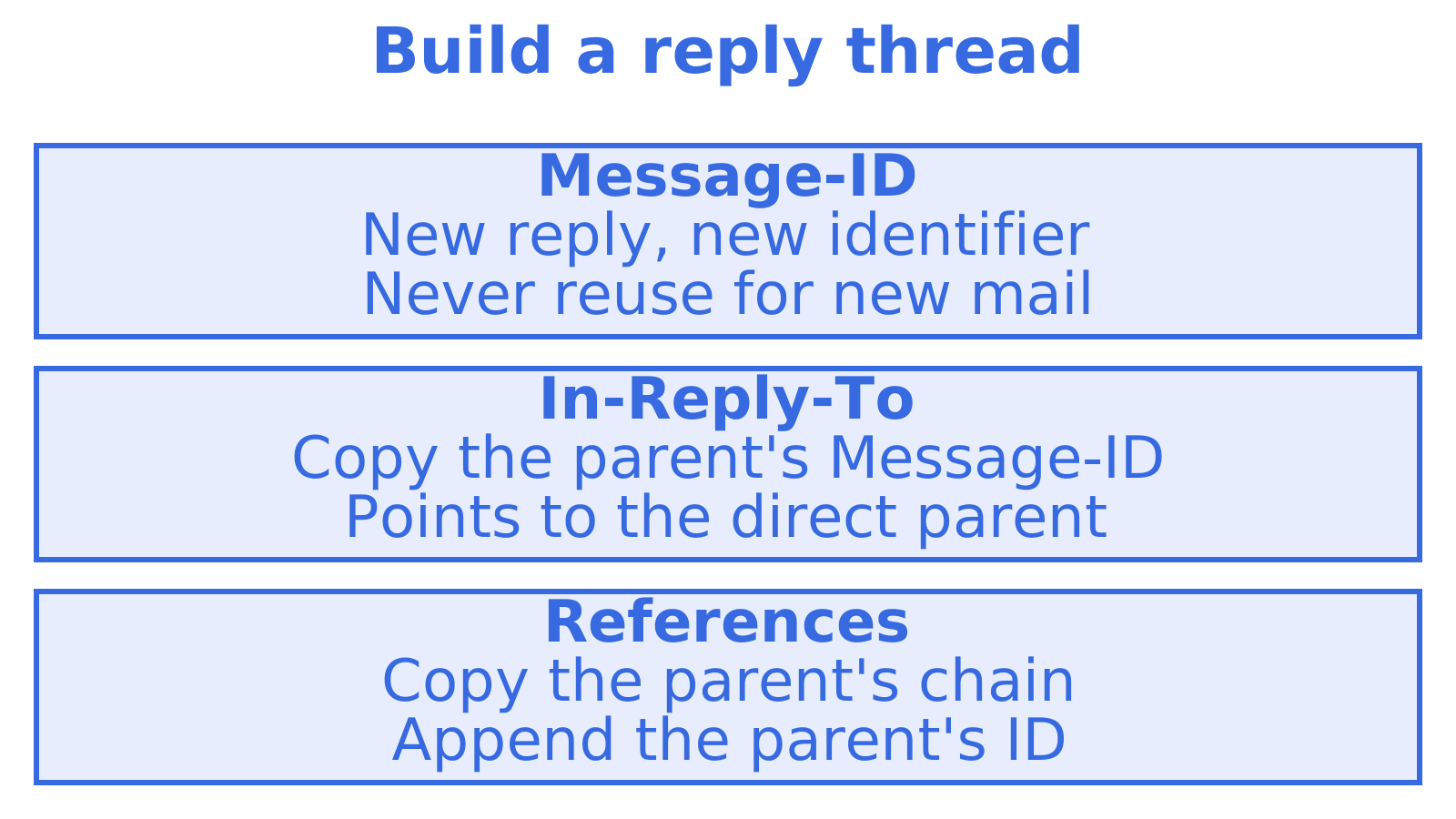
The References header is a list of Message-IDs that ties a reply back to every earlier message in its conversation. Your app builds it by copying the parent’s References value and adding the parent’s own Message-ID at the end. Pair it with an In-Reply-To header that names only the direct parent, give the reply a fresh Message-ID, and mail clients will group the reply into the right thread.
This guide covers what each header holds, how to set them correctly on a reply, what to do when they arrive missing or broken, and where agents and automated senders usually go wrong.
TL;DR
- Message-ID identifies one message. In-Reply-To names the direct parent. References carries the wider chain back toward the start of the thread.
- On a reply, set In-Reply-To to the parent’s Message-ID and References to the parent’s References plus the parent’s Message-ID.
- Never reuse a Message-ID. Duplicates can merge unrelated emails into one conversation.
- If no trustworthy parent identifier exists, leave both reply headers off rather than inventing a chain.
- Store the raw Message-ID, In-Reply-To and References of every inbound and outbound message so you can thread later.
Table of Contents
- What the three headers actually are
- How mail software uses them to build a thread
- Setting the headers when your app replies
- Retrieving and preserving the headers
- When the headers are missing, malformed or inconsistent
- A short checklist before agents go live
- Our perspective
- Give your agent a mailbox that threads
- FAQ
- Sources
What the three headers actually are
Threading rests on three header fields, and they are easy to mix up because their values look alike. Each one is a string of identifiers wrapped in angle brackets, such as <abc123@example.com>.
| Header | What it holds | Who sets it |
|---|---|---|
| Message-ID | One unique identifier for this message | The sending system, once, at creation |
| In-Reply-To | The Message-ID of the message being answered | The replying client or app |
| References | The Message-IDs of the conversation so far | The replying client or app |
RFC 5322, the Internet Message Format standard published in 2008, defines Message-ID as the unique identifier for a particular version of a particular message. It describes In-Reply-To as identifying the message or messages being replied to, and References as identifying the thread by carrying related message identifiers. The same standard recommends that every message carry a Message-ID and that replies carry In-Reply-To and References where appropriate.
A practical way to hold it in your head: Message-ID answers “which message is this?”, In-Reply-To answers “which message am I answering?”, and References answers “what conversation am I part of?”
If you want a deeper look at the In-Reply-To field on its own, we cover it in The In-Reply-To Header: How Email Threading Works.
How mail software uses them to build a thread
The headers are plain text, so the threading itself happens in the receiving software. Jacob Palme’s long-standing guide to thread support in email explains the mechanics. A mail system can keep a database keyed by Message-ID. When a new message arrives with an In-Reply-To value, the system looks up that ID and finds the parent. References lists Message-IDs back toward the start of the thread, and the system can build reverse links from each parent to its replies.
Two details from that guide matter in practice:
- References is a list that points back toward the first message of the thread. Very long lists may be abbreviated, while the first and last message are kept.
- Because lookups are keyed on Message-ID, a wrong or duplicated ID attaches the message to the wrong place.
Helpdesk and inbox products rely on the same idea. Intercom’s email threading documentation says Message-ID is unique, In-Reply-To typically carries the Message-ID of the email being replied to, and References may carry that ID plus earlier IDs in the thread. When an incoming email’s References or In-Reply-To contains a Message-ID that already belongs to a workspace conversation, Intercom threads the new email into that conversation.
That last point is the one to remember. Your headers are not decoration. They are the lookup key another system uses to decide where your message lives.
Setting the headers when your app replies
Here is the recipe, following RFC 5322.
- Generate a new Message-ID for the reply. It must be unique to this message. A random string plus a domain you control works well.
- Set In-Reply-To to the parent’s Message-ID. Copy it exactly, angle brackets included.
- Set References to the parent’s References, followed by the parent’s Message-ID. Separate the identifiers with whitespace, oldest first.
- Apply the fallback when the parent has no References. If the parent has no References field but has an In-Reply-To with a single message identifier, RFC 5322 says to use that identifier as the start of your References, then append the parent’s Message-ID. If the parent has neither, References is just the parent’s Message-ID.
- Omit both headers if you have no usable parent identifier. Do not guess.
A worked example
Suppose a customer writes to your agent, and the thread has already had one exchange.
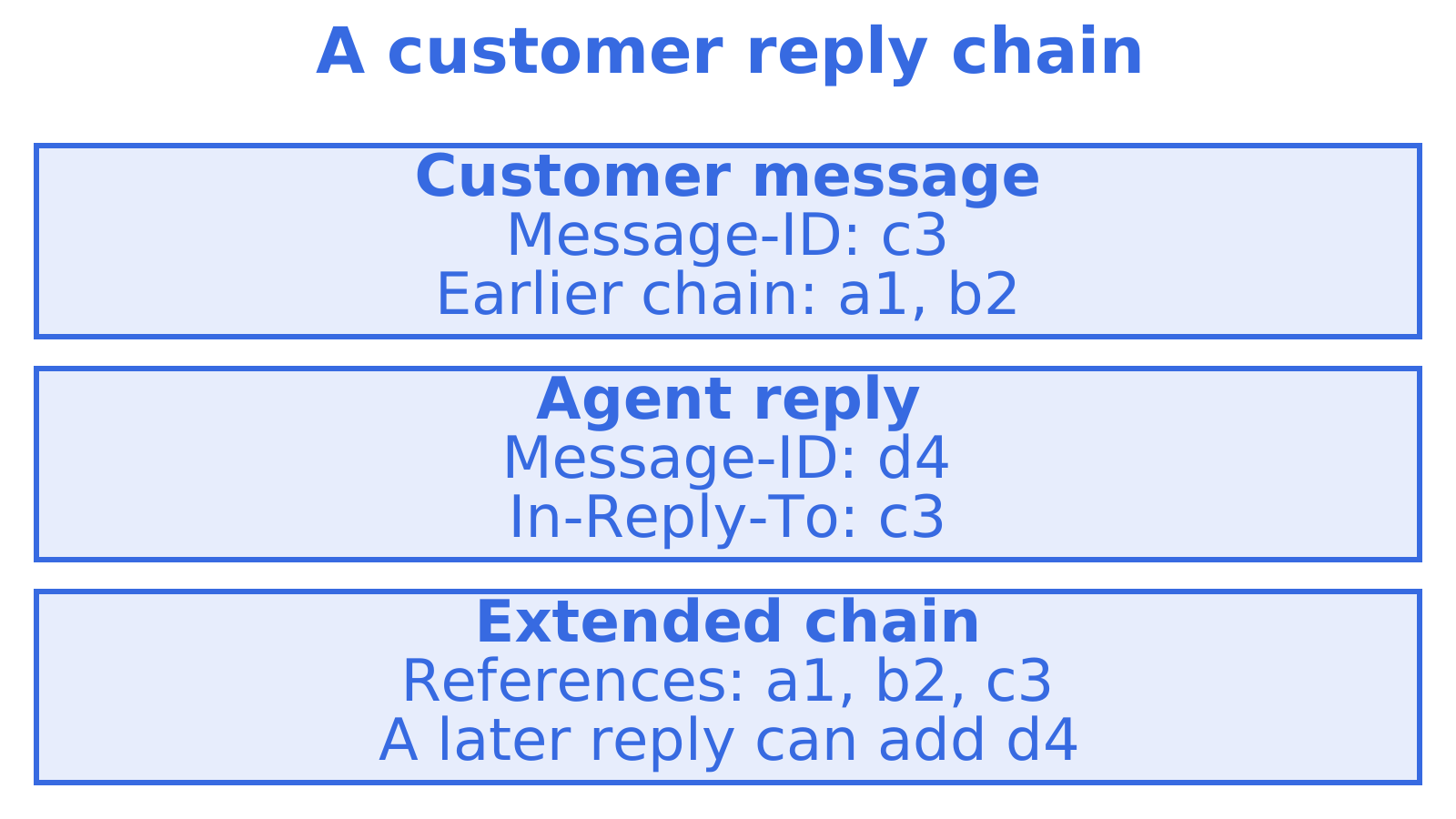
The customer’s latest message, the parent, arrives with:
Message-ID: <c3@customer.example>
In-Reply-To: <b2@agent.example>
References: <a1@customer.example> <b2@agent.example>
Your reply should go out with:
Message-ID: <d4@agent.example>
In-Reply-To: <c3@customer.example>
References: <a1@customer.example> <b2@agent.example> <c3@customer.example>
The new Message-ID is d4, In-Reply-To points at only c3, and References is the parent’s chain with c3 added on the end. When the customer replies again, they will do the same with d4, and the chain keeps growing.
Replying to several messages at once
RFC 5322 does not define how clients should interpret a References chain built from multiple parents, so avoid stitching one together. Pick the single message you are actually answering, usually the latest inbound one, and reply to that.
Subject lines help humans, not threading
Keep the subject consistent with a “Re:” prefix so people recognise the conversation at a glance. Treat the subject as a courtesy to readers. The identifier headers are what threading logic should depend on, and some clients fall back on subject matching only when those headers are absent.
For a broader walkthrough of reply headers and thread IDs together, see Email Threading: Reply Headers and Thread IDs.
Retrieving and preserving the headers
Setting headers correctly on the way out is half the job. The other half is keeping what comes in, because your next reply is built from your stored copy of the parent.
Whatever you use to receive mail, whether SMTP handling, an inbound webhook or a mailbox API, the discipline is the same:
- Store the raw values. Keep Message-ID, In-Reply-To and References as received, as text, before any parsing. If your parser later turns out to be wrong, you can reparse.
- Store your own outbound headers too. The Message-ID you generated for a sent message is the parent for the customer’s next reply. If you lose it, you cannot match the response.
- Index on Message-ID. Treat it as a lookup key, the same way the mail systems described above do.
- Keep a parsed list alongside the raw string. Splitting References into an ordered array of identifiers makes both matching and reply construction simple.
- Check what your provider exposes. Some APIs return headers as a flat list of name and value pairs, others return only a thread ID and hide the headers. Confirm that the three fields come back before you build on them, and that the Message-ID you set on send is the one that goes out.
Sendmux offers structured JSON message content and thread endpoints for retrieving conversation context. You can see how that fits together on the agent inboxes page.
When the headers are missing, malformed or inconsistent
Real mail is messy. Some clients drop References, some truncate it, some forward messages in ways that break the chain. Your code should expect all of this.
Per the RFC 5322 guidance reflected in the research on this topic, a sound approach is:
- Validate each token. A message identifier is a value in angle brackets with a valid structure. Discard or isolate tokens that do not parse, and keep the rest.
- Do not fabricate ancestry. If there is no trustworthy parent ID, do not invent one. A reply with no thread headers is better than one pointing at a message that never existed.
- Fall back only to the defined fields. If References is missing, use In-Reply-To. If In-Reply-To is missing, use the last usable identifier in References. Beyond that, treat it as a new thread.
- Treat conflicts as best effort. When In-Reply-To and References disagree, the direct parent in In-Reply-To and the usable References chain are both signals, not guarantees. Different clients may thread the same mail differently, so do not build business logic that assumes one answer.
The duplicate Message-ID trap
Intercom’s documentation warns that reusing Message-ID values across outbound emails can cause separate emails to be merged into one conversation. This happens in automation more than in human mail: a template engine that hardcodes an ID, a retry loop that regenerates the message but keeps the old ID, or a bulk job that stamps every send with the same value.
Generate the Message-ID at the moment each distinct message is created. If a send fails and you retry the identical message, keep the same ID. If you send a new message, mint a new one.
Other failure patterns we see in agent workflows
- Replying from a different address than the thread used. Clients may still thread by headers, but humans get confused, and some systems match on the participants too.
- Rebuilding the message from a summary. If an agent drafts a reply from scratch without the parent’s stored headers, it has nothing to copy. Pass the parent record into the reply step.
- Rewriting headers in a relay. Some gateways and forwarders modify or strip identifiers. If you route through more than one system, send a test and inspect the delivered headers.
For that last check, inspect the raw headers of a delivered reply to see whether your Message-ID, In-Reply-To and References arrived intact. See also the Email Header Analyzer.
A short checklist before agents go live
Before you let an autonomous agent reply to real people, run these checks on a test thread:
- The reply carries its own unique Message-ID.
- In-Reply-To holds exactly one identifier, the parent’s.
- References equals the parent’s chain plus the parent’s ID, oldest first.
- A second and third reply in the same thread keep extending the chain.
- Replying to a message that has no thread headers does not produce invented ones.
- The reply lands in the same conversation in at least two different mail clients.
- An inbound reply to your outbound message can be matched back to the stored sent message.
We go through a longer version of this list in 8 Email Threads API Checks Before Agents Go Live.
Our perspective
Threading is where agent email either feels like a colleague or like a stranger. A human assistant never has to think about Message-ID, because their mail client does it for them. An agent that sends through a bare sending service has no such help: it has to remember what it received, build the chain, and keep every identifier straight.
That is why we treat the mailbox as the unit, not the send. With a persistent Sendmux mailbox, an agent can retrieve thread metadata and message content for conversation context. Our approach pairs persistent agent mailboxes with mailbox-scoped API keys, so one agent can read and reply inside its own threads without touching anyone else’s.
We also think the safe defaults matter. Pre-claim agents on myagent.mx can receive, read, search and thread mail straight away, while sending waits until a named human owner approves. Threading logic can be built and tested on inbound mail first, with outbound switched on once someone accountable is in the loop.
We’d rather an agent leave a header off than invent one. Honest, boring and standards-based beats clever.
Give your agent a mailbox that threads
If you are building an agent that needs to receive and answer email, the quickest way to test threading end to end is to give it a real mailbox. An agent can register its own @myagent.mx inbox without a human signup form or an existing Sendmux API key. Start at myagent.mx. It can receive, read, search and thread mail immediately, and sending unlocks once its human owner joins and approves. For production use with custom domains and delivery logs, see the Sendmux agent email API.
FAQ
What is the difference between In-Reply-To and References?
In-Reply-To names the message you are directly answering. References carries the wider chain: the parent’s References followed by the parent’s Message-ID. Clients can use In-Reply-To to find the immediate parent and References to place the message in the whole conversation.
Do I need both headers on every reply?
RFC 5322 recommends that replies carry both where appropriate. If you have a usable parent identifier, set both. If you do not, omit them rather than inventing values, and the message will simply start a new thread.
Why did my reply land in the wrong conversation?
The most common cause is a reused Message-ID, which can make separate emails merge into one conversation. The next most common is copying the wrong parent identifier. Inspect the delivered headers of the reply and check that the Message-ID is unique and that In-Reply-To matches the message you meant to answer.
Can I thread emails using the subject line alone?
It is unreliable. Subjects get edited, translated and truncated, and unrelated messages often share a subject. Use the identifier headers as the primary signal and treat the subject as a human-friendly label.
How do I see these headers on a message I received?
Most mail clients offer a “show original” or “view source” option that displays the raw headers. Copy them into a header analyser to read the Message-ID, In-Reply-To and References fields clearly.
Sources
- RFC 5322: Internet Message Format
- Thread support in E-mail, Jacob Palme
- Email threading, Intercom Help
Recommended
Give an agent its own address
Sendmux is the Email Inbox API for AI Agents.