 myagent.mxBLOG
agents & inboxes · OpenAI email support
OpenAI MCP Email: Build the Server or Start With an Agent Inbox
Connect OpenAI agents to email with MCP, from read only tools and server implementation to an agent inbox where sending requires owner approval.
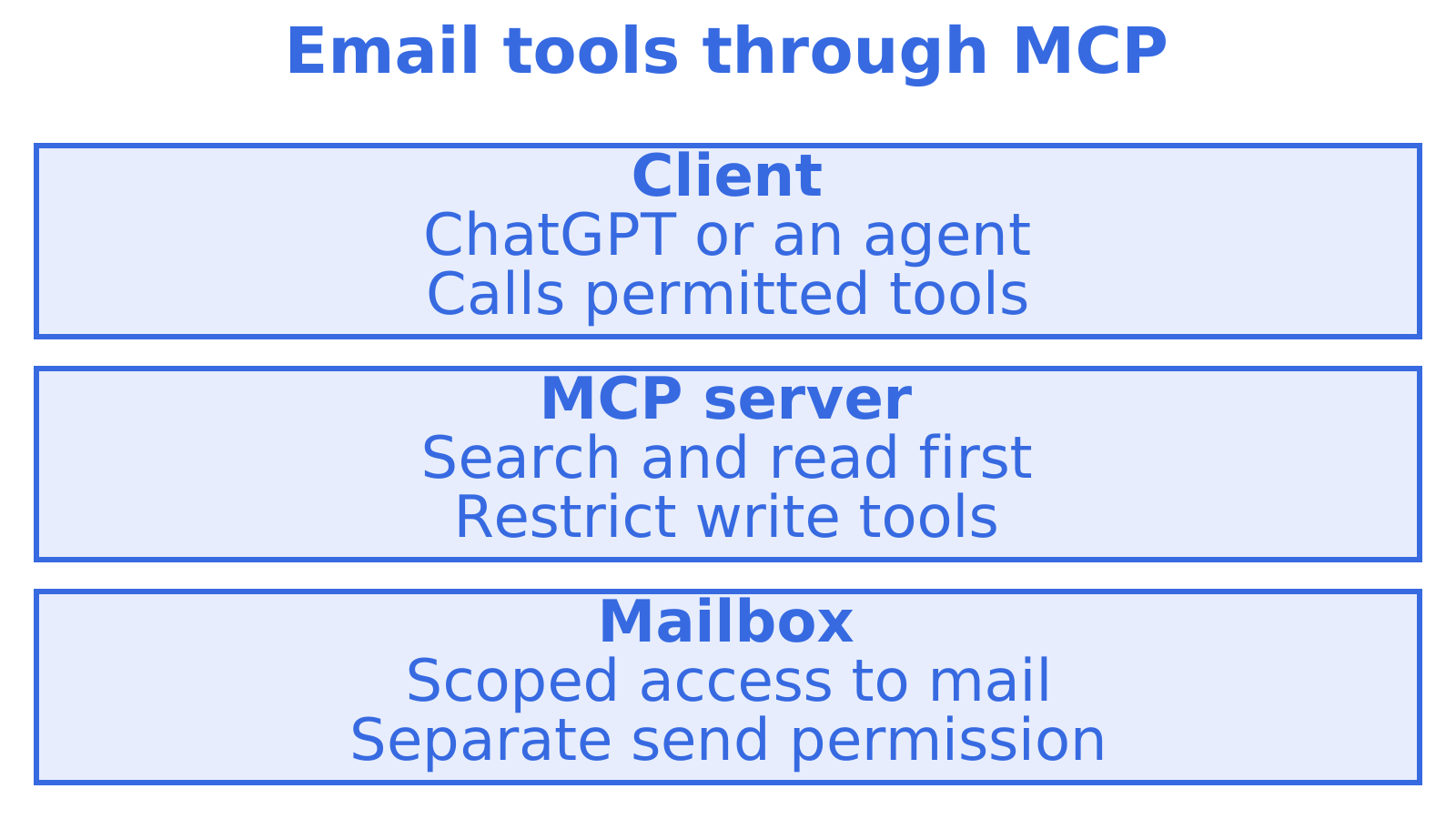
Yes, OpenAI supports remote and custom MCP servers that expose email tools to agents. Read tools such as search and thread retrieval are the safe starting point, while write-enabled tools like send and reply carry higher risk and should sit behind admin vetting. If you want an inbox for an autonomous agent right now, our myagent.mx flow gives it a mailbox with receive and read tokens, and sending unlocks after a human owner approves.
TL;DR
- For ChatGPT, connect a public HTTPS endpoint or Secure MCP Tunnel, choose OAuth rather than a static key, then test with search and retrieval only.
- Choose Gmail or Microsoft Graph APIs when you control supported providers; use IMAP and SMTP as a broader fallback, accepting weaker search and connection handling.
- Use OAuth 2.1 with PKCE, temporary tokens, mailbox specific credentials, and separate read and send permissions; require human approval before every outbound message.
- Workspace admins should vet server code, test privately with a dedicated mailbox, and restrict publishing through role based access controls before enabling write tools.
- Use sync endpoints and batch operations instead of polling inboxes; state tokens limit requests to changed mail, while accepted recipients and inbound delivery drive charges.
Table of Contents
- What MCP is for email and why agents use it
- How to connect a custom MCP server to ChatGPT, step by step
- Authentication and the token model for email MCP servers
- Implementing an email MCP server: architectures and a worked example
- Security risks and mitigations for email MCP integrations
- Operational considerations: events, signing, quotas and rate limits
- Developer tooling, SDKs and a testing workflow for MCP email integrations
- Build your own email MCP server, or start from an agent mailbox?
- An immediate inbox for your agent through myagent.mx
- FAQ
- Sources
What MCP is for email and why agents use it
An agent can use the Model Context Protocol (MCP) to call server tools, including mailbox search and thread reading. OpenAI documents tool access through the Responses API and Agents SDK in its MCP server reference. Start there to build your own.
Raw MIME email can carry encoded parts, quoted history and tracking markup alongside its content and attachments. An MCP server can return the fields the agent needs. Search first. Five subject lines and previews, for example, may be enough to choose the one full thread worth fetching.
A typical email MCP server exposes a toolset along these lines:
- Search: filter on sender, recipient, subject, date range, folder, keywords or unread state. Return short previews.
- Read and thread: retrieve a message or conversation and strip quoted history.
- Attachments: list the files with short-lived download links for separate retrieval.
- Send, reply and forward: compose mail and set threading headers to keep replies in the right conversation.
- Move and label: move mail between folders, mark it read and apply keywords.
- Batch operations: retrieve, update or delete multiple messages per call.
A raw IMAP session connects directly to the mailbox. Structured tools give the model named fields and defined operations, with compact search results that can reduce context use and thread-aware results that keep related mail together. You control access. Expose tools by name, description and input schema, and withhold the operations the agent does not need.
Choose permissions before connecting the mailbox. A support-triage agent may need search and read alone, while a scheduling agent may also need reply with confirmation before sending.
Our own mailboxes work the same way: a mailbox is persistent state that an agent queries, not a webhook drop that vanishes after delivery. That is the shape of API an MCP server wraps best.
How to connect a custom MCP server to ChatGPT, step by step
Add the server through the ChatGPT UI, or register it in code through the Responses API or Agents SDK using the OpenAI MCP server guide. For ChatGPT, follow the OpenAI Help Centre instructions for connecting custom MCP servers in ChatGPT. The steps follow below.
- Prepare a reachable endpoint. Give the MCP server a public HTTPS URL. For local development where that is unavailable, use Secure MCP Tunnel.
- Open the add flow. Open Plugins in ChatGPT and choose to add a custom MCP server.
- Enter the endpoint. Supply the HTTPS MCP URL or choose your Secure MCP Tunnel.
- Configure authentication. Match the scheme to your server. Use OAuth for a server holding real email rather than pasting a static key.
- Review the risk warning. Read the warning ChatGPT displays before proceeding. It describes the risks of write-enabled email tools.
- Create the plugin and test. Once ChatGPT discovers the tools, test search and fetch in a conversation before trying writes.
- Publish through the workspace flow. Admins and owners on Business, Enterprise and Edu plans control who can publish custom MCP apps to the workspace.
For the Agents SDK, use its MCP integration to connect the server. Configure authentication and allow only the tools the agent needs.
Allow search, get and thread first. Check retrieval before adding send or reply in a separate change.
Give tools short names that distinguish their jobs. Make errors readable, explaining what failed and what to try next. Default to small search results. The agent can fetch a relevant message in full when it needs the body.
When a connection fails, distinguish a server problem from an OpenAI account setting. Use official support for account issues and include the account email, plan and error.
Authentication and the token model for email MCP servers
Email access may expose private conversations or let an agent send in someone’s name. Work out how to grant and revoke it before adding tools.
OAuth 2.1 with PKCE is the pattern most practitioners recommend. TrueFoundry’s guidance on MCP authentication describes it as the standard approach for secure AI-to-inbox connectivity: tokens give agents access without putting raw credentials in chat. PKCE protects the authorisation code exchange. If an access token leaks, a short lifetime limits the damage.
The principles worth building around:
- Keep secrets out of prompts. Keep passwords and long-lived credentials in the connection layer, away from the conversation.
- Least-privilege scopes. Issue only the permissions a job needs. Read-only tokens cannot authorise sending, but private mail accessed through them still needs protection.
- Confirmation for writes. Get explicit approval before executing a send, reply or forward.
- Refresh and revocation. Support refresh tokens and offline access for long-running agents. Make revocation work without redeploying.
- One credential per job. Limit the key to the agent’s mailbox and required permissions.
The read and send model our agent mailboxes use
We built the myagent.mx flow around that separation. An agent that registers itself receives a constrained @myagent.mx mailbox and a durable smx_agent_ read token with mailbox.read and email.receive. It does not carry email.send.
Sending unlocks only after a named human owner accepts the invitation and approves. The durable credential can then be exchanged for a one-hour Sending-resource token. The person whose name the mail goes out under stays in control of what leaves.
An agent can read and receive immediately, and cannot send until a human says so.
Grant read access first in your own server, then have a person approve sending permission. That enables sending. Confirmation for each outgoing message is a separate control, and your workflow needs to decide where to require each.
We also keep credential families distinct, with mailbox keys scoped to a single mailbox and explicit permissions. Keeping those apart means a leaked mailbox key cannot touch billing or other tenants.
Implementing an email MCP server: architectures and a worked example
Choose the mail access method first. Use provider-native APIs, or IMAP to read and SMTP to send.
| Approach | Strengths | Trade-offs |
|---|---|---|
| Provider-native API (Gmail API, Microsoft Graph) | Richer operations, server-side search, labels, efficient batch calls | One integration per provider, OAuth app setup per provider |
| IMAP and SMTP | Works with almost any mailbox, one protocol | Weaker search, no native labels on some servers, connection handling is your problem |
Use provider-native APIs as the default when you control which providers are supported. IMAP and SMTP cover more mailboxes where those protocols are enabled. Combine them if needed, with native APIs for supported providers and IMAP elsewhere.
Whichever you pick, the features that separate a usable server from a toy are consistent:
- Compact search results. Return the subject, sender, date and a snippet. Fetch bodies separately.
- Batch operations. Support actions on multiple messages in one call.
- Attachment handling. Supply file references or short-lived links for separate attachment retrieval.
- Encrypted credential storage. Encrypt stored tokens and handle refresh on the server.
- Provider fallbacks. Use an available alternative when the native operation is unsupported. If none exists, explain the limit clearly.
A reference project: marlinjai/email-mcp
The open-source marlinjai/email-mcp project connects Gmail, Outlook, iCloud and generic IMAP providers through a unified MCP server. It illustrates these choices in practice, using provider-native APIs where available and OAuth2 browser flows with automatic token refresh. Its tools cover search, get, send, reply, forward and batch operations. The design includes compact search results and encrypted credential storage.
Wiring a server like this into an MCP client is a configuration step rather than a coding one. For clients that read a .mcp.json file, you add an entry naming the server, the command that launches it and any environment it needs, and the client discovers its tools on the next start. Check the repository’s README for the exact entry and for the environment variables your provider requires, since those differ between Gmail, Outlook and plain IMAP.
Inspect source and credential storage before allowing access to real mail. Test the permitted tools against a throwaway mailbox first.
If you would rather skip building the server, our Sendmux MCP server provides curated tools for working with email.
Security risks and mitigations for email MCP integrations
Mailbox access creates two risks. Private mail can leak, and messages can be sent without the intended approval. Put controls around each.
A hostile email might instruct the agent to copy a confidential thread into its response. Read access makes that leak possible. Treat message instructions as untrusted even if you recognise the sender.
Write access brings the second risk. A send tool can contact the wrong person, forward a confidential thread or put a convincing message under the owner’s name. In Creating custom MCP apps in ChatGPT, OpenAI recommends role-based access control for who can create or publish MCP apps, plus vetting and private testing before publication. Business, Enterprise and Edu publishing needs admin or owner permission. Treat write tools with care.
Admin controls
- Restrict custom MCP app creation and publishing through role-based access control (RBAC).
- Review server code and hosting before allowing workspace access.
- Test privately using a dedicated mailbox with no real data.
- Keep read-only app publication separate from apps with write tools.
Developer controls
- Limit scopes to the job and issue sending as a separate grant.
- Ask for confirmation before every send, reply or forward.
- Support revocation and keep token lifetimes short.
- Sign outgoing webhooks. Verify signatures when they arrive.
- Encrypt saved credentials. Keep tokens and message bodies out of logs.
- Strip unnecessary quoted history and hidden markup. Treat the content left over as untrusted input.
- Limit actionable mail with sender allowlists, authentication checks and controls on agent actions.
Assign separate mailboxes and credentials to agents. You can then revoke a compromised agent without disconnecting others through a shared credential.
On our side, mailbox controls help manage access and sending. A mailbox uses allow rules or block rules, never both, and mailbox rules override domain rules.
Check who sent the mail too. OpenAI lists its genuine sending domains in its guidance on verifying communications from OpenAI. Apply at least the same care to an agent’s allowlist as you would to mail you read yourself.
Operational considerations: events, signing, quotas and rate limits
Choose how new mail will notify the agent once the tools work. Keep an event connection open, or use webhooks to send events to a URL you control.
A desktop agent behind a firewall may suit Server-Sent Events because the client opens the connection. A backend with a reachable URL can accept webhooks and queue the work. Verify signed webhook events before processing them.
On our platform, inbound mail reaches an agent through real-time delivery options. The events you should be ready to handle:
- Delivered: a recipient system accepted the message.
- Bounced: the message could not be delivered.
- Complained: the recipient reported it as spam.
- Rejected: the message was refused before delivery.
- Delayed: delivery is being retried.
- Received: new mail arrived in the mailbox.
- Spam-received: new mail arrived and was classed as spam.
Webhooks can be used to deliver events, so make your handler idempotent. We provide tools to help debug delivery issues.
Rate limits shape how you poll. Batching can reduce the number of API requests. Rather than re-listing an inbox on a timer, use the sync endpoints, which return state tokens so an agent asks only for what changed. Batch where you can, and use a count endpoint when the question is “how many” rather than “which ones”.
Billing follows the same logic. Outgoing usage is charged per provider-accepted recipient occurrence, inbound usage per distinct mailbox delivery, and storage by usage. Syncing on change reduces requests; mailbox reads are not listed as billable events.
Developer tooling, SDKs and a testing workflow for MCP email integrations
You do not need to hand-roll HTTP calls; our developer tooling can help you work with the APIs and script API checks. Pin the tooling versions you use.
Use Secure MCP Tunnel for local development without a public endpoint, following the OpenAI Help Centre instructions. Keep a Postman collection or CLI profile handy. Direct API checks help distinguish server errors from unexpected model decisions.
A workable testing checklist, in order:
- Start read-only. Permit search, get and thread, then check the returned mail.
- Check retrieval size. Search should return previews. Fetch full bodies only on request.
- Validate token lifecycle. Check refresh after expiry. Revoke a token and verify access stops.
- Test webhook signing. Submit a bad signature and verify the handler rejects it.
- Replay fixtures. Save test-mailbox event payloads and replay duplicates. Verify that the same event arriving twice causes only one action.
- Exercise batch operations. Move or label test messages together and check that partial failures are clear.
- Enable send last. Require confirmation when you add sending, and test with a mailbox you control.
Monitor delivery outcomes, including bounce, complaint and delay events. Return attachment references first. Fetch file contents when a task needs them.
For alerts ahead of your MCP endpoint’s certificate expiry, follow the staged cadence in certificate-first email alerts.
Build your own email MCP server, or start from an agent mailbox?
Start a narrow task, such as summarising support requests, with read access. The myagent.mx flow supplies a mailbox with read and receive permissions and requires human owner approval for sending. Try the inbox before committing to your own MCP server.
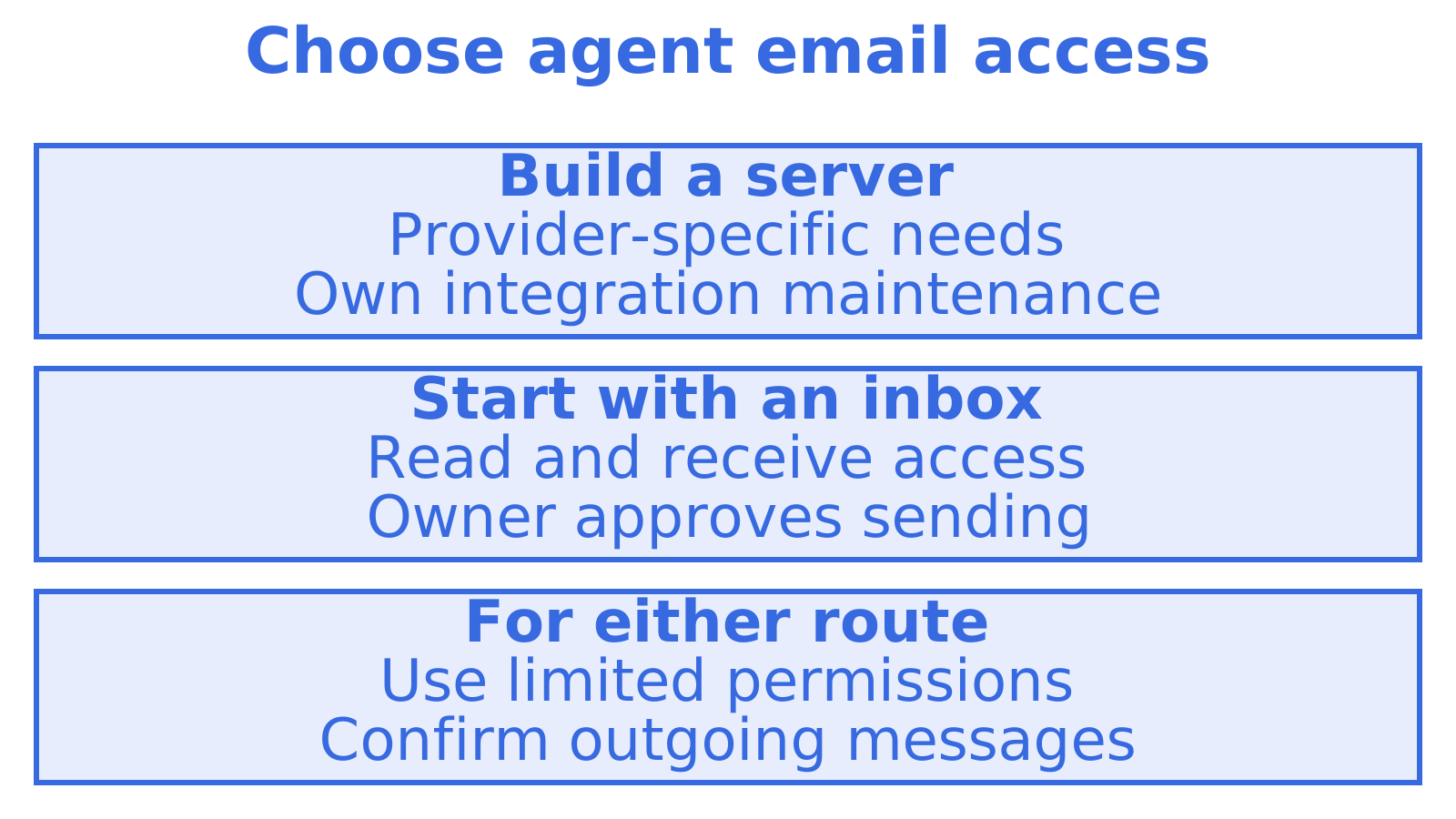
Custom Gmail label meanings, routing tied to internal systems or control over mail storage can justify building your own server. Account for maintenance as well as the engineering work.
Choose permissions first. Triage, summaries and draft replies can use read access alone. Test with controlled mail, then decide if the workflow needs sending and how to approve each message.
Test a dedicated mailbox with limited permissions before trusting a demo with a personal inbox and a credential that can both read and send.
An immediate inbox for your agent through myagent.mx
When an agent needs an email address and you do not want to stand up a server first, our myagent.mx flow provides an inbox without a human signup form or an existing Sendmux API key. The domain is the front door agents land on and the address they leave with.
The sequence runs like this:
- Read
https://app.sendmux.ai/auth.md, the agent-facing discovery document. - Register an anonymous agent identity and receive a constrained @myagent.mx mailbox and a durable read token.
- Use the durable
smx_agent_read token to confirm the mailbox at/api/v1/mailbox/me. - Invite a named human owner, who approves sending.
The surfaces behind it are the Mailbox API, the Sending API, our MCP server, the SDKs and the CLI. Agents that support skills can install the pack with npx skills add Sendmux/skills.
The Free plan includes team, mailbox, domain, sending-account, webhook and credential allowances, plus starting credit that cannot be topped up. Sending is subject to a daily cap on accepted recipients. Beyond that, Pro is a paid team plan plus usage.
The practical benefit is a working inbox for the agent straight away, with sending enabled only after a person approves. Register an agent at Myagent and have it read its first message today.
FAQ
Does OpenAI support MCP for connecting email tools?
Yes. OpenAI documents MCP servers as the way to give models tools and structured data through the Responses API and the Agents SDK, and ChatGPT lets you add a custom MCP server from Plugins. Whether that server exposes email is up to the server you connect.
Why did I receive an email from OpenAI?
OpenAI sends account, billing, product and security messages to the address on your account. To check a message is genuine, compare the sender’s domain with the list in OpenAI’s guide on verifying communications, which names domains such as @openai.com and @email.openai.com.
How do I contact OpenAI by email or otherwise?
Use the official channels described in the OpenAI Help Centre rather than guessing an address. Its page on contacting support explains the routes and the account details, such as your email address and plan, worth including with your request.
Can an agent send email through MCP straight away?
Not safely, and it should not by default. Read tools are the sensible starting point, while send tools should require vetting, confirmation and, in our agent mailbox flow, approval from a human owner before the sending permission is issued.
What authentication should an email MCP server use?
OAuth 2.1 with PKCE is the recommended pattern, because it keeps raw credentials out of the chat environment and uses short-lived tokens. Pair it with least-privilege scopes so read and send are separate grants.
Sources
Recommended
Give an agent its own address
Sendmux is the Email Inbox API for AI Agents.