 myagent.mxBLOG
deliverability · email rate limiting
Stop Exchange Throttles: Email Rate Limiting for Engineers (30/min)
Ops guide mapping Exchange and SES quotas and RFCs to practical controls: stream isolation, token bucket limits, safe retries, and Sendmux signals.
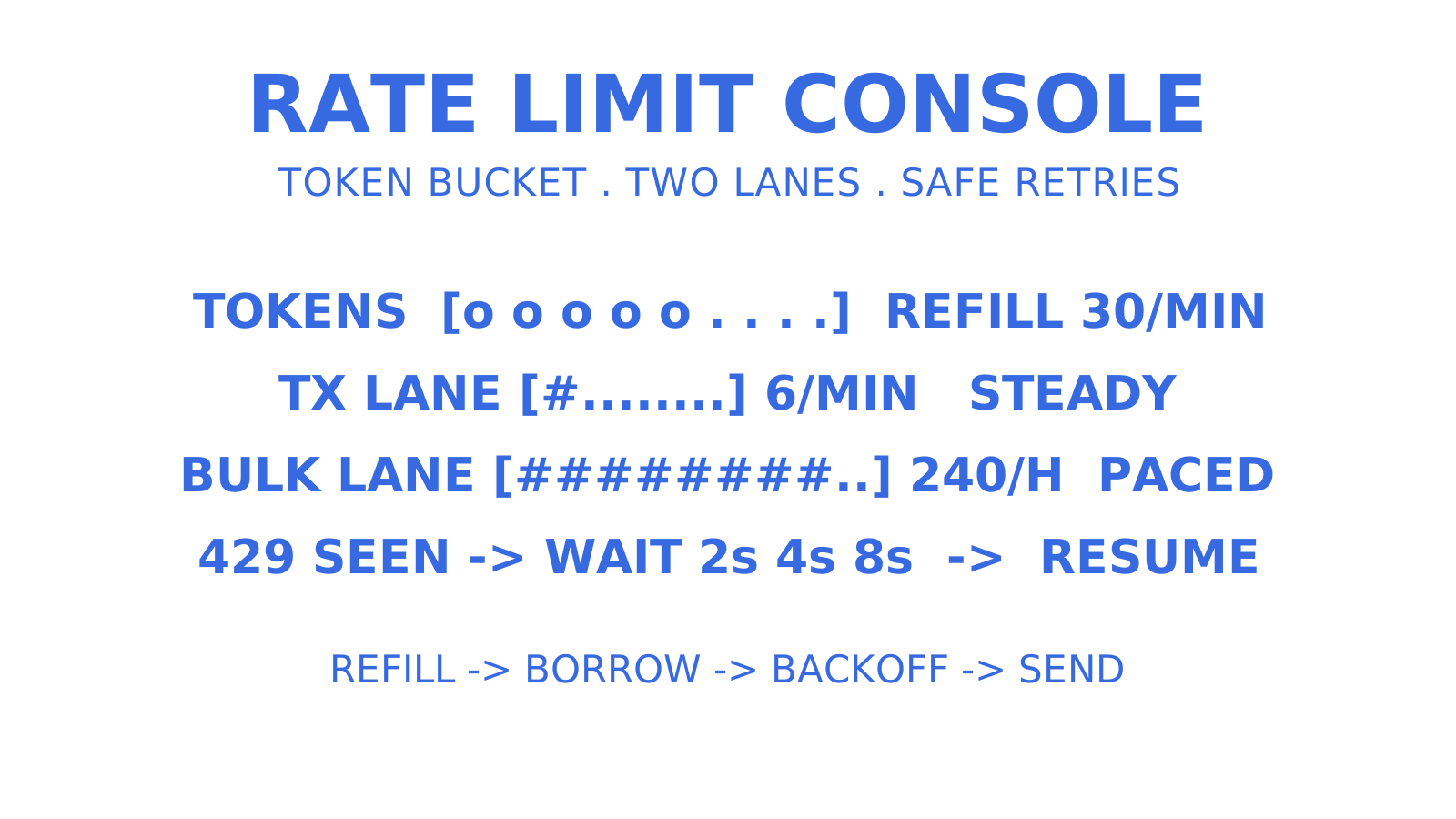
Email rate limiting is the set of provider and application controls that cap how many messages, connections, or recipients you can send in a given window, protecting infrastructure and sender reputation from abuse. If you’re hitting throttling errors right now, check your provider’s current quotas first, then put exponential backoff and stream isolation between your application and the wire. Everything below explains why, and how to build it properly.
TL;DR
- As an illustrative starting point, measure your application’s own limit around 15 to 20 percent below ISP quotas, then tune that margin against observed network jitter and concurrency behaviour.
- Isolating transactional and bulk email streams with separate quotas and IP addresses reduces the risk that one type of sending holds up the other, though shared upstream budgets can still couple the streams.
- Monitoring retries, queue depth, and response patterns like 4xx or 429 responses helps identify throttling early and prevents outages.
- Implementing operation idempotency, circuit breakers, and respect for Retry-After headers bounds retry load and reduces avoidable escalation, without guaranteeing that an account never faces suspension.
- Using protocol extensions like RFC 9422 and MTAs with built-in rate controls helps clients adapt to provider-imposed limits before rejection.
Table of Contents
- What is email rate limiting? Common behaviours and error codes
- Rate-limiting algorithms and their trade-offs
- How to implement stream isolation, deduplication, and safe retries
- SMTP and MTA controls: Postfix, Exchange, and the LIMITS extension
- Monitoring and observability for rate-limit events
- Operational notes from Sendmux and myagent.mx
- Prioritise the controls that actually prevent outages
- Where Sendmux fits into your rate-limiting setup
- Sources
- FAQ
What is email rate limiting? Common behaviours and error codes
Rate limits come from two directions. Server-side limits sit with your ISP or ESP and cap connections, messages per minute, or recipients per day. Application-side limits are ones you build yourself, usually to stay well clear of the server-side ceiling before it bites.
Exchange Online caps SMTP Authenticated Submission at 30 messages per minute, 10,000 recipients per day, and up to three concurrent connections. Exceeding them surfaces differently: 432 4.3.2 flags the three-connection cap, and the full 554 5.2.0 STOREDRV.Submission.Exception:SubmissionQuotaExceededException diagnostic pinpoints the 10,000-recipient limit, while a bare 554 5.2.0 can also mean a full mailbox. Microsoft documents over-rate handling differently across its pages — from throttling that carries excess into following minutes to rejected submissions the client must retry — so read the complete enhanced reply your server actually returns and keep any rejected message queued for a correct retry rather than assuming it was accepted. Amazon SES handles it differently: its API returns a ThrottlingException with a message like “Maximum sending rate exceeded” or “Daily message quota exceeded” and recommends waiting up to ten minutes before retrying, while its SMTP interface reports 454 Throttling failure for the same conditions.
What you’ll actually see in logs and API responses:
- 4xx codes (temporary, retry with backoff)
- 429 (Too Many Requests, common on modern REST-based sending APIs)
- 554 (permanent rejection, often session or policy related)
- SES-specific throttling exceptions with a daily quota message
Pro Tip: A 432 4.3.2 from Exchange means you’ve exceeded the three-connection cap, not a message-rate cap. A bare 554 5.2.0 is ambiguous — mailbox-full produces it too — so when you’re pinning the 10,000-recipient ceiling, look for the full 554 5.2.0 STOREDRV.Submission.Exception:SubmissionQuotaExceededException diagnostic and interpret the complete server response before you decide which limit bit you.
Rate-limiting algorithms and their trade-offs
Four algorithm shapes — token bucket, leaky bucket, sliding window, and fixed window — cover the rate-limiting patterns you’ll meet in sending systems, and picking the wrong one for your traffic shape is a common design mistake.
- Token bucket: tokens refill at a fixed rate and each send consumes one; unused tokens accumulate up to a cap, so short bursts are allowed. This suits transactional mail, where a password reset or order confirmation needs to go out the moment it’s triggered, not queued behind a steady drip.
- Leaky bucket / sliding window: a leaky bucket paces requests into a constant outflow regardless of how they arrive, while a sliding window counts the requests inside a moving interval and rejects once the window is full. Bulk sends and digests suit leaky-bucket pacing, since ISPs reward predictable, even delivery over spiky bursts.
- Fixed window: resets a counter every interval (say, every minute), which is simple to implement but creates edge cases: a sender can hit the cap at the end of one window and the start of the next, doubling the effective burst.
Distributed systems add another layer of difficulty. If your sending workers each keep a local counter, you’ll overshoot the real limit under concurrency, and no headroom margin fixes that on its own: the workers need to share or partition the capacity budget. No universal margin is established by provider guidance; pick an illustrative starting margin — say 15 to 20 percent below the ISP’s published ceiling — and tune it against measured clock drift, network jitter, and retry overlap between distributed workers.
How to implement stream isolation, deduplication, and safe retries
Get these patterns right and you’ll rarely see a hard throttle in production.
- Isolate streams. Run transactional and bulk mail through separate quotas, and ideally separate sending IPs or providers, so a rate-limited marketing blast doesn’t hold up password resets — while remembering that shared upstream budgets, like a common mailbox, tenant, or provider account, can still couple the streams.
- Quota by identity, not just IP. Per-user and per-API-key quotas hold up far better than IP-based limits, especially for public-facing endpoints where NAT and shared infrastructure make IP-only limits unreliable. Production patterns for abuse prevention start with per-user limits and recipient deduplication as the fastest wins.
- Deduplicate recipients. Deduplicate recipients within a single send, and give retries a stable operation identifier so a repeated request can’t fire the same email twice — recipient-level deduplication alone can’t tell a retry from a legitimate second email to the same address, which matters once you’re running queues with at-least-once delivery.
- Add a circuit breaker. When a provider starts returning sustained 4xx or 429 responses, stop hammering it and fail fast instead of queuing more load behind a wall.
- Back off with jitter, and respect Retry-After. Skipping jitter causes synchronised retry storms across workers and drives avoidable retry load toward the provider — a recognised escalation risk, not a guaranteed outcome.
Pro Tip: Log the actual Retry-After value your provider sends, even if you don’t use it in the retry calculation yet. When you’re debugging a throttling incident at 2am, that value is the provider’s instructed wait — an HTTP-date or delay-seconds — and tracking it over time shows how the provider is pacing you, though it won’t reveal the underlying rate window or quota on its own.
SMTP and MTA controls: Postfix, Exchange, and the LIMITS extension
MTA-level controls protect the mail server itself, and they work at a different layer to your application logic.
Postfix ships with anvil, a built in monitor that tracks short-term per-client connection, message, and recipient counts, paired with smtpd_client_*_rate_limit settings to cap bursts. postscreen and policyd extend this with connection-level filtering and policy-based accounting. The catch: anvil’s counters are protective, not durable — they reset and don’t survive a restart, so any per-sender quota you need to hold reliably across time has to live in a policy service or your own application.
Exchange Server receive connectors enforce their own concurrent connection caps and per-minute message limits through settings like MessageRateLimit and MaxInboundConnectionPerSource, while the 30-per-minute, 10,000-recipient-per-day, and three-connection caps on SMTP Authenticated Submission are Exchange Online service limits on the submitting mailbox itself — separate layers, not one connector setting.
RFC 9422 defines the LIMITS SMTP extension, letting a server advertise command-count limits directly in its EHLO response — MAILMAX for MAIL FROM commands per session, RCPTMAX for RCPT TO commands per transaction, and RCPTDOMAINMAX for distinct recipient domains per session — so a well-built client can size its session and transaction batches before the server cuts it off.
| Control | Layer | What it enforces |
|---|---|---|
| Postfix anvil | MTA, short-term | Connections, messages, recipients per client |
| Exchange Server connectors + Online submission limits | MTA and service | Concurrent connections and per-minute messages at the connector; per-minute, per-day, and connection caps on the submitting mailbox in Exchange Online |
| RFC 9422 LIMITS | Protocol | Advertised command-count limits (MAILMAX, RCPTMAX, RCPTDOMAINMAX) via EHLO |
| Application quota service | App layer, durable | Per-user/per-key budgets across restarts and workers |
Trusted-network whitelisting can bypass rate checks for internal relays, but it’s worth treating cautiously. A misconfigured internal system on a whitelisted range inherits a bypass of exactly those connection and rate checks — not of every applicable send control — and that’s exactly how internal bugs turn into external blacklisting incidents.
Monitoring and observability for rate-limit events
You can’t fix what you can’t see, and rate-limit failures tend to be silent until they’re not.
Track these as first-class metrics, not afterthoughts:
- Rate-limit hit counts, broken down by provider and stream
- Retry-After values observed, tracked over time as an early signal of tightening quotas
- Queue depth per sending stream
- Per-stream throughput against its configured budget
- Circuit-breaker state changes (open, half-open, closed)
Log signals worth alerting on include clusters of 4xx and 429 responses, Exchange’s documented throttling codes such as 432 4.3.2 and 554 5.2.0, NOQUEUE rejections in Postfix logs, and sudden connection spikes from a single client. Set alert thresholds on sustained rate-limit spikes rather than single events, since one throttled request is normal traffic; a rising trend in Retry-After volumes or queue growth is the early warning that actually matters.
Operational notes from Sendmux and myagent.mx
Running mailboxes at scale means the quota problem exists at two levels: the mailbox and the provider underneath it. Sendmux enforces both.
- Mailbox-scoped API keys (
smx_mbx_) carry explicit send, receive, read, and update permissions, so a compromised key is confined to one mailbox’s authorisation and a per-key request-rate limiter bounds how fast it can call the API — though mailbox mail still draws on shared provider-account recipient quotas, so key scoping alone doesn’t isolate a team’s sending capacity or reputation. - Delivery groups route traffic across a customer’s own connected providers, where the product’s domain eligibility determines which mailboxes can use connected-provider routing, with per-provider recipient quotas configured per second, minute, hour, and day, so traffic is shaped to what each provider account is set to tolerate rather than by one blunt global cap.
- The
GET /mailbox/sessionendpoint reports supported features, state tokens, and request-shape limits such as batch and message sizes, letting a client size its requests correctly from the start — capability discovery in the same spirit as RFC 9422’s EHLO-advertised limits, though it reports request limits, not a provider send-rate quota.
Pro Tip: If you’re running multiple sending providers behind one application, don’t rely on a single global rate counter. Track quota consumption per provider account, because a healthy account and a throttled one look identical from your app’s point of view until you check the provider-level number.
If you’re evaluating new sending IPs or a fresh domain against these limits, pairing rate controls with a proper domain warm-up schedule matters more than most teams expect. ISPs read a sudden volume jump on an unwarmed domain as a much stronger abuse signal than the same volume on an established one.
Prioritise the controls that actually prevent outages
Get stream isolation, safe retries, and monitoring working first. Fine-tuning thresholds without those three in place is polishing a system that will still fail under load. Watch IP-only limits carefully when traffic comes from NATed pools, and always test your limits under real load before trusting them in production.
Where Sendmux fits into your rate-limiting setup
Building rate limiting from scratch means juggling per-provider quotas, mailbox-level budgets, and durable accounting across distributed workers, all before you’ve sent your first message. Sendmux handles the mailbox side of that problem directly: every mailbox gets its own scoped API key with explicit send, receive, and update permissions, so authorisation and per-key request-rate enforcement happen at the sender level, not bolted on as an afterthought.
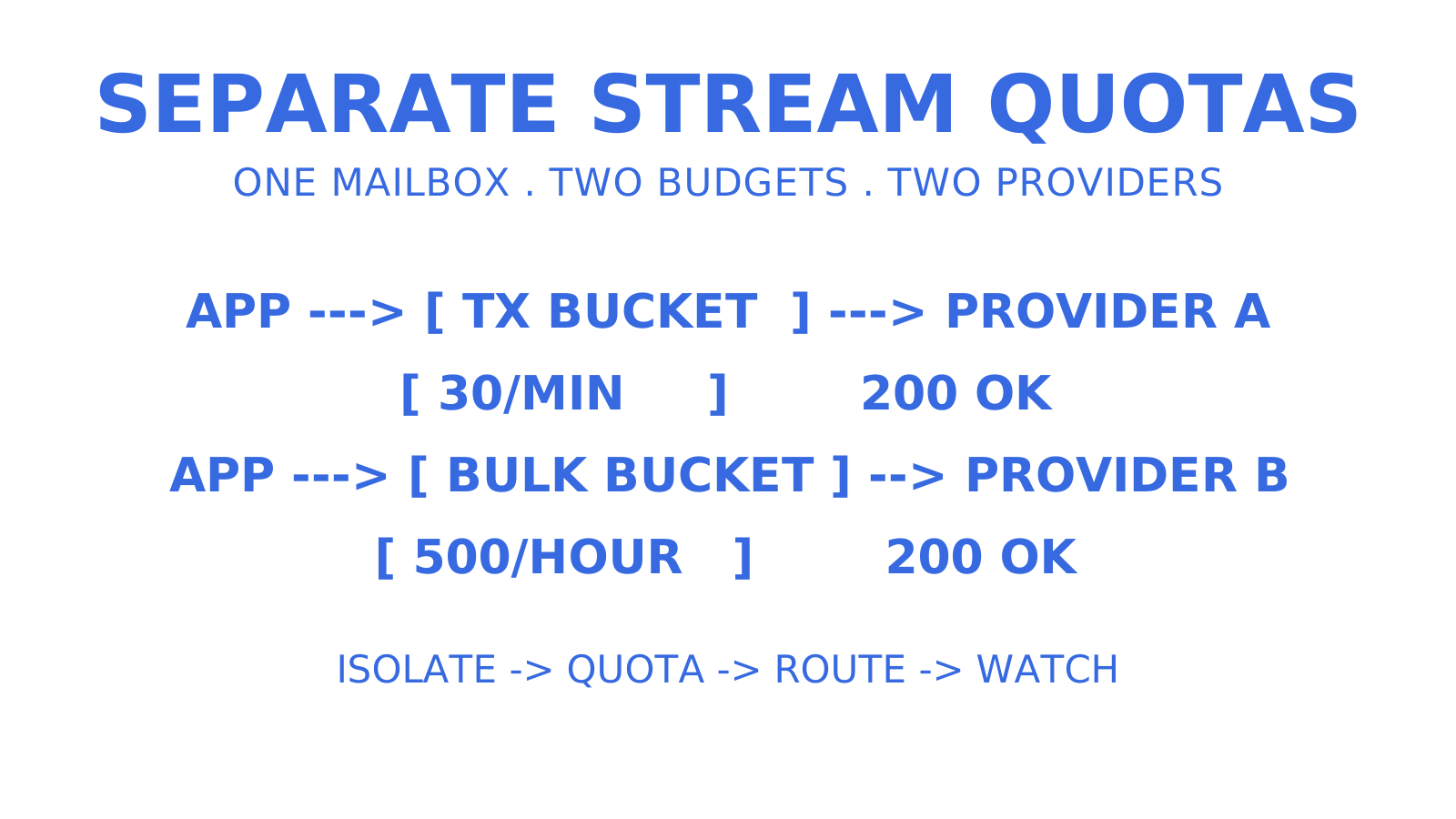
On the provider side, delivery groups let you route across your own connected accounts, such as Gmail, Outlook, or SES, with the per-second, per-minute, per-hour, and per-day quotas you set per account, plus health monitoring that disables accounts after repeated failures. Mailboxes sending from a shared @myagent.mx address use managed Sendmux sending, while routing through your own connected providers is available under its configured product and domain eligibility. That’s inbox rotation as infrastructure, not a rented pool. If you’re weighing up whether to build this tenant isolation and quota logic yourself, check the mailbox-first platform or look at how it fits transactional sending for SaaS platforms before you commit engineering time to reinventing it.
Sources
- SMTP submission improvements — Microsoft Learn
- Postfix rate limiting: control inbound and outbound mail safely
FAQ
What is an email rate limit?
An email rate limit is a cap, set by a provider or your own application, on how many messages, connections, or recipients can be sent within a fixed time window. Providers enforce it to protect infrastructure and sender reputation; applications enforce their own tighter limits to avoid ever hitting the provider’s ceiling.
How do I solve an “email rate limit exceeded” error?
First, identify which limit you hit. Check whether it’s a per-minute, per-day, or connection cap, since Exchange Online and Amazon SES report these differently. Then implement exponential backoff with jitter, and isolate transactional sends from bulk traffic so the error doesn’t block critical mail.
How many emails can I send in 24 hours?
It depends entirely on your provider and account tier. Exchange Online’s SMTP Authenticated Submission allows 10,000 recipients per mailbox in a rolling 24-hour window, and tenant-level external recipient limits can constrain actual throughput further, while Amazon SES sets its own per-account, per-Region quota that can rise as you establish sending history. Sendmux’s managed sending route applies a per-recipient daily limit tied to the team’s default provider, with an increase-request path that requires a paid plan; connecting your own provider accounts gives those accounts their own configured quotas, whose provider-side limits still apply.
How do I handle email size limits?
There’s no way to bypass a provider’s message size cap, since it’s enforced at the MTA or API level before acceptance. The practical fix is to keep attachments out of the delivered message, sending short-lived download links rather than inline content: an uploaded attachment reference can shrink the API request, but once it is materialised into the message the attachment’s bytes still count toward the final size cap, so only a true external link reduces delivered size.
Give an agent its own address
Sendmux is the Email Inbox API for AI Agents.