 myagent.mxBLOG
apis & sending · gmail labels vs folders
Map Gmail Labels and IMAP Folders: RFC 9051 Model for Agents
Developer first mapping of Gmail labels and IMAP/Outlook folders into a canonical RFC 9051 mailbox model. Avoid silent deletions and label-limit pitfalls.
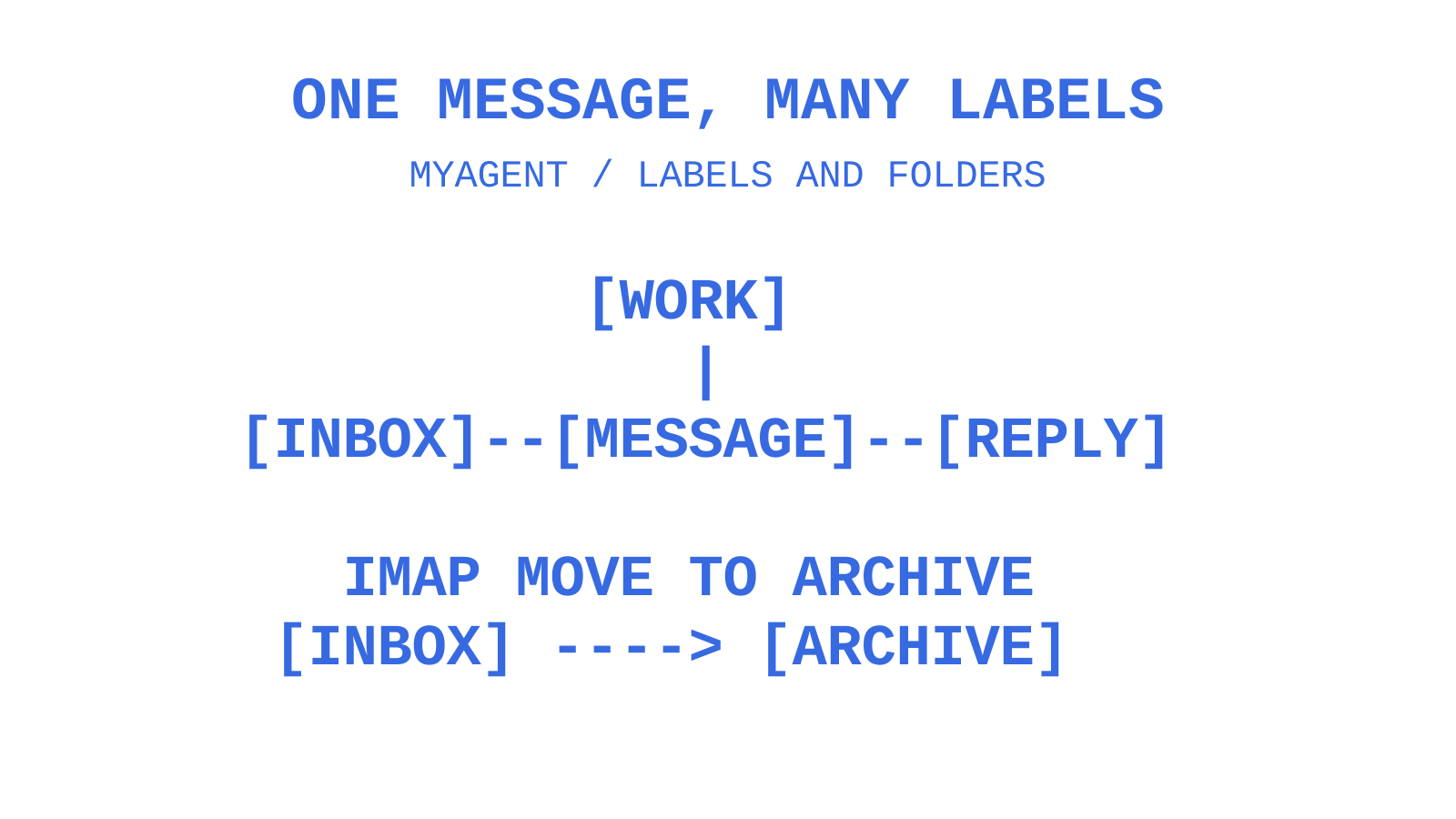
Labels are multi-valued tags, while a conventional folder entry belongs to one mailbox; a common data model must preserve that distinction. Use the optional special-use attributes in RFC 9051, including \Sent, \Drafts, \Trash, \Junk and \Archive, where the server exposes them. INBOX is a reserved mailbox name, not a \Inbox special-use attribute. Keep a labels array for tag-like membership and provider-specific IDs and capabilities in providerMetadata, with explicit adapter rules for operations that differ.
TL;DR
- Gmail labels allow multiple tags per message, making cross-cutting classification powerful but risking silent data loss if misinterpreted as folder moves.
- RFC 9051 special-use attributes are optional and may be absent or repeated. Map supported system uses explicitly; preserve user-defined folders and labels without inventing a system role for each one.
- Gmail label changes can be synchronized through message history. IMAP moves change mailbox membership and UIDs; RFC 9051 provides MOVE, so a client need not emulate every move with separate calls.
- Google’s Gmail API reference documents a maximum of 10,000 labels per mailbox; Gmail Help says users can create up to 5,000 in the interface and directs API users to separate guidance. Budget labels against the applicable surface, not a 500-label ceiling.
- Using provider-specific paths or names should be avoided for logic, instead distinguishing roles and metadata to ensure cross-provider compatibility and reliable operations.
Table of Contents
- Gmail labels vs folders: what actually changes under the hood
- Building a canonical mailbox model for multi-provider platforms
- Mapping patterns and API examples for labels and folders
- Avoiding silent data loss when normalising labels and folders
- Do labels or folders navigate better for an agent’s output?
- When labels beat folders, and when they don’t
- Sync behaviour: labels and folders across devices
- Where Gmail’s label system runs into hard limits
- Best practices for organising email with labels programmatically
- Automation and filtering: labels versus folders in practice
- Give agents email identities they can actually own
- Why canonical roles win over provider fidelity
- Sources
- FAQ
Gmail labels vs folders: what actually changes under the hood
The comparison matters when you build against both systems. Gmail lets a message carry several labels, so the same message can appear under “Invoices”, “Q3” and “Follow Up” without creating a copy for each label. Microsoft Graph gives a message one parentFolderId. IMAP identifies a message occurrence within a selected mailbox, but copies and virtual or special-use views mean a message’s content can appear in more than one mailbox view. Do not treat folder views as a universal one-location guarantee.
That difference matters for deletion. Removing a Gmail label strips the tag but leaves the message intact; deleting a user label is different from deleting the message. Archived messages remain available through All Mail, but removing an unrelated label does not itself archive them. Under RFC 9051, a successful IMAP DELETE removes the mailbox and its messages, while leaving inferior mailbox names intact. An adapter that confuses label deletion with mailbox deletion can therefore remove mail unexpectedly.
System labels and folders need special handling. Gmail’s INBOX, SENT, TRASH and SPAM label definitions are provider-owned and cannot be deleted through the API, although some system labels can be applied to or removed from messages. A custom IMAP mailbox may be renamed or deleted only when the server permits the operation; permissions, hierarchy rules and special mailbox restrictions still apply.
In pseudo-API terms, the two providers diverge like this:
- Gmail tagging: the illustrative
messages.modify({ addLabelIds: ["Label_123"], removeLabelIds: ["INBOX"] })body adds a user label and removes Inbox membership. It is shorthand for a client request with the required user and message identifiers, not a complete executable API call; the operation changes labels rather than creating a separate message copy. - IMAP/Outlook filing:
MOVE message_id FROM INBOX TO Archivedescribes intent, not literal IMAP or Microsoft Graph syntax. IMAP’s MOVE command moves selected messages to a destination mailbox; Microsoft Graph exposes a separate message move operation. Preserve provider-specific identifiers and inspect the result. - Outlook categories: closer to Gmail’s tags than to folders. Categories are shared across messages, events and contacts, and rules can apply them automatically on arrival, sitting alongside Outlook’s separate single-folder filing system rather than replacing it.
Building a canonical mailbox model for multi-provider platforms
A platform speaking to Gmail, Outlook and generic IMAP can define an internal representation for the operations it supports. Treat that representation as your application’s design, not a provider-defined standard. Borrow shared concepts, preserve membership and identity information, and expose capability differences when hiding them would change an operation’s meaning.
Start with documented roles and identifiers rather than translated display names. RFC 9051 lists optional \Sent, \Drafts, \Trash, \Junk and \Archive attributes; INBOX is handled by its reserved name. A mailbox may have zero, one or several special-use attributes, and a role can occur on more than one mailbox. Hyperlogic’s discussion of unified email models provides architectural context, but it does not make roles immutable or mandatory. Keep an explicit unmapped state and rediscover attributes after changes.
A minimal, implementable shape looks like this:
- Message object: an application-owned stable ID, a provider message ID, a thread ID where available, a
labelsarray, mailbox memberships, optional mapped roles, timestamps andproviderMetadata. A singleroleflag cannot represent every permitted combination; generic IMAP does not require the Gmail thread model. - Folder/Label object:
id,displayName, optional mapped roles,providerProviderIdas an illustrative provider-ID field, and provider-only extras. These names describe a proposed application schema, not an RFC or Sendmux response. Nylas’s Folders API, for example, accepts Google’s label text and background colours while also supporting provider-specific folder parameters.
Map supported roles during synchronization, then refresh them when provider state changes. Preserve an unmapped folder or label as such; do not force every user-created object into a system role. Keep downstream logic independent of localized display names such as “Inbox”, while letting provider adapters interpret reserved names and documented identifiers.
Pro Tip: Keep providerMetadata opaque to most agent workflows. To determine whether a message is in Trash, check the mapped role and membership fields; if the mapping is unavailable, report that uncertainty rather than guessing from a display name.
Mapping patterns and API examples for labels and folders
Once roles are canonical, the operational question becomes: how do add-tag, move, list and search actually get implemented against providers that don’t agree on any of it?
Listing. A proposed unified GET /folders endpoint can page through folders and labels in one application-defined shape, marking mapped roles and preserving provider-only properties such as Google’s label colour and an IMAP hierarchy delimiter. Nylas exposes Google labels and Microsoft folders through its Folders API, with provider-specific creation fields. This is an example of normalization, not a promise that every provider supports identical operations.
Move vs tag. These operations have different provider semantics. Collapsing them can create an integration bug:
- On an IMAP4rev2 server, use MOVE or UID MOVE for “move to Archive” after resolving the destination mailbox. RFC 9051 defines the operation without the intermediate states of a client-managed copy/delete sequence. A multi-message MOVE can fail partway through the set, so reconcile results; each message must remain moved or unaffected, and the server must not lose it. For older IMAP servers, discover extension support before selecting a fallback.
- On Gmail, archive by removing the
INBOXlabel. There is no built-inArchivelabel to add; a user-created label named Archive is only a custom tag. Add any desired classification label separately from the decision to remove Inbox membership. - Keep add-tag, archive, move and delete as distinct intents with provider-specific implementations. Test a 1:1 mapping carefully: successful API responses do not prove that the resulting mailbox state matches what the user requested.
Bulk operations and sync. Design your batch operations to accept message-ID arrays and expose per-item results where the provider makes them available. Do not fabricate per-item success when an upstream API supplies none: Gmail’s messages.batchModify, for example, has an empty successful response body. Use synchronization state to request changes rather than re-listing all messages on every poll. Google’s partial-sync documentation supports lighter requests; MyAgent provides agent-email context, not a benchmark proving polling cost.
Search. Decide whether each query uses provider-native search or your own index, then measure it for the actual workload. Gmail already supports queries combining sender, date and label criteria, so structured filters alone do not require a separate index. Where an API exposes snippets or summary fields, use them when they answer the question; retrieve full content when the agent needs it.
For agent traffic, keep batch sizes within documented limits, follow provider retry guidance for 429 responses, and use Server-Sent Events or webhooks where supported. Gmail push notifications can trigger history synchronization and reduce unnecessary polling; notifications can be delayed or dropped, so keep a reconciliation path. A ten-second polling interval is an illustrative alternative, not a universal requirement or benchmark.
Avoiding silent data loss when normalising labels and folders
A mapping error need not produce an API error. It can leave mail in an unexpected view or delete a mailbox when the intended operation was only to remove a label. Test resulting state as well as response codes.
For example, an adapter that implements “archive” by adding a Gmail user label but leaves INBOX attached has not archived the message. The API call can succeed while the customer’s requested state remains wrong. In the other direction, code that treats Gmail user-label deletion as interchangeable with a successful IMAP mailbox DELETE can remove that mailbox’s messages.
- Detect it before it ships. Run a preflight mapping audit against a test mailbox on every supported provider, and compare discrepancy counts between expected and actual folder/label state after each operation type.
- Checksum, don’t assume. Sample-verify message counts per role after any bulk migration, rather than trusting the operation’s return code alone.
- Make moves reversible. Record original memberships and use a tested restoration plan where the provider supports it. A tombstone record and retention grace period can help coordinate rollback, but they do not restore messages after an irreversible provider deletion without a retained recoverable copy.
- Log the intent, not just the call. Record what the operation was meant to achieve in your canonical model, separately from the provider call that executed it, so reconciliation has something to check against.
For actual migrations, a proper reconciliation counts messages per source folder, maps the likely destination label set, writes a reversible change set, and verifies both counts and sample message IDs before any deletion step runs.
Pro Tip: Run every migration as dry-run first, then a small cohort of real mailboxes, then reconcile counts before touching the full tenant base. Skipping the small-cohort step is how a single mapping bug becomes a tenant-wide incident.
Do labels or folders navigate better for an agent’s output?
When a human reviews an agent’s work, show the distinction between message identity and its views. A folder tree can make a message’s parent container clear, but folders may be nested and virtual views or copied messages can overlap. Do not promise that every message’s content exists in exactly one visible place.
Labels make overlapping views explicit. A message tagged “Urgent,” “Client X” and “Needs Reply” can appear in three label views while remaining one Gmail message. Show a stable message identity so a reviewer can distinguish repeated views from duplicate messages; whether a folder tree or tag view is easier depends on the workflow.
For a multi-provider inbox view, consider role-based navigation for Inbox, Sent and Archive alongside filterable Gmail labels and Outlook categories. Treat Archive as an application view with a provider-specific definition: Gmail archiving removes Inbox membership, whereas another provider may expose an archive folder. Show unmapped memberships and capabilities instead of forcing them into a misleading tree.
When labels beat folders, and when they don’t
Labels suit cross-cutting classification: a support agent can look for “Escalated” messages while also using “Billing,” “Refund” and “VIP Customer” tags. Folder placement alone does not express that overlap, but Outlook categories and IMAP keywords can add tag-like state alongside folders. Choose the combination that your providers actually support.
Folders can model mutually exclusive filing stages such as Approved, Pending and Rejected. A label-based workflow can model them too if the application enforces one active stage and rejects contradictory transitions. Neither storage model substitutes for validating the workflow’s rules.
A multi-tenant agent platform may need both concepts. If each customer, case or applicant has a separate mailbox, consider folder-like lifecycle views such as Inbox, Processed and Archive, with label-like attributes such as Priority, Source Channel and Requires Human Review. Define which are application states and which are provider memberships before committing to the schema; do not assume early abstraction guarantees that no later redesign will be needed.
Sync behaviour: labels and folders across devices
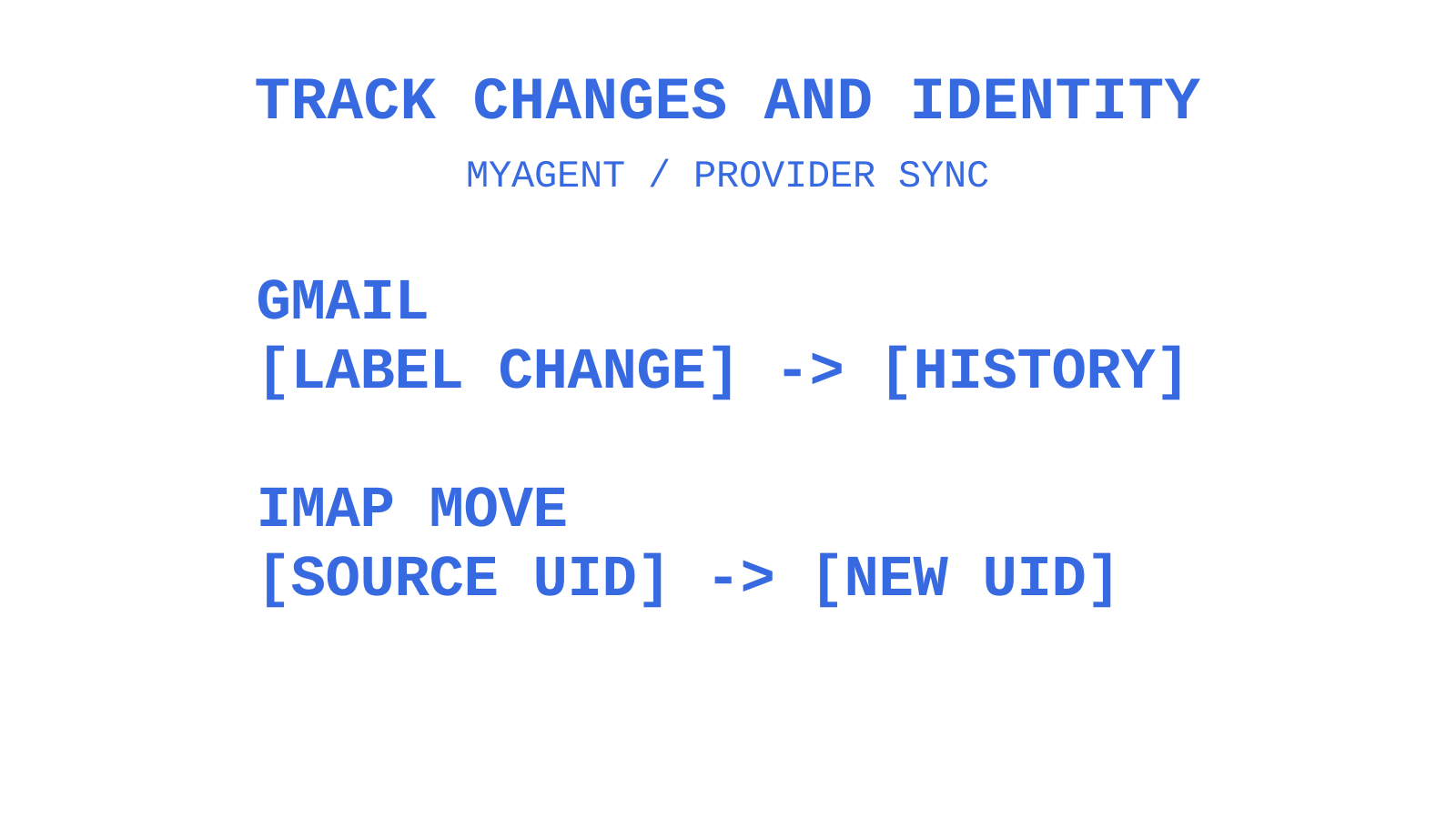
Gmail label changes are message metadata changes. The Gmail API’s history records can report labels added or removed, allowing a recently synchronized client to update its cache without downloading every message body. This supports a smaller partial-sync request, but does not establish that every Gmail workload is cheaper than every IMAP workload.
An IMAP MOVE changes source and destination mailbox membership and gives the destination message a new UID. Track mailbox identity, UIDVALIDITY and UIDs together. RFC 9051’s MOVE avoids the intermediate states of a client-managed copy/delete sequence, but clients still need to process server responses and reconcile a partially completed multi-message move.
For cached mailbox state, use provider-supported change tracking rather than diffing full listings unnecessarily. Gmail history can report message and label changes; a stale history ID can return 404 and require a full resynchronization. IMAP does not expose the same Gmail sync-token interface. Keep each adapter’s recovery rules explicit instead of treating tokens as a universal fix for races.
Where Gmail’s label system runs into hard limits
Gmail label provisioning has documented limits. The Gmail API Label resource states a maximum of 10,000 labels for a user’s mailbox. Gmail Help says users can create up to 5,000 labels and points API users to separate creation guidance. These descriptions cover different surfaces; neither supports a 500-label ceiling. Check the applicable interface and keep a label budget rather than creating a new label for every customer, case and workflow state.
System labels compound the constraint from the other direction. Gmail’s built-in system labels cannot be deleted through the API, which is fine until code assumes every label returned by a list call is safe to remove or rename, then fails against INBOX or SENT.
Gmail’s interface supports nested labels, including a “Nest label under” option. The Gmail API Label resource exposes an ID and name rather than a separate parent-label ID, so an application reconstructing a tree must define how it interprets names such as “Clients/Acme/Invoices”. IMAP LIST supplies the hierarchy delimiter and can return NIL for a flat namespace; nested folders are not mandatory on every server.
None of this is a flaw so much as a different design trade-off. But an agent platform provisioning labels automatically needs a reuse strategy and a label-budget check built in, not an assumption that label creation is unlimited.
Best practices for organising email with labels programmatically
Treat labels as classification metadata, and keep the effect of each mutation explicit. A consistent naming and ownership policy can make the system easier to operate; it does not remove the need for permission checks and reconciliation.
Use these practices as design checks:
- Cap label creation per entity. Don’t create a fresh label for every customer interaction; reuse a bounded set of category labels and let message-level metadata carry the specifics.
- Namespace programmatic labels distinctly from anything a human might create manually, to reduce the risk of deleting or repurposing a user’s own organisational label. Check ownership before each mutation; a naming convention alone cannot guarantee it.
- Apply labels at ingestion where appropriate, using provider-side rules for supported conditions. Reconcile missed or changed classifications; neither a rule nor a later application pass guarantees exactly-once processing.
- Store the label ID, never the display name, since names can be renamed by the account holder without warning.
- Periodically reconcile label counts against the applicable documented limit: the API reference states 10,000 labels, while Gmail Help states creation up to 5,000 in its interface. Do not base provisioning on the unsupported 500-label ceiling.
Keep ownership of programmatically created labels explicit and preserve labels created by users. Label IDs and names help identify objects; the lifecycle policy still belongs in your application and must tolerate user changes.
Automation and filtering: labels versus folders in practice
Filtering rules behave differently depending on which model they’re built against, and that difference shapes how much automation logic you can safely push to the provider versus keeping in your own platform.
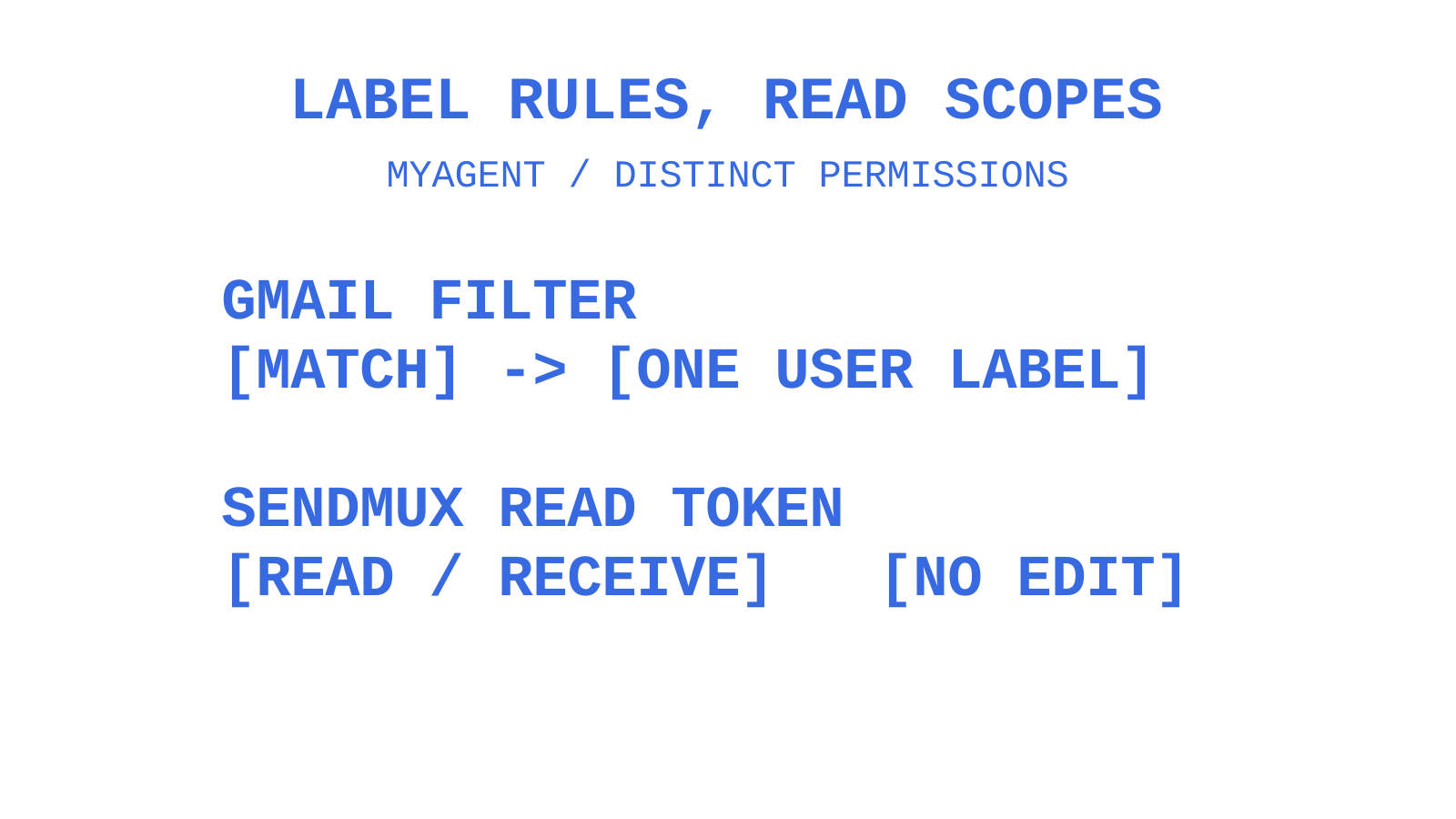
Gmail filters can add a user label, skip the inbox, star a message or forward it to a verified address when it matches incoming-mail criteria. Google’s filter guide permits only one user-defined label per filter, although a message can accumulate labels through separate operations or matching filters. The API also limits an account to 1,000 filters. For a rule such as “anything from this domain gets tagged Vendor,” verify the criteria, permissions and resulting state instead of assuming unlimited or maintenance-free automation.
Outlook’s rules engine does the equivalent through its own mechanism: rules can auto-file messages into folders or apply categories at arrival, giving Outlook access to both the exclusive-placement model and the tag-like one, depending on which the rule targets. IMAP has no equivalent standard automation layer at all, since Sieve filtering, where supported, exists outside the base protocol and varies by provider implementation.
If consistent classification matters across Gmail, Outlook and generic IMAP, define it in your application contract and test each provider adapter. Use provider filters for supported triage and retain a reconciliation path for differences and failures. A canonical layer is where you can enforce shared rules; its existence alone does not guarantee identical outcomes across providers.
Give agents email identities they can actually own
Every pattern above assumes your agents have mailboxes to work with. Sendmux provides persistent mailboxes on the included @myagent.mx domain or a verified custom domain, with Mailbox API resources for messages, threads and folders, plus keyword fields on messages. MyAgent directs agents to Sendmux’s registration instructions; it is not a separate signup provider. An agent can self-register without a payment card or a human signup form and receive a durable token scoped to mailbox.read and email.receive once its inbox is ready. Those scopes permit reading and receiving, not organising messages or folders: mutations require mailbox.settings.update. Sending requires a human owner to accept the invitation and explicitly approve it. Keep those permission boundaries separate from your provider-mapping model.
Why canonical roles win over provider fidelity
A canonical model is useful when it preserves the operations your application needs without pretending providers behave identically. Use RFC 9051 roles where available, keep Gmail labels and Outlook categories explicit, and leave provider-specific interpretation inside adapters. This is a design recommendation, not an account of an implementation at myagent.mx or a claim about why most unified-inbox projects fail.
The Sendmux permission split is independent of folder and label semantics. A newly registered agent receives mailbox.read and email.receive; the durable read token remains unchanged when an owner later approves sending, and the CLI can exchange it for an email.send token. Do not infer permission to change folders or message state from read access or from sending approval alone; check the credential’s actual scopes.
For a single-provider Gmail integration, a native model may preserve label colours and nested naming with less mapping work. For an application supporting Outlook and IMAP too, a canonical model may be worth the extra translation. Decide from the required workflows and supported capabilities rather than assuming either approach always wins at a particular tenant count.
Sources
- Manage mailboxes — Unipile developer docs
- Designing a unified email API — Hyperlogic
- Outlook mail concepts — Microsoft Graph
FAQ
Is a Gmail label the same as a folder?
No. Gmail labels allow one message to appear in several label views without creating a separate copy for each label. Microsoft Graph assigns each message one parent folder, while IMAP identifies message occurrences within mailboxes and can expose copies or virtual views. Folder placement and tag membership are different concepts.
What happens if I delete a Gmail label versus an IMAP folder?
Deleting a Gmail user label removes that label from messages without deleting the messages. It does not itself archive them. A successful IMAP DELETE removes the named mailbox and its messages, but not its inferior mailbox names. Keep those operations separate and verify the provider’s result before assuming a cleanup is harmless.
Should my Mailbox API use Gmail’s model or IMAP’s model as the standard?
Use an application model that preserves both memberships and labels. RFC 9051 defines optional special-use attributes such as \Sent, \Drafts, \Trash, \Junk and \Archive; INBOX is a reserved mailbox name, not \Inbox. Keep unmapped objects and multiple roles representable, expose a labels array where useful, and retain provider identifiers and capabilities in providerMetadata.
How many labels can a Gmail account have?
Google’s API Label reference states a maximum of 10,000 labels per mailbox. Gmail Help states creation up to 5,000 labels in its interface and directs API users to separate guidance. Neither documents a 500-label ceiling. System label definitions cannot be deleted through the API, and Google’s list of common system labels is explicitly non-exhaustive, so do not hardcode roughly 14 as the total.
Do Outlook categories work like Gmail labels or like folders?
Outlook categories behave like Gmail’s labels. They’re tag-like and shared across messages, events and contacts, and they sit alongside Outlook’s separate single-folder filing system rather than replacing it.
Give an agent its own address
Sendmux is the Email Inbox API for AI Agents.