 myagent.mxBLOG
deliverability · domain reputation monitoring
Three checks in 5 minutes: Domain reputation monitoring for operators
Operator playbook to protect inbox placement. Run three quick SPF/DKIM/DMARC checks, add provider dashboards, blocklist polling, engagement telemetry and...
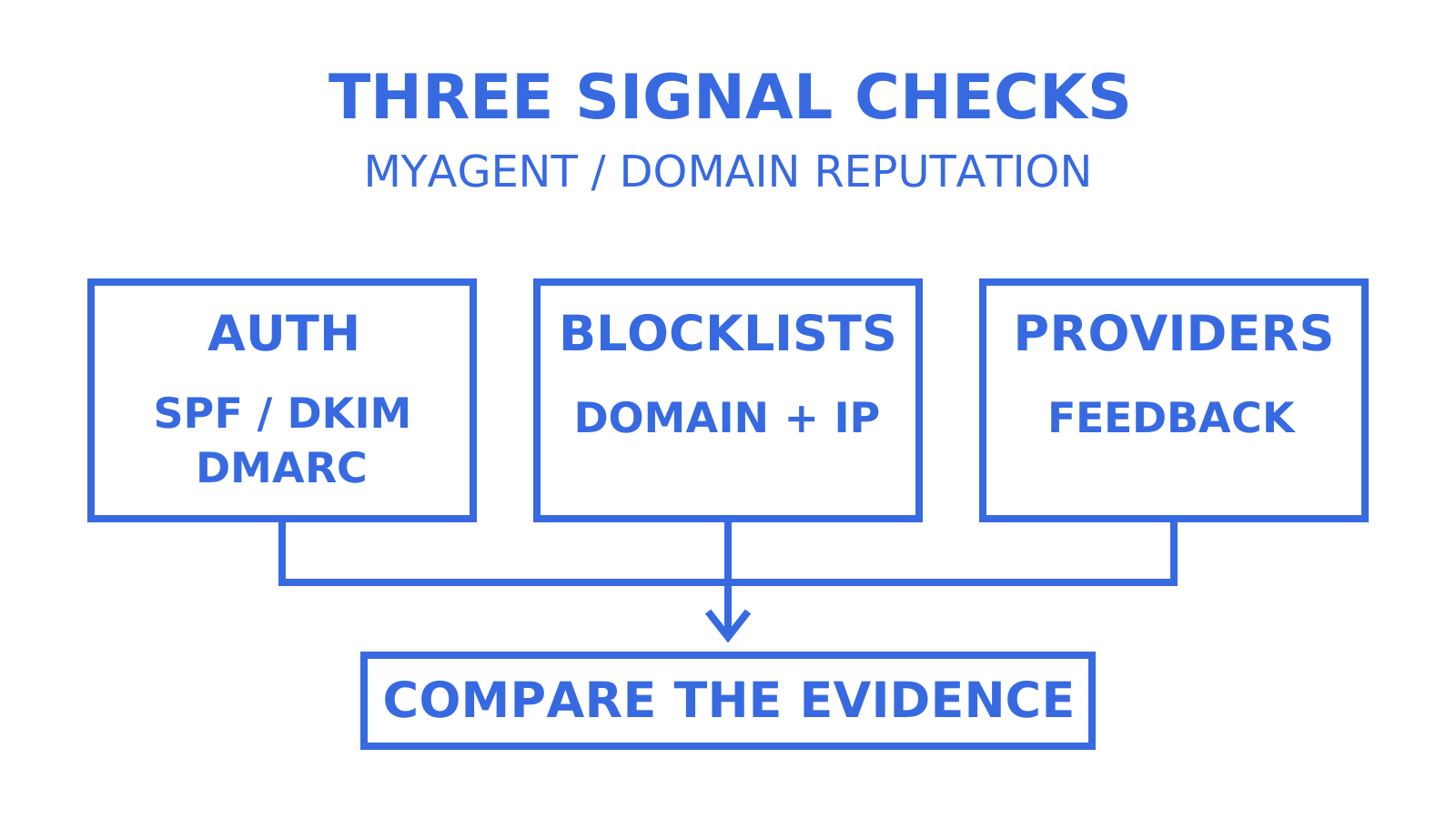
Domain reputation monitoring is the ongoing practice of tracking authentication health, engagement signals, bounce and complaint rates, and blocklist status to investigate how receiving systems handle your sending domain. Use the next five minutes for three initial checks if you already have the necessary access: inspect SPF, DKIM and DMARC records, check your sending domain and IPs against the appropriate blocklists, and open Google Postmaster Tools if Gmail is a meaningful share of your traffic. Record missing authentication or monitoring data and investigate the cause. DNS publication alone does not prove that a delivered message authenticates and aligns, and a new dashboard may need verification and sufficient traffic before it shows data. Add provider dashboards and a blocklist poller to your ongoing monitoring.
TL;DR
- Use five minutes for initial SPF, DKIM, DMARC and blocklist checks when access is already available; record issues for investigation and verify authentication on delivered mail.
- Domain reputation varies between providers. Engagement, authentication, abuse reports and external threat intelligence offer different signals, not one universal score.
- Sender Score, Talos and Spamhaus complement provider dashboards; distinguish IP reputation, domain or web reputation, and blocklist coverage when comparing results.
- When reputation declines, triage, contain the cause, remediate and verify. Do not promise recovery in weeks or months: the provider, incident and subsequent sending behavior determine the outcome.
- Use daily alerts, weekly reviews and monthly audits as a practical monitoring cadence, then adjust it to the risk and volume of your sending.
Table of Contents
- What domain reputation is and how mailbox providers treat it
- Signals that move a domain’s reputation
- How to monitor: metrics, dashboards and tools to use
- Step by step response when your domain reputation declines
- Operational checklist and monitoring cadence for technical teams
- How an API-first mailbox platform surfaces reputation signals
- Get real telemetry, not guesswork
- Sources
- FAQ
What domain reputation is and how mailbox providers treat it
Domain reputation is not a single number you can look up once and trust forever. Mailbox providers use their own assessments, so Gmail and Microsoft results need to be checked separately. Spamhaus domain reputation is another view: it considers a domain’s use, behavior and associations rather than exposing the private reputation score of every receiving provider.
Domain-level and IP-level signals both matter. Shared infrastructure such as Amazon SES or Sendgrid pools makes it especially useful to record the actual sending IP alongside the visible From domain and authenticated domains. Do not infer that a clean IP repairs a poor domain reputation, or that domain signals universally outweigh IP signals; each receiver decides how to use the evidence.
Google Postmaster Tools reports spam rate, domain and IP reputation, authentication and delivery errors for personal Gmail traffic, subject to data availability. Microsoft’s Smart Network Data Services (SNDS) provides data for IPs you control at Outlook.com and access to its Junk Email Reporting Program. Microsoft removed trap-hit counts from the SNDS Data Report starting July 22, 2026. Yahoo now offers Sender Hub Insights with aggregated delivery statistics for a domain, so its monitoring is not limited to interpreting bounce codes and delivery delays.
Signals that move a domain’s reputation
Instrument several kinds of telemetry so you can compare symptoms with likely causes. A provider’s private assessment and your application’s own engagement measurements are different views; neither gives you every signal used in filtering.
- Authentication health: SPF, DKIM and DMARC configuration, plus alignment between the visible From domain and a passing SPF or DKIM domain. Rotate DKIM keys according to your provider’s process and security policy.
- Engagement metrics: track opens, replies and clicks as application-level feedback. Google says it does not track open rates and cannot verify third-party open-rate measurements, so do not treat your open rate as its internal reputation score.
- Negative signals: hard and soft bounces, spam complaints, abuse desk reports, and spam-trap reports when your provider or data source makes them available.
- External threat intelligence: check Spamhaus and Talos Intelligence for relevant domain, IP, malware and phishing classifications; their coverage and rating methods differ.
- Operational anomalies: investigate sudden volume spikes, reused or leaked credentials, and new sending sources appearing without warning.
A compromised API key can produce unexpected sending volume or new sending sources. Correlate those changes with credential and delivery logs; a spike or unfamiliar IP is a reason to investigate, not proof of compromise or a description of a mailbox provider’s exact classifier.
How to monitor: metrics, dashboards and tools to use
Organise the checks below into four layers: delivery metrics, provider dashboards, external reputation data and alerting. AWS describes its own four operational pillars: prevention, monitoring, analysis and response; the following tools mainly support monitoring and analysis. Treat the layers as an operational checklist, not a guarantee that every attack or campaign failure will be detected.
Start with core metrics: bounce percentage, complaint percentage, seed-list inbox placement results, and DMARC aggregate reports to investigate unexpected sending sources. Define each denominator and time window. Seed-list tests show what happened to the test accounts; they do not measure every recipient’s inbox. Then connect provider-native dashboards: Google Postmaster Tools reports on personal Gmail traffic, while Microsoft SNDS reports on authorised sending IPs at Outlook.com. These views provide provider-specific evidence, not a complete inbox-placement measure for every message.
Layer external reputation checks on top. Valimail’s overview explains why no single score covers every provider; use the tool owners’ definitions to understand exactly what each result measures:
- Sender Score offers a quick numeric health check of sending-IP reputation. A domain lookup can identify associated sending IPs; the score is not a universal domain or inbox-placement grade.
- Talos Intelligence exposes email and web reputation information. Its public documentation distinguishes email-server IP reputation from web reputation based on a domain and its associated IPs; use the relevant classification for your investigation.
- Spamhaus provides domain checks through DBL and IP checks through SBL and related lists. Match the identifier to the dataset before interpreting a result.
- MXToolbox offers DNS, authentication and blocklist tools. Its email blacklist check tests a mail-server IP; use the appropriate separate lookup for domain records and authentication.
Pro Tip: Do not rely on one tool’s “all clear.” Spamhaus, Sender Score and Talos use different data and may be reporting on different identifiers. Compare the same domain or IP where possible, record each tool’s coverage, and investigate disagreements rather than treating the results as interchangeable.
Set alert thresholds before an incident. Investigate any new relevant blocklist hit. Google recommends keeping Gmail’s user-reported spam rate below 0.1% and avoiding 0.3% or higher; Amazon SES recommends a hard-bounce rate below 2% for best results. MessageFlow’s broader guide also discusses a 0.1% complaint-rate target, but a threshold only makes sense with its provider, denominator and measurement window attached. Use provider-specific limits and your baseline when configuring notifications.
Step by step response when your domain reputation declines
Treat a material reputation decline as an incident. Work through triage, containment, remediation and verification, and document which observation supports each action.
- Triage. Inspect DMARC aggregate reports for unexpected senders, correlate SMTP bounce and rejection codes, confirm applicable Spamhaus and MXToolbox results, and review Postmaster Tools or SNDS for changes in the metrics they expose.
- Contain. Suspend or throttle the responsible sending stream and revoke confirmed compromised API keys or credentials. Quarantine the workload and recipient list for investigation; do not keep sending risky traffic by moving it to a new subdomain.
- Remediate. Correct the confirmed DNS, authentication, credential or list-acquisition problem. Rotate DKIM keys if they are compromised or your policy requires it, remove invalid recipients and respect opt-outs, then follow the listing operator’s removal process after fixing the cause.
- Verify. Run authorised seed-list tests across Gmail, Outlook and Yahoo, and compare their results with delivery logs, DMARC reports and provider dashboards over several consecutive days. Treat that observation period as an incident check, not a universal guarantee of full reputation recovery.
Recovery depends on the cause, the receiving provider and the sending that follows the fix. Monitor sustained improvements after list-hygiene changes, blocklist removal or a spoofing incident. Do not promise recovery within weeks or assume serious incidents always require months: elapsed time alone does not prove restored delivery, and delisting is a different event from inbox-placement recovery.
Operational checklist and monitoring cadence for technical teams
Use three cadences as a starting operating routine, then adjust them to traffic volume, risk and how quickly each data source updates.
- Daily: review critical alerts for new relevant blocklist hits, authentication failures, and bounce or complaint spikes; note the freshness of each feed.
- Weekly: review engagement trends, DMARC aggregate summaries and seed-list results together with actual delivery logs.
- Monthly: audit DNS authentication, rotate DKIM keys where policy calls for it, and review the standing and permissions of every connected sending account.
For Gmail, aim to keep user-reported spam below 0.1%; for Amazon SES, its FAQ recommends a hard-bounce rate below 2% for best results. A volume spike beyond double the recent baseline can be an internal alert rule, not a published universal provider cutoff. Record the numerator, denominator, provider and time window for every rate. Keep DMARC aggregates and delivery logs for a documented retention period so you can compare trends over weeks to months without treating delayed or missing reports as an all-clear.
How an API-first mailbox platform surfaces reputation signals
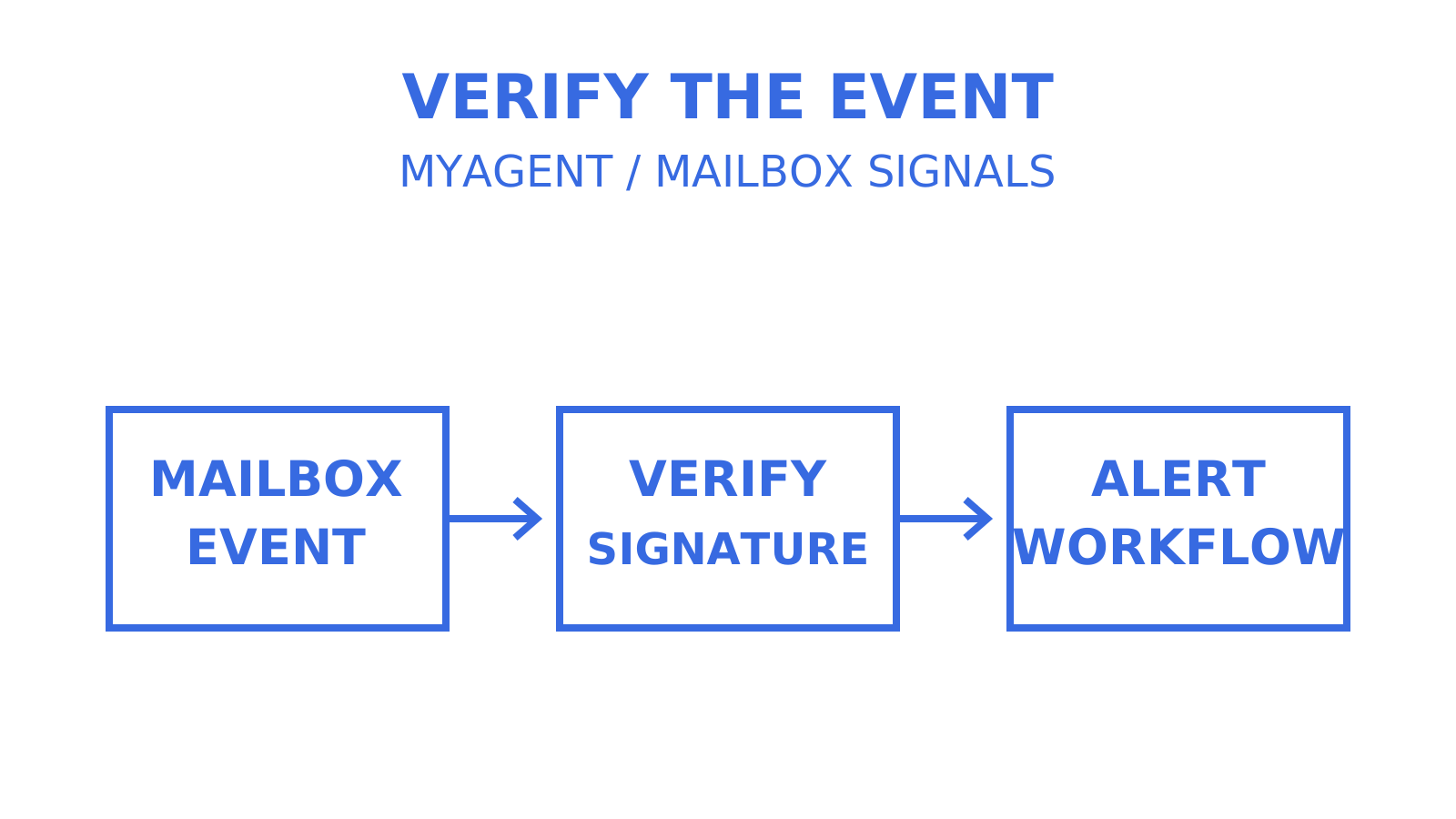
A mailbox platform can supply useful event data for alerting. Sendmux supports signed webhooks for delivered, bounced, complained and inbound spam-received events. A delivered event means the recipient system accepted the message, not that it reached the inbox; a spam-received event describes inbound mail classified as spam, not a complaint about your outbound campaign. Verify webhook signatures, deduplicate event IDs, and confirm the events available for each sending route. MyAgent’s email deliverability monitoring guide provides related operational reading.
Use credentials with the narrowest mailbox and permission scope your workflow needs. In Sendmux, manual API keys are long-lived until rotated or revoked; owner-approved agent sending tokens are short-lived. A key limited to one mailbox reduces the operations available to a compromised integration, but messages sent from that mailbox can still affect shared domain reputation. Credential scope and sender reputation are separate boundaries.
Domain separation helps you distinguish transactional and person-to-person sending streams and investigate their metrics separately. Subdomains may inherit an organisational DMARC policy, but that does not guarantee independent reputation or protect every related identity from a problem. Google’s compliance dashboard aggregates subdomain data under the primary domain. MyAgent’s domain verification article is related DNS guidance; confirm the authentication and verification records required for the route you actually use.
Get real telemetry, not guesswork
Publishing SPF, DKIM and DMARC DNS records is the start of monitoring. Check that messages authenticate and align, then connect delivery logs, alerts and provider feedback so changes can be investigated. A support ticket or sudden drop in replies can be useful evidence, but neither should be your only way of discovering a problem.
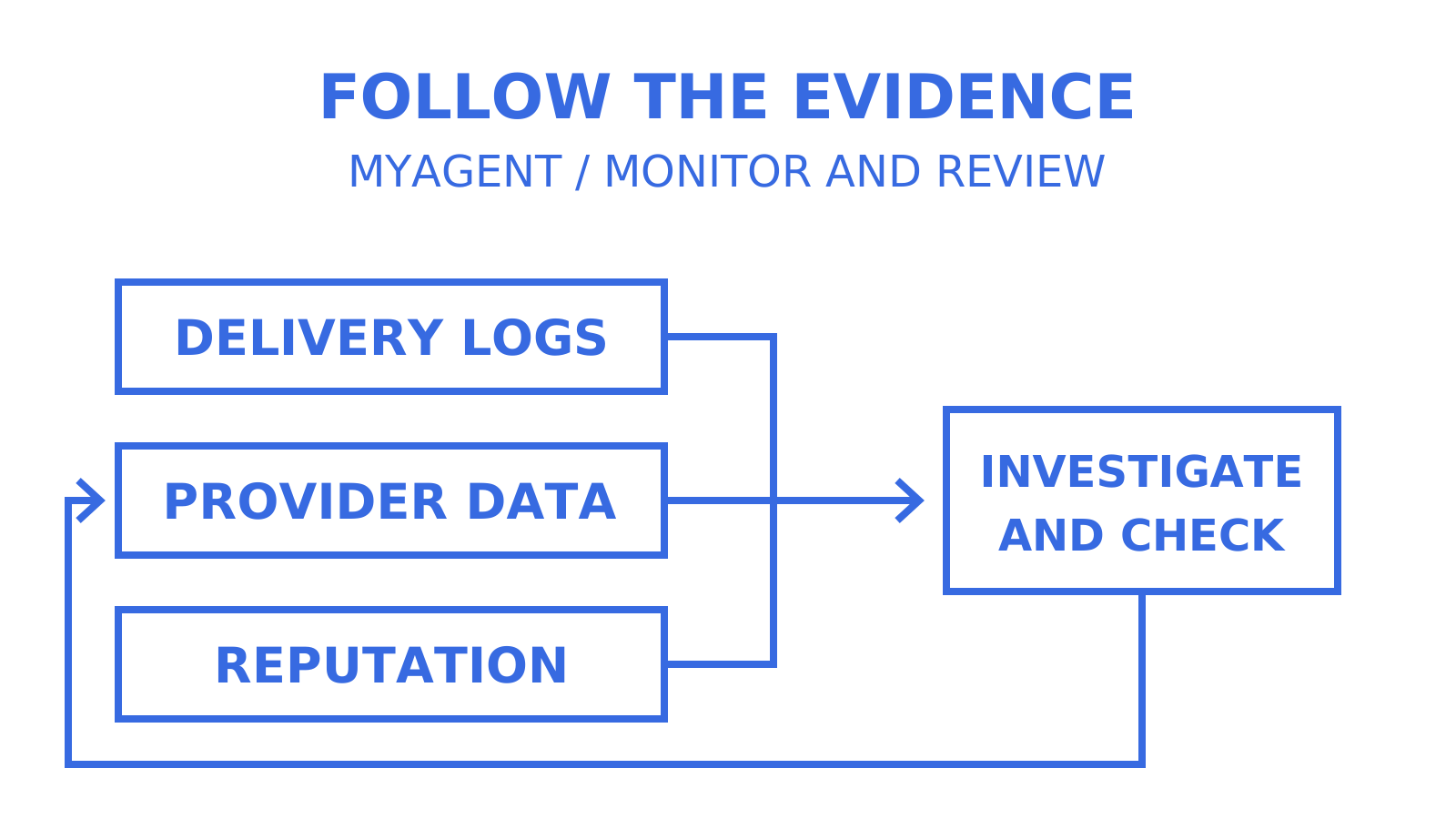
Gmail, Microsoft and Yahoo expose different views, and external tools add different evidence again. A Spamhaus domain listing and a Sender Score IP result can disagree without either being a universal verdict. Monitor more than one source and include threat-intelligence signals about a domain’s broader footprint beside bounce and complaint trends, keeping their scopes and timestamps visible.
An event feed can shorten the time between a delivery outcome and your response. Delivered, bounced and complained events still describe outcomes that have already happened, just as dashboards and blocklist results reflect their own observation windows. Combine those feeds with scoped credentials, volume controls and an incident owner; a webhook does not prevent abuse by itself.
For agent-driven sending, Sendmux provides message-level delivery logs, mailbox and permission scoping, and signed webhook events that your application can connect to alerts. Configure those subscriptions and controls, verify their event coverage, and compare the results with provider dashboards. An email API does not supply complete reputation monitoring merely because it is intended for AI agents.
Sources
Bookmark Spamhaus domain and IP checks, Sender Score for sending-IP reputation, Talos Intelligence for the relevant email or web classification, and MXToolbox for DNS and blocklist investigations. Use Google Postmaster Tools, Microsoft SNDS and Yahoo Sender Hub for provider-specific evidence, subject to their access and data-availability requirements.
- The Four Pillars of Managing Email Reputation | AWS Messaging Blog
- Domain Reputation | Spamhaus
- Domain reputation check: how to check and improve your score | Valimail blog
- Sender Score - Email Marketing Education and Free Tools
- Google Postmaster Tools dashboards
- Gmail sender guidelines FAQ
- Current Microsoft SNDS portal and announcements
- Yahoo Sender Hub
- Sender Score methodology
- Talos Reputation Center overview
- Amazon SES sending review FAQ
FAQ
What is domain reputation monitoring?
It is the ongoing practice of tracking authentication status, engagement, bounce and complaint rates, and blocklist listings to investigate how receiving systems handle your sending domain. Compare provider-specific and external signals; none is a complete view of every mailbox provider’s assessment.
How do I check my domain’s reputation right now?
Check your domain and sending IPs with the appropriate Spamhaus and MXToolbox tools, inspect SPF, DKIM and DMARC records, and open Google Postmaster Tools for your verified sending domain. Confirm authentication on delivered mail as well. Low-volume traffic or a newly configured dashboard may not provide enough data to assess reputation immediately.
What’s the difference between domain and IP reputation?
IP reputation concerns a sending IP address. Domain reputation concerns a domain identity, which may be the visible From domain, an authenticated sending domain or a domain appearing in message content, depending on the receiving system or dataset. Track both; there is no universal rule that domain reputation always receives the greater weight.
What complaint and bounce rates should trigger an alert?
Use the threshold for the metric and provider you are measuring: Google recommends a Gmail user-reported spam rate below 0.1%, and the Amazon SES FAQ recommends a hard-bounce rate below 2% for best results. A spike beyond double your recent volume baseline can be an internal alert rule. Keep the denominator and time window with each rate rather than treating these as universal enforcement cutoffs.
How long does it take to recover a damaged domain reputation?
There is no universal recovery deadline. After fixing list hygiene, blocklisting or a spoofing incident, monitor delivery outcomes and the affected provider’s signals. Do not promise improvement within weeks or assume recovery must take months; require evidence that the cause is resolved and delivery is improving.
Give an agent its own address
Sendmux is the Email Inbox API for AI Agents.