---
title: "Developers: 6 RFC Based Questions to Choose SMTP Submission or Relay"
description: "Developer guide: map RFCs to production patterns for SMTP submission vs relay. Six decision questions and practical troubleshooting for multi tenant systems."
canonical: "https://myagent.mx/blog/smtp-submission-vs-relay"
publishedAt: "2026-09-22T11:05:31.342Z"
updatedAt: "2026-09-22T11:05:40.738Z"
category: "deliverability"
topic: "smtp submission vs relay"
author: "Roshan Jonnalagadda"
authorProfile: "https://myagent.mx/blog/author/roshan-jonnalagadda"
keywords:
- "port 587 vs 25"
- "difference between smtp submission"
- "smtp submission best practices"
- "smtp relay advantages"
- "smtp submission protocols"
- "smtp submission explained"
- "how does smtp relay work"
- "smtp relay configurations"
- "smtp relay definition"
- "smtp submission vs relay"
- "smtp submission security issues"
---
# Developers: 6 RFC Based Questions to Choose SMTP Submission or Relay
Developer guide: map RFCs to production patterns for SMTP submission vs relay. Six decision questions and practical troubleshooting for multi tenant systems.
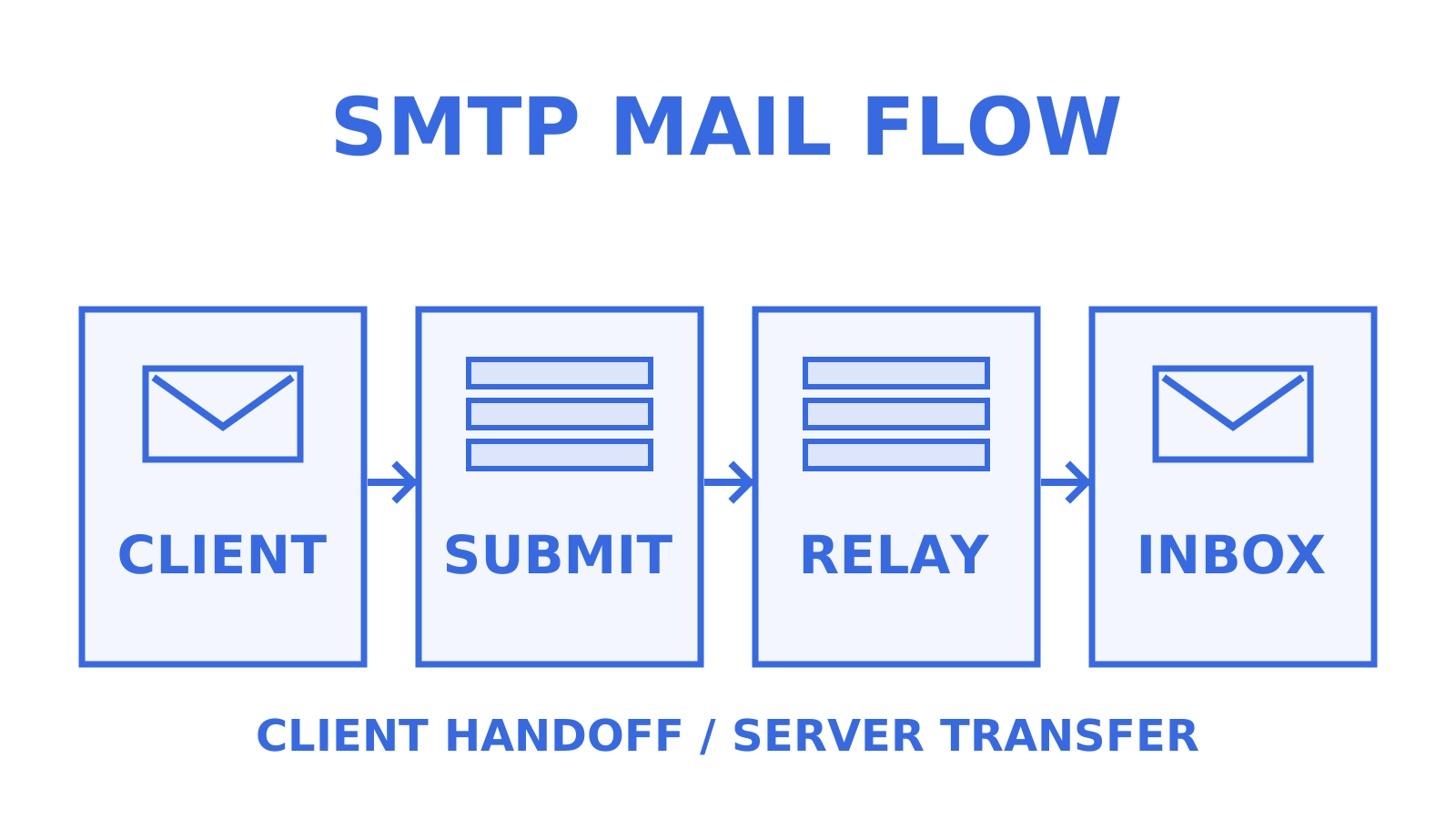
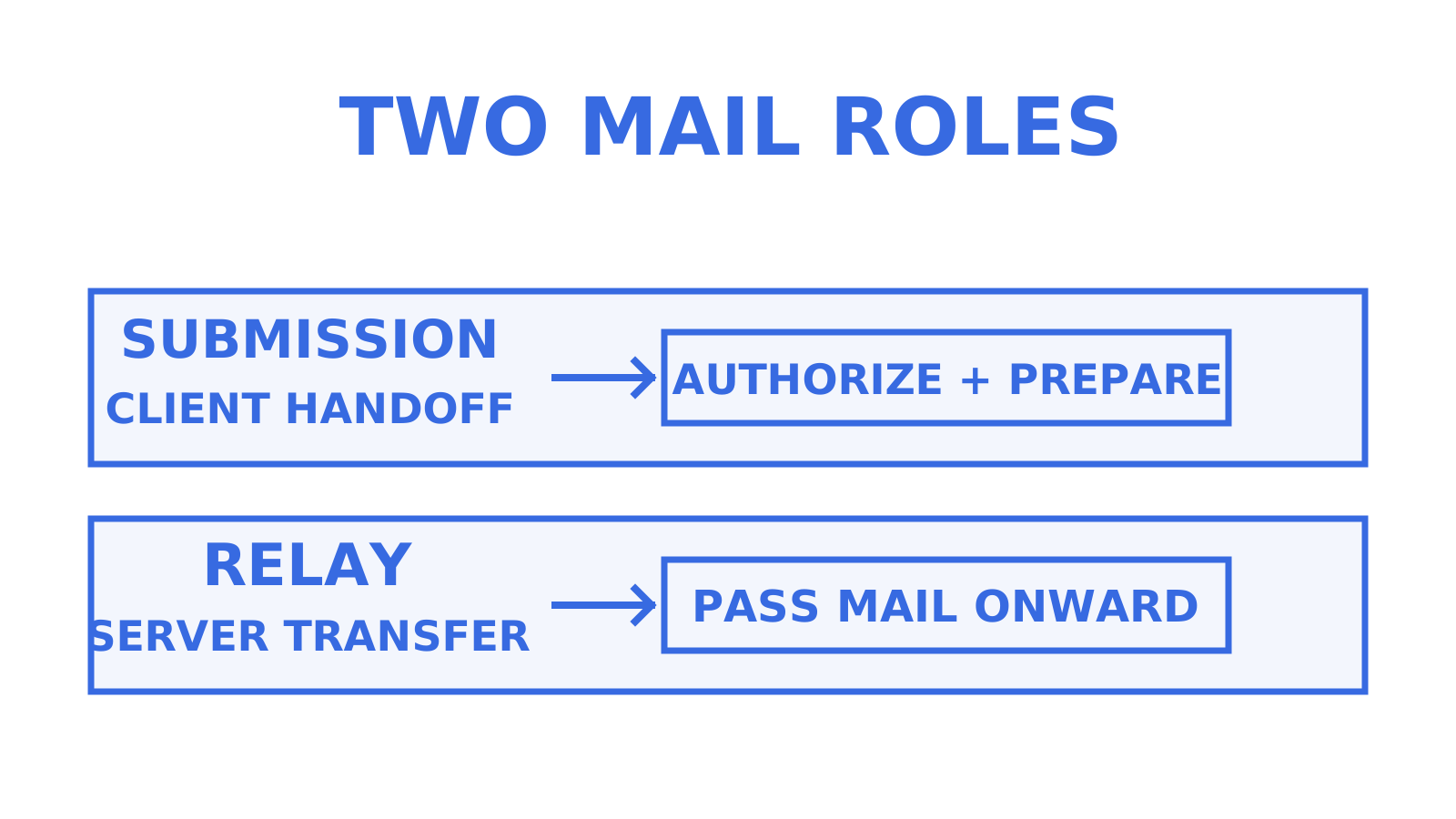
Submission is what happens when a user or app gets mail into the system: a message submission agent (MSA) accepts the message after authorising it, normally via SMTP AUTH on port 587 or 465, because RFC 6409 requires an MSA to reject unauthenticated MAIL commands by default unless it has already independently established authorisation, such as a client inside a protected subnetwork. Relay is server-to-server transfer between mail transfer agents, normally over port 25; on the open Internet that transfer is generally unauthenticated at the SMTP layer, while providers such as Microsoft 365 offer their own relay connectors that restrict use by IP address or TLS certificate. The rule of thumb for picking between them: choose submission for anything sending on behalf of a person or an app's own mailbox, and choose relay for server fleets, gateways, or devices that need centralised, trust-based delivery.
***
> **TL;DR:**
>
> - SMTP submission is authorised with SMTP AUTH on port 587 or 465 by default, while relay runs between MTAs on port 25 and is generally unauthenticated at the SMTP layer on the open Internet, though managed relay services add admission rules of their own.
> - Port 465 is the standard implicit-TLS submission port, where TLS starts immediately; RFC 8314 recommends supporting both it and STARTTLS on port 587, and finds no significant security difference when each is correctly configured to require TLS.
> - Using relay for sending on behalf of end users or apps can lead to open relay risks, while submission with scoped credentials enhances security and accountability.
> - Proper configuration includes reverse DNS and matching PTR records for relay IPs, and keeping mail on an authenticated submission port, 587 or 465, rather than port 25 unless your provider documents a submission or relay role for it that you deliberately want.
> - Separating submission from relay follows IETF standards to enforce policies, prevent abuse, and allow tailored message handling at each stage.
***
## Table of Contents
- [SMTP submission vs relay: a side-by-side comparison](#smtp-submission-vs-relay-a-side-by-side-comparison)
- [Ports, TLS modes and authentication in real environments](#ports-tls-modes-and-authentication-in-real-environments)
- [Why the standards split submission from relay in the first place](#why-the-standards-split-submission-from-relay-in-the-first-place)
- [When to choose submission and when to choose relay](#when-to-choose-submission-and-when-to-choose-relay)
- [Architecture patterns for production and multi-tenant systems](#architecture-patterns-for-production-and-multi-tenant-systems)
- [Troubleshooting submission and relay failures](#troubleshooting-submission-and-relay-failures)
- [What agent-native mailboxes change about this trade-off](#what-agent-native-mailboxes-change-about-this-trade-off)
- [A quick lesson from picking the wrong one](#a-quick-lesson-from-picking-the-wrong-one)
- [Where Sendmux fits into these patterns](#where-sendmux-fits-into-these-patterns)
- [Sources](#sources)
- [FAQ](#faq)
## SMTP submission vs relay: a side-by-side comparison
The two roles solve different problems, even though they share the same wire format underneath. Submission exists to get a message from a client (a mail app, a script, a printer driver) into the mail system safely. Relay exists to move that message onward between servers until it reaches its destination. A practical SMTP relay definition follows from that split: a relay accepts a message and forwards it toward its next hop, without requiring SMTP AUTH as a submission server does by default.
A message submission agent (MSA) authenticates the sender, normally with SMTP AUTH credentials that the provider ties to a mailbox or sending identity. A message transfer agent (MTA) doing relay work generally does not authenticate senders at the SMTP layer at all on the open Internet; where a provider offers a managed relay service, its admission rules are provider-specific, and Microsoft 365's connector, for example, restricts use by static IP address or a TLS certificate covering an accepted domain rather than a per-user login. That distinction drives almost everything else that follows. How does SMTP relay work once a message is in flight? Each hop hands the message to the next MTA toward the recipient, adding trace headers as it goes.
- **Purpose:** submission is the first hop from client to mail system; relay is the ongoing transfer between MTAs until final delivery.
- **Ports and TLS:** submission runs on port 587 with STARTTLS or port 465 with implicit TLS, both covered by current standards; relay traditionally uses port 25, sometimes with opportunistic TLS between servers.
- **Authentication:** submission uses SMTP AUTH, with the credential shape, a mailbox login or an API key, set by the provider; relay generally has no SMTP-layer sender authentication on the open Internet, and managed relay services use provider-specific admission rules, such as Microsoft 365's static-IP allowlist or accepted-domain TLS certificate, rather than a per-user login.
- **Message handling:** an MSA can legitimately complete or normalise a message (fixing missing headers, adding a Message-ID) before it enters the mail stream, while a relaying MTA is expected to preserve the message body and only add its own trace headers.
- **Operational outcomes:** SMTP itself promises neither a Sent copy nor per-sender limits; where providers offer them, they attach those behaviours to submission mailboxes. Microsoft 365, for example, documents that its client submission method copies sent mail to the mailbox's Sent Items folder and applies per-mailbox sending limits, while its SMTP relay method does not copy to Sent Items. Those contrasts are provider-documented features, not protocol guarantees.
Get the wrong one and you feel it fast. Point a shared appliance at a submission endpoint expecting one login per device, and you are managing dozens of individual credentials that all need rotating. Point an app that sends on behalf of thousands of end users at an open relay, and you have built the kind of unrestricted relay that [security guidance has warned against for years](https://www.jscape.com/blog/smtp-ports), because anyone who can reach it can send as anyone.
## Ports, TLS modes and authentication in real environments
Three ports have defined roles in SMTP, which is where the port 587 vs 25 distinction becomes practical. Port 25 is used primarily for MTA-to-MTA transfer, though a provider can designate it for submission as well, so check your provider's documented role, TLS mode, and supported ports rather than inferring behaviour from the port number alone; it is also a port that ISPs and cloud providers may restrict or require justification for outbound, to cut down on spam from compromised hosts. Port 587 is the STARTTLS submission port, reserved for message submission, and a sound default for anything sending user or app mail. Port 465 is the implicit-TLS submission port: the encrypted session starts immediately instead of upgrading via STARTTLS partway through the conversation, and RFC 8314 assigns it the standard `submissions` service and recommends that clients and servers support both it and STARTTLS on 587. Some providers offer port 2525 for authenticated submission; if your network blocks 25 or 587, check whether your provider documents 2525 as an alternative.
**Pro Tip:** *If you are integrating a new client library and it defaults to port 25, consult your provider's documented role, TLS mode, and supported ports for it, and configure the library accordingly; for authenticated mail that documentation will usually point you to 587 with STARTTLS or 465 with implicit TLS.*
STARTTLS and implicit TLS solve the same problem differently, and with SMTP submission explained in TLS terms, both ports are current best practice. STARTTLS opens a plaintext connection first, then negotiates encryption mid-session, which is why it needs careful handling to avoid downgrade attacks; requiring TLS, not merely offering it, is what closes that gap. Implicit TLS on port 465 begins the TLS handshake immediately without a STARTTLS upgrade, and RFC 8314 finds no significant difference in security properties between correctly configured implicit TLS on 465 and required STARTTLS on 587.
Authentication flows differ by design, not by accident. For submission:
- The client presents SMTP AUTH credentials; exactly what identity they bind to, a mailbox username and password or an API key acting as one, is provider policy.
- The provider checks those credentials against a specific mailbox or sending identity.
- A successful login does not automatically authorise every From address. Providers can layer additional sender-domain and tenant checks on top of a valid login, so transport authentication and message authorisation are separate controls.
For provider relay connectors, admission uses connection-level identity: a static outbound IP is allowlisted on the connector, or a TLS certificate whose Subject or SAN covers an accepted domain identifies the connecting server, as in Microsoft 365's relay method. Microsoft requires port 25 for that method and notes it needs static, unshared IP addresses unless you use certificates. Both approaches carry upkeep. Certificates expire and need rotation; allowlisted IPs go stale when infrastructure moves to a new host or region.
Radicati's Email Statistics Report, 2023-2027, forecasts more than 300 billion emails sent and received worldwide every day, and Statista's [sent-and-received daily e-mails series](https://www.statista.com/statistics/456500/daily-number-of-e-mails-worldwide/) tracks the same volume; getting this volume wrong at scale is not a small mistake, and it is what makes SMTP submission security issues expensive when credentials are over-scoped. Set up reverse DNS and matching PTR records for any relay IP before you rely on it, and keep mail on an authenticated submission port, 587 or 465, unless you have a specific reason to do otherwise.
## Why the standards split submission from relay in the first place
The separation is written directly into the IETF standards that define how mail should move, and the SMTP submission protocols that govern port 587 and 465 are maintained separately from MTA-to-MTA transfer rules.
> RFC 6409 specifies port 587 for message submission and describes the rationale for keeping submission distinct from ordinary relay: a message submission agent may legitimately complete or normalise a message on the way in, while an onward-relaying MTA is expected to preserve the message largely as received.
[RFC 6409](https://www.rfc-editor.org/rfc/rfc6409.html) carries the current submission requirements, obsoleting RFC 4409, which in turn replaced the original RFC 2476 split, and its port assignment work is now further updated by RFC 8314's implicit-TLS profile. The separation exists because mixing the two roles on one port created real problems: open relays that anyone could abuse, message policies that could not be enforced consistently, and no clean point at which to apply sender authentication. Splitting submission onto its own port meant a provider could require authentication, apply rate limits, and reject malformed messages right at the point of entry, before that mail ever touched the broader transfer network.
RFC 4409, the earlier formalisation of the same submission semantics, makes a similar case: separating submission from relay lets each hop apply the right kind of policy. A submission server can check that a sender is authorised to use a given domain, sign the message with DKIM, and normalise headers. A relay server, by contrast, should generally not touch the message body at all, aside from adding its own Received header for tracing.
That division shapes practical configuration decisions today. If your logging shows a server rewriting subject lines or stripping headers, check the role it is meant to play: that behaviour belongs to a submission or gateway role, and a server that is only supposed to relay should pass the message through unchanged.
## When to choose submission and when to choose relay
Use these six questions to choose a sending path. Work through them in order to narrow the field and apply SMTP submission best practices to your provider's supported methods.
1. **Who is the sender?** A named person or an app acting on one user's behalf points to submission. A shared server pool, a monitoring system, or a fleet of unattended devices points to relay.
2. **Does the sending system have a stable, dedicated identity?** If it can hold a username and password securely, submission is the natural fit. If it cannot manage credential storage well (an embedded device, an old scanner), relay authenticated by IP is often more practical.
3. **What volume are we talking about?** Low-to-moderate, per-user volume suits submission, which some providers, Microsoft 365 among them, wrap with per-mailbox sending limits and a Sent Items copy. High, sustained server-to-server volume suits a relay connector built for that load.
4. **Is the sending address stable?** Relay authenticated by a static IP only works if that IP does not change. Cloud infrastructure with dynamic or ephemeral public addresses breaks IP-based allowlists, and where addresses change, certificate-based connector authentication is the more stable choice.
5. **Do you need mailbox-level features?** Sent Items copies and per-mailbox sending limits are provider features attached to submission mailboxes, Microsoft 365's client submission method among them, rather than to its relay connector; the SMTP relay side depends on the provider's capability and policy: Microsoft 365's relay connector, for instance, has no per-mailbox Sent Items copy or per-mailbox sending limits, while its client submission method does. Weighed properly, the classic SMTP relay advantages are operational: no per-device logins to rotate and throughput sized for fleets.
6. **What does licensing allow?** Some enterprise mail platforms meter relay connectors and submission mailboxes differently, so check licensing costs before you commit to an architecture.
Printers, scanners, and monitoring appliances that just need to fire off notifications are the classic relay-connector case: fixed IP, no per-device login to manage. A web application sending password resets or receipts on behalf of individual users is the classic submission case, ideally through an API or SMTP client authenticating with a scoped credential per mailbox. A batch job pushing thousands of internal alerts from a server pool fits relay where the sending addresses are stable and monitored. Your provider's documented client capability and policy decide which of those paths actually exist for you.
**Pro Tip:** *Before you commit to port 25 for anything, test whether your hosting provider or ISP blocks outbound traffic on it; providers that restrict outbound port 25 do it to curb spam from compromised instances, so the check is worth running before anything else.*
## Architecture patterns for production and multi-tenant systems
These three patterns show ways to separate submission from relay in production.
**Per-user submission boundary.** Each sender, whether a human or an app acting for one, gets a narrowly scoped credential tied to a specific mailbox or identity. Pair these credentials with audit logs (who sent what, from where), per-sender quotas to limit the blast radius if a credential leaks, and a revocation process. It is the right default for anything where the sender identity matters, which is most application and transactional mail.
**Central relay connector.** One trusted path, admitted by static IP or certificate, handles mail from devices and constrained systems that cannot manage individual logins. This suits printers, appliances, and legacy systems well, but it concentrates risk: if that connector's trust is compromised, whatever sender addresses and domains its policy allows can be abused through it, and Microsoft's relay method, for example, sends from addresses in your accepted domains rather than arbitrary internet addresses. Certificate rotation and IP monitoring are not optional here.
**Hybrid.** A hybrid combines the two paths: submission handles anything sent on behalf of an individual user or a discrete app identity, and relay handles server pools, device fleets, and bulk internal notifications. Multi-provider failover sits on top of whichever path is under load, routing around a provider that is degraded or rate-limiting.
- Per-mailbox credentials narrow the blast radius if one key leaks, compared with a single shared relay trust covering an entire fleet.
- Delivery groups and provider health checks let you spread volume across multiple sending accounts and skip ones that are failing, rather than pushing everything through a single point of failure.
- Scoped tokens with rate limits and audit logging give multi-tenant platforms a cleaner story for incident response than one shared relay credential ever will.
SPF, DKIM, and DMARC interact with both patterns. RFC 6376 leaves the choice of signer to the operator: MUAs, MSAs, and MTAs may sign before mail leaves the signer's administrative domain, so signing can happen where the message enters a system you control, such as the submission path or an upstream signing service. Because a signature covers selected headers and the canonicalised body, changes to that signed content in transit can invalidate it, which is one operational reason relays are expected to leave the message alone, rather than a rule that forbids signing at any particular hop; DMARC, specified in RFC 9989, then requires an SPF or DKIM identifier to pass and evaluates alignment between the From domain and that authenticated identifier, where relaxed alignment accepts organisational-domain matches and strict alignment requires an exact match.
## Troubleshooting submission and relay failures
A fixed four-check order covers the causes most worth ruling out first, and working through it in order beats guessing. The same order works whether you are debugging submission logins or SMTP relay configurations.
1. **Check the network path first.** Test whether the port you are trying to use is actually open: `telnet smtp.example.com 587` or `openssl s_client -starttls smtp -connect smtp.example.com:587` can help show whether the connection reaches the server. Outbound port 25 is one of the first things to check: Microsoft's device guidance says to verify the port is not blocked by your network or ISP before relying on it for relay.
2. **Verify the authentication method matches the model.** For submission, confirm the username and password (or API key) are current and scoped to the right mailbox. For relay, confirm the admission requirement your provider documents, such as an allowlisted connecting IP or an expected TLS certificate on Microsoft 365's connector.
3. **Read the bounce code.** A 550 or 554 response is a permanent SMTP failure; inspect its diagnostic text for the cause. A 421 or 450 is a transient failure that can warrant a later retry; a 535 reports invalid or insufficient authentication credentials.
4. **Run the deliverability checks.** Confirm reverse DNS resolves correctly for the sending IP, check SPF and DKIM alignment, confirm DMARC policy is not silently rejecting your mail, and look the sending IP up against major blocklists.
**Pro Tip:** *Keep a running log of bounce codes by sending path (submission versus relay). If 550s cluster on one relay IP but not others, that IP may have picked up a bad reputation; check it against the major blocklists, investigate what caused the listing, and follow that blocklist's remediation or delisting guidance before considering an address change.*
## What agent-native mailboxes change about this trade-off
Scoped credentials change the risk calculus in ways that are easy to underestimate. A traditional relay connector grants trust to an entire IP or certificate, covering every message that path ever sends. A pre-approval Sendmux agent token, by contrast, holds narrow permissions like mailbox read and receive without any send capability; it retains those permissions after approval, and the agent obtains a separate sending token only after the mailbox's human owner explicitly approves sending for that self-registered agent. That single design choice moves the authorisation boundary from the network layer back to the individual mailbox, which is closer to how submission was meant to work in the first place.
In multi-tenant agent systems, that boundary matters more as the number of mailboxes grows. A few practical patterns hold up well:
- Give each agent or tenant its own mailbox and credential rather than sharing one relay trust across many senders.
- Apply per-mailbox quotas in your application, within the team's documented sending limits, to reduce the risk that one runaway process exhausts shared sending capacity.
- Use delivery groups with provider health checks to route around disabled or quota-limited accounts while another eligible provider remains available.
- Keep audit logs at the mailbox level, not just the connector level, so an incident review can trace exactly which identity sent what.
For Sendmux's self-registered agents, sending permission arrives only after the mailbox owner approves it rather than at registration, a small detail with a large effect: a compromised or misconfigured agent cannot send anything at all before a person has actually signed off.
## A quick lesson from picking the wrong one
One recurring risk in mail flow design is treating relay like a lazy shortcut for submission, because it seems simpler to whitelist an IP than to manage a credential, and the shortcut can get costlier as volume grows or the sending address changes.
Two takeaways stick. First, match the model to the actual sender and to the paths your provider documents: a person or app identity points to submission, a controlled fleet points to relay, not the other way around because it is easier to configure today. Second, use narrow credentials and per-sender quotas to contain mistakes and simplify incident investigation.
## Where Sendmux fits into these patterns
If you have read this far, you already know the pattern worth building toward: scoped credentials at the mailbox level, not one shared trust covering an entire fleet. Sendmux is built around exactly that boundary. You can give each agent, customer, or workspace its own real mailbox with mailbox-scoped API keys, and sending permission for a self-registered agent's mailbox is granted only after its human owner approves it, so that unattended process cannot send mail before someone has actually signed off; keys your team provisions directly carry whatever sending scope you grant them. You can send with mailbox-scoped keys over HTTP, or over SMTP on port 587 or 2525 with STARTTLS using a sending-capable mailbox key as the password, within your team's documented sending limits, and route outbound mail across multiple providers with quotas and health checks that skip an account that is failing, rather than betting everything on one relay path.
Developers wiring up agents, printers, or app-originated mail into one system without managing a pile of individual relay connectors can start on the [Myagent](https://myagent.mx), which includes an @myagent.mx mailbox with no DNS setup required. For teams evaluating the broader API, the product documentation at Sendmux covers the full mailbox and sending surface.
## Sources
- [JSCape: SMTP ports and secure alternatives](https://www.jscape.com/blog/smtp-ports)
- [Statista: daily number of emails sent worldwide](https://www.statista.com/statistics/456500/daily-number-of-e-mails-worldwide/)
- [RFC 6409: Message Submission for Mail](https://www.rfc-editor.org/rfc/rfc6409.html)
- [RFC 8314: Cleartext Considered Obsolete: Use of TLS for Email Submission and Access](https://www.rfc-editor.org/rfc/rfc8314.html)
- [RFC 6376: DomainKeys Identified Mail (DKIM) Signatures](https://www.rfc-editor.org/rfc/rfc6376.html)
- [Microsoft: How to set up a multifunction device or application to send email](https://learn.microsoft.com/en-us/exchange/mail-flow-best-practices/how-to-set-up-a-multifunction-device-or-application-to-send-email-using-microsoft-365-or-office-365)
## FAQ
### What is the difference between SMTP submission and SMTP relay?
Submission is client-to-server mail sending, normally on port 587 or 465, authorised with SMTP AUTH by default; RFC 6409 also lets an MSA accept independently established authorisation such as a protected subnetwork, and providers decide what identity a credential is tied to. Relay is server-to-server transfer between MTAs, normally on port 25, generally unauthenticated at the SMTP layer on the open Internet; managed relay services add admission rules, for example Microsoft 365's connector, which admits traffic by static IP or a TLS certificate covering an accepted domain.
### Why isn't my SMTP relay sending emails?
One cause worth checking early is an outbound block on port 25, which hosting providers and ISPs may restrict to cut down on spam. Also check whether the connecting IP still matches what is allowlisted on the relay connector, because infrastructure changes can silently break an IP allowlist.
### What is an SMTP relay?
An SMTP relay is a server that accepts a message and forwards it toward its next hop rather than delivering it to a final mailbox directly. It typically runs over port 25 and, on the open Internet, does not authenticate senders at the SMTP layer; managed relay services add admission rules, for example Microsoft 365's connector admitting traffic by IP address or TLS certificate instead of a per-user login.
### Does Office 365 allow SMTP relay?
Yes, Office 365 supports SMTP relay through an inbound connector on port 25 that admits traffic by static IP address or by a TLS certificate covering an accepted domain, separate from its client submission method. The relay method requires static, unshared IP addresses unless you use certificates and sends from addresses in your accepted domains; Microsoft's own guidance documents distinct feature and limit differences between the two methods, so check which one your device or application actually needs before configuring it.
### How much does Sendmux cost for setting up agent mailboxes?
Current pricing is listed on the Sendmux site, including a free tier with an @myagent.mx mailbox that needs no DNS setup. Pro combines a monthly team subscription with metered sending, inbound mailbox delivery, and storage usage, with no flat per-mailbox fee; on Free, usage draws down the team's starting credit.