---
title: "Prevent Domain Burn: High Volume Email for Agent Builders"
description: "Engineering-first playbook for developers building high volume email for AI agents. Mailbox math, 25 sends/day ramp, 3–4 week warm-up, API primitives and..."
canonical: "https://myagent.mx/blog/high-volume-email"
publishedAt: "2026-09-08T07:04:36.794Z"
updatedAt: "2026-09-08T07:04:45.894Z"
category: "deliverability"
topic: "high volume email"
author: "Roshan Jonnalagadda"
authorProfile: "https://myagent.mx/blog/author/roshan-jonnalagadda"
keywords:
- "high volume email"
- "mass email campaigns"
- "email deliverability for large lists"
- "high volume email services"
- "cold email warmup"
- "bulk email marketing"
- "how to send bulk emails"
- "send millions of emails"
---
# Prevent Domain Burn: High Volume Email for Agent Builders
Engineering-first playbook for developers building high volume email for AI agents. Mailbox math, 25 sends/day ramp, 3–4 week warm-up, API primitives and...
High-volume email for autonomous agents means managing outbound work across many mailboxes and identities, not just a big list. Put deterministic send limits, explicit permissions and observable delivery events between an agent and its recipients. Separate sending streams where that helps control and attribution, and increase traffic only while provider feedback supports it. Reputation can deteriorate quickly, but neither damage within hours nor recovery over months is a universal timetable. The 25 sends/day ramp and 3–4 week warm-up discussed below are planning examples, not provider-approved safe limits.
***
> **TL;DR:**
>
> - Separate agent identities, credentials and sending streams where useful; individual subdomains and DKIM keys do not guarantee independent reputation pools.
> - Size capacity from actual daily send targets. A 20 to 50 sends per mailbox per day assumption and a four-week ramp are examples to validate against provider rules and observed feedback.
> - Enforce per-mailbox, per-identity and shared-provider quotas together; dedicated IPs address a different boundary, while quarantine and anomaly detection support containment.
> - Test the kill switch and treat inbound messages as untrusted data; sanitizing content alone does not stop prompt injection.
> - Use structured API responses, scoped credentials and throttling. Check SSE and webhook event coverage before relying on either for delivery monitoring.
***
## Table of Contents
- [What does high volume email mean for AI agents?](#what-does-high-volume-email-mean-for-ai-agents)
- [How many mailboxes do you need for your send volume?](#how-many-mailboxes-do-you-need-for-your-send-volume)
- [How do you stop a runaway agent from burning your domain?](#how-do-you-stop-a-runaway-agent-from-burning-your-domain)
- [What API primitives do agent builders actually need?](#what-api-primitives-do-agent-builders-actually-need)
- [Get-started checklist for a pilot agent deployment](#get-started-checklist-for-a-pilot-agent-deployment)
- [Operational trade-offs for agent email](#operational-trade-offs-for-agent-email)
- [Where Sendmux fits for agent-native high volume email](#where-sendmux-fits-for-agent-native-high-volume-email)
- [Key reading and docs for implementing this safely](#key-reading-and-docs-for-implementing-this-safely)
- [Sources](#sources)
- [FAQ](#faq)
## What does high volume email mean for AI agents?
For an agent workload, high volume email can mean dozens or hundreds of autonomous processes dispatching mail when workflows trigger. Human-operated marketing systems can also send at machine speed. The operational difference is how each workload is authorised, limited and observed, rather than whether a person or an agent initiated it.
That speed makes [agent governance](https://www.forbes.com/councils/forbestechcouncil/2026/09/03/how-to-govern-the-ai-agents-that-are-already-inside-your-enterprise/) relevant to email operations, but governance commentary does not establish a mailbox provider's exact filters. A hypothetical agent sending 3,000 messages in an hour instead of 50 across a day warrants investigation. Gmail documents domain and IP limits, recipient feedback and gradual volume changes; the example is not a published threshold that trips every Gmail or Outlook heuristic. Shared IP activity can affect other senders, while the severity and duration of reputation damage depend on the incident.
Compare three orchestration patterns against your workload:
- **Centralised**: a shared sending service and control point can simplify logging and enforcement. Avoid one unrestricted credential for every agent; a shared pipeline can still enforce separate permissions.
- **Decentralised**: each agent has its own mailbox and credentials. This can distribute workloads, but you still need shared visibility, provider-limit accounting and a way to stop unsafe traffic.
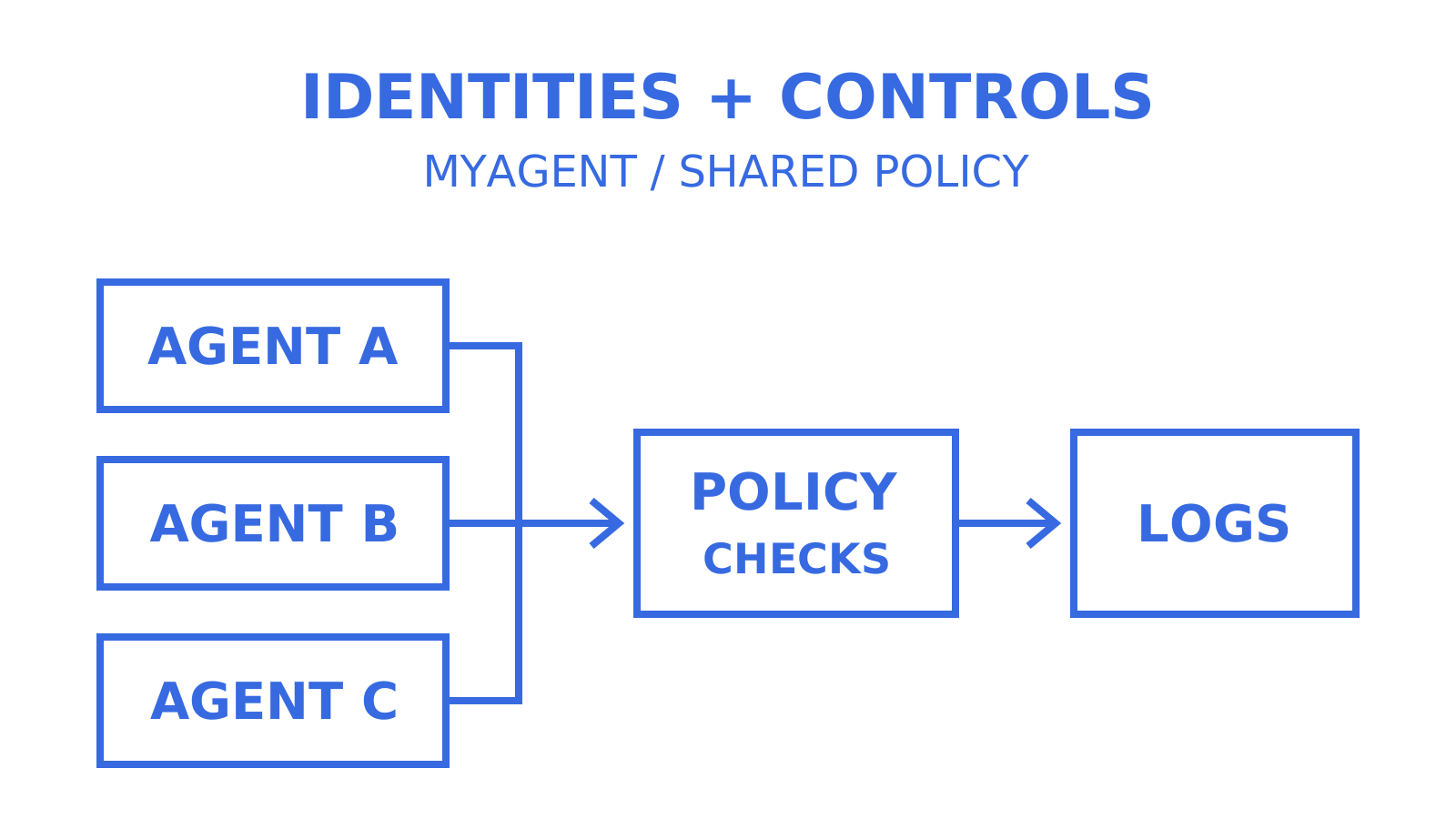
- **Hybrid**: separate identities and per-mailbox credentials share logging, rate-limit enforcement and event routing. Consider this arrangement when it fits your operational needs; it does not guarantee reputation isolation.
Separate agent traffic from human traffic where domain and tenant boundaries help attribution and access control. Give the sending domains their appropriate DKIM keys, and review the reputation pool used by each route. Individual subdomains do not guarantee separate reputation: Gmail can apply limits at both domain and shared-IP levels. A runaway loop can still affect related traffic, including the CEO's outbound mail, so identity separation must be paired with enforceable limits.
Treat email as an asynchronous pipeline. An SMTP 250 response after message submission confirms that the receiving SMTP server accepted responsibility for the message; it is not proof of final inbox placement. Track delivered, bounced, complained and rejected outcomes where the route exposes them. Webhooks and Server-Sent Events (SSE) are transports with different event coverage: Sendmux's mailbox SSE stream reports received and spam-received messages, while delivery-feedback events use webhooks. Keep handlers thin, hand business processing to your event bus, deduplicate events, and use the send endpoint's documented idempotency support plus trace IDs for retries.
**Pro Tip:** *Log a checkpoint ID at every stage of the send pipeline, not just at dispatch. When a domain's reputation dips, you want to replay the exact sequence of events for the affected mailbox, not guess at what happened from a delivery log alone.*
## How many mailboxes do you need for your send volume?
Provisioning starts with arithmetic and a verified operating limit. The 20 to 50 sends per day range is an illustrative planning assumption, not a documented tolerance for every cold mailbox. Use 25 only as the assumed cap for the worked example, then replace it with the limit your provider and observed delivery results support. Gmail recommends a low, steady start and gradual increases to engaged recipients; it does not publish this universal per-mailbox safe range.
The formula is straightforward:
1. **Set your target.** Decide the daily send volume the agent workload actually needs, subject to recipient permission and provider policy.
2. **Divide by the per-mailbox cap.** Required mailboxes = target sends per day ÷ per-mailbox cap, rounded up when needed. At an assumed 25-send cap, [600 sends a day works out to 24 mailboxes](https://mailflowauthority.com/ai-email/email-deliverability-ai-sdr-agents). Distributing those across 8 to 12 domains at 2 to 3 mailboxes per domain is the linked author's planning example, not an independent-reputation guarantee or a way to bypass shared limits.
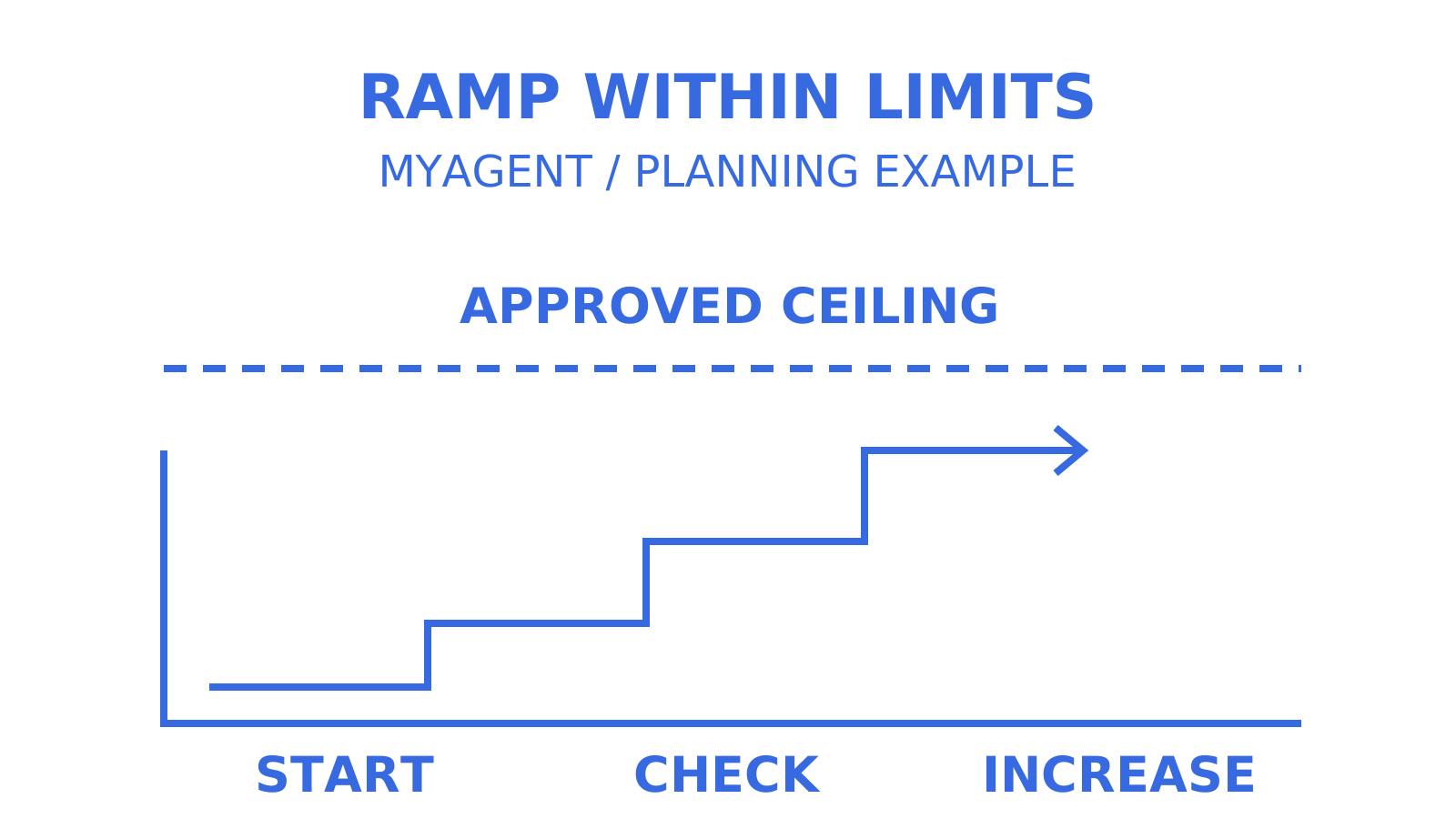
3. **Ramp, don't launch.** Treat 3 to 4 weeks as a review window, not a universal minimum. In an illustrative schedule, start with 5 sends a day in week one and 15 by week two. A proposed 30 to 40 by week three would exceed this example's 25-send cap, so stop at the approved ceiling; reaching full cap by week four depends on feedback, not the calendar.
4. **Enforce the ramp in code, not policy.** Your sending controller should expose the current allowed ceiling and reject work above it before dispatch. Check whether your provider actually exposes a warm-up status endpoint; an ordinary quota or rate-limit response does not prove that it does.
> **The math in practice:** 24 mailboxes with an approved 25-send daily cap total 600 sends a day. Spreading them across 10 domains and scheduling a four-week ramp does not create extra headroom to burst or guarantee that provider heuristics will accept the traffic. Account for any shared domain, IP, account and recipient limits before setting the fleet target.
Dedicated IPs and per-identity quotas solve different problems. An IP-level limit constrains traffic sharing that IP, while a mailbox or identity limit constrains the individual workload. Keep both levels, along with provider-account and domain limits, in your capacity model. A dedicated IP can separate IP reputation from other senders, but it needs an appropriate traffic pattern and its own warm-up; it does not replace per-mailbox limits or guarantee inbox placement.
## How do you stop a runaway agent from burning your domain?
An agent can repeat a mistaken action quickly, so [per-agent and per-tenant anomaly detection](https://blog.mailchannels.com/why-email-is-the-most-dangerous-output-channel-for-ai-agents/) is useful alongside IP and domain monitoring. Decide which volume, complaint-rate and recipient-pattern changes require a pause and human investigation. A tenant-level control can contain the responsible workload; it does not erase effects already visible to receivers or guarantee that all other senders remain unaffected.
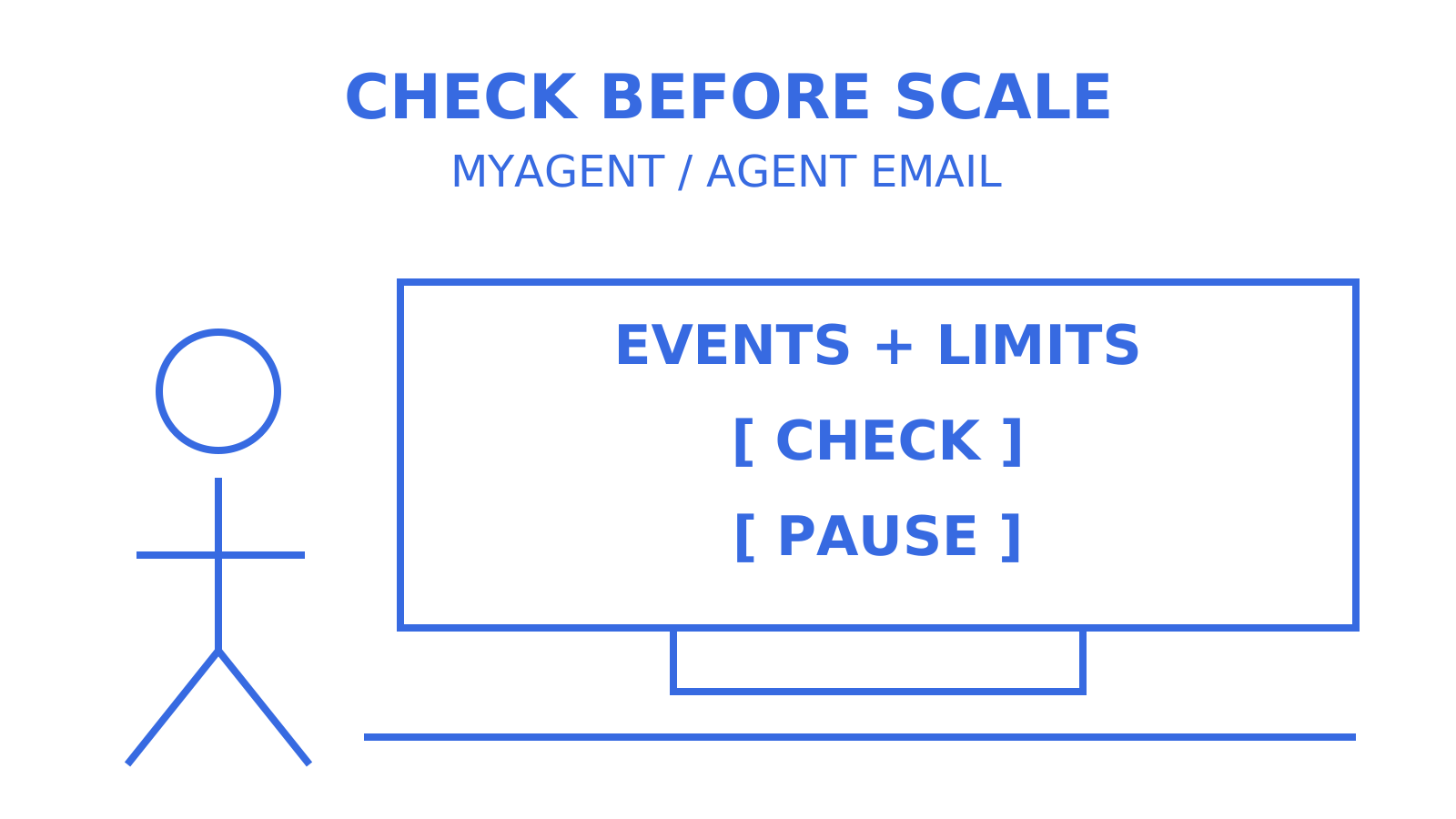
The containment layer needs four things in place before an agent ever sends its first message:
- **Reversibility-scoped approval.** Set explicit permissions for drafting, triaging and tagging. [Sending, forwarding and deleting](https://vibeengines.com/ai-system-design/email-agent-system-design) need controls appropriate to their consequence: require human approval for high-risk actions and for anything outside the user's existing authorisation. A reversible action is not automatically authorised, and moving mail to Trash differs from permanent deletion.
- **Per-tenant anomaly detection with automatic quarantine.** Configure your orchestration layer to pause an agent and notify an owner when a reviewed volume, complaint-rate or recipient-domain rule fires. Validate the rule against your workload; not every spike proves abuse.
- **A working kill switch.** Test mailbox suspension across inbound, outbound, API, SMTP and IMAP. In Sendmux, suspension is a supported operation; verify it has completed and check what happened to work already queued or accepted. Suspension does not recall a delivered message.
- **Input sanitisation on everything inbound.** Treat each inbound message, attachment and header as untrusted data. Sanitize content for the surface that will consume it, but keep separate permission checks and output controls: cleaning text alone cannot prevent [AI data exfiltration](https://blog.alecturalabs.com/blog/ai-data-exfiltration) or prompt injection.
**Pro Tip:** *Review subject lines and body structure for relevance, accuracy and recipient expectations. Content skeletons repeated across dozens of mailboxes deserve a quality review, but changing templates is not a documented way to defeat spam filters. Monitor complaints and delivery responses, and stop unwanted or unauthorised sending rather than disguising its pattern.*
## What API primitives do agent builders actually need?
Agent builders benefit from structured JSON, documented error codes and machine-readable quota information rather than asking an LLM to interpret an SMTP transcript. If your orchestration design needs programmatic warm-up status, define and enforce it in the sending controller or verify a provider's documented endpoint. Do not infer that every agent-oriented API includes an automatic warm-up service.
Credentials should follow least privilege. In Sendmux, an infrastructure key (`smx_root_`) supports team-wide Management operations and is rejected on Mailbox API endpoints. Sending keys and mailbox keys share the `smx_mbx_` prefix, so the prefix alone does not establish a mailbox boundary; resource, permissions and scope decide access. A mailbox key is limited to its mailbox and granted send, receive, read or update permissions. An agent token (`smx_agent_`) initially carries durable read and receive access. After a human owner accepts the invitation and approves sending, the agent exchanges that credential for a short-lived Sending-resource token; the original read token does not silently gain send permission.
On the event side:
- **SSE** provides a long-lived server-to-client stream rather than repeated polling. It suits a client that can maintain an outbound connection without hosting a public endpoint; Sendmux's mailbox stream covers received and spam-received events.
- **Signed webhooks** deliver supported inbound and delivery-feedback events to an HTTPS endpoint. Verify the HMAC signature, deduplicate events and design for retries with backoff; check the current event subscription and retry contract.
- **Filtered GET endpoints** let an agent request messages by supported folder, thread or query filters rather than downloading the whole mailbox.
- **Sync tokens and batch operations** let a client request documented changes and update multiple messages. Handle an expired or unusable cursor with the API's required resynchronisation flow rather than assuming a token works forever.
> Structured headers and bounded payload previews can reduce how much raw MIME content enters the agent context. Select the fields needed for the task and measure behavior on representative messages; a small payload does not make model reasoning deterministic or prove that prompt injection has been removed.
Evaluate OpenAPI specifications, SDKs, a CLI, and MCP or A2A interfaces against the integrations your agent actually needs. These are useful access surfaces to inspect, not proof that a platform enforces your sending policy or provides every endpoint through every client.
## Get-started checklist for a pilot agent deployment
1. **Provision infrastructure.** Choose appropriate domains or subdomains and mailboxes, configure and test SPF, DKIM and DMARC, and assess dedicated IPs against provider guidance and traffic needs.
2. **Scope credentials tightly.** Issue only the permissions the pilot needs. Enforce your per-mailbox send caps in a trusted controller and account for provider limits as well.
3. **Automate warm-up.** Implement a reviewed ramp schedule in your controller or use a documented provider feature; check the applicable ceiling before every send, and pause increases when feedback deteriorates.
4. **Wire your event surfaces.** Connect SSE for its supported mailbox events and webhooks for delivery feedback, ingest delivery logs, and configure bounce and complaint alerts for the provider and metric being measured.
5. **Test containment before you need it.** Exercise the kill switch in staging. Verify sending, inbound and API access are suspended as intended, then check queued work and protocol access before the pilot goes live.
## Operational trade-offs for agent email
Centralised orchestration offers one pipeline and log stream to inspect, but it still needs controls for individual agents. As workloads diversify, compare each agent's ramp schedule and complaint signals with the fleet aggregate. A shared total can hide a small problematic workload; separate identities and per-mailbox limits improve attribution without guaranteeing separate reputation.
Consider a staging failure case: a sending controller trusts the calling agent's requested allowance, and the workload exceeds its week-one limit before an alert fires. The test should verify rejection at the server-enforced ceiling and exercise per-mailbox quarantine alongside the broader circuit breaker. This is a scenario to test, not a reported MyAgent incident or proof that quarantine always saves a domain.
Instrument checkpoints early, provision only the mailbox capacity justified by the workload, and test pause and recovery before increasing scale. Additional warmed mailboxes are not a substitute for fixing unwanted traffic or complying with provider limits.
## Where Sendmux fits for agent-native high volume email
Sendmux supplies mailbox identities, scoped credentials and documented access controls that an agent workflow can use. Your orchestration layer still needs its own reviewed ramp policy and anomaly rules; a provider limit is not a guarantee against domain reputation damage. An agent can discover [Myagent](https://myagent.mx), follow Sendmux's registration instructions and obtain a provisioned `@myagent.mx` mailbox with durable read and receive access. The current flow uses idempotent registration rather than a proof-of-work challenge. Sending stays locked until a named human owner accepts the invitation and approves it.
Sendmux offers delivery logs, signed webhooks, mailbox SSE and provider routing, with different scopes for each. SSE covers inbound mailbox events; delivery-feedback subscriptions use webhooks. Pricing includes outgoing provider-accepted recipient occurrences, distinct inbound mailbox deliveries and storage usage, and Pro has a monthly team fee. Provisioning two dozen mailboxes does not create a fixed per-mailbox charge multiplied by two dozen, but it can change storage and usage costs and is subject to the plan's resource limits. Do not treat mailbox count alone as your cost model.
Start with the Mailbox API and SDK documentation linked from [Sendmux](https://sendmux.ai), then use its published auth.md discovery instructions for agent registration. Save the durable credential securely, verify read access, invite the owner and obtain sending approval before testing an authorised send.
## Key reading and docs for implementing this safely
- [Why email is the most dangerous output channel for AI agents](https://blog.mailchannels.com/why-email-is-the-most-dangerous-output-channel-for-ai-agents/) on reputation risk and anomaly detection
- Email deliverability for AI SDR agents for provisioning math
- Multi-agent email orchestration architecture guide for API design patterns
- [Email deliverability monitoring for technical teams](https://myagent.mx/blog/email-deliverability-monitoring) for ongoing bounce and complaint tracking
## Sources
- [Why email is the most dangerous output channel for AI agents](https://blog.mailchannels.com/why-email-is-the-most-dangerous-output-channel-for-ai-agents/)
- [Email deliverability for AI SDR agents: the 2026 engineering guide](https://mailflowauthority.com/ai-email/email-deliverability-ai-sdr-agents)
- [Design an autonomous email agent](https://vibeengines.com/ai-system-design/email-agent-system-design)
- [Gmail sender guidelines](https://support.google.com/mail/answer/81126?hl=en)
- [Amazon SES dedicated IP warm-up](https://docs.aws.amazon.com/ses/latest/dg/dedicated-ip-warming.html)
- [OWASP prompt injection risks and mitigations](https://genai.owasp.org/llmrisk/llm01-prompt-injection/)
- [SMTP acceptance and responsibility, RFC 5321](https://www.rfc-editor.org/rfc/rfc5321#section-4.2.5)
- [Server-Sent Events, HTML Standard](https://html.spec.whatwg.org/multipage/server-sent-events.html#server-sent-events)
## FAQ
### What's a safe per-mailbox sending cap for a new agent identity?
There is no universal safe per-mailbox cap. The 20 to 50 sends a day range and 25-send assumption in this guide are planning examples for a cold mailbox, not provider guarantees. Choose a permitted initial volume, increase it gradually over several weeks only when feedback supports that, and obey shared account, domain and IP limits.
### How long should agent mailbox warm-up take?
There is no universal three-to-four-week minimum for an agent mailbox. A plan starting near 5 sends a day in week one and aiming at full capacity by week four needs provider-specific review and observed delivery feedback. Treat the 3–4 week warm-up as an example review window; slow down or pause when bounces, deferrals or complaints rise.
### Should I use SSE or webhooks for delivery events?
Choose by event coverage as well as connectivity. Sendmux's mailbox SSE stream supports received and spam-received events over an outbound client connection; delivery-feedback events use webhooks. If you can host an HTTPS endpoint, verify HMAC signatures, deduplicate deliveries and handle retries with backoff. SSE and webhooks are not interchangeable delivery-event feeds.
### What's the fastest way to stop a runaway agent mid-send?
Pause dispatch in your orchestration layer and use the mailbox's supported suspension control. Sendmux suspension covers inbound, outbound, API, SMTP and IMAP access; verify the operation completed and test those paths regularly. Check queued or already accepted messages separately, because a kill switch cannot recall mail that has already been delivered.
### How do I defend against prompt injection in inbound mail?
Treat every inbound message and attachment as untrusted data. Sanitize content for its destination, separate it from trusted instructions, restrict tool permissions and validate outputs in deterministic code. Require human approval for high-risk sending or forwarding and reject actions outside the user's existing authorisation, regardless of what the email requests. Sanitisation alone is not a complete prompt-injection defence.