---
title: "Best SMTP Providers for Developers in 2026"
description: "Discover the best SMTP providers for developers in 2026. Choose from Sendmux, Amazon SES, Mailgun, and Postmark for efficient email solutions."
canonical: "https://myagent.mx/blog/best-smtp-providers"
publishedAt: "2026-08-18T00:00:00.000Z"
updatedAt: "2026-08-23T00:00:00.000Z"
category: "apis"
topic: "best smtp providers"
author: "Roshan Jonnalagadda"
authorProfile: "https://myagent.mx/blog/author/roshan-jonnalagadda"
keywords:
- "smtp 587 vs 2525"
- "best smtp providers"
- "port 587 vs 465"
- "smtp relay providers"
- "reliable SMTP host"
- "high deliverability SMTP"
- "best smtp relay"
- "cheap SMTP providers"
- "best SMTP for businesses"
- "top SMTP services"
- "best email delivery services"
- "SMTP provider comparison"
- "smtp port 2525"
- "smtp routing"
- "email service providers"
- "smtp providers comparison"
- "port 25 blocked smtp"
---
# Best SMTP Providers for Developers in 2026
Discover the best SMTP providers for developers in 2026. Choose from Sendmux, Amazon SES, Mailgun, and Postmark for efficient email solutions.
Choose the submission protocol and provider model that fit the workload.
When developers are building agent-enabled products or multi-tenant SaaS, **Sendmux** can be a good choice among the best SMTP providers, especially when your workload requires persistent mailboxes and SMTP submission. It offers sending and receiving in one mailbox instead of forcing the application to make all the decisions for the inbound state. When your workload is transactional or marketing email where inbound mailboxes are not required, the other three options will cover most of your needs.
**Amazon SES** is recommended for AWS-operated, pay-per-use volumes, if the team is prepared to handle the reputation management and integration work. **Mailgun** is a reliable default for developer-friendly APIs with built-in validation tools. **Postmark** is recommended for applications that differentiate transactional emails from broadcast emails. However, the speed of delivery and placement of emails in the inbox by the sender still need to be empirically tested.
- **Sendmux** — unified send + receive API, per-mailbox keys, weighted routing across eligible providers.
- **Amazon SES** — tiered AWS-operated sending, with more integration and reputation work left to the team.
- **Mailgun** — strong API plus SMTP parity and built-in email validation.
- **Postmark** — focused on application email through transactional and broadcast Message Streams.
If you’re testing things out today: Set up a Sendmux mailbox under the plan you’re testing. Send an API request to test message sending and check delivery logs. All of these steps should be completed before deciding on a routing strategy. This small smoke test gives you application-specific evidence beyond what a pricing page can provide.
## Key Takeaways
The unified send-and-receive infrastructure with weighted routing across eligible connected providers deals with the mailbox and distribution issues that specialized SMTP relays cause application developers.
| Point | Details |
| --- | --- |
| Port choice matters | Use port 587 with STARTTLS or port 465 with implicit TLS when the provider supports them; port 2525 is a provider-specific alternate, and port 25 is for relay rather than client submission. |
| API can improve application integration | A documented REST API can provide structured errors and may support idempotency; SMTP remains useful for legacy and drop-in cases. |
| Match provider to use case | High-volume senders favor Amazon SES; transactional-only apps favor Postmark or Mailgun. |
| Test before committing | Run a representative pilot long enough to cover the workload's normal sending cadence, then inspect placement, bounces, complaints, webhooks, and API errors. |
| Multi-tenant and agent workloads need unified mailboxes | Sendmux pairs per-mailbox API keys with weighted connected-provider routing for products where every tenant or agent needs its own inbox. |
## Table of Contents
- [What Are the Best SMTP Providers for Developers?](#what-are-the-best-smtp-providers-for-developers)
- [How We Evaluated These Email Delivery Services](#how-we-evaluated-these-email-delivery-services)
- [Provider Profiles: Strengths and Trade-Offs](#provider-profiles-strengths-and-trade-offs)
- [How to Choose the Right SMTP Provider for Your Project](#how-to-choose-the-right-smtp-provider-for-your-project)
- [Technical Setup Essentials: Ports, TLS, and SMTP vs API](#technical-setup-essentials-ports-tls-and-smtp-vs-api)
- [Final Verdict by Developer Use Case](#final-verdict-by-developer-use-case)
- [Give Every Agent or Customer a Real Mailbox](#give-every-agent-or-customer-a-real-mailbox)
- [Sources](#sources)
- [FAQ](#faq)
## What Are the Best SMTP Providers for Developers?
The answer depends on the specific requirements of your app to either just send emails, read replies, segregate tenants, or handle mail distribution to multiple eligible providers. A snapshot comparison of the leading **smtp relay providers** defines trade-offs and saves your precious time from integrating.
The following is a summary based on the current official documentation and pricing pages. For assistive tooling and reputation controls, it cannot be proven that a particular sender can reach the inbox, and as a result, deliverability grades cannot be assigned.
SMTP providers differ in mailbox support, operating model, and billing shape.
Some things a table does not exhibit: Connect Gmail, Outlook, or SMTP providers configured with Sendmux delivery groups, and distribute work based on configured weight. The managed Amazon SES account is a different default path and does not support delivery groups. This is structurally different from a single provider relay, regardless of how high that provider's uptime is.
## How We Evaluated These Email Delivery Services
Looking beyond marketing pages is essential for ranking and selecting the best email delivery services. The evaluation criteria concentrate on what post-production email delivery services will deliver, instead of the pre-production marketing comparison charts.
- **Deliverability signals**: dedicated IP availability, feedback loop support, and documented reputation management practices.
- **Pricing shape**: whether cost scales by volume, tier, or seat, and where free-tier limits actually cap out.
- **API and SMTP parity**: does the provider treat SMTP as a legacy fallback, or does it get the same features as the API?
- **SDKs and webhooks**: language coverage, webhook retry behavior, and idempotency support for safe retries.
- **Analytics and log retention**: how long bounce, delivery, and open data stays queryable.
- **SLA and support options**: whether enterprise support, dedicated onboarding, or migration help exists.
- **Security and compliance**: SPF, DKIM, and DMARC support out of the box, plus any HIPAA or GDPR-relevant data handling documentation.
Each criterion aligns with a genuine failure mode. A lack of a feedback loop results in late discovery of spam complaints. Weak webhook retry logic means that a lost bounce notification will undermine your suppression list. Multi-tenant routing that doesn’t have per-tenant quotas means that one disruptive client can adversely impact the deliverability for all other clients on the platform.
Current official vendor documentation and product pricing pages provide the basis of this comparison. API behavior, pricing, and deliverability cannot be established by these platforms, but G2 and [Capterra](https://www.capterra.com/p/210463/Mailtrap/) do provide insight into customer concerns that may be worth investigating. Before budgeting, confirm current figures with the vendor.
## Provider Profiles: Strengths and Trade-Offs
### Sendmux
Sendmux differentiates itself at an architectural level. Rather than having a sending API sandwiched between a mailbox parser, we provide a true inbox for every mailbox. Each mailbox has its own address and API key as well as its own permission set. This architectural difference is crucial for agent platforms and multi-tenant SaaS where isolated identity is required for each customer or AI agent.
- Unified Mailbox API for messages, threads, folders, and attachments, so agents read cleaned message text instead of parsing raw MIME.
- Outbound delivery through managed Amazon SES or connected Gmail, Outlook, and SMTP providers, with weighted delivery groups for eligible connected providers.
- Mailbox-scoped API keys limit each key to explicit send, receive, read, or update permissions, which limits blast radius if a key leaks.
- Mailbox event delivery through documented webhook and event-stream surfaces; verify signatures and retry handling against the current API contract.
- SMTP submission on port 587 or 2525 with STARTTLS, plus documented HTTP sending surfaces and idempotency support.
**Pros**: The current design unifies sending and receiving, which eliminates the need for application-owned mailbox glue. Delivery groups distribute traffic by weight between eligible connected providers. Current billing is based on outbound recipients, inbound mailbox deliveries, and mailbox storage rather than a separate mailbox-count charge.
**Cons**: there are Free plan limits and a multi-provider routing model is more complex than a single vendor relay.
**Pricing**: Free is $0 with fixed limits. Pro costs $7 per team each month plus usage. Connected outbound and inbound events cost $0.000500 each, managed Amazon SES accepted recipients cost $0.000750 each, and storage costs $0.02 per decimal GB-month.
**Deliverability and Scale**: The sending path has a documented capacity target of 10 million messages per day. Treat this as a target rather than a completed load-test result. Current public delivery logs show `pending`, `sent`, `failed`, and `rejected` statuses.
Port 587 and port 465 are standard submission choices; port 2525 is a provider-specific alternate.
**Integration**: OpenAPI 3.1 specs, SDKs for TypeScript, Python, Go, PHP, Ruby, and Rust, 104 generated API operation commands and three profile commands in the CLI, and LangChain and Vercel AI SDK integrations.
### SendGrid
By name recognition and a wide integration marketplace, most teams still choose SendGrid first. SendGrid manages both high transactional and high marketing volume well, equipped with a mature dashboard and documentation of dedicated IP options for senders requiring reputation isolation. The trade-off is the API surface that has grown large over the years, and newer teams sometimes find its dashboard more tailored to marketers. If your team is using adjacent Twilio products, SendGrid is a reasonable choice because account management and billing are more consistent within that ecosystem.
### Mailgun
Mailgun is for developers who need SMTP and API at parallel levels, amenities competitors usually overlook, such as email validation combined with placement testing on the platform. Mailgun provides a solid reference with its SMTP server's documentation which covers multiple ports (25, 465, 587) and SPF, DKIM, and DMARC authentication, even if you pick a different provider. Mailgun favors teams wanting detailed control over sending domains and are willing to accept a more complicated, steeper, and initial configuration process for that benefit.
### Amazon SES
Amazon SES has a tiered, usage-based pricing model, meaning that the cost to send an email scales with volume. However, the total cost depends on your messaging and pricing plan choices, data transfer rates, dedicated IPs, and other surrounding AWS services. SES is sending infrastructure and not a complete application, so teams must build reputation monitoring, event handling, and operational reporting on top of SES, as well as suppression. Existing AWS services can help reduce this effort, but the use of IAM, CloudWatch, and SNS should be considered in their pricing and not assumed to be free.
### Postmark
Postmark runs application traffic through transactional and broadcast Message Streams. Postmark specializes in application email, and email speed and placement for Postmark still rely on the sender, content, the recipient, and various test scenarios. Examine the existing approval methodology and plan terms to test the password reset and receipt emails with example domains and destinations.
### Mailtrap
Mailtrap has an Email Sandbox for testing emails and an Email API/SMTP product for production email sending. If you want to review a product and plan for production, do that instead of using the sandbox reviews for evidence about production delivery. If your team has ever sent emails to real customers from a staging environment, that is why Mailtrap was created.
### Brevo (formerly Sendinblue)
Brevo's product combines marketing automation and transactional SMTP relay and provides a limited free plan. It may work for teams wanting one account for sending newsletters and transactional receipts, though. You should also check the current limitations for contacts, daily limits, features and support against the competition.
### SMTP2GO
SMTP2GO simplifies email delivery by offering an SMTP relay network that's designed to deliver email first and foremost, as well as easy to configure. SMTP2GO works best for teams that are looking for a reliable SMTP relay and don't want the overhead of adding features to their platform. SMTP2GO is less advanced with the multi-tenant controls and complex routing features when stacked against their developer-first competition.
### SendLayer
SendLayer has specifically designed their pricing and setup process to consider WordPress sites and smaller applications, and targets both groups. If you are using a WordPress site in your stack to send order confirmations or password resets, you should see SendLayer's simplicity as a benefit, not a drawback.
### MailerSend
MailerSend offers a friendly API for developers along with a WordPress SMTP Integration Plugin. This helps teams that rely on a CMS integrate MailerSend with ease. The strong presence of first-party plugin support shows that the setup process for MailerSend is relatively frictionless, as a supported plugin is usually better than a plugin developed by the community.
**Pro Tip:** *Conduct a representative seed-list test for all destination domains that your workload touches before choosing a provider. A universal inbox-placement rate cannot be based on a ten-message sample.*
## How to Choose the Right SMTP Provider for Your Project
Begin with what you actually send, not the provider everyone but you discuss in forum threads. A checklist beats a vibe-based decision all the time.
1. **Estimate real volume and growth curve.** A provider priced for 10,000 emails a month behaves very differently at 10 million.
2. **Decide if you need inbound mail.** If your app only sends, most providers on this list work. If it needs to receive and route replies, that narrows the field fast.
3. **Map your compliance requirements.** GDPR data residency and HIPAA-adjacent handling rule out providers that don't document where data lives.
4. **Check multi-tenant needs.** If different customers or agents need isolated sending identities, confirm the provider supports per-tenant quotas and keys, not just per-account limits.
5. **Test provider-selection behaviour before you need it.** Verify what happens when the primary path is disabled, over quota, ineligible, or unavailable.
Inquire with the vendors about the SLAs, the warm-up policies for newly provisioned sending domains, automated bounce handling, the durability of retries for webhooks, and the time frame for rate limits (i.e. per second, per minute, or per day). If they are evasive on any of these items, continue your evaluation.
Be cautious if you see any of the following during a trial: SPF/DKIM/DMARC documentation not provided, delivery logs not shown, pricing that is not clear until a sales call, and documentation of webhooks lacking information on retry and signature verification. Any of these issues could lead to a production incident.
## Technical Setup Essentials: Ports, TLS, and SMTP vs API
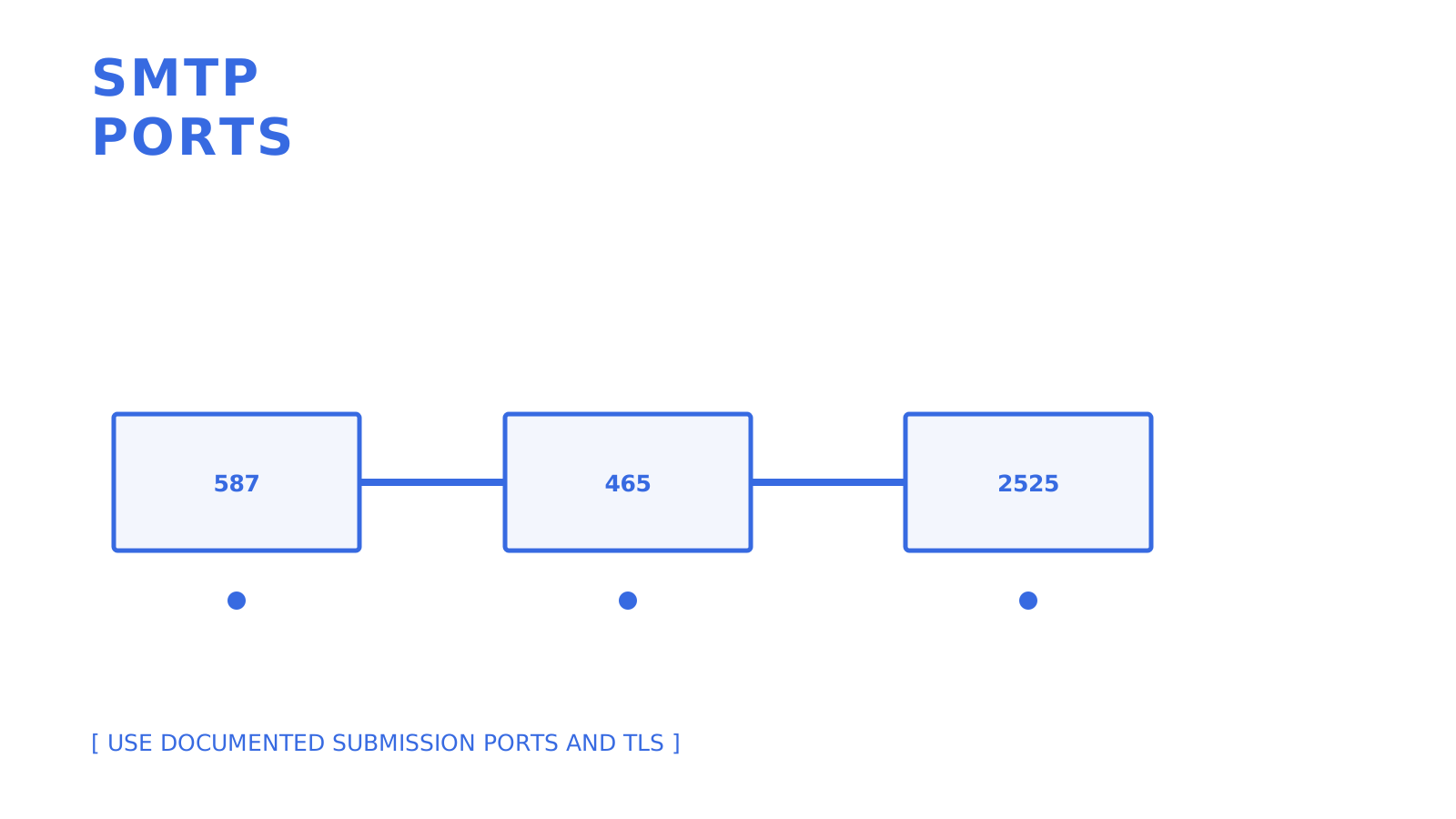
Use **[port 587 with STARTTLS](https://www.cloudflare.com/learning/email-security/smtp-port-25-587/)** for client-submission when supported. RFC 8314 also suggests using TLS with submission on **port 465**; this is not just using a legacy submission port. **Port 2525** is a non-IETF standard submission port, used at the discretion of the provider, and can be used when the chosen provider has documented it, and a network policy restricts the use of the existing submission ports. **Port 25** should not be used for client submission because it is purposely used for server-to-server SMTP relay, and it is blocked by most residential and cloud networks to mitigate spam.
| Port | Purpose | Security model | When to use |
|---|---|---|---|
| 587 | Client submission | STARTTLS (negotiated) | Default choice for new integrations |
| 465 | Client submission | Implicit TLS | Standard implicit-TLS option where the provider supports it |
| 2525 | Provider-specific alternate | Provider-defined, commonly STARTTLS | Use only when the provider documents it and standard ports are unavailable |
| 25 | Server-to-server relay | Varies, often unencrypted | Never for client submission; relay only |
- Test TLS negotiation directly rather than assuming it works. Firewalls and corporate proxies love to silently downgrade connections.
- Prefer the **REST API** over raw SMTP when you control the application. You get idempotency keys, richer structured error responses, and easier retry logic.
- Keep SMTP relay in your toolkit for legacy apps, CMS platforms, or anywhere a drop-in replacement beats a code change. This is the practical split between **smtp 587 vs 2525** decisions: pick 587 first, 2525 as your escape hatch.
**Pro Tip:** *Once you've verified SPF, DKIM, and DMARC on a new sending domain, run inbox placement tests. Passing authentication and checking actual inbox placement are two different steps. Skipping the latter is how delivered emails land in spam.*
## Final Verdict by Developer Use Case
- **Small SaaS, transactional email only**: Postmark or Mailgun. Both handle receipts, password resets, and alerts reliably without extra platform overhead.
- **High-volume marketing plus transactional**: Amazon SES for cost at scale, or Brevo if you want marketing automation bundled in.
- **Multi-tenant or agent-driven send and receive**: Sendmux. Per-mailbox API keys and weighted connected-provider routing solve problems a single-purpose sending API doesn't address.
- **Quick prototype using Gmail relay**: Fine for early testing, but plan to migrate before real users depend on it. Gmail's sending limits and reputation model aren't built for production traffic.
Use any pick with a representative pilot sample for a workload with the expected cadence. Examine inbox placement apart from the provider acceptance, bounces, complaints, webhook delivery, and API errors. Do not take for granted that the result from the initial sample will either improve or worsen when run at a larger scale.
### Why unified mailboxes change the calculus
I spend a lot of my time observing where sending providers slowly return a problem to the developer. Most stacks are built with a parser-plus-webhook-relay pattern to simulate an inbound email. This pattern is fragile and doesn’t show its issues until an agent tries to read a reply in the middle of a conversation. Having a unified send and receive infrastructure gets rid of a whole category of glue code. That is the gap that Sendmux aims to fill for multi-tenant and agent-driven products.
## Give Every Agent or Customer a Real Mailbox
Several alternatives listed above provide solutions for sending and some cover inbound parsing or receipt-rule workflows. Sendmux differs by integrating persistent mailbox states and scoped mailbox credentials with sending in a single resource model. If your product creates an agent, a customer workspace, or a tenant entity and that entity needs to send and read replies without a parser hack duct-taped to a webhook, Sendmux gives it a real inbox from day one.
Sendmux charges $0.000500 for each connected-provider accepted recipient or distinct inbound mailbox delivery, $0.000750 for each managed Amazon SES accepted recipient, and $0.02 per decimal GB-month of storage. Pro costs $7 per team each month plus usage. Test a mailbox and a weighted delivery group with representative success, quota, and ineligibility cases before production.
## Sources
- [SMTP port 25 vs 587 | Cloudflare Learning](https://www.cloudflare.com/learning/email-security/smtp-port-25-587/)
- Mailtrap reviews | G2
- [Mailtrap Reviews | Capterra](https://www.capterra.com/p/210463/Mailtrap/)
## Related evaluation terms
These exact source terms remain part of the article's evaluation scope:
- port 587 vs 465
- reliable SMTP host
- high deliverability SMTP
- best smtp relay
- cheap SMTP providers
- best SMTP for businesses
- top SMTP services
- SMTP provider comparison
- smtp port 2525
- smtp routing
- email service providers
- smtp providers comparison
- port 25 blocked smtp
## FAQ
### What Is the Most Hacked Email Provider?
There's no single definitive ranking for the most hacked email provider, as the exposure of email accounts hinges not only on the email provider. Email providers can benefit from a well-configured SPF, DKIM, and DMARC, as well as some scoped API Keys to constrain the damage in case the credentials are leaked.
### What Is Replacing SMTP?
While nothing has really taken over SMTP for email transport, many teams choose REST APIs over raw SMTP for application-driven sending SMTP because they provide idempotency controls and structured error handling. For legacy apps and Content Management Systems, SMTP relay options are common because they can easily be integrated.
### What Is the Cheapest SMTP Provider?
While Amazon SES is a low-cost, high-volume tiered option, the team manages more of the surrounding integration and reputation work. Sendmux Pro costs $7 per team each month plus $0.000500 per provider-accepted recipient through an owned or connected provider. Compare the complete plan, inbound, storage, and operating costs.
### Which SMTP Is Free to Use?
A number of companies offer free or trial plans to send a limited number of emails. Current offerings allow Mailgun users to send 100 emails a day for free, SendGrid users have 100 emails a day for 60 consecutive days, Brevo users have a free, daily sending allowance, and MailerSend has a free plan. Users should check plan limits as these offerings can change. Free sending plans usually cap the number of emails sent each day or each month. Visit the pricing pages of these companies to see limitations for production emails.
### Should I Use Port 587 or 2525 for SMTP Submission?
Use port 587 with STARTTLS for standard message submissions, or use port 465 for providers and clients that use implicit TLS. Port 2525 is a provider-specific alternate to the IETF-standard submission ports. Use Port 2525 only when your provider specifically documents it and the network policy restricts the standard options.
## Recommended
- Email Sending API with Automatic Failover | Sendmux
- [Batch Email Sending: A Practical Guide for 2026](https://myagent.mx/blog/batch-email-sending)
- [Batch Email Sending: Practical Guide for Inbox Delivery 2026](https://myagent.mx/blog/topic/batch%20email%20sending)
- Agent Email: One API to Send, Receive, Route | Sendmux