---
title: "Best Email APIs for Developers: 2026 Comparison Guide"
description: "Discover the best email APIs for developers in 2026. Compare features like real mailboxes, parsing, and delivery options to find your ideal choice."
canonical: "https://myagent.mx/blog/best-email-api"
publishedAt: "2026-08-12T00:00:00.000Z"
updatedAt: "2026-08-12T00:00:00.000Z"
category: "apis"
topic: "best vercel email api"
author: "Roshan Jonnalagadda"
authorProfile: "https://myagent.mx/blog/author/roshan-jonnalagadda"
keywords:
- "best vercel email api"
- "best email api for agents"
- "best email api for gmail"
- "best email api for outlook"
- "best microsoft 365 email api"
- "best email integration services"
- "best email api"
- "affordable email API solutions"
- "email API for developers"
- "email API comparison"
- "top email API providers"
- "best email api for developers"
---
# Best Email APIs for Developers: 2026 Comparison Guide
Discover the best email APIs for developers in 2026. Compare features like real mailboxes, parsing, and delivery options to find your ideal choice.
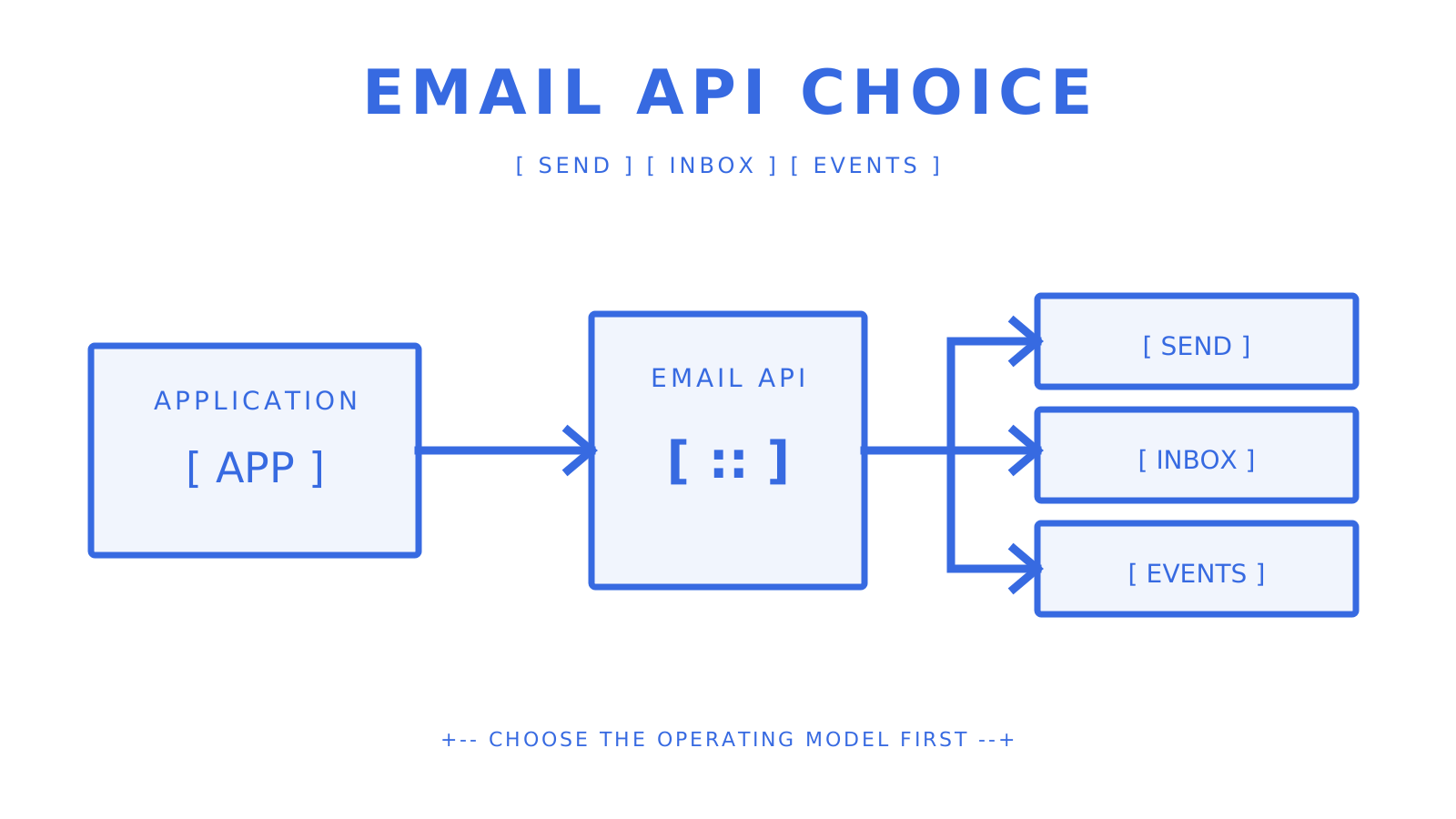
A mailbox-aware application compares sending, receiving, and event paths.
For AI agents and multi-tenant platforms that need both mailbox state and outbound routing, Sendmux is a strong starting point. Its current public contracts combine real mailboxes, clean JSON message and thread content, scoped mailbox credentials, weighted sending accounts, quota windows, and observable delivery outcomes. If you only need to act through an existing Gmail or Microsoft 365 user's mailbox, the Gmail API or Microsoft Graph may be the more direct fit.
Quick orientation before you dig into the full comparison:
- **Mailbox-first APIs (agents, multi-tenant SaaS):** Sendmux. Real mailboxes, mailbox-scoped credentials, clean message content, and weighted routing across configured sending accounts.
- **High-volume transactional sending:** Established SMTP platforms with dedicated IP options and deep delivery analytics.
- **Marketing + transactional hybrid:** Marketing platforms that expose an API alongside campaign tools.
- **Developer-first transactional APIs:** Providers with strong SDKs, excellent documentation, and fast time-to-first-email.
- **Cost-sensitive or low-volume projects:** Usage-based or generous free-tier providers where you pay only for what you send.
Developers searching for the **best email api**, **best email api for developers**, or an **email API for developers** should first separate delivery infrastructure from provider-mailbox access. This **email API comparison** covers **top email API providers**, **affordable email API solutions**, the **best email integration services**, the **best email api for agents**, the **best vercel email api**, the **best email api for gmail**, the **best email api for outlook**, and the **best microsoft 365 email api** without treating those different jobs as interchangeable.
Authentication is non-negotiable regardless of which provider you pick. [Gmail's sender guidelines](https://support.google.com/mail/answer/81126?hl=en) require SPF or DKIM for all senders and SPF, DKIM, and DMARC for senders above its bulk threshold. [Yahoo's postmaster guidance](https://blog.postmaster.yahooinc.com/post/730172167494483968/more-secure-less-spam) adds similar requirements, while [Microsoft's high-volume sender rules](https://techcommunity.microsoft.com/blog/microsoftdefenderforoffice365blog/strengthening-email-ecosystem-outlook%E2%80%99s-new-requirements-for-high%E2%80%90volume-senders/4399730) require SPF, DKIM, and DMARC for domains sending more than 5,000 messages per day to Outlook consumer addresses.
**Pro Tip:** *Before evaluating an email API, verify how it exposes SPF, DKIM, DMARC, custom MAIL FROM or bounce handling, and current verification status. Record generation is useful, but your team still owns correct DNS publication and sender behavior.*
***
## Key Takeaways
The best fit depends on the ownership model. Sendmux fits application-owned or agent-owned mailboxes with scoped credentials and provider routing; Gmail API and Microsoft Graph fit authorized access to existing provider mailboxes; Amazon SES and transactional platforms fit delivery-first workloads.
| Point | Details |
|---|---|
| Top pick for agent-owned mailboxes | Sendmux covers mailbox state, scoped credentials, weighted sending accounts, quotas, and delivery observability in one public API surface. |
| Authentication is a gating requirement | Gmail and Outlook apply explicit SPF, DKIM, and DMARC requirements to high-volume senders; validate the rules for every destination you target. |
| POC timebox | A 48–72 hour test can exercise setup, parsing, and small consent-based seed sends; throughput and alternate-route tests need an approved non-production plan. |
| Cost model matters | Compare the same unit and included operations. Sendmux Pro is $7 per team each month plus $0.000500 per connected-provider accepted recipient; Amazon SES lists $0.10 per 1,000 outbound recipients on its a la carte pricing plus data and optional-feature charges. |
| Inbound is often an afterthought | If your app will ever need to receive replies, start with a mailbox-first API to avoid a costly retrofit later. |
***
## How do the top email APIs compare side by side?
A useful comparison begins with the operating model, not a fictional feature score. The source draft said it included 15 providers but did not provide a 15-provider table, so this baseline limits the comparison to current, documented examples, leaving vendor-specific gaps explicit.
| Option | Primary model | Inbound or mailbox scope | Current price evidence |
|---|---|---|---|
| Sendmux | Agent and platform mailbox API plus configured sending accounts | Real mailboxes, clean message and thread content, inbound SSE, outbound webhooks | Pro is $7 per team each month plus $0.000500 per connected-provider accepted recipient |
| Amazon SES | Delivery-first cloud email service | Receipt-rule inbound service; application mailbox semantics are your responsibility | $0.10 per 1,000 outbound recipients on its a la carte pricing, plus data and optional features |
| Brevo | Marketing and transactional platform with API access | Confirm the exact inbound product required for your workflow | Free plan currently includes 300 sends per day |
| Gmail API | Authorized access to Gmail mailbox data and sending | Gmail user's mailbox, messages, threads, labels, and watches | Governed by Google account and API policies rather than a generic delivery price |
| Microsoft Graph mail | Authorized access to Exchange Online primary and shared mailboxes | Microsoft 365 and Outlook mailbox data | Governed by Microsoft licensing and API policies |
**One non-obvious tradeoff worth flagging:** Amazon SES dedicated IPs isolate reputation after warmup and require consistent sending. Amazon SES documents roughly two to six weeks depending on the receiving provider, with its standard automatic warmup percentage progressing over 45 days. SES shared IPs need no extra IP setup after address verification and sandbox exit. AWS manages their pool-level reputation. Choose from your actual volume and sending pattern rather than assuming dedicated is always better.
**Pro Tip:** *When comparing pricing tiers, check whether inbound messages, storage, and webhooks are billed separately. Some providers advertise a low per-email rate but charge extra for every inbound event or attachment stored.*
***
## How was this comparison put together?
Current primary documentation should settle technical and pricing claims. The evaluation still uses deliverability, SDK quality, inbound behavior, security, throughput controls, and pricing transparency as practical axes; [independent roundups](https://www.emailvendorselection.com/best-email-api/) remain useful for discovering candidates, not verifying them.
EmailTooltester's [transactional email comparison](https://www.emailtooltester.com/en/blog/best-transactional-email-service/) reports its own deliverability tests alongside provider pricing. Treat those results as observations from its test setup, not a prediction for your domain or a substitute for current provider terms. This guide's recommended test procedures below are checks for your own evaluation. They are not a claim that MyAgent ran those experiments.
**Evaluation criteria:**
- Deliverability: domain authentication support (SPF, DKIM, DMARC), dedicated IP availability, reputation monitoring, and feedback loop access
- SDK quality: language coverage, OpenAPI spec availability, example code, and time-to-first-send in a clean environment
- Inbound parsing: whether the provider offers real mailboxes or only a webhook-based parse relay, and the structure of the parsed payload
- Security: webhook signing, per-key permission scoping, TLS enforcement, and compliance certifications (SOC 2, GDPR)
- Throughput and failover: rate-limit behavior, burst handling, multi-region routing, and automatic failover across providers
- Pricing model: per-recipient vs. subscription, free tier limits, overage behavior, and hidden fees (per-mailbox, per-seat, per-inbound)
**Recommended test procedures:**
- Send and receive tests: authenticated domain setup, single-message send, reply threading, and inbound delivery confirmation
- Inbox placement checks: test sends to Gmail and Outlook addresses to verify inbox vs. spam placement
- Webhook latency: time from send event to webhook delivery under normal and degraded conditions
- Throughput ramp: batch sends to observe rate-limit behavior and backpressure handling
- Domain authentication verification: SPF, DKIM, and DMARC record validation using standard DNS lookup tools
**Transparency note:** This MyAgent guide recommends Sendmux for mailbox-first agent and platform use cases, so each Sendmux statement is tied to its owning repositories and targeted checks. Claims about Amazon SES, Brevo, Gmail, Outlook, Yahoo, and Apple come from their current official documentation. [Apple's Mail Privacy Protection](https://www.apple.com/legal/privacy/data/en/mail-privacy-protection/) makes open rate a poor inbox-placement signal; use delivery outcomes and controlled seed inboxes instead.
***
## What does Sendmux actually offer developers?
Sendmux is built around mailbox-first application workflows. A mailbox can use the shared `@myagent.mx` domain or a verified custom domain, and the public APIs cover mailbox state, sending, message and thread content, credentials, provider configuration, and delivery outcomes.
The Mailbox API covers messages, threads, folders, attachments, identities, quotas, and usage. Message and thread content endpoints return deterministic clean JSON with text and HTML bodies plus attachment metadata. Sending supports single and batch requests, with a batch maximum of 100 items in the current contract. An `Idempotency-Key` header protects supported send retries. Inbound mailbox events are available over SSE; outbound delivery changes are delivered through HMAC-SHA256 signed webhooks.
Configured sending accounts can use custom SMTP, Gmail API, Outlook API, or managed Amazon SES. Each account exposes routing weight and per-second, per-minute, per-hour, and per-day quota windows. The sending implementation filters blacklisted or quota-exhausted accounts and selects from available accounts by weight. Validate capacity against your destination mix and approved provider limits.
**Pros:**
- Mailbox-first design: real mailboxes, scoped credentials with explicit send/receive/read/update permissions, and clean JSON message content
- Weighted configured sending accounts with quota windows, availability filtering, delivery logs, and idempotent supported mutations
**Cons:**
- Newer than legacy providers like SendGrid or Amazon SES, so the community ecosystem and third-party integrations are still growing
- Pro costs $7 per team each month plus usage; connected-provider recipients cost $0.000500 each, managed Amazon SES recipients cost $0.000750 each, and storage costs $0.02 per decimal GB-month
**Best for:** AI agent builders, multi-tenant SaaS platforms, outbound agencies isolating workflows per client, and any team that needs sending and receiving in one API rather than stitching together a sender, a parser, and a webhook relay.
***
## How do you estimate real email API costs?
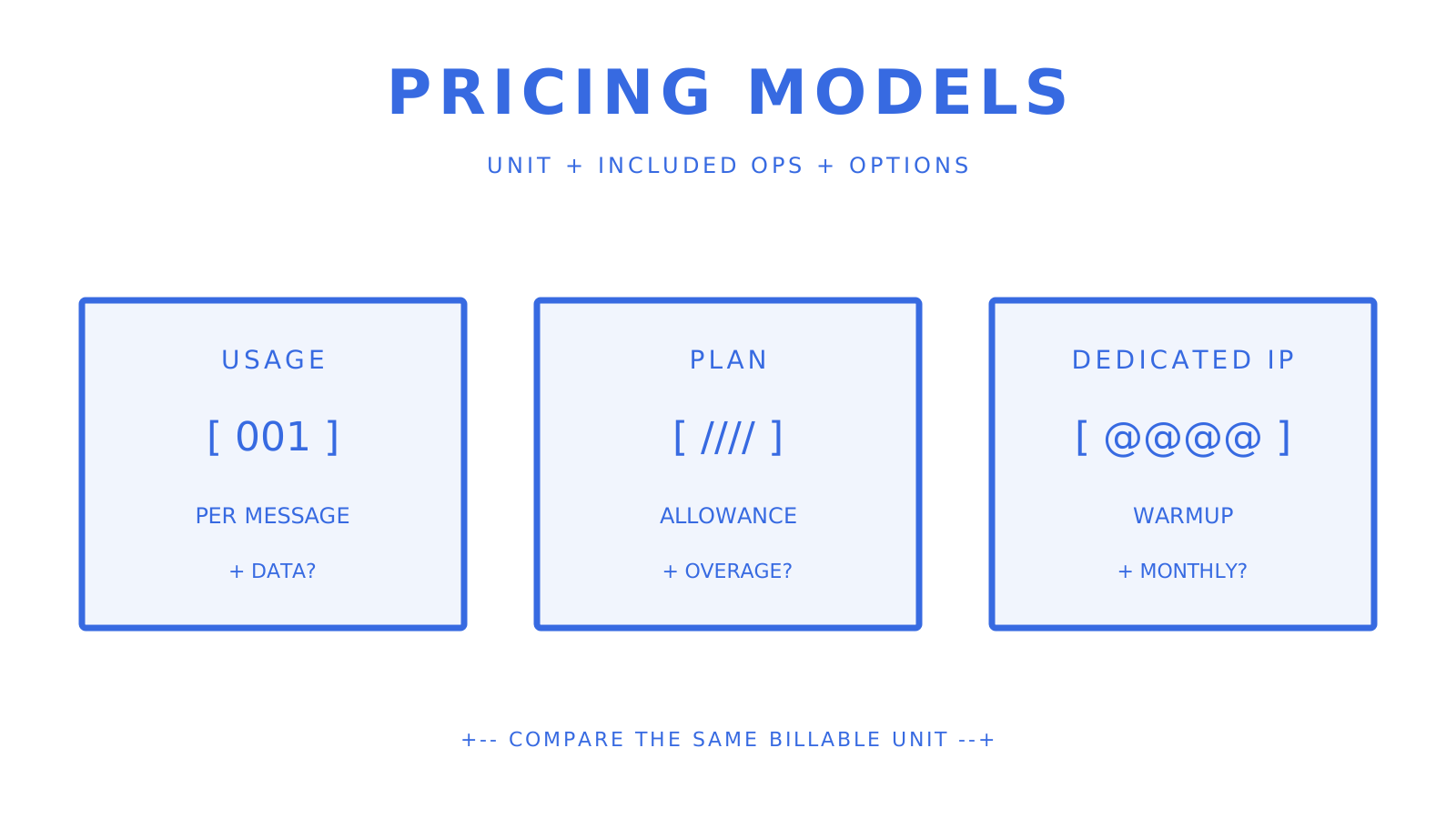
Email API pricing models tend to fall into three broad categories, each with a different cost profile at scale.
Compare the unit price, included operations, and optional infrastructure separately.
**Usage-based (per-recipient or per-message):** You pay for measured activity, but the billable unit and included operations vary. Sendmux charges $0.000500 per provider-accepted recipient through an owned or connected provider. Amazon SES lists $0.10 per 1,000 outbound recipients on its a la carte pricing, plus outgoing data and optional-feature charges. SES also offers bundled plans with different rates. Check the base charge, storage, inbound, seat, and mailbox terms as well.
**Subscription tiers:** A fixed monthly fee covers a message allowance, with overages billed per message above the cap. Predictable for steady-state volume, but you pay for unused capacity during low months and face surprise overage bills during spikes.
**Dedicated IP add-ons:** Generic $20–$30/month estimates age quickly. On Amazon SES a la carte pricing, managed dedicated IPs have a $15 monthly account fee plus $0.08 per 1,000 emails for the first 10M emails per month. Check the exact provider, volume tier and region before budgeting.
| Provider type | Cost illustration and volume | Free tier | Key cost caveat |
|---|---|---|---|
| Sendmux Pro (connected provider) | $57 for 100K accepted recipients: $50 usage + $7 monthly base | Free has fixed limits and $1 starting credit | Provider charges, inbound deliveries and storage are separate ($0.02 per decimal GB-month) |
| Amazon SES outbound (a la carte) | $10 base sending price for 100K outbound recipients | AWS free-tier eligibility varies | Data transfer, attachments, inbound chunks, and optional features are separate |
| Brevo free plan | $0 | 300 sends per day | Unused daily sends do not roll over; plan features and branding limits apply |
| Subscription provider | Verify current tier | Provider-specific | Compare overages and included inbound, storage, webhooks, and seats |
| Dedicated IP option | Provider-specific | Not a free-tier feature | Warmup, volume consistency, and extra charges apply |
**Worked example:** On current Sendmux Pro pricing, 100K provider-accepted recipient occurrences through customer-configured providers cost $50 at $0.000500 each. Add the $7 monthly team charge for a $57 subtotal, before your provider's own charges, inbound deliveries and storage. Each accepted To, CC or BCC occurrence counts, even when an address repeats across fields. One message sent to several recipients can therefore cost more than one recipient's rate.
**Pro Tip:** *To compare pay-as-you-go against a subscription tier fairly, model your peak month, not your average. Subscription tiers look cheaper at average volume but often cost more when you factor in the one or two months per year where you exceed the cap.*
***
## How do you pick the right email API for your project?
Start with the basics. If a provider fails any of these requirements, move on before evaluating anything else.
**Must-have checklist:**
1. Full domain authentication: SPF, DKIM, DMARC, and bounce-handling DNS records, configurable per domain
2. SDKs in your stack's language, with an OpenAPI spec and working example code
3. Inbound parsing or real mailboxes, if your application needs to receive and act on replies
4. Documented rate limits with clear burst behavior and retry guidance
5. Idempotency support on send endpoints so retries don't produce duplicate messages
6. A documented retry model and, when required, a verified alternative-route behavior
7. Webhook delivery with payload signing (HMAC or equivalent)
8. Transparent pricing that names message, inbound, storage, seat, mailbox, and optional-infrastructure charges
**Nice-to-have:**
- Multi-region infrastructure for latency reduction and redundancy
- Dedicated IP options with warmup support
- SOC 2 or equivalent compliance certification
- Team roles and tenant isolation for multi-customer platforms
- CLI tooling and local development support
**Questions to ask vendors before committing:**
- What authentication methods does the API support (API key, OAuth, JWT)?
- Are webhook deliveries signed, and what's the retry policy if my endpoint is down?
- What's the maximum batch size per API call, and what happens when I hit a rate limit?
- Are envelope limits (RCPT TO count) and header limits documented?
- Is inbound parsing included, or is it a separate product or add-on?
- What's the SLA for delivery latency on transactional messages?
**Red flags to walk away from:**
- No inbound support at all, if your use case involves receiving replies
- Domain authentication that requires manual DNS setup with no verification tooling
- Pricing that gates inbound parsing, webhooks, or dedicated IPs behind enterprise plans with no published rates
- No SDKs, no OpenAPI spec, and example code that's more than two years out of date
- No documented failover behavior or retry model
***
## What should you verify about deliverability and scaling before you commit?
Deliverability is an operating property, not a checkbox. A clean API cannot compensate for poor authentication, consent, list hygiene, reputation, or destination-specific requirements. Run controlled checks before committing production traffic.
**Deliverability checklist:**
- Verify SPF, DKIM, and DMARC records for the exact sending domain using authoritative DNS queries and the destination provider's official tools, such as Google Admin Toolbox
- Confirm the provider supports custom bounce-handling subdomains so bounces don't pollute your root domain's reputation
- Check whether dedicated IPs are available and what the warmup process looks like
- Ask whether the provider participates in feedback loops with major mailbox providers
- Run test sends to Gmail and Outlook addresses and check placement (inbox vs. promotions vs. spam)
Note that Apple's Mail Privacy Protection downloads remote content in the background when Protect Mail Activity is enabled, making open rates unreliable as a placement signal. Measure delivered vs. bounced, and use synthetic inbox placement tools rather than open tracking during your POC.
Microsoft's updated Outlook requirements add stricter authentication and sending-pattern expectations for high-volume senders. Test against Outlook explicitly, not just Gmail.
**Throughput verification:**
- Review the provider's published rate limits (per second, per minute, per day) and confirm they match your peak traffic profile
- Test burst behavior only within a provider-approved non-production plan. Do not send at 2x your expected rate merely to probe limits; verify documented 429 and `Retry-After` behavior with the smallest safe workload
- Confirm whether the provider supports multi-region routing or has infrastructure in multiple data centers
- For agent workloads, verify webhook delivery latency under load, not just at idle
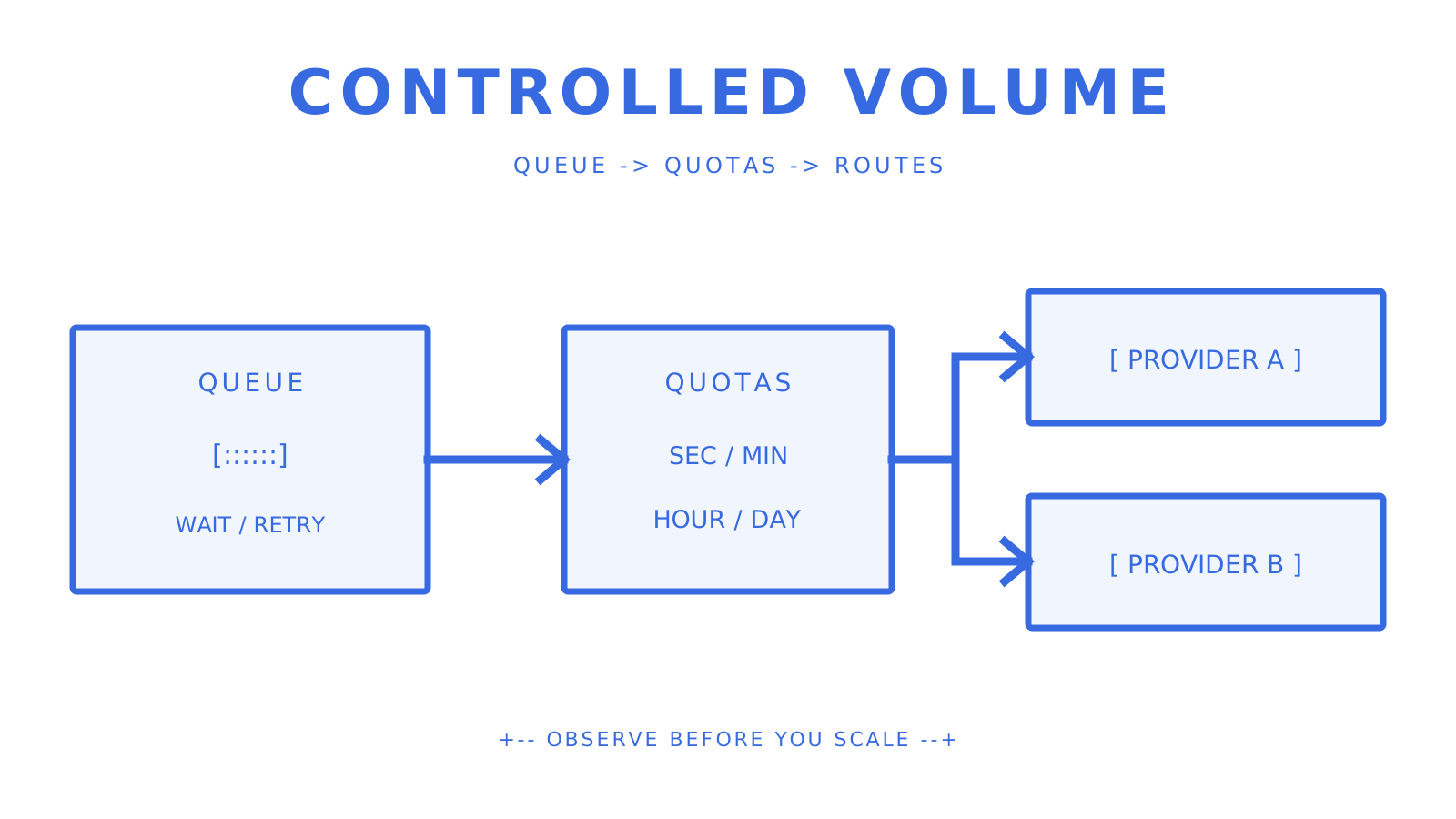
Queues and quota windows make high-volume behavior observable before scale-up.
**Illustrative 48–72 hour POC mini-test plan:** This is a sequence, not a universal duration or permission to send bulk traffic. Use consented seed addresses, provider-approved limits, and a non-production route.
1. Configure domain authentication (SPF, DKIM, DMARC) and verify DNS propagation
2. Decide whether a 500–1,000-message test is justified for your approved seed set; begin with the minimum volume that can answer the placement question
3. Trigger a reply to one of those messages and confirm inbound delivery and parsed payload structure
4. Ramp to your expected peak send rate and observe rate-limit behavior and delivery logs
5. Exercise documented alternative-route behavior only in an isolated non-production configuration; never disrupt or mutate a live provider
6. Check webhook delivery latency from send event to your endpoint under normal conditions
***
## Why does Sendmux fit AI agents and multi-tenant platforms specifically?
Delivery-first APIs, provider-mailbox APIs, and application-owned mailbox APIs solve different jobs. Sendmux fits the third category: applications can provision mailbox identities, read clean message content, use scoped credentials, and route outbound through configured sending accounts.
**Feature highlights relevant to agent workloads:**
- Real mailboxes on `@myagent.mx` or a verified custom domain; confirm current mailbox pricing separately
- Per-mailbox API keys scoped to explicit permissions (send, receive, read, update)
- Structured JSON inbound parsing: cleaned text and HTML, thread context, attachments, and metadata, all in one payload
- SSE for inbound mailbox events and HMAC-SHA256 signed webhooks for outbound delivery changes
- IMAP and SMTP access for clients that need protocol-level access
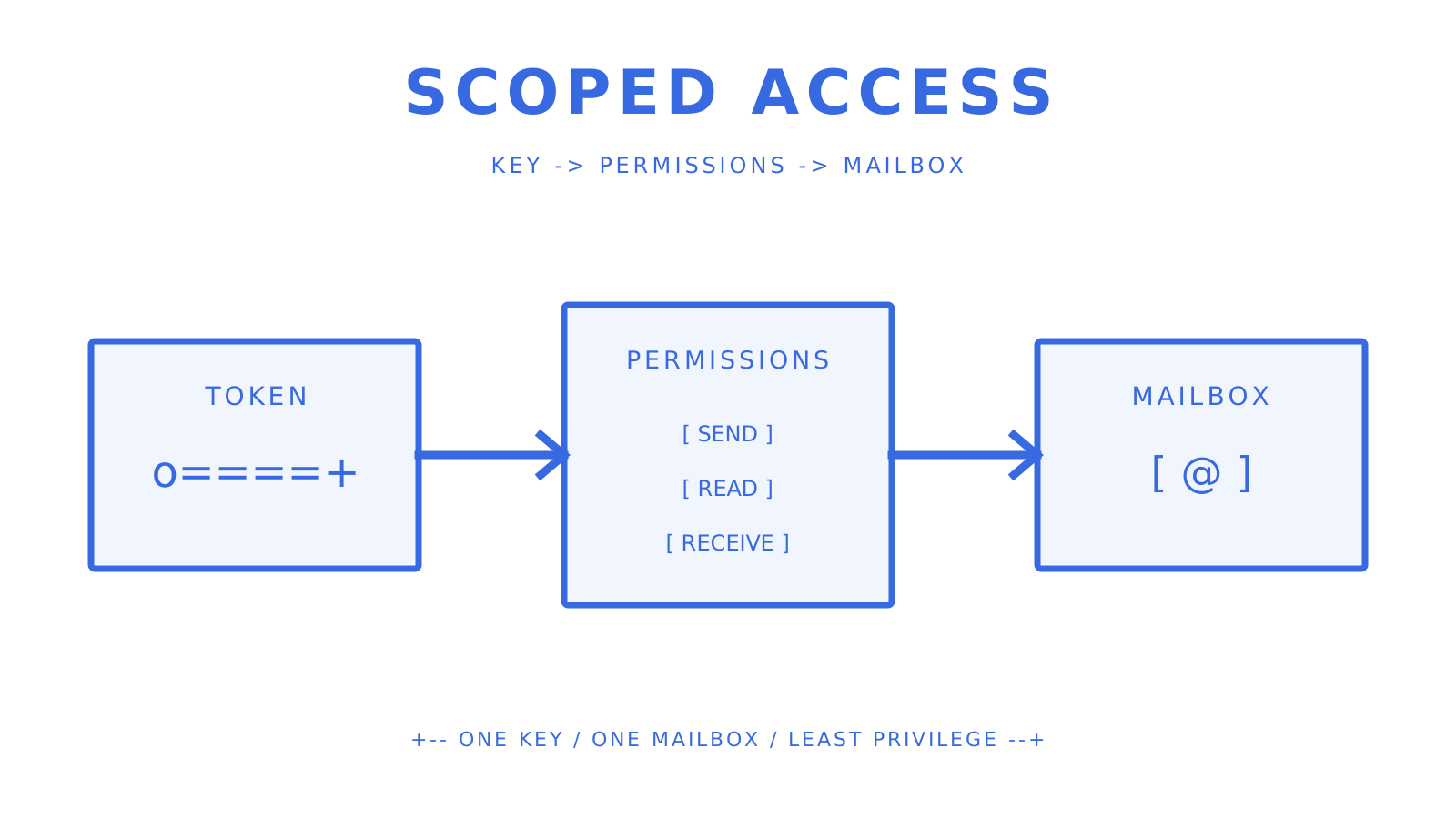
A scoped credential limits an agent to the mailbox permissions it needs.
**Specific agent use cases Sendmux handles well:**
- **Outbound agent notifications:** Send transactional or triggered messages from an agent's own identity, with delivery logs covering queued, sent, delivered, bounced, and failed states
- **Inbound reply handling:** Receive replies into a real mailbox, parse them as JSON, and pass the cleaned reply text directly to your agent's context window
- **Multi-tenant mailbox isolation:** Each customer or workspace can use its own mailbox and scoped credential. This isolates application access and state; provider or IP reputation isolation requires separate verified sending configuration
- **Real-time events:** Inbound SSE and outbound webhooks reduce polling, while durable consumers still need reconnect and replay logic
The sending infrastructure supports weighted configured accounts across Gmail API, Outlook API, managed Amazon SES, and custom SMTP. Quota and availability filters influence weighted selection. Validate capacity against your destination mix and approved provider limits.
Developers get an OpenAPI 3.1 contract plus first-party SDKs for TypeScript, Python, Go, PHP, Ruby, and Rust. The [AI agent builder overview](https://sendmux.ai/solutions/ai-agent-builders) introduces the workflow. Sendmux CLI 1.5.0 includes 104 API commands, alongside agent setup and profile commands. First-party LangChain and Vercel AI SDK wrappers cover sending email, listing messages and replying. Match the selected tool to its API credential scope before using it.
**Pro Tip:** *Use team and mailbox scopes, resource limits, domain verification, and explicit sending-account configuration to isolate access and quotas. Do not claim reputation isolation unless the underlying provider, domain, and IP setup actually creates it.*
***
## What's the final recommendation?
For AI agents, multi-tenant SaaS platforms, and teams that need application-owned mailboxes plus outbound routing, Sendmux is a practical starting point. For authorized access to an existing Gmail or Microsoft 365 mailbox, use the provider API directly. For delivery-only workloads, compare transactional providers on authentication, event semantics, retries, quotas, and current pricing.
For teams building pure transactional sending without inbound requirements, established high-volume SMTP platforms offer deep delivery analytics and large community ecosystems. For marketing-plus-transactional hybrids, marketing platforms with API access are a reasonable fit. The decision criteria in the checklist above apply regardless of which direction you go.
**Illustrative POC checklist (1-week timebox):**
- **Days 1–2:** Configure domain authentication, send 500–1,000 test messages, verify inbox placement against Gmail and Outlook
- **Days 3–4:** Test inbound delivery and parsed payload structure; verify webhook signing and latency
- **Days 5–7:** Ramp to peak send rate, observe rate-limit behavior, simulate failover if supported
**The single most important metric to validate:**
- For transactional email: inbox placement rate against Gmail and Outlook (not open rate, per Apple MPP)
- For real-time agent workloads: webhook delivery latency from send event to your endpoint under load
***
## An honest take on the tradeoffs
The hardest part of choosing an email API isn't comparing features. It's being honest about what your application really needs, rather than what sounds good in a requirements document.
Sendmux is a strong fit when an application needs to send and receive through owned mailbox identities, or when several tenants need scoped mailbox access and configured outbound routes. Budget for the $7 monthly Pro charge and usage measured by accepted outgoing recipients, distinct inbound mailbox deliveries and decimal GB-months of storage. The connected provider may also charge you.
If you are building a straightforward delivery-only notification system and already operate in AWS, [Amazon SES pricing](https://aws.amazon.com/ses/pricing/) lists $0.10 per 1,000 outbound recipients on its a la carte pricing before data and optional features. If a non-technical marketing team needs campaign design and audience tools, evaluate a marketing platform's API alongside those workflow features.
The mistake most teams make is choosing a sending-only API and then bolting on a mailbox hack and a third-party parser when the product evolves to need replies. That's three systems to maintain instead of one. If there's any chance your application will need inbound email in the next year, start with a mailbox-first API and avoid the retrofit.
***
## Sendmux: one API for sending, receiving, and routing
If you are building an AI agent, multi-tenant platform, or outbound workflow where each client needs an application-owned mailbox identity, Sendmux combines mailbox APIs, clean inbound content, weighted configured sending accounts, quota windows, and delivery observability in one contract.
Pro costs $7 per team each month plus usage. Accepted recipients through connected providers cost $0.000500 each, and inbound mail costs $0.000500 per distinct mailbox delivery. Managed Amazon SES accepted recipients cost $0.000750 each, and storage costs $0.02 per decimal GB-month. The [platform page for multi-tenant builders](https://sendmux.ai/solutions/platform-builders) describes the operating model. Repository evidence remains the authority for technical claims.
A practical first step is to create a non-production mailbox, verify the required SPF, DKIM, DMARC, and bounce-handling records, and send the smallest consent-based seed set that answers your placement question. Do not promise a 1,000-message test or an under-two-hour result before DNS, provider approval, and workload limits are known. See the [product overview](https://sendmux.ai/product) for the current public entry point.
***
## Sources
- [Mail Privacy Protection](https://www.apple.com/legal/privacy/data/en/mail-privacy-protection/)
- [Gmail security, authentication, and spam protection](https://blog.google/products/gmail/gmail-security-authentication-spam-protection/)
- [More secure, less spam](https://blog.postmaster.yahooinc.com/post/730172167494483968/more-secure-less-spam)
- [11 Best Email API Services for Developers in 2026 (Reviewed)](https://www.emailvendorselection.com/best-email-api/)
- [Email sender guidelines — Gmail](https://support.google.com/mail/answer/81126?hl=en)
- [Outlook high-volume sender requirements — Microsoft](https://techcommunity.microsoft.com/blog/microsoftdefenderforoffice365blog/strengthening-email-ecosystem-outlook%E2%80%99s-new-requirements-for-high%E2%80%90volume-senders/4399730)
- [Gmail API overview — Google for Developers](https://developers.google.com/workspace/gmail/api/guides)
- [Outlook mail API overview — Microsoft Graph](https://learn.microsoft.com/en-us/graph/outlook-mail-concept-overview)
- [Amazon SES pricing](https://aws.amazon.com/ses/pricing/)
- [Amazon SES dedicated IPs and warmup](https://docs.aws.amazon.com/ses/latest/dg/dedicated-ip-warming.html)
- [Brevo Free plan limits](https://help.brevo.com/hc/en-us/articles/208580669-FAQs-What-are-the-limits-of-the-Free-plan)
***
## FAQ
### Is there a free email API?
Several providers offer free tiers. [Brevo's current Free plan](https://help.brevo.com/hc/en-us/articles/208580669-FAQs-What-are-the-limits-of-the-Free-plan) includes 300 sends per day. Sendmux's Free plan has a $0 base price, two mailboxes and a limit of 50 provider-accepted recipients per UTC day. New teams receive $1 in credit, which usage charges consume. Free teams cannot buy more credit and must upgrade to Pro when it runs out.
### Which email API is the cheapest for high volume?
[Amazon SES](https://aws.amazon.com/ses/pricing/) lists $0.10 per 1,000 outbound recipients on its a la carte pricing before data and optional features. Cheapest depends on recipient count, message data, inbound use, dedicated IPs, support, and the mailbox or workflow capabilities your application would otherwise build.
### What is the best email API for AI agents?
Sendmux fits agent workloads that need real mailboxes, clean JSON message content, scoped mailbox credentials, and weighted configured sending accounts. Gmail API or Microsoft Graph can be a better fit when the agent should act through an existing user's provider mailbox.
### How do you send at very high volume through an email API?
Verify domain authentication first, follow the chosen provider's rate and warmup guidance, and increase volume gradually. Amazon SES documents roughly two to six weeks for dedicated-IP warmup depending on the receiving provider. Sendmux uses weighted accounts and quota windows. Validate capacity against your destination mix and approved provider limits.
### What is the best email API for Gmail and Outlook compatibility?
No API can guarantee [Gmail](https://blog.google/products/gmail/gmail-security-authentication-spam-protection/) or Outlook placement. For an existing Gmail mailbox, the [Gmail API](https://developers.google.com/workspace/gmail/api/guides) provides authorized mailbox access and sending. For Microsoft 365 and Outlook mailboxes, [Microsoft Graph](https://learn.microsoft.com/en-us/graph/outlook-mail-concept-overview) covers primary and shared mailbox data. Delivery platforms must still satisfy [Gmail's sender guidelines](https://support.google.com/mail/answer/81126?hl=en) and Microsoft's current high-volume authentication requirements.